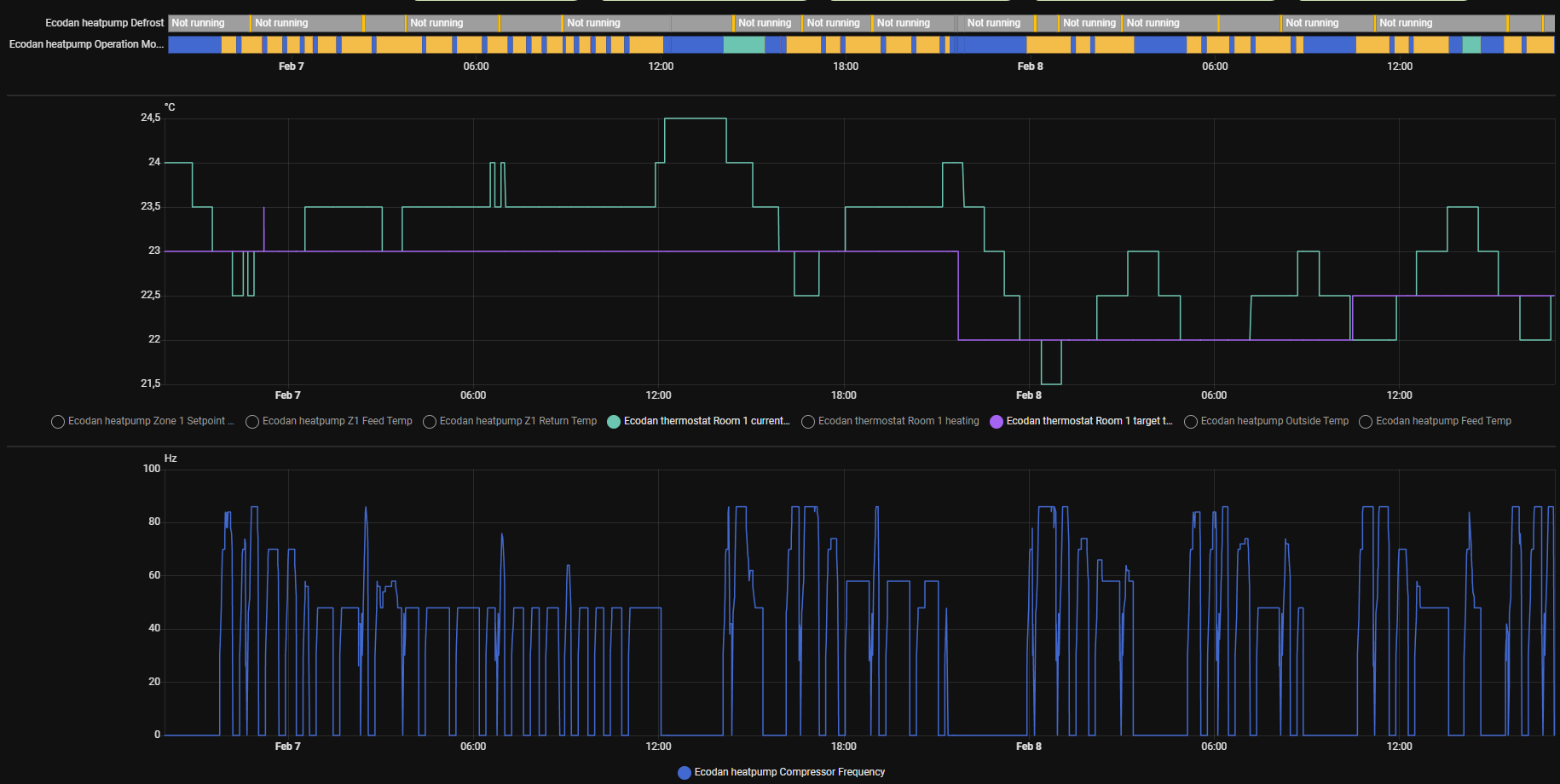
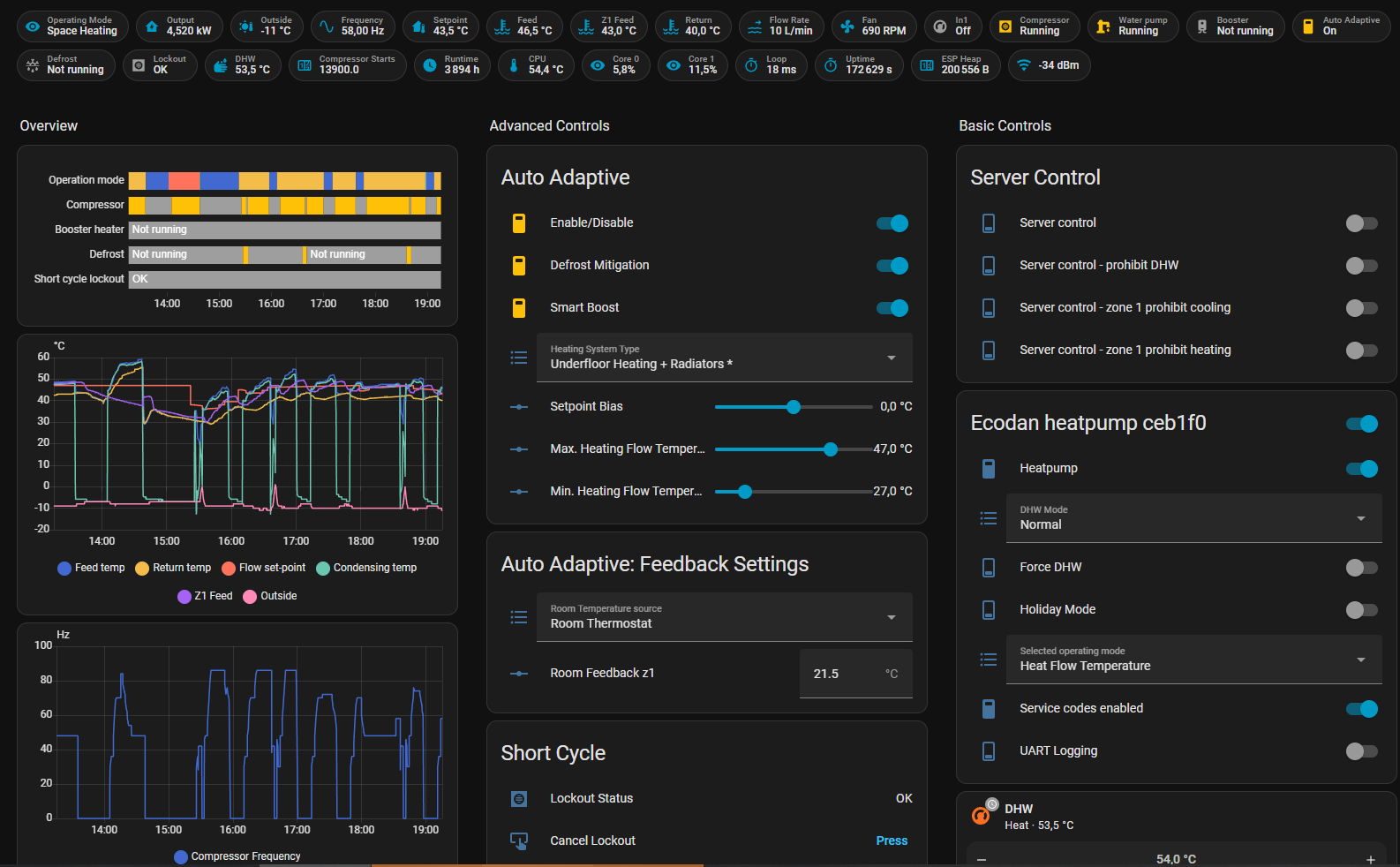
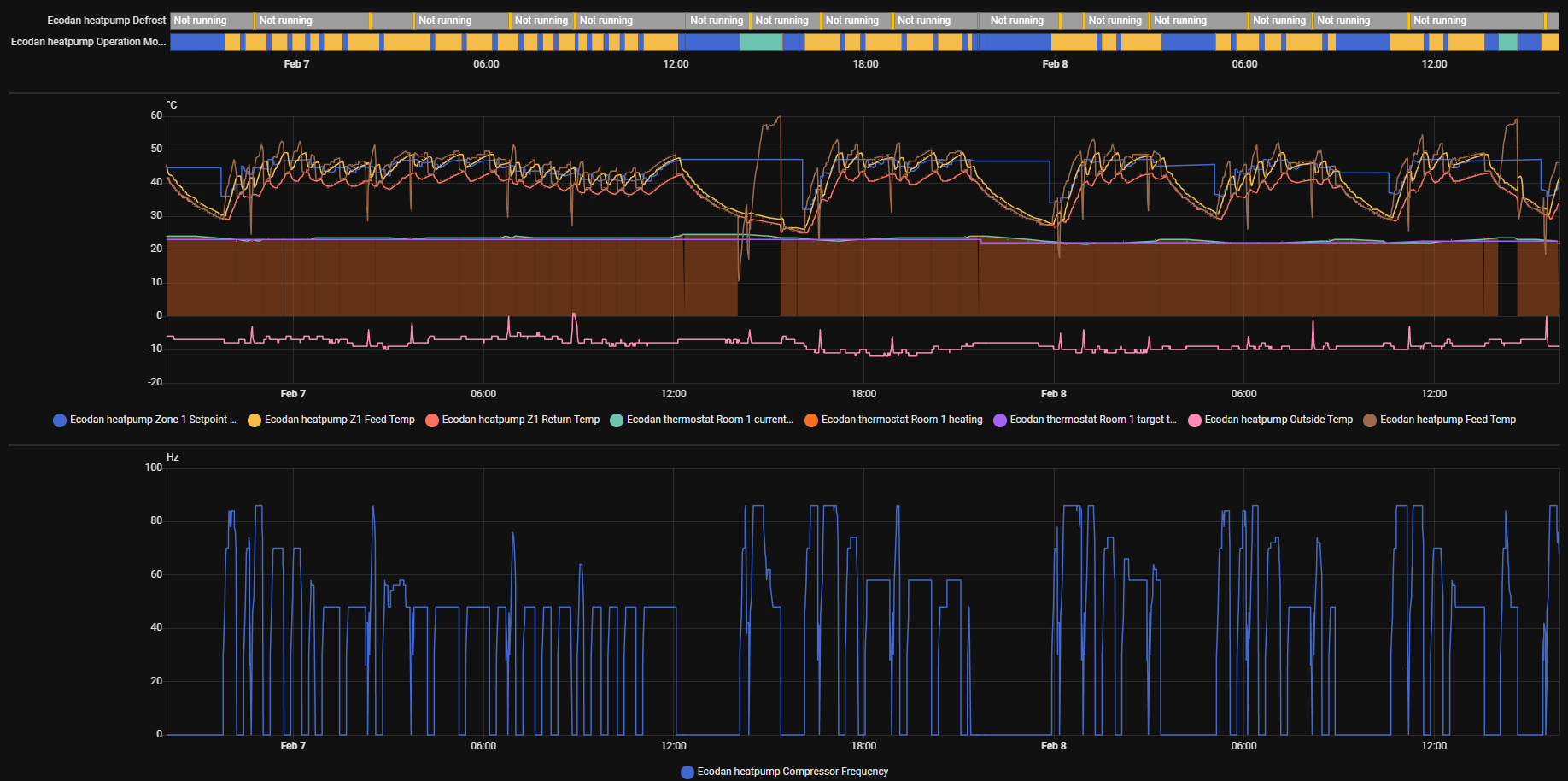
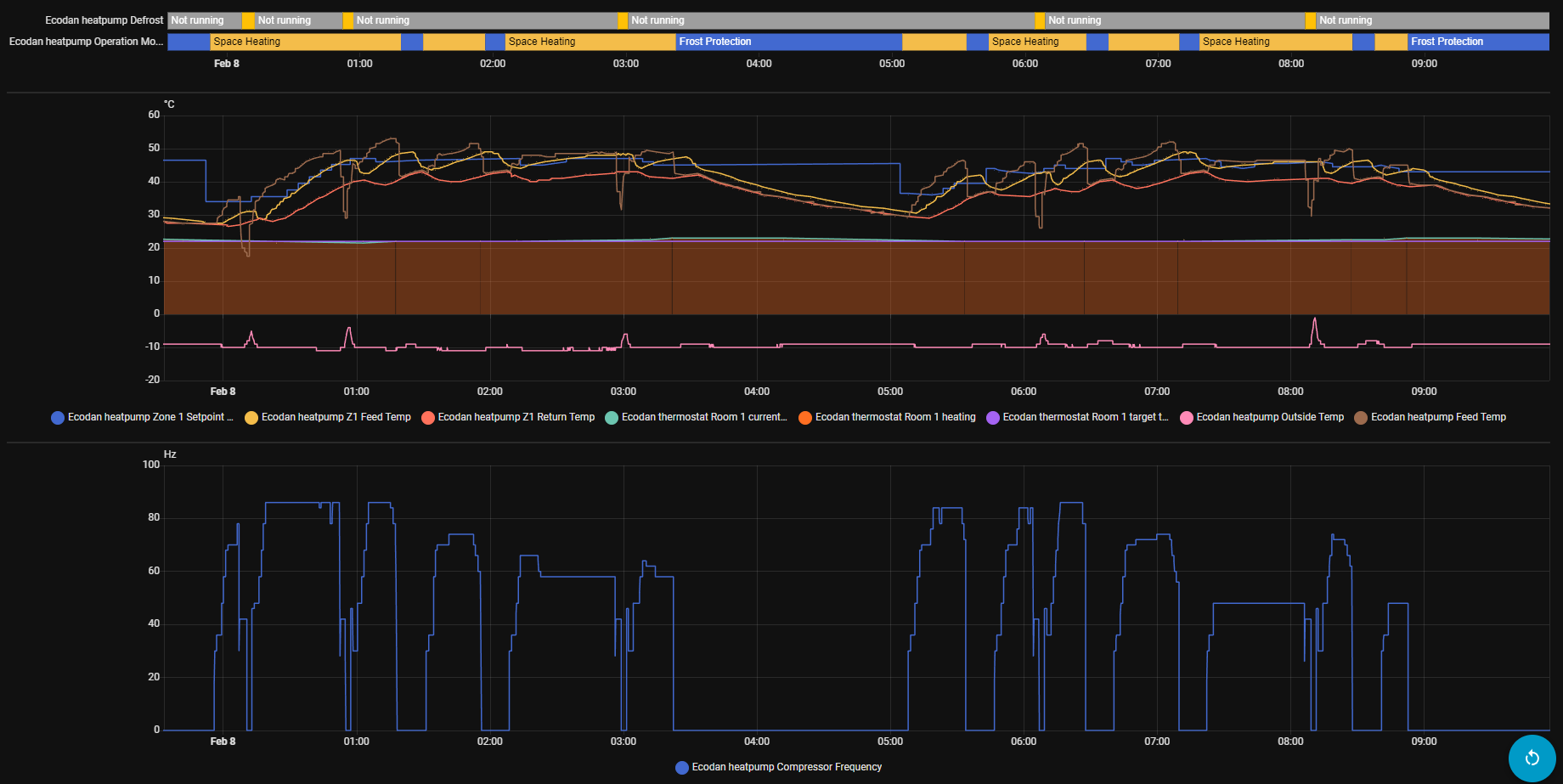
Been using @gekkekoe variant for a few days now and seems the compressor startup spikes persist even when it nicely ramps up flow setpoint. Even with “milder” weather, -7…-10C. On 7th at noon we had nice sunny weather that heated the house through windows. Other temperature swings are normal operation.
Just wondering if the short cycles are there because room temperature isn’t achieved and longer stops because it got warm enough?
Also the flow limit doesn’t work exactly as hoped, because z1 sensors are attached, it limits by those sensors. I have set max to 47 but the heater output reached 50…55C.
What is your setup ? Mixing tank and single zone ? You mentioned 23c setpoint, but what was the current temp ? If the error is too large, the system tries to compenstate for it. Use the simulator to see what it does. Delta-T Flow Calculator
You generally want to run with a relatively small error, so let it run constantly. You can also record logs and attach it, it will log auto adaptive messages, then I can see what is going on.
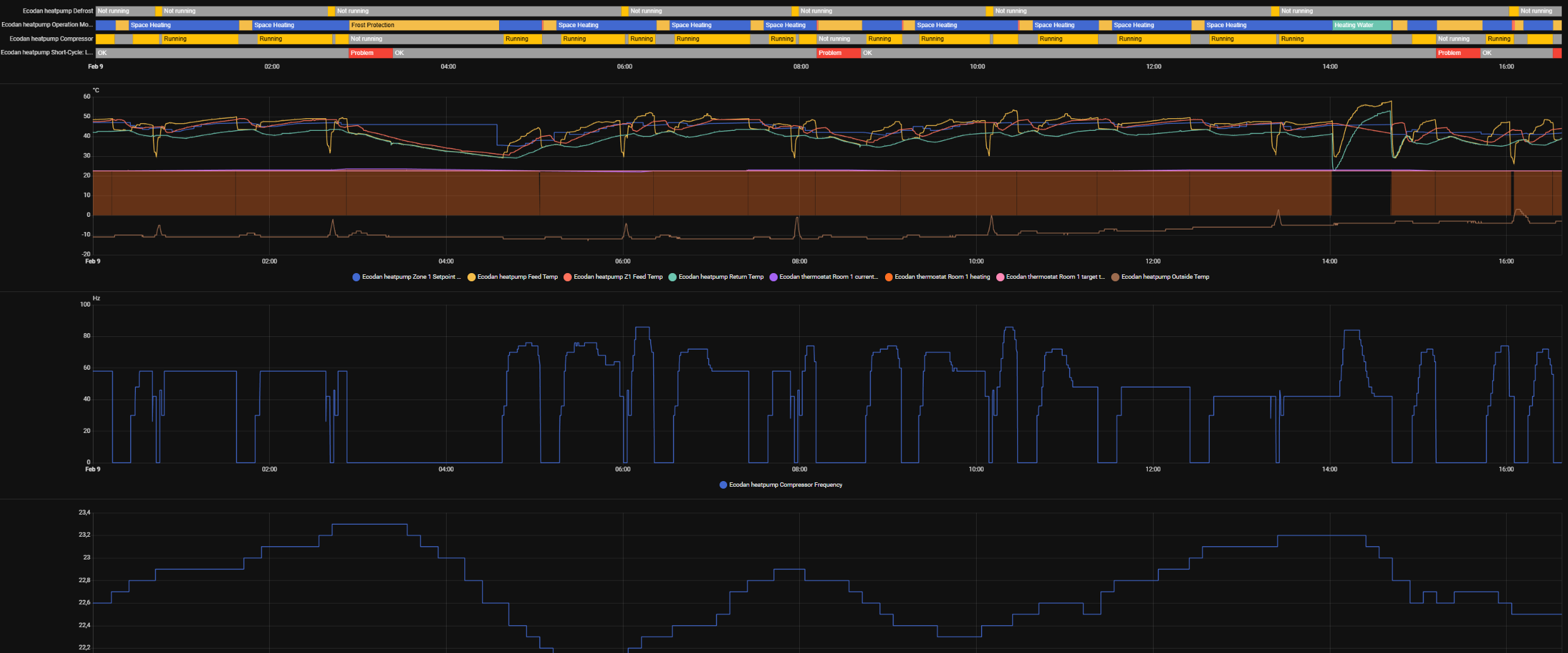
From your logging, the cycling is caused by your max temp of 47c. Since the actual flow is > 1.5c, the compressor will stop. You need to prevent that this delta exists.
Try to heat a bit slower, try hybrid profile since you limit it to 47c. You want long runs, try to avoid actual z1 flow temp - flow z1 setpoint > 1.5c, that is a hard stop condition (what is causing your cycling)
Thanks for the input. I’ve limited flow temp because that would be the absolute limit needed to keep house warm in -23C. Those temperatures are also rather rare, mostly -10…-17C.
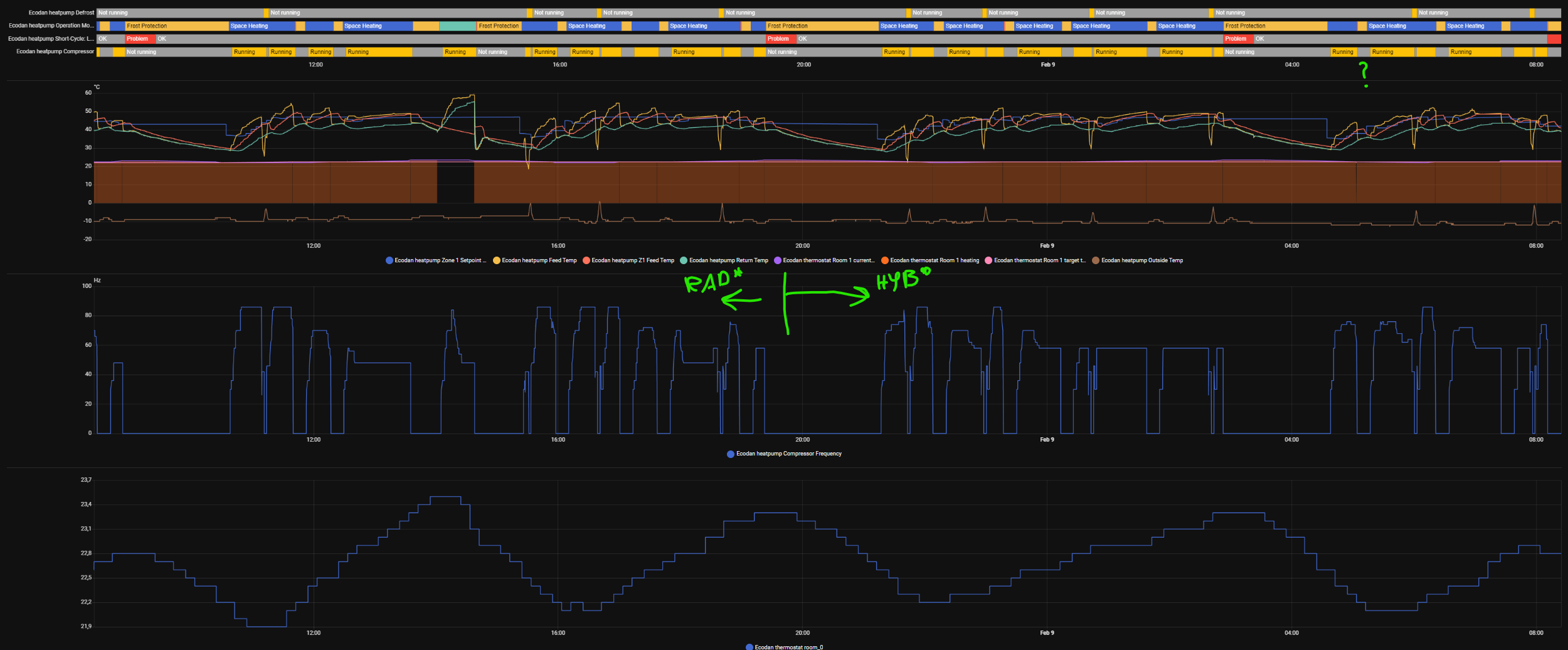
There was just nice long run (started about that time I ended logging) and then defrost kicked in, it was still Radiators* profile.
I have steel sheet radiators with total output ~4,7kW@ 55/45/20 °C.
I’ve put it now on hybrid* or should I rather try slower hybrid?.
hybrid* is more aggressive (but probably right for your case, its less aggressive than radiators), regular uses curve. See documentation and simulator.
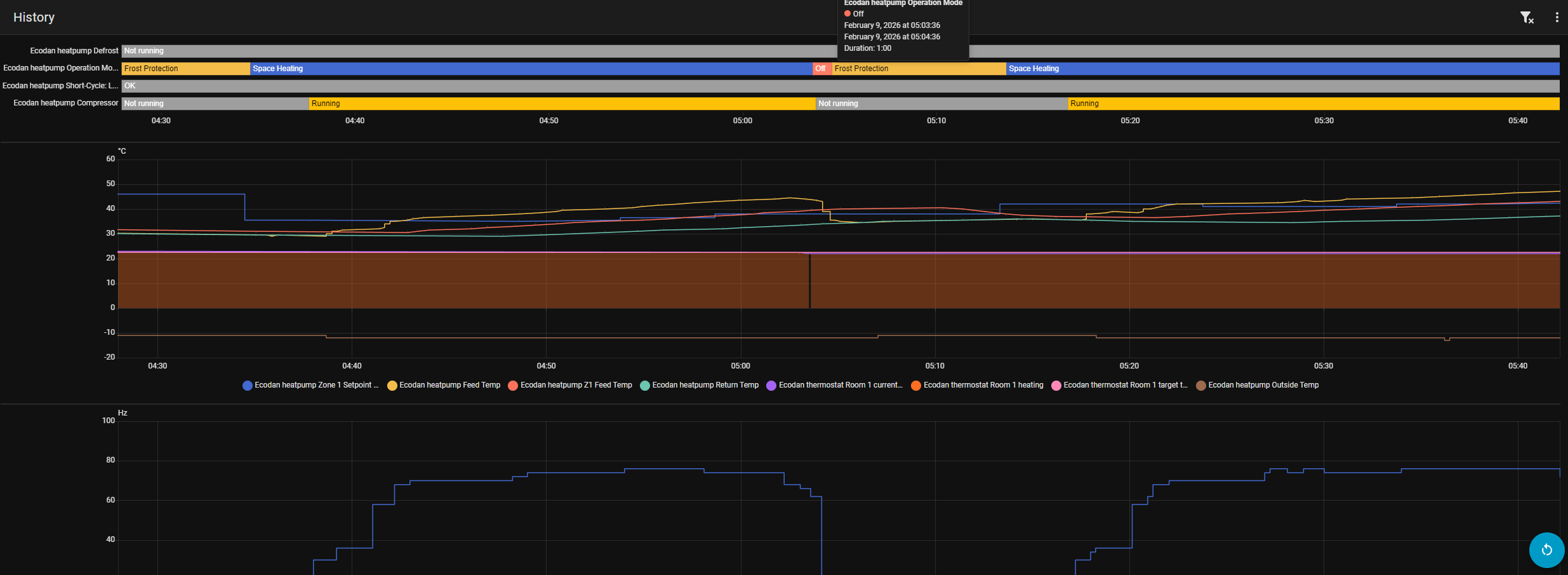
Over night seemed better/longer runs, most interrupts are now caused by defrost. Weather was also bit colder ~ -12C. But at around 5am there was some strange cut off, although room temperature was dropping, setpoint constant 22,5C.
The runs seems a lot better, I think you can try smooth step hybrid or even UFH*. When it’s colder outside, the heatpump has less capacity, this would indicate that you can do with less if it still keeps the house warm.
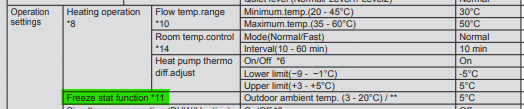
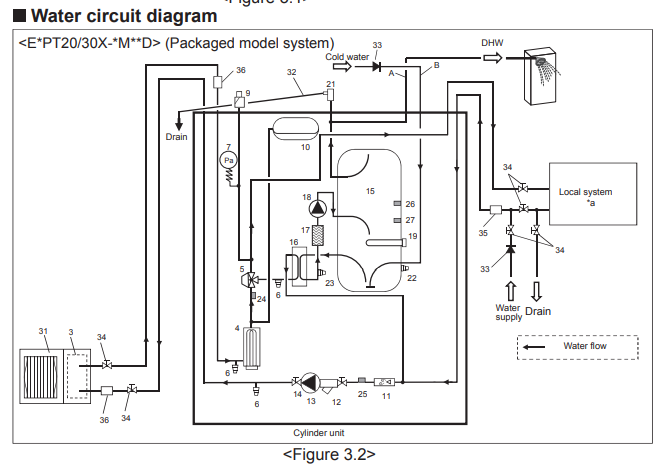
Btw, you run a monoblock ? (seeing the frost protections). Frost protection != defrost. Its a bit weird that it runs frost protection while you are heating, I mean you are sending warm water through the pipes…. It would be helpful to see the demand. Are you using in1?
The unexpected stop is caused by actual z1 feed temp - z1 feed temp setpont >= 1.5c. I need logging to see what hapened there. When debugging, its always a good idea to record logs, uart logging switch can be left off, only want to see the auto adaptive logging (those are on by default with the default configs)
Check with your installer if frost protection is needed, since you have a split unit and if there are no water pipes exposed outside the house, it should not really be needed. (Splits only has refrigerant coming from outside to the inside unit, frost protection is not applicable to refrigerant, only water)
With CNRF there’s a +1c overshoot, so it actually stops later. An issue with this is, that when we reach setpoint, I dial back to min delta T of the profile (since we already at setpoint). Don’t know if this is also causing issues for you.
But record some logging when setpoint has been reached.
Since the main pump is running 24/7 it doesn’t actually change anything except showing Frost protect value.
That’s ok. Currently it stopped at a point, it shouldn’t have, at the start of heating cycle. I’ve put it to logging, stop around 6-7h of data, then I can set it up again at home. Is there any way for HA to log it directly?
Do you mean controlling them via some external esp/relay with HA automations according to atom demand?
@Iguaan Since you are the installer, call Mitsi and ask for advice regarding frost protection. You own a split unit, to my knowledge, its not needed (unless you have shitty piping that exposes water pipes outside the house)
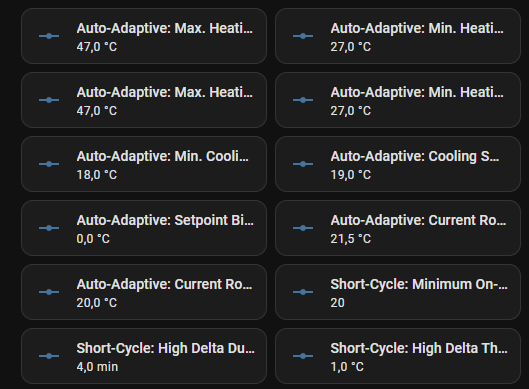
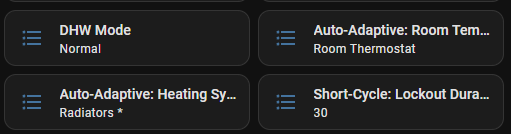
 , i’ll google it later.