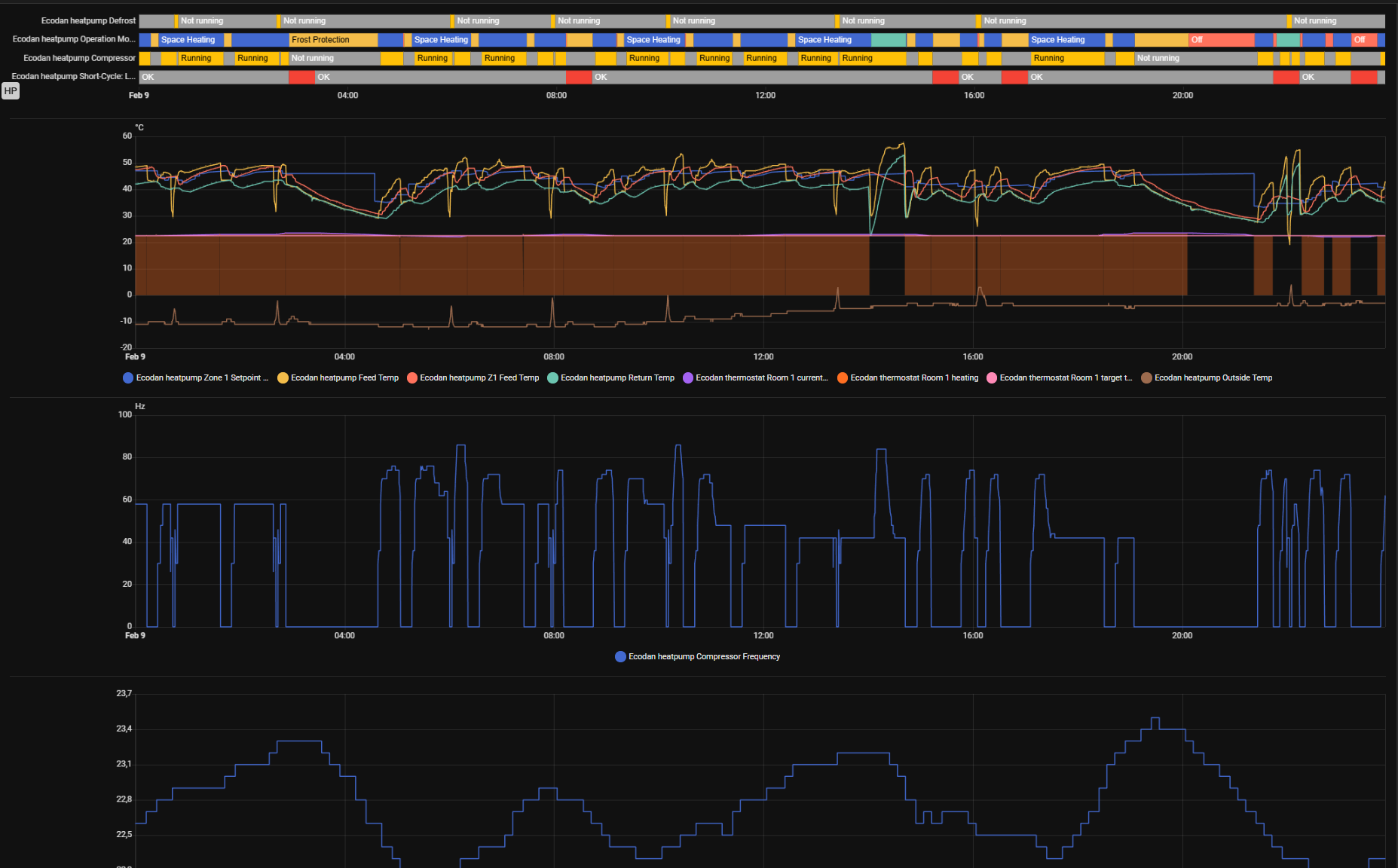
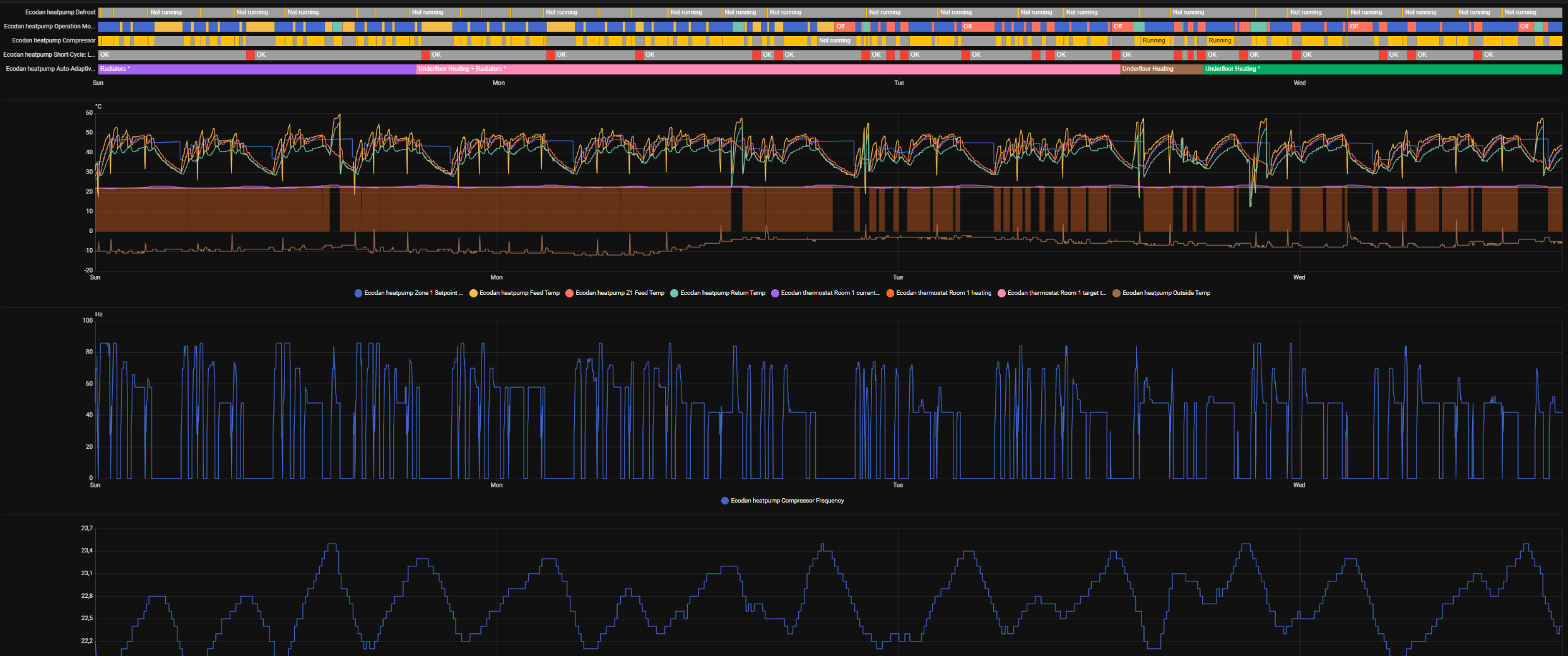
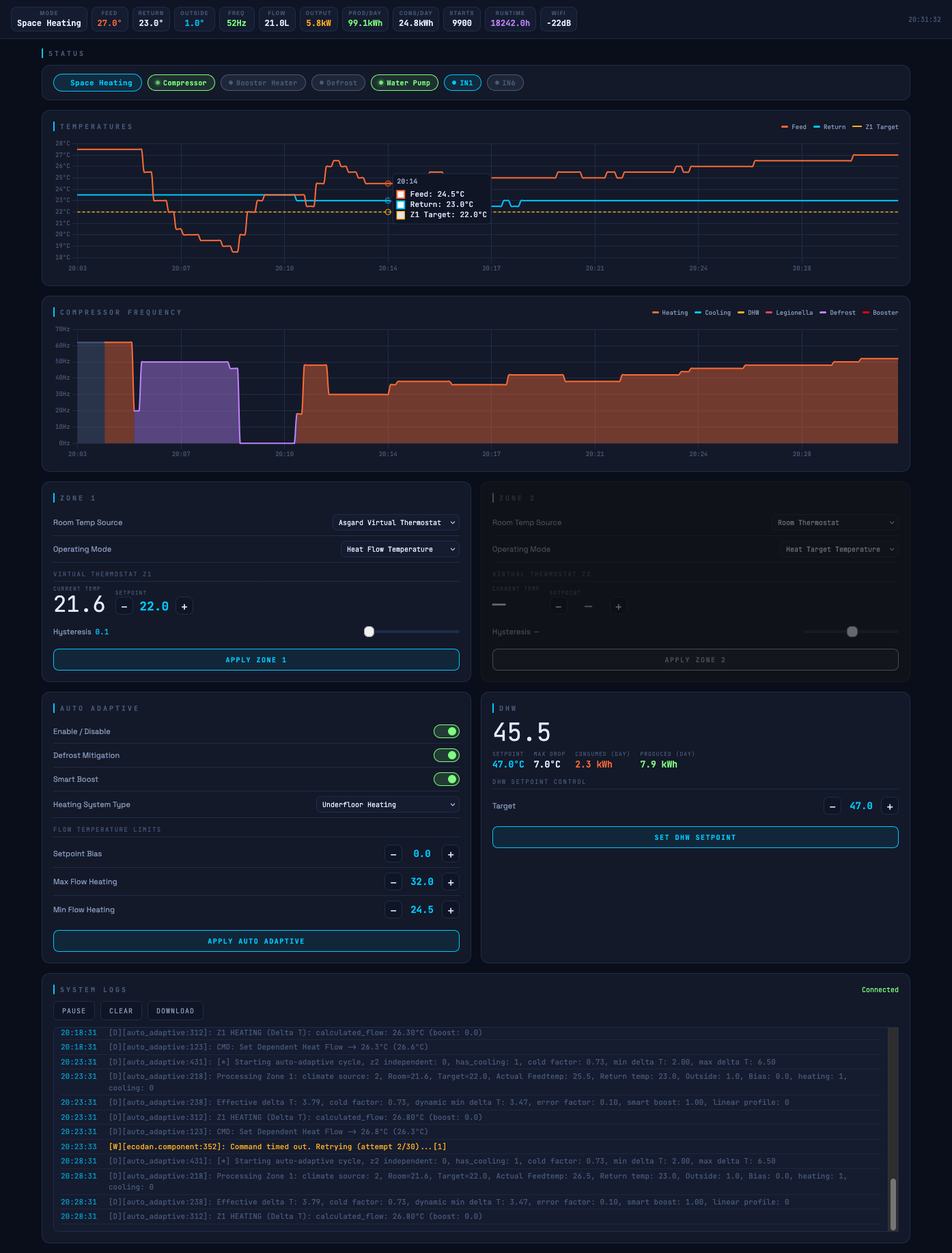
Still same:

After few days I’ll try some other slower profile, just to get some data.
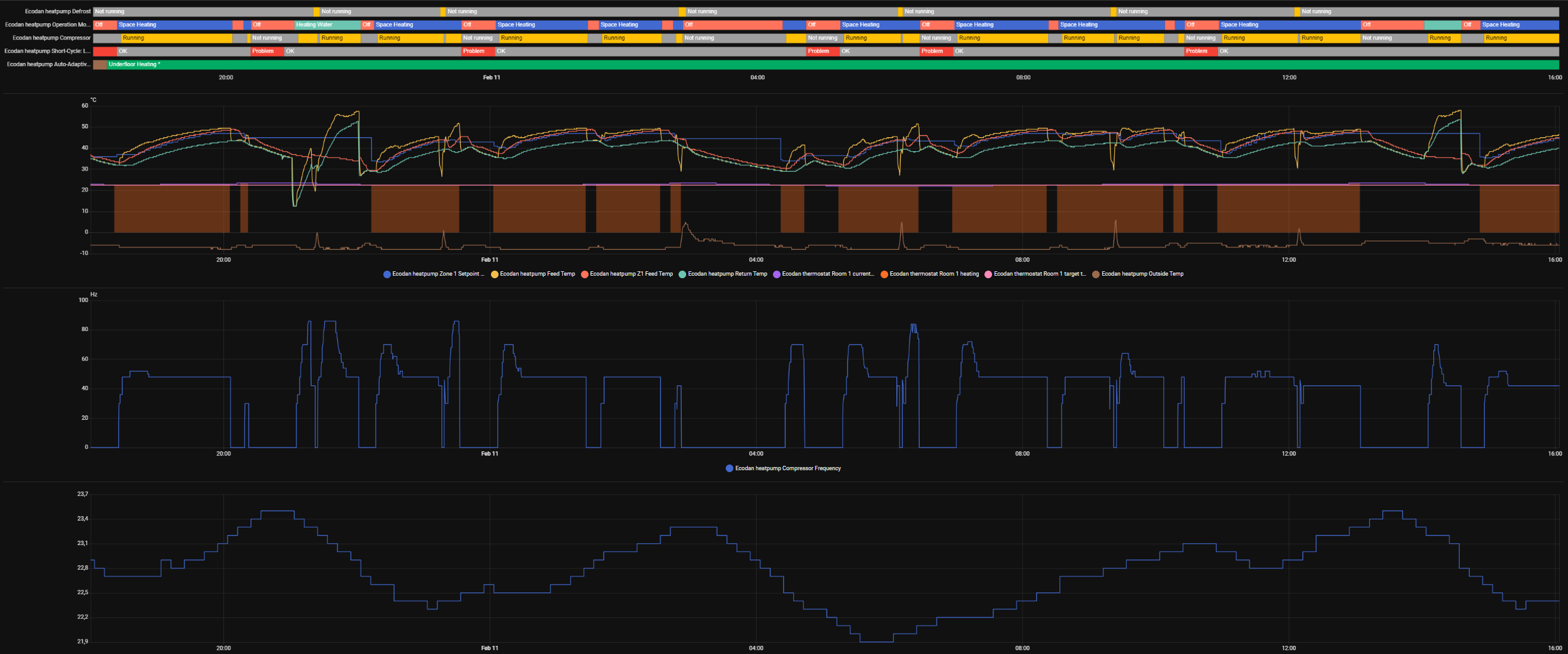
Still same:
After few days I’ll try some other slower profile, just to get some data.
Bit offtopic but,
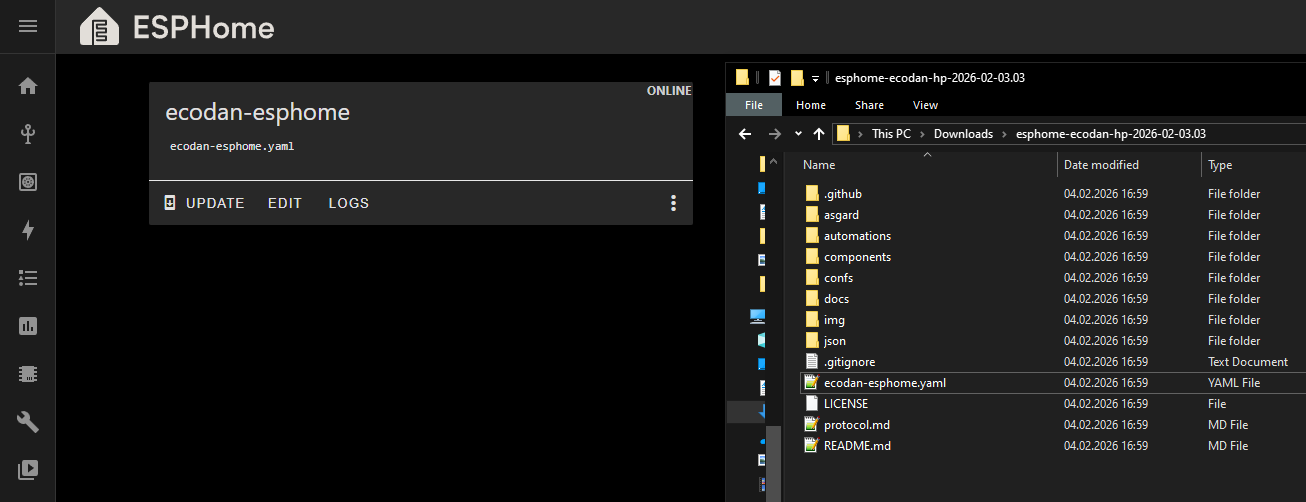
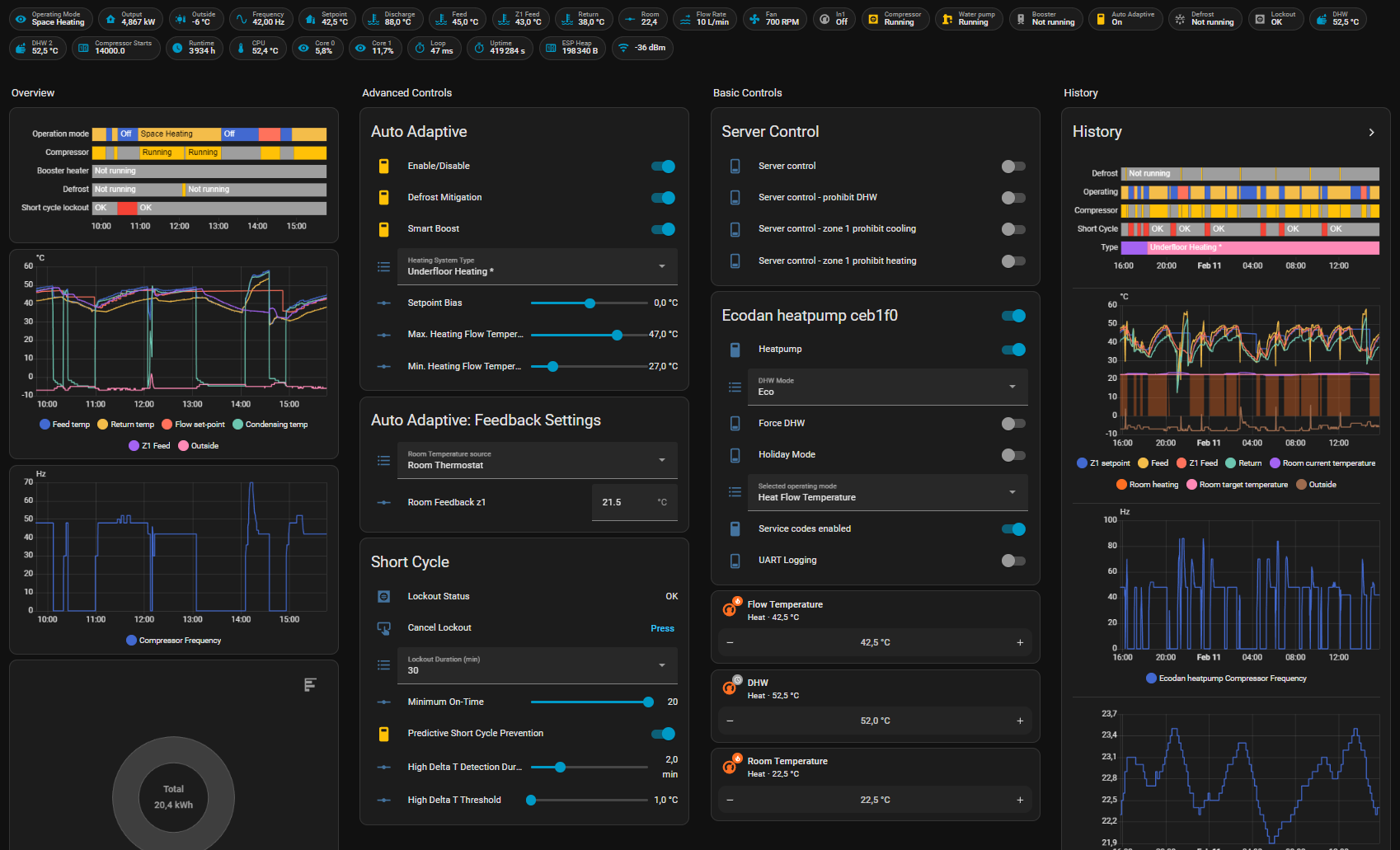
So I can compile/install directly from HA like this:
Just editing conf file by adding following lines with my mqtt broker info?
# Example configuration entry
mqtt:
  broker: x.x.x.x
  username: livingroom
  password: !secret mqtt_password
  discover_ip: True # enable device discovery
some_option:
  topic: domoticz/in  #that's domoticz listening folder
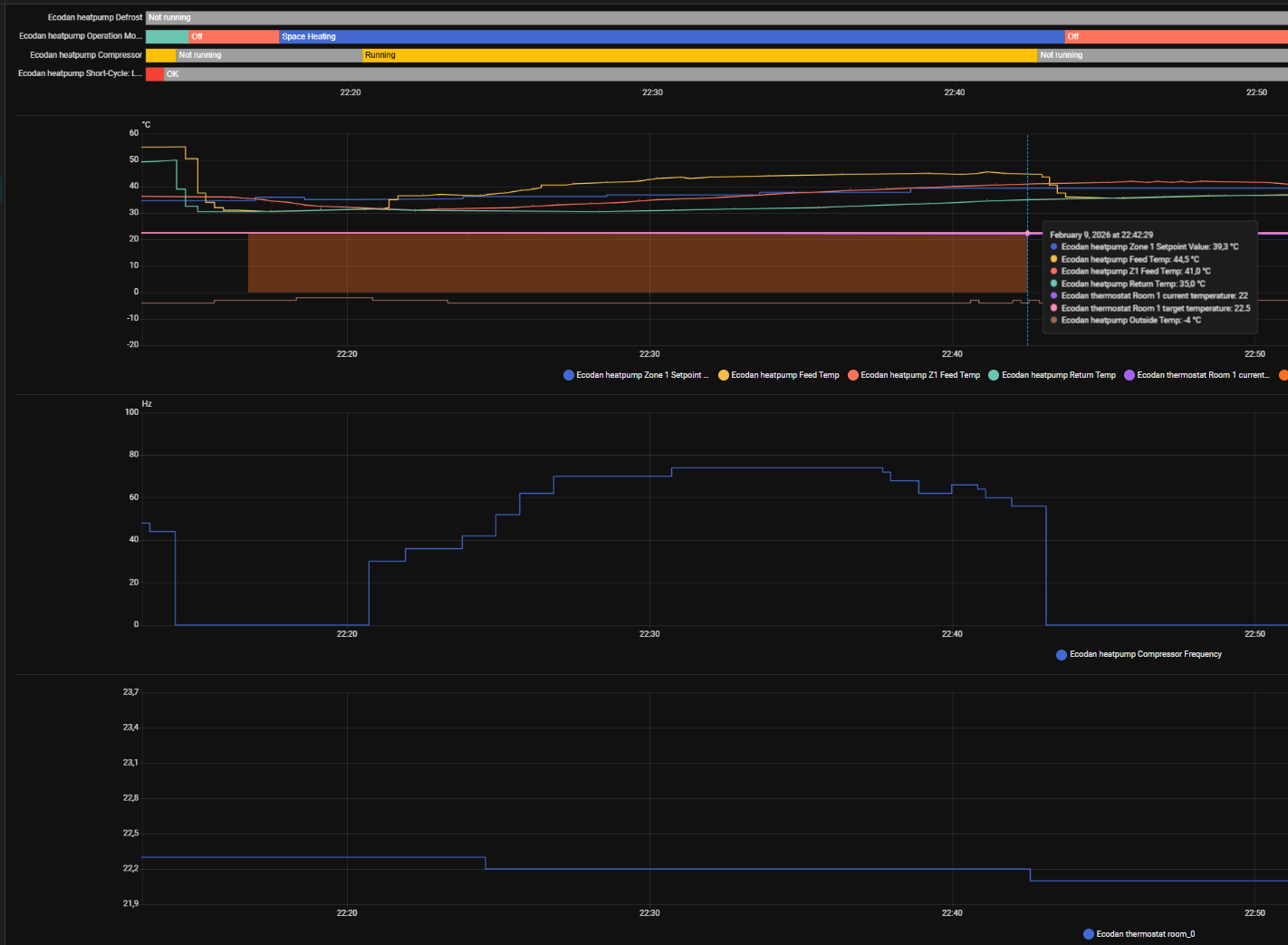
E: so managed to get one strange stop on logs. Room setpoint has been 22,5, room temperature was dropping but it cut off, at around 22.40.
device_logs_2026-02-09T21-52-52.txt (28.8 KB)
compressor shuts down because with mixing tank the FTC uses this hard stop condition:
actual z1 feed temp (41c) - z1 feed temp setpoint (39.3) >= 1.5
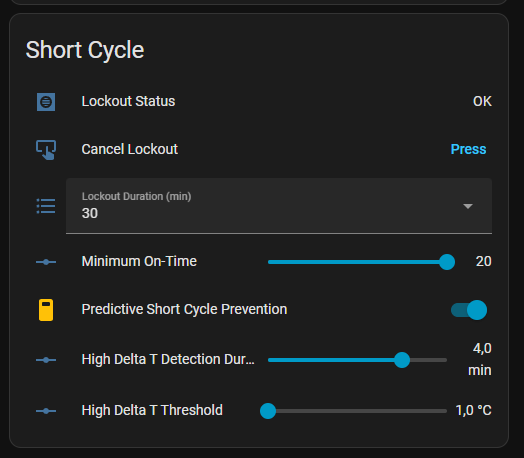
There’s an option to to avoid this, its the predictive cycle prevention
But it seems demand is off after the stop, so probably setpoint reached?
I see you use domoticz, it will die when you feed it with the ecodan feed. You probably want to set it to a lower polling rate esphome-ecodan-hp/ecodan-esphome.yaml at main · gekkekoe/esphome-ecodan-hp · GitHub
As for compiling, I assume users compiling themself are capable, so please consult all docs and howtos.
I have it enabled from the beginning with :
And since the flow setpoint is managed by atom and room temperature isn’t reached, I should decrease detection time to about 2min and increase high delta maybe 2-3C? I know the main issue for increasing flow is the annoying compressor/outdoor temp. frequency policy.
By the logs I see, it detects high delta at 22:36:49 and 22:38:34 adds boost +1C.
Then 22:38:49 recovered from high delta, but 22:40:19 high delta again and 22:42:45 compressor stops because there wasn’t enough time to add boost.
[22:33:34][D][auto_adaptive:312]: Z1 HEATING (Delta T): calculated_flow: 37.80°C (boost: 0.0)
[22:33:34][D][auto_adaptive:092]: CMD: Set Z1 Heat Flow -> 37.8°C (36.8°C)
[22:33:35][W][ecodan.component:352]: Command timed out. Retrying (attempt 2/30)...[1]
[22:36:49][D][short_cycle:074]: Zone: 1: High Delta T detected (1.2°C). Starting timer.
[22:38:33][D][auto_adaptive:431]: [*] Starting auto-adaptive cycle, z2 independent: 1, has_cooling: 1, cold factor: 1.35, min delta T: 3.00, max delta T: 8.00
[22:38:34][D][auto_adaptive:218]: Processing Zone 1: climate source: 0, Room=22.0, Target=22.5, Actual Feedtemp: 39.5, Return temp: 33.0, Outside: -4.0, Bias: 0.0, heating: 1, cooling: 0
[22:38:34][D][auto_adaptive:238]: Effective delta T: 6.28, cold factor: 1.35, dynamic min delta T: 5.71, error factor: 0.25, smart boost: 1.00, linear profile: 1
[22:38:34][D][auto_adaptive:312]: Z1 HEATING (Delta T): calculated_flow: 39.30°C (boost: 0.0)
[22:38:34][D][auto_adaptive:092]: CMD: Set Z1 Heat Flow -> 39.3°C (37.8°C)
[22:38:49][D][short_cycle:098]: Zone: 1: High Delta T has disappeared. Resetting timer.
[22:40:19][D][short_cycle:074]: Zone: 1: High Delta T detected (1.2°C). Starting timer.
[22:42:45][I][short_cycle:244]: Compressor STOP detected
[22:42:45][D][short_cycle:158]: Compressor stop event: stand-alone-cycle prevention: 0, saved z1 flow setpoint: 44.0, saved z2 flow setpoint: nan
Thanks for the tip.
Managed to verify conf file on HAbuilder, I’ll try later to install it.
Some insights, that UFH* profile seems to be best solution for me with 100L buffer on flow limited to 47C, sheet steel radiators and average insulation house. Some runs even got almost to 2h (avg ~1h), setpoint stable 22,5C.
Tried also silent mode lev1 but that still kept compressor topped at 48Hz, amb -7C. Good thing is that this can be set on the run, at least on FTC6. If there would be a way to this remotely, then this could be adapted to ambient temperature and it would get rid of those occasional startup spikes. During DHW times the limit can be scheduled to return normal.
Is there also an emoncms mode?
What does that need to do? I guess most folks will be using HA and export data to emoncms?
It could bypass HA for those who don’t use it, and push directly to an EmonCMS instance using the api_key. It’s how I would want it, though I could write my own script that listens to mqtt.
Ah yeah that should be pretty easy to do, don’t know if there’s demand for it. If there is, I can look into it
it’s available in pre-release Release Major release (Asgard stand alone mode) · gekkekoe/esphome-ecodan-hp · GitHub
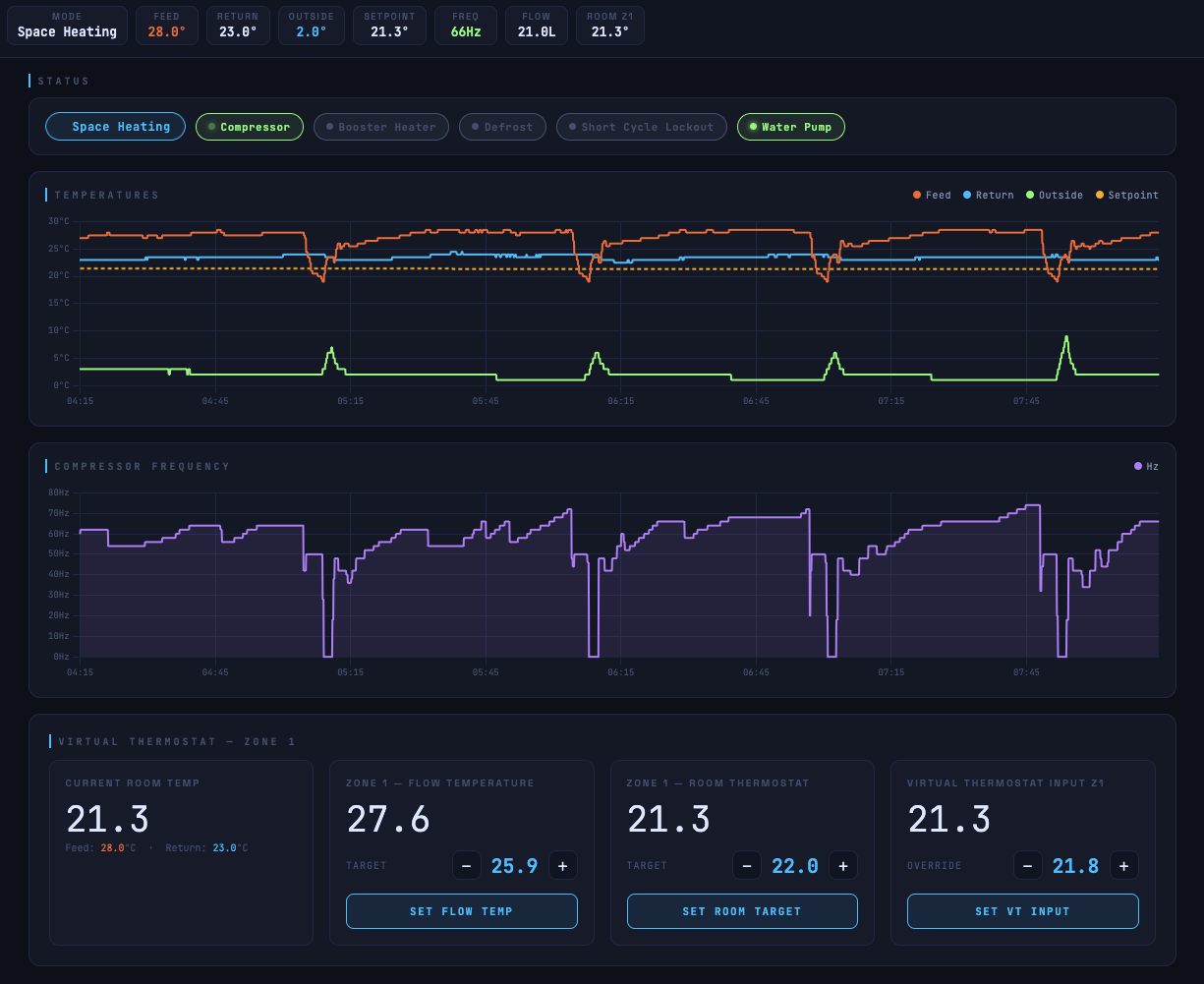
I have recently added to my project room influence to my widely adopted and successful onboard compensation curve,
Inspired by the likes of ‘Active’ mode in Vaillant’s curve, this bridges the gap to a form of Adaption and addressing challenges like users with temperatures fed in from Heatmiser or other 3rd party thermostats & temperature sensors but keeps that key ability to directly modify the flow temperature
Currently in pre-release, hopefully stable enough shortly for a broader release.
Have a good weekend!
Hi @F1p I’ve installed v6.6.0 but cannot get the room influence to activate when I send the MQTT message in the documentation.
{
“zone1”: {
“active”: true,
“manual_offset”: 1,
“room_influence_active”: true,
“use_local_tsensor”: true
}
}
It will allow me to change the active and manual_offset but not the other two.
Apologies, found the scenario for failure to enter - issued a hotfix
Working now thanks.
I have a firmware variation of my MQTT based project which can send directly to the emonSD MQTT broker, if you are interested in trying it and help refine
My parameters are already in emon friendly formats and you don’t miss out on the Outdoor unit sensor data when running in parallel with MELCloud
Inside it is automatically converted from emonSD to Emoncms instead of you having to write a custom MQTT listener
tagged new release for esphome-ecodan-hp
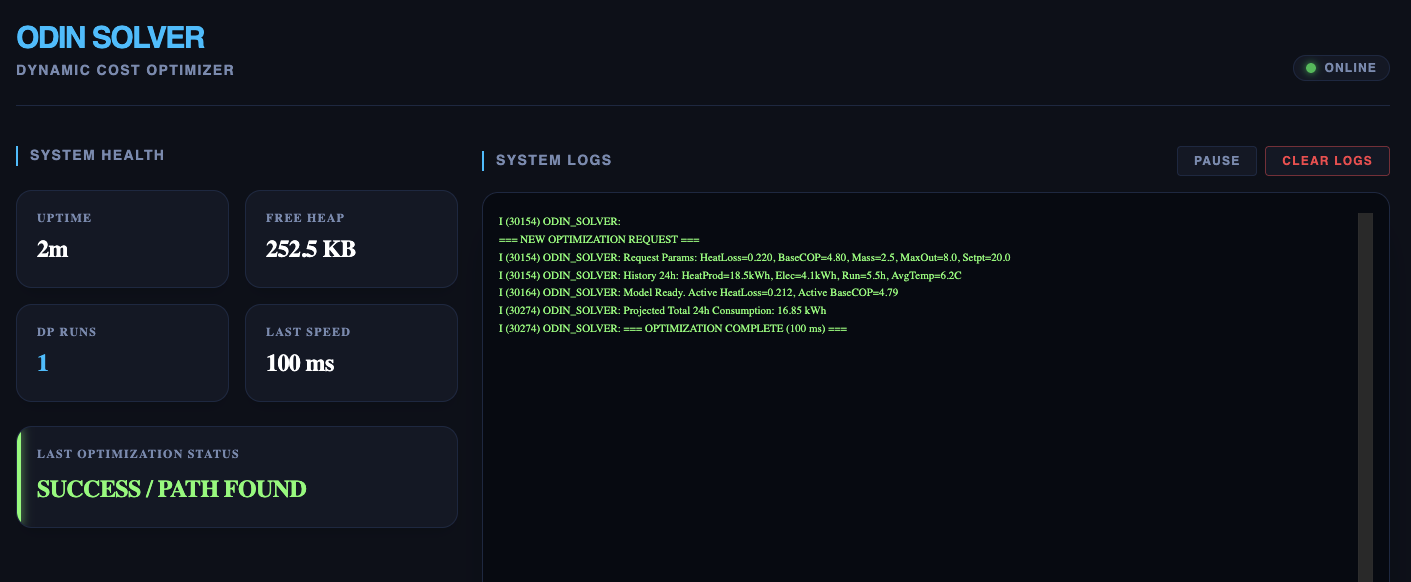
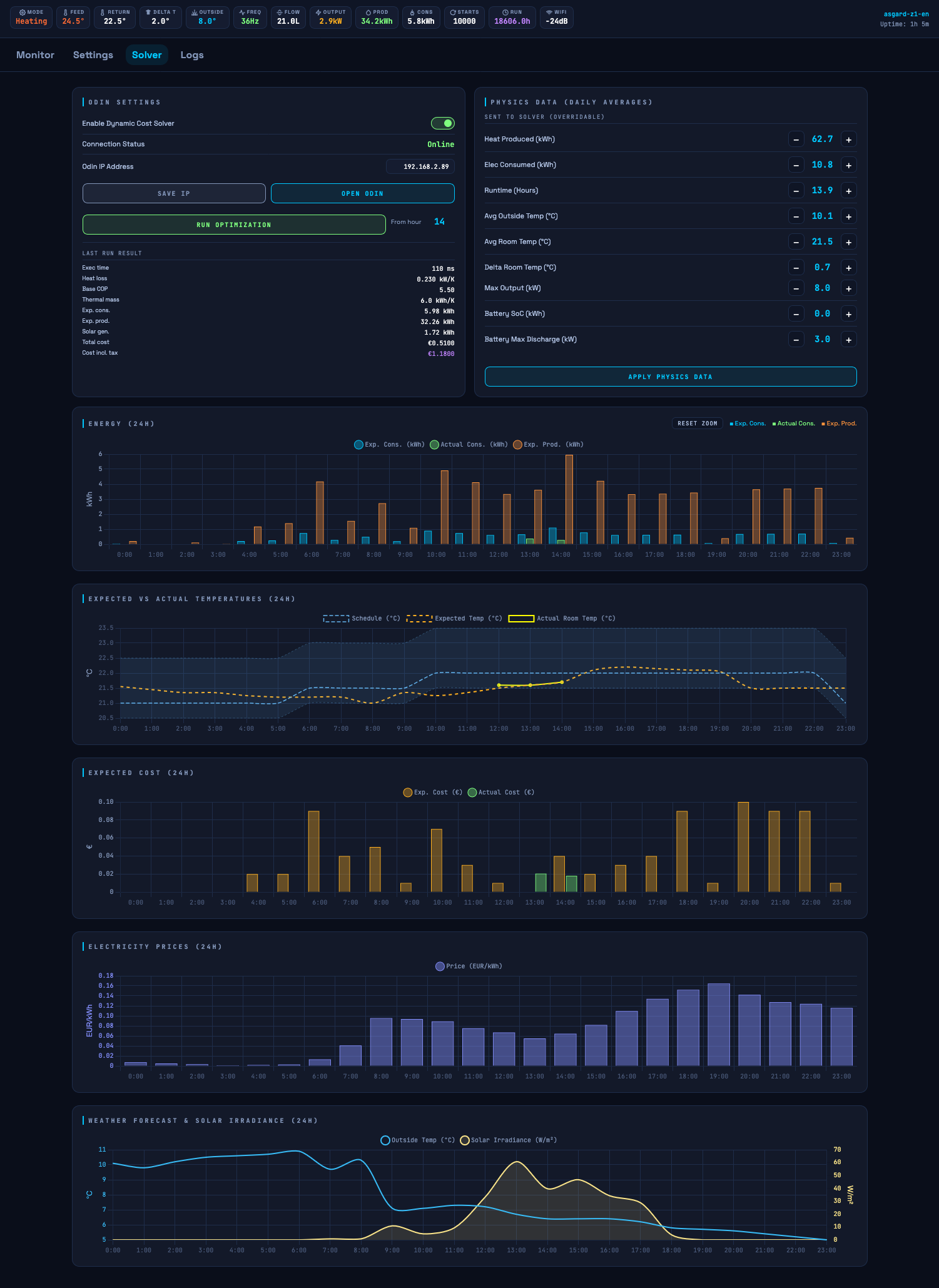
Some work in progress info on the solver Introducing Odin Solver · gekkekoe/esphome-ecodan-hp · Discussion #297 · GitHub