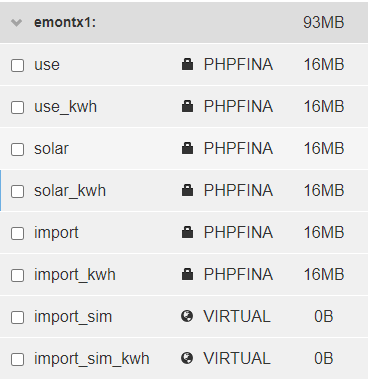
I 'm using (I think) a standard emontx setup, so just have those feeds, I added the _sim fields recently in my attempts to setup a battery simulator, I’ve highlighted the ones I believe I have in bold:
Hi, do you know if this ever came into being? I am struggling to make sense of the app headings as one seems to call the house use with divert, while the other calls house use without it as they are not aware of each other I guess.
Hi Mark, not as far as I know. I tried modifying the source code and had some success, but then the app was updated and my mods stopped working. In the end I used a combination of the standard My Solar Battery app and Home Assistant to monitor everything I wanted (including divert).
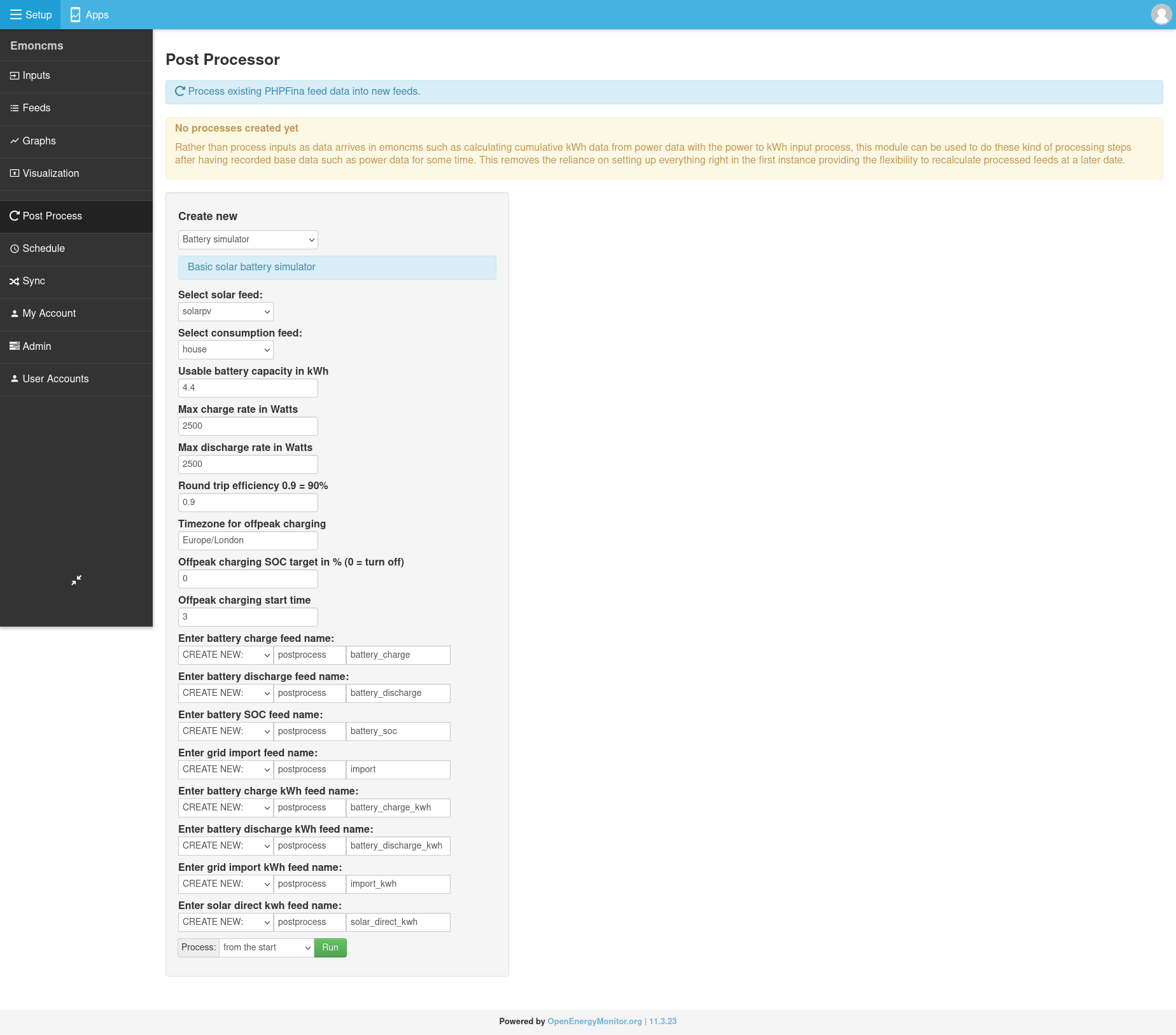
Ok great, I would delete the import_sim and import_sim_kwh , not sure why they are virtual feeds, or ignore them for now. You should just need the solar and consumption feed as inputs and then the post processor will generate all the other feeds, make sure that you have CREATE NEW selected for each of the output feeds. You may need to run the emoncms updater as there have been some recent changes to the post process module.
Here’s a screenshot of what this should look like:
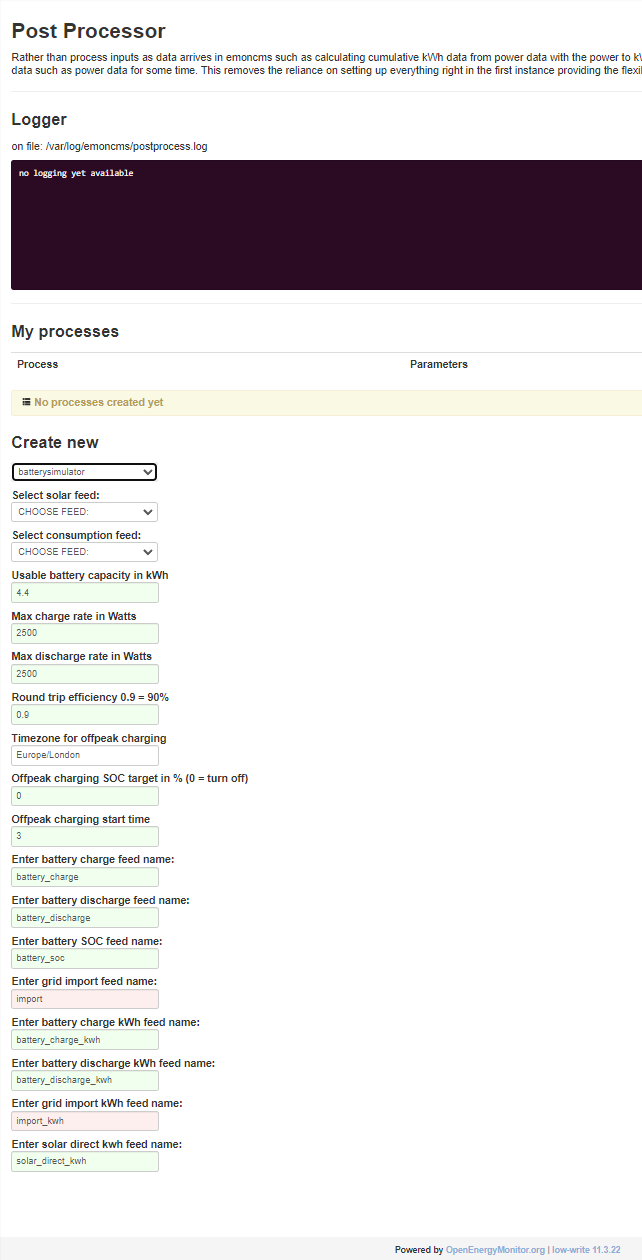
Thanks for following up - not sure what’s happening here, I’ve just done an update to make sure I’m on the same version (yes), but get a different looking screen to yours:
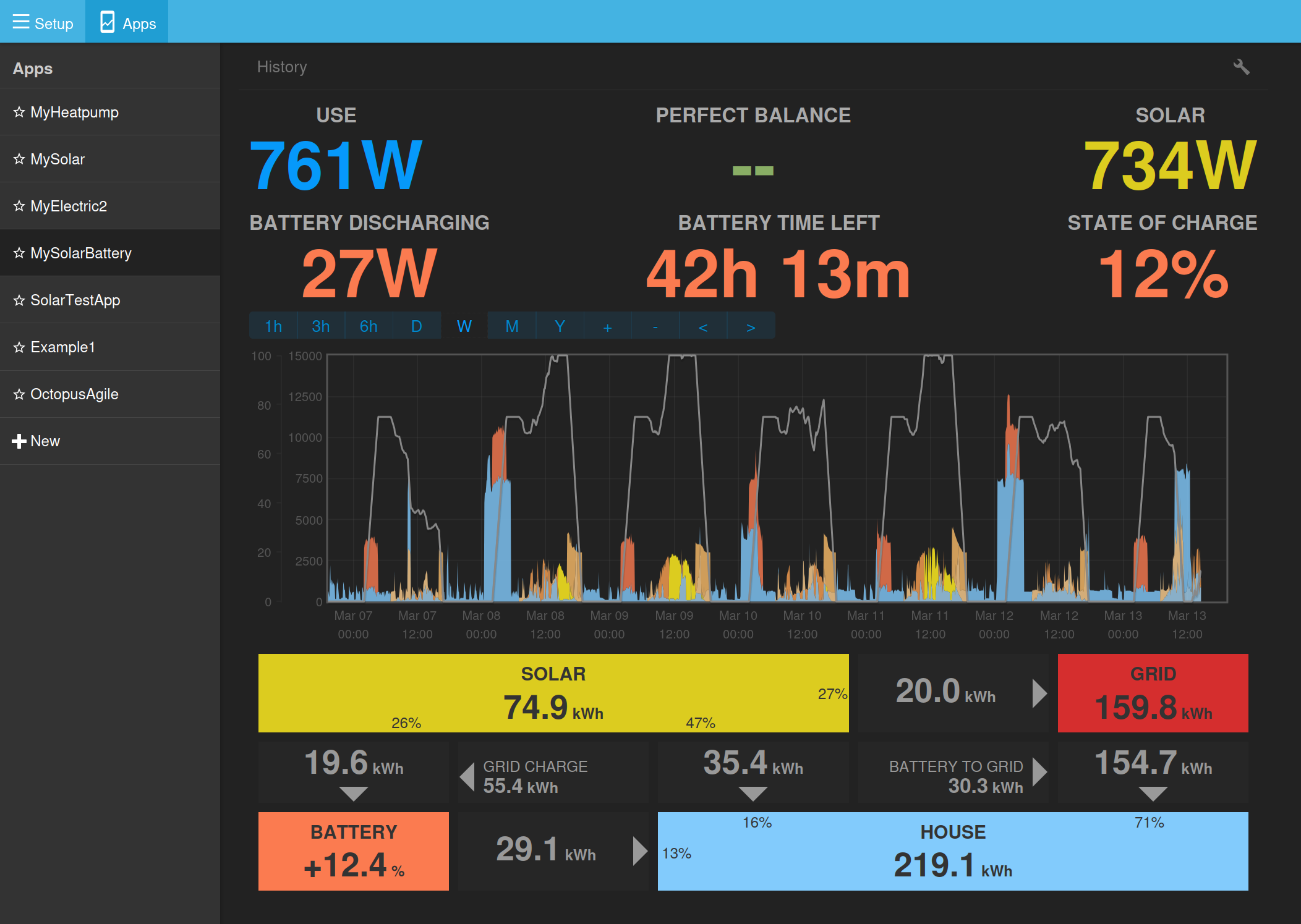
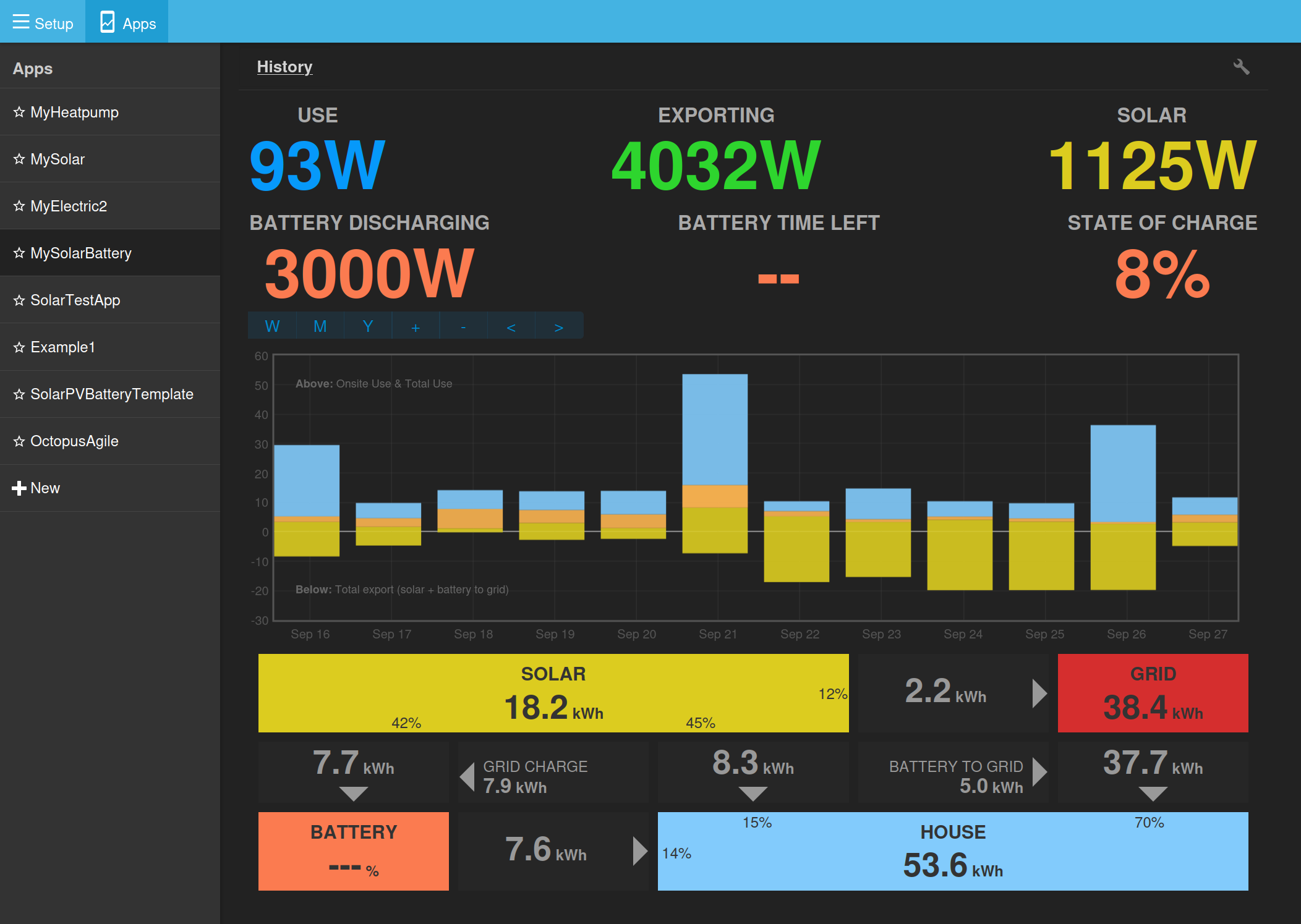
Hi, long time user and fan of emoncms here! I’ve just got a battery added to my solar PV system. Is there a document anywhere which explains what all the numbers & arrows mean in the lower half of the app screen please?
I’ve got mine working but struggling to comprehend all the flows exactly. I can’t find this app screen described in the emoncms documents.
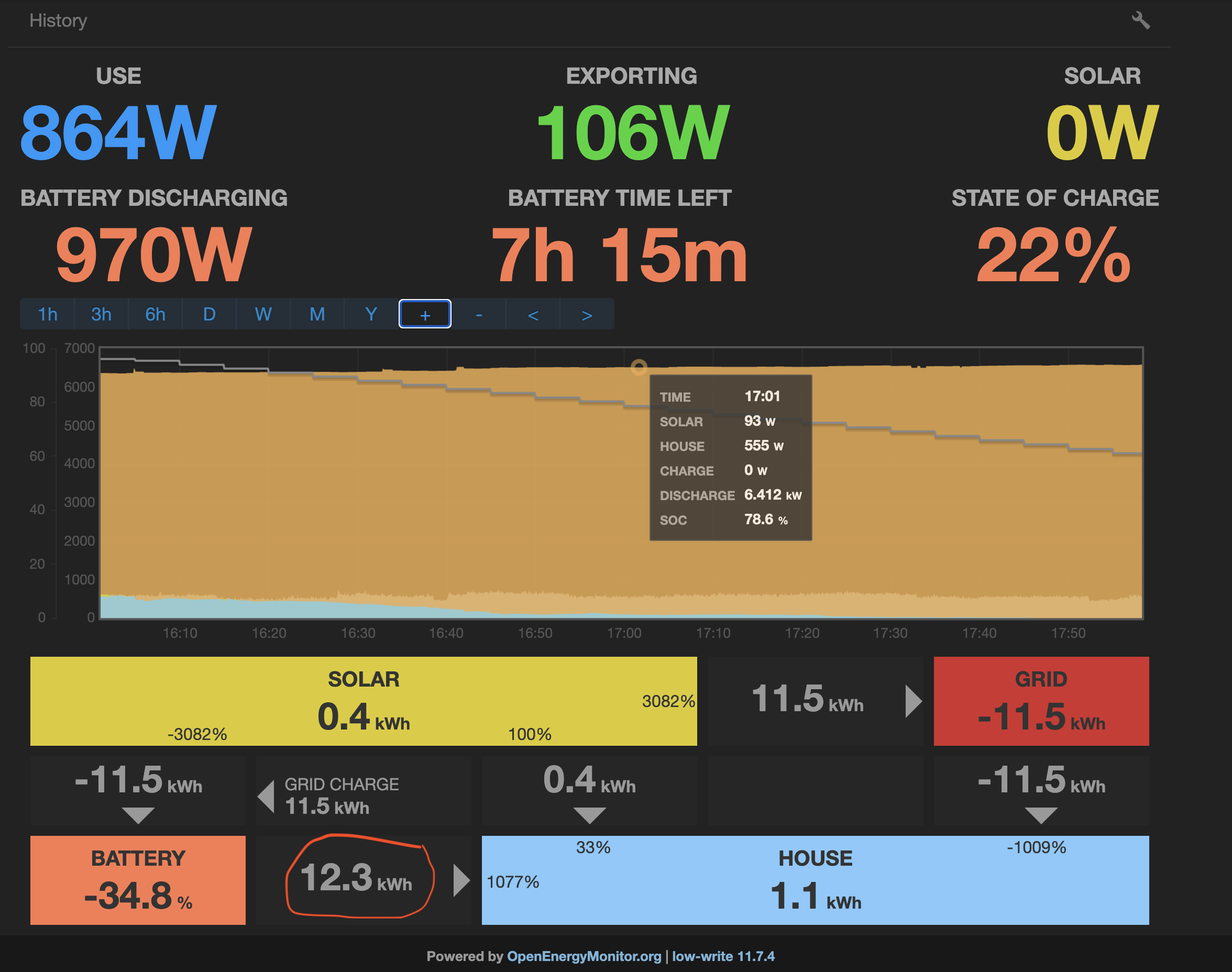
Here’s a screenshot zoomed in on the Octopus Flux Export peak period. The battery is force discharging at 6.4kw. I don’t understand the box I’ve circled in red, 12.3kwh going where?
Hello @butako1 good spot! I agree there is something not quite right there. I am planning to do some work on this app soon and will take a look at this then.
There is now a development branch that adds support for battery to grid / export, the calculations are fixed in the detailed power view so far, I still need to fix the historic daily kWh data view. Im also trying to work through a simpler way of setting up all the feeds as it does get very complicated!
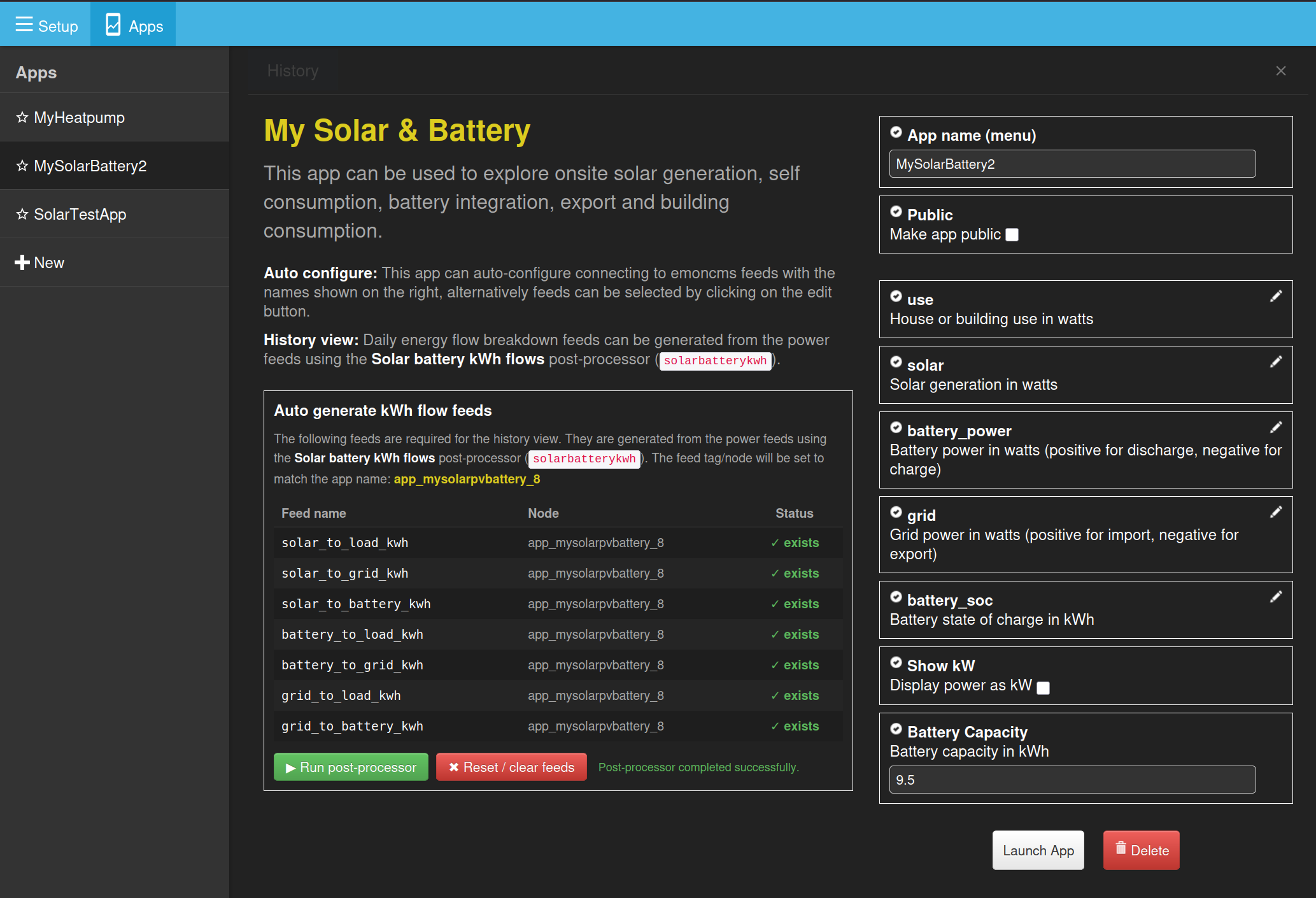
The app now requires the latest version of the emoncms post processor module and generates the kWh feeds for this on the fly when you load the app, a bit like how the MyHeatpump app builds all the daily summaries.
This reduces the feeds required when configuring the app to only the main power feeds.
See in the screenshot the power feeds selected as usual on the right and a new section for auto generated feeds on the left.
I’ve been trying out this new branch, as it’s one of the apps I look at every day. The main power view seems to work well. I appreciate the switch to common terms like battery to load, solar to grid, etc, though it’ll take a little getting used to. I’ve added some suggestions to the pull request.
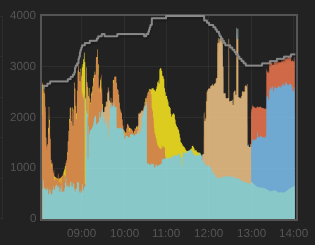
My one complaint is the solar to load colour is hard to differentiate from grid to load, both a pale blue.
I cannot get the post-processing to work automatically on my own instance.
When not logged in, the app setup page says “Post-processor failed: OK”. Weird, but okay I guess.
When logged in, the page says “Post-processor: At least 2 input feeds required, found only 0”.
I have 4 FIXED type feeds with interval of 60s, fed via 3rd-party integration with inverter.
I have separately configured the “Solar battery kWh flows” process on the Post Processor tab with the same feeds, and this updates as expected when I manually exec postprocess_run.php and displays in the History graph.
Hello @Timbones thanks for the change suggestions, I’ve just integrated those in the latest version.
Could you test again with the latest version of the post processor module and apps module on the mysolarpvbatteryfix branch?
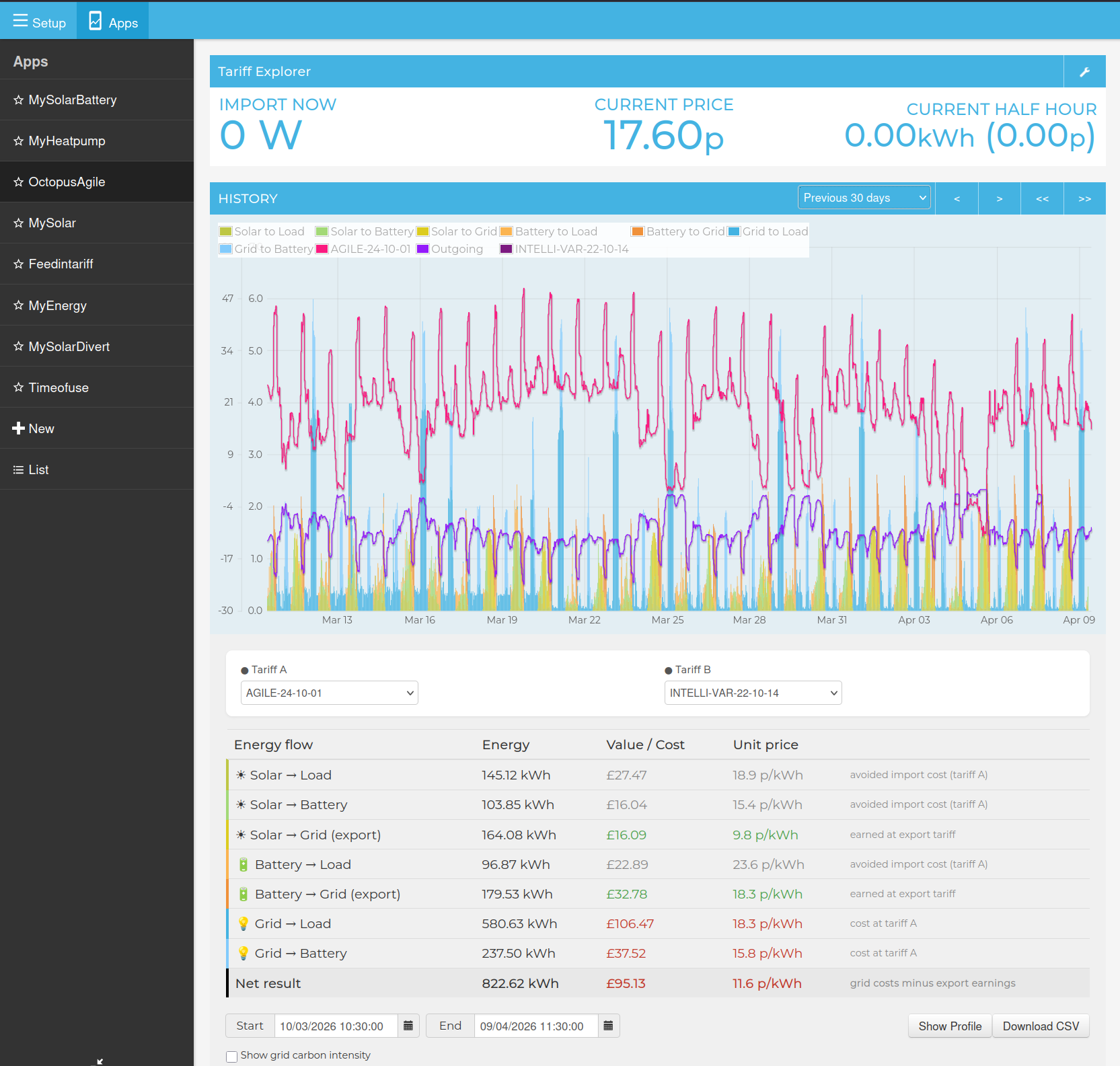
The Octopus Agile tariff app is also now updated and uses the same core: solar, use, grid, battery power feed approach with post processing. I think the agile tariff app is actually more useful than mysolarpvbattery as it calculates the actual cost/earning values of each power flow on a half hourly basis. I think ideally it would be great to integrate both of these apps into a single app.
I’m actually wondering if I can merge the features of quite a few different emoncms app/dashboards into a single integrated tool that makes it easier to track how well optimised solar, battery, home and tariff combinations are. There are a number of time of use apps for folk with e.g economy7 or other “fixed” time of use tariffs - but these dont cater for solar and batteries - so combining the best of all into a single all encompassing tool might be the best approach rather than having a lot of partial solutions..