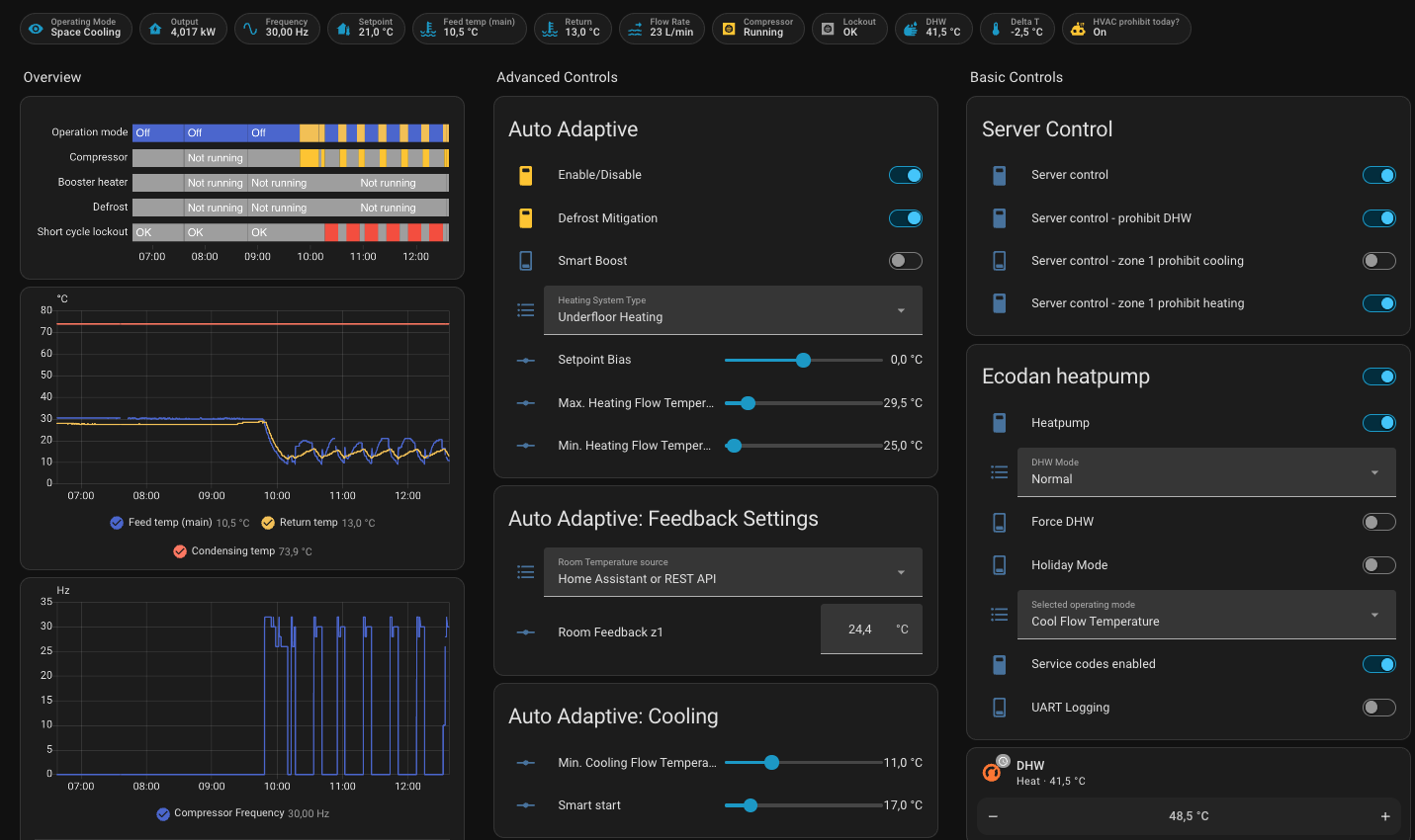
entities have been changed to allow more fined grained control. You should update your dashboard to reflect this (the example dashboard has been updated for this).
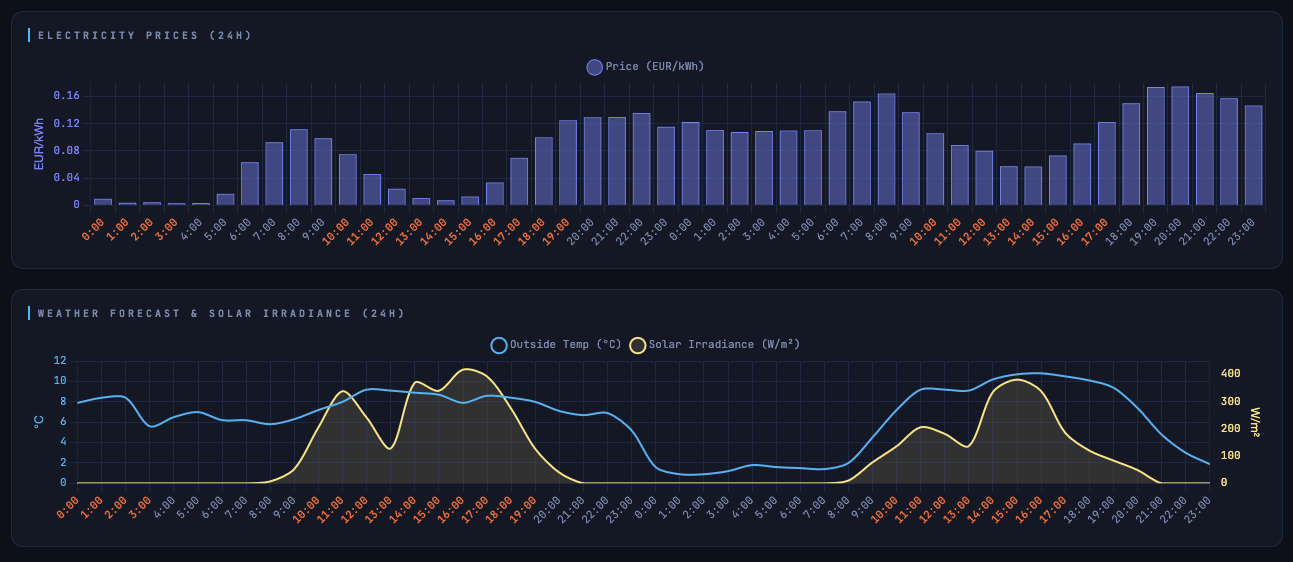
Asgard is the pcb with the virtual thermostat and temp sensors (it’s an alternative hardware made by me). It also has a stand alone http mode for those running without HA. Odin is the energy plan solver, it will compute lowest cost when heating (it takes solar, dynamic prices, heat losses, thermal mass .. into account). Asgard stand alone mode has a solver tab where you can monitor and control the solver.
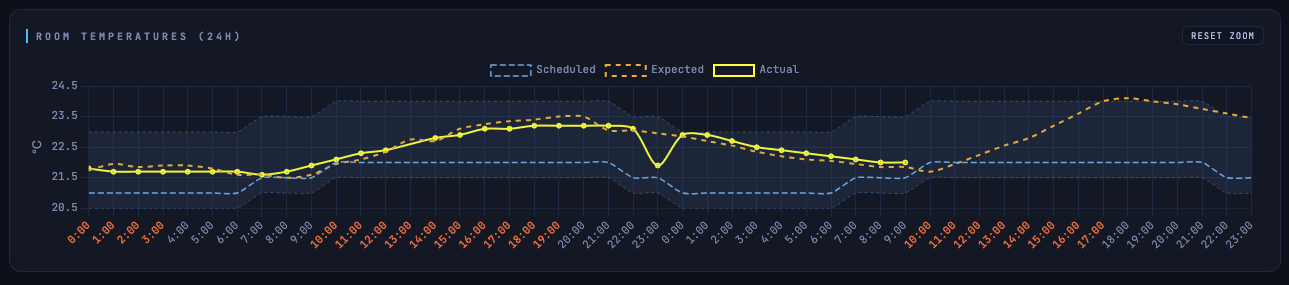
Beta is going well and I wanted to share some preliminary results:
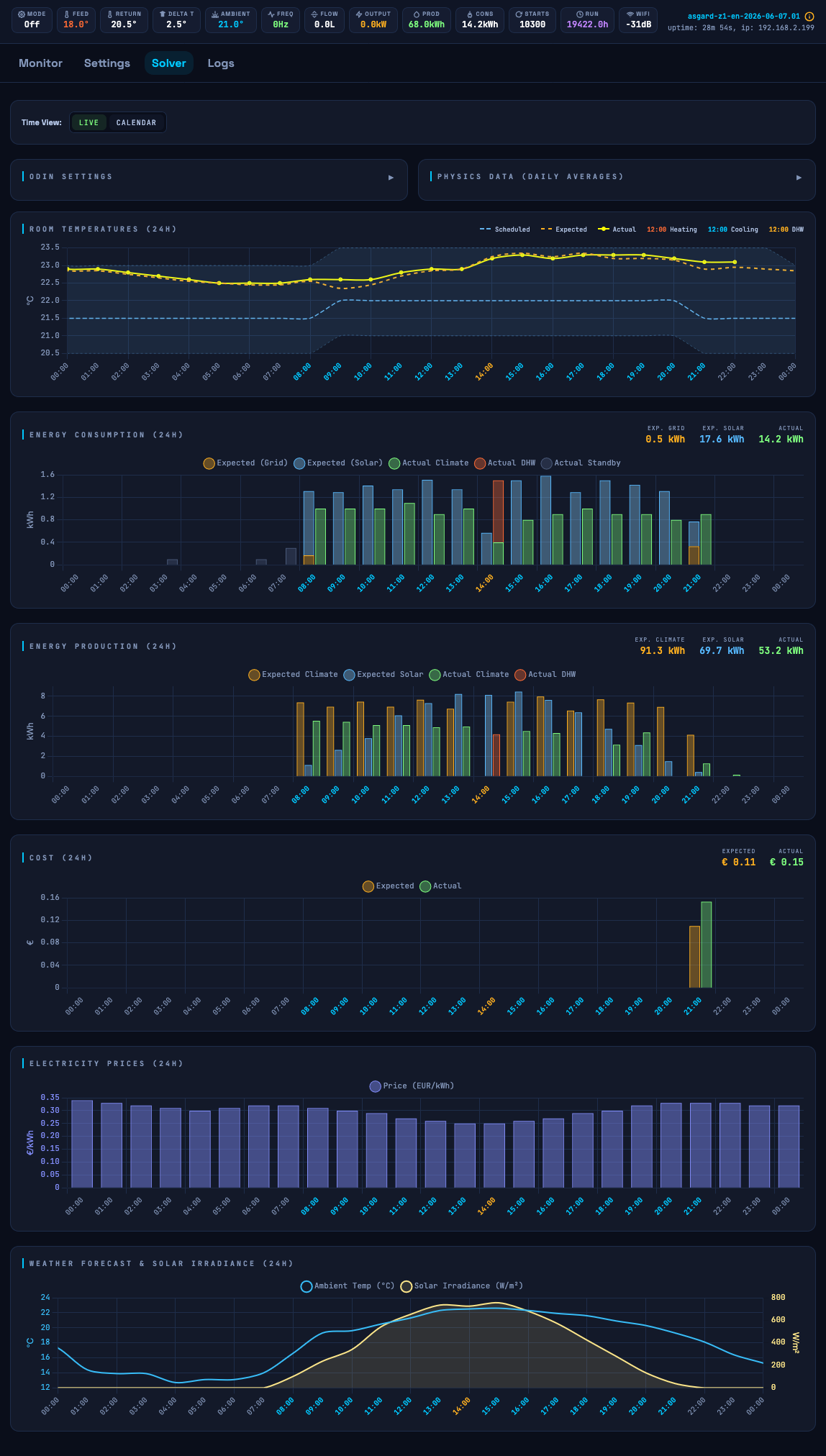
orange dotted line: expected (planned) room temp
solid yellow line: actual measured room temp
blue band: desired/allowed room temp bandwidth
red colored x-axis times indicates that Odin is applying heating at those hours
DHW is also planned in the free blocks (currently not planned for today)
In this example we can see that Odin is buffering heat when its cheap to bridge the gap till the next ‘cheap’ block. The expected cost for the next day is 0 since it buffered what it needed the previous day and it expects the solar to sufficient.
Expected consumption 10.70 kWh
Expected production 51.06 kWh
Solar used by HP 10.70 kWh
Total solar generation 10.70 kWh
Expected cost €0.0000
Looking at getting one of @gekkekoe ‘s awesome looking Asgard devices. Since I’m in the UK it looks like I’ll need to buy 3, so please message me if anyone in the UK is also interested (since I only need one).
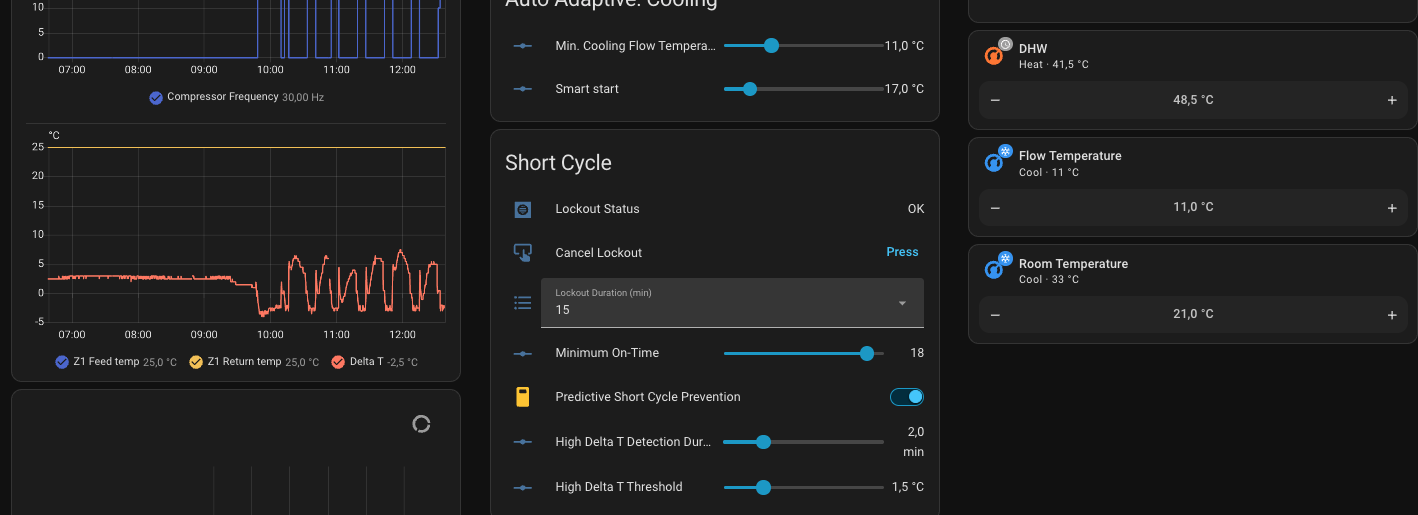
Hello! Are there any adjustments I should be making to prevent the compressor from short-cycling? I solved this easily for heating, but unfortunately, this is happening with cooling. Thanks a lot.
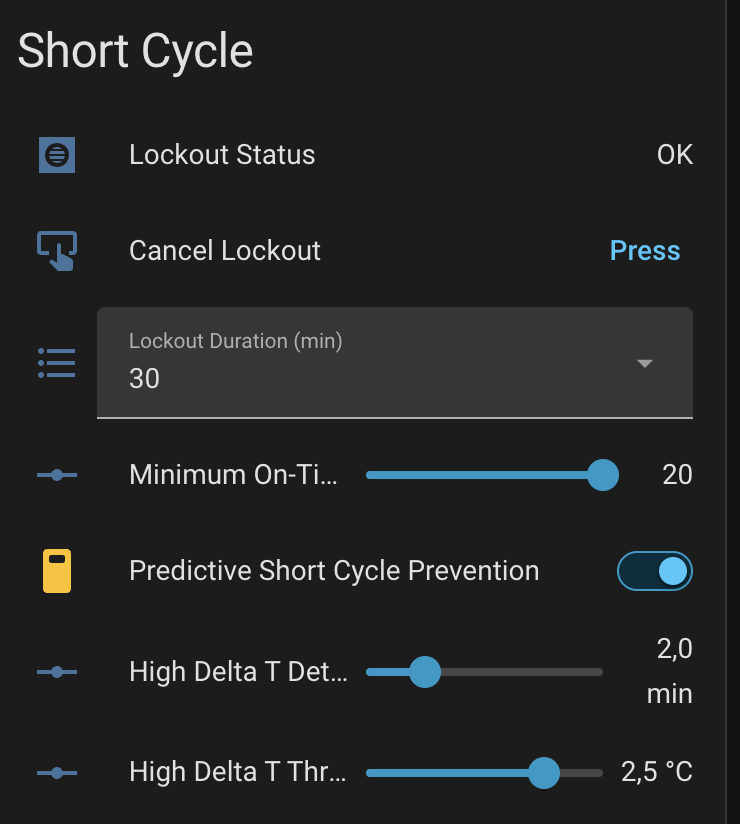
Thanks for the link. I’ve read through it carefully and configured the settings as follows, increasing the Delta T and on-time up to the max of 20 mins.
My system uses 2 hydronic split units, not underfloor radiant heating (which is only used for heating), so I don’t think I need the dew point calculation.
My suspicion is that the splits aren’t exchanging heat fast enough.
I’ve had similar questions about cooling on my GitHub too recently, it appears cycling and cooling are quite a common issue.
In other news…!!
For specific commercial users i am in testing of NB-IoT (Cellular) to the likes of MELPump, but can add for regular HA users too if they can obtain NB-IoT SIM Plans as individuals
I’ve also added a new Branch for testing Air-to-Air support, this unifies everything to one project suitable for both A2A and A2W systems and includes the proxy functionality to keep melcloud or MKH2 running
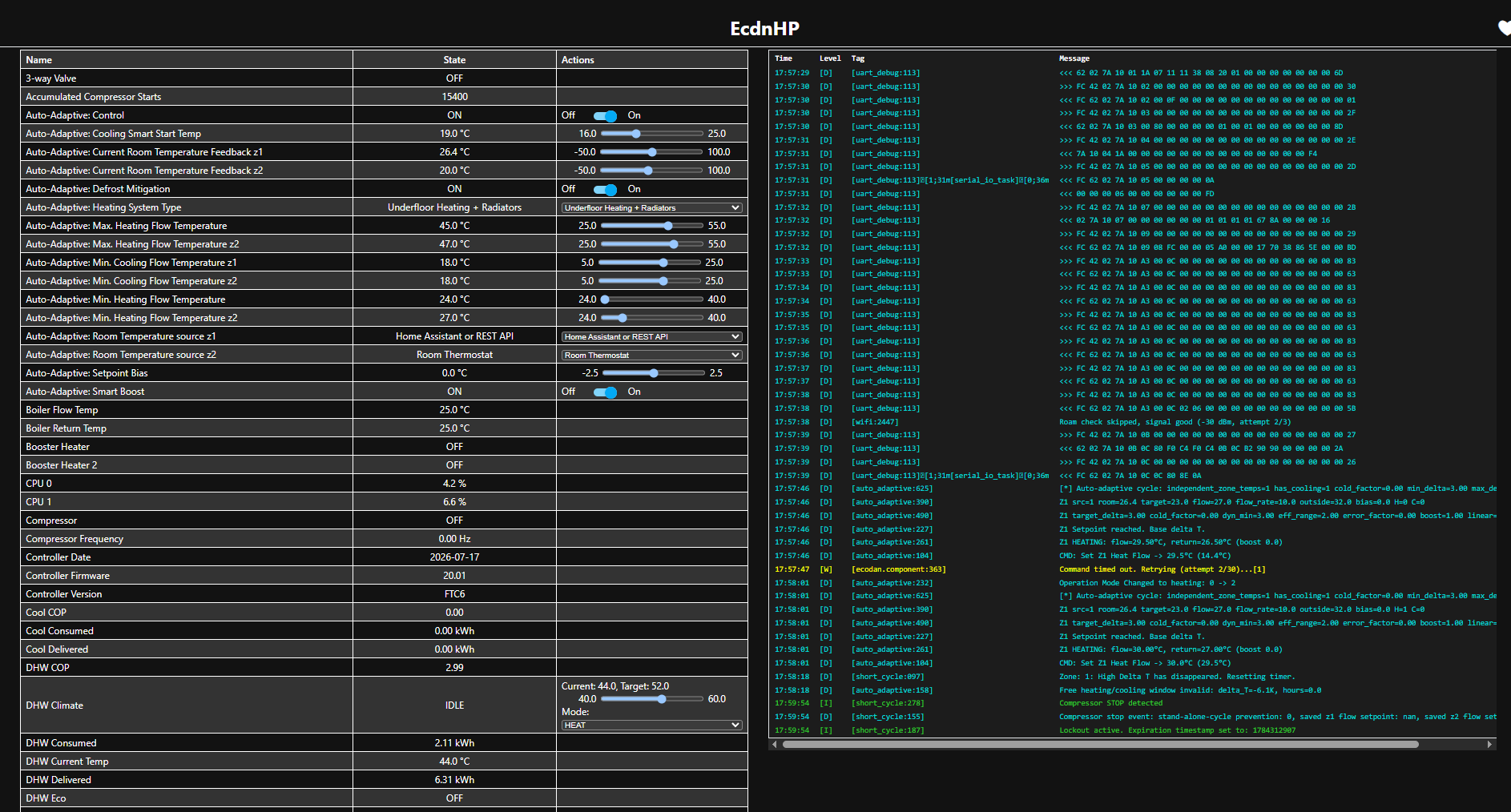
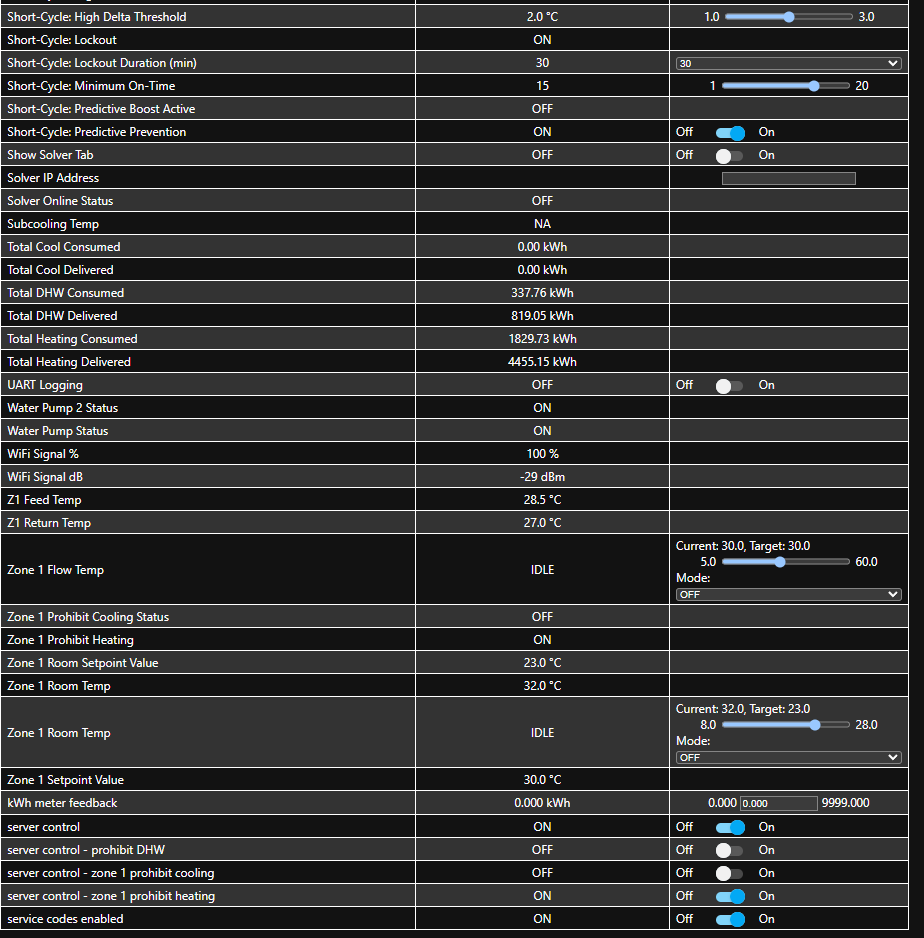
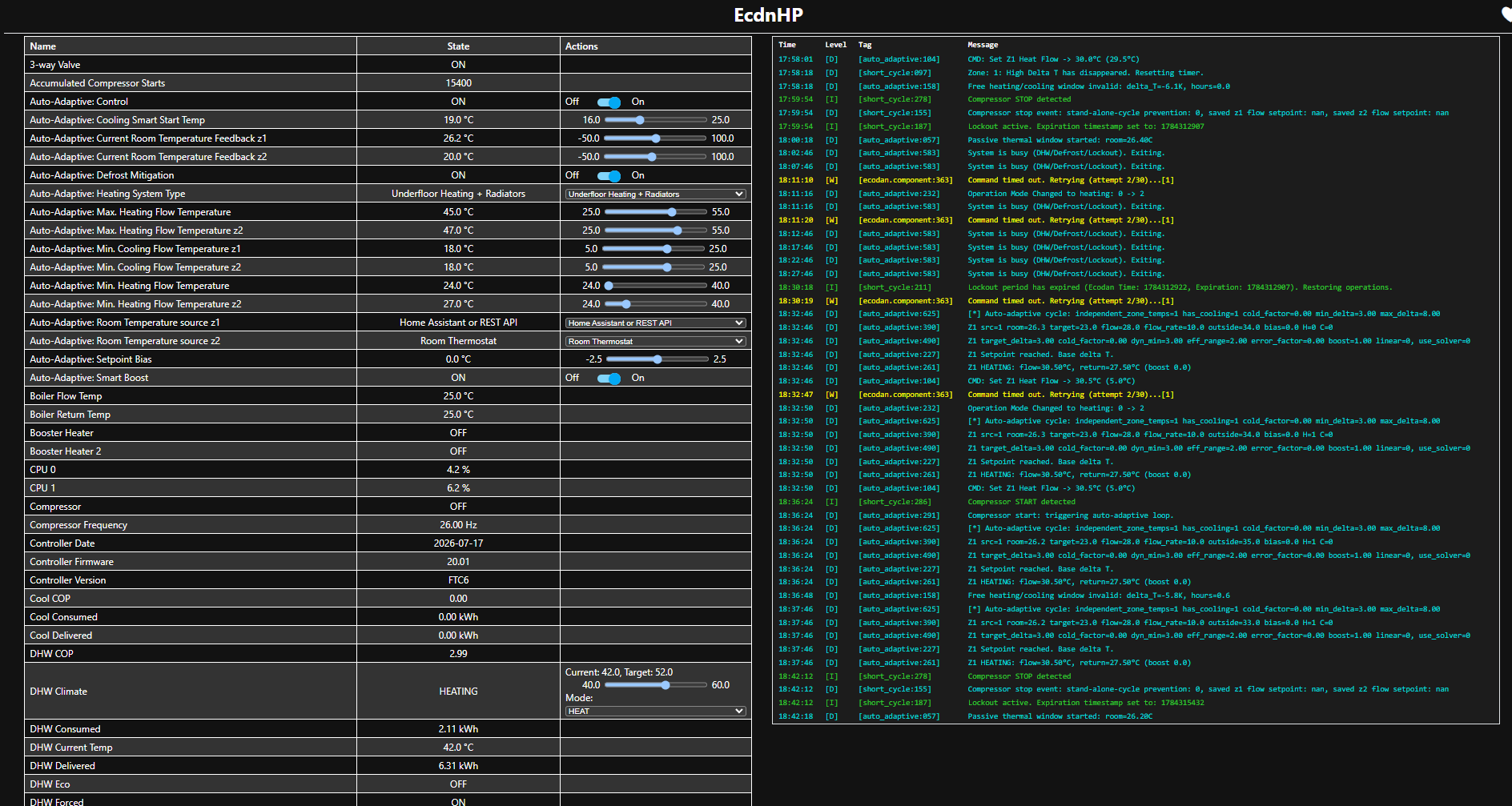
Your room temp is 26.4c but your current room temp is 23.0c. You should not have demand with these numbers. You are probably using mrc only, and then demand is always on for fixed flow modes. Please consult the documentation, it’s mention there. You need to setup a stop condition.
The 30c is because your return temp is 27c, and your min delta T is 2.5c (setpoint reached from your profile). So final flow setpoint is 27+2.6 = 29.5c.
In the other news: here’s a screenshot of Odin doing cooling today, keeps the temp pretty good within the allowed bandwidth
Feeding my room temperature via curl now to 3 endpoints
local cn105_ip        = "*.*.*.*"
local cn105_endpoint  = "/number/Auto-Adaptive%3A%20Current%20Room%20Temperature%20Feedback%20z1/set"

local cnrf_ip        = "*.*.*.*"
local cnrf_endpoint  = "/number/room_0/set"

local asgard_ip        = "*.*.*.*"
local asgard_endpoint  = "/number/ecodan_heatpump_virtual_thermostat_input_z1/set"
But the In1 doesn’t change automagically. Should the Auto-Adaptive Control trigger the IN1 logic or is it only Asgard that can do that and I should add my own stop conditions?
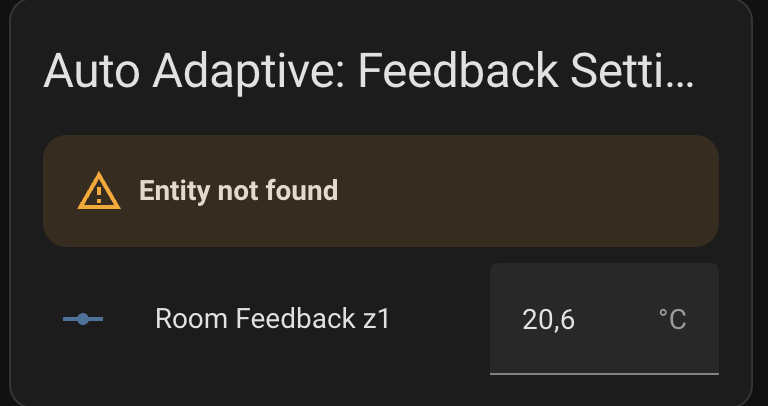
Also changed “Master Room Sensor z1” to RRC1 and TH1 on HP. Auto-Adaptive: Room Temperature source z1 as API and Asgard.
Manualy switching from UI triggers the output and stops HP.
E: nvm, somewhere from the back of my mind I recall reading from somewhere about IN1 and seperate automation, AAC only keeps the flow temperature under control. That’s why you created Asgard for standalone system.
@F1p I’ve tried updating my Ecodan Bridge to the latest version but get the following error:
OTA Error: Could Not Activate The Firmware
Is this related to this error?:
Some devices may not have sufficient storage to apply this update, depending on the ESP partition table. It is safe to attempt the update, but you will be presented with an error message if this impacts you.
Is there any way to install the update or do I have hardware that is too old and how would I check this?
When i added Air-2-Air support it increased the size quite a lot
You will need to flash the .merged.bin again with the new partition table size as per: