It may not be directly related to your situation - we see in the logs both setpoints are coming from MELCloud directly.
What @gekkekoe and I are saying is that changes you make on the MRC unit will adjust the value to back within the range of 40-60 and reinforces this method of prohibiting DHW isn’t totally robust.
It may be worth saying that rival app MELPump natively supports the ESP dongles and also has smart features, although i can’t compare like-for-like with Havenwise
Regarding energy reporting, is 0.1kwh the minimum unit (when no external energy meter is connected)?
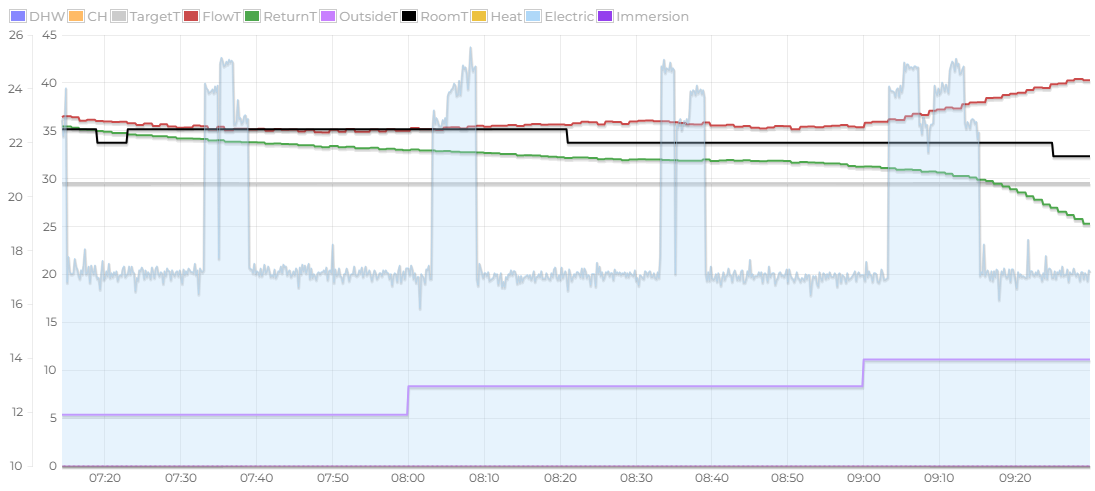
My unit in particular seems to use 1.5kwh per day just idling (all pumps off), which I find a bit absurd. So I was wondering if I could get some help from the numbers to find the real culprit.
At least when looking at the values over one day, it does not seem to increase at a constant rate, which points at more than passive component usage.
The ecodan have quite some ‘idle’ usage. It eats around 30w here when doing nothing with some peaks. But this is generally ‘known’ ? I have an actual energy meter and it uses around 0.8kWh a day here idling.
Samsung users have recently identified an intermittent ~60W draw by the compressor seal oil heater - see Samsung HTQuiet 8KW Idle power consumption 60W?.
Maybe something similar on the Ecodan?
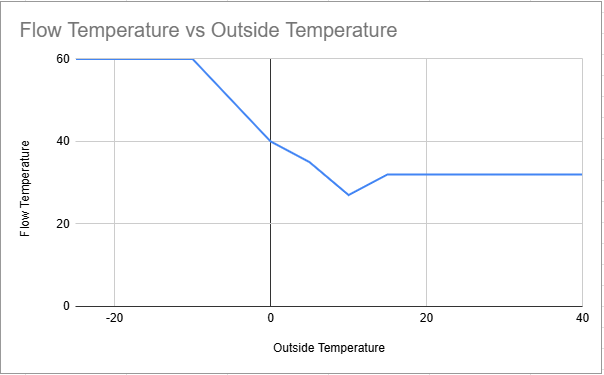
I have been working on quite a significant update to my project, moving the weather curve calculation from the controller to the ESP - which i know several other people have already implemented performing the weather calc somewhere else and feeding in the result.
This overcomes some limitations with the Ecodan and allows some advanced features:
The Ecodan Main Room Controller (MRC) has the ability to design a curve with a maximum of 3 points, there is no limit to the number of points which can be sent to the CN105 Ecodan Bridge device.
There is also no ability to add an +/- offset to the current curve remotely, only by adjusting on the the controller screen. By moving the curve onto the CN105 Ecodan Bridge, an offset can be adjusted remotely.
The Ecodan uses the Outside Air Temperature sensor located on the back of the outdoor unit, this sensor can be influenced by the likes of direct sunlight. By moving the curve onto the CN105 Ecodan Bridge it’s possible to use another temperature source to determine the flow temperature.
The Ecodan cannot automatically adjust for other influencing factors, such as wind or solar gain. By moving the curve onto the CN105 Ecodan Bridge it’s possible to automate the offset when conditions may influence the building.
The device can continue to calculate and input to the curve if the connection is broken.
There are challenges to overcome - primarly making it user friendly to design and input to as currently it’s a bit too manual, updates as they come
The big win would be to enable adjustable hysteresis on the flow temperature.
Currently the FTC only supports this in Auto Adjust mode where you can tell it how much above and below the temperature it is targeting it is allowed to go.
On systems with emitters that aren’t large enough this can help with cycling and efficiency.
It needs to be adjustable as different buildings will be able to cope with different amounts of over and undershoot before it feels uncomfortable.
Does anyone by chance have access to FTC5 firmware updates?
I’ve got three different versions on my FTC5 controllers (master, slave 1, slave2) and I’d like to get them all on the same version before the next heating season.
FYI, another user has reported similar Havenwise behaviour occuring - these stop/start requests from MELCloud and forced boost
I’m just not sure how it can be fixed - the bridge is only sending on the requests from MELCloud so it must be some kind of luck (or bug) that without the bridge it doesn’t occur…
I’m not particularly confident in this, but I moved the routine ‘heartbeat’ that MELCloud performs to just between the Bridge and MELCloud - this keeps the FTC freed up a little bit more.
If you have an opportunity, it’s included in the 6.3.0 Fork:
Hello @F1p and thanks for your build that I’ve been using for the past 2 years now, it’s wonderful!
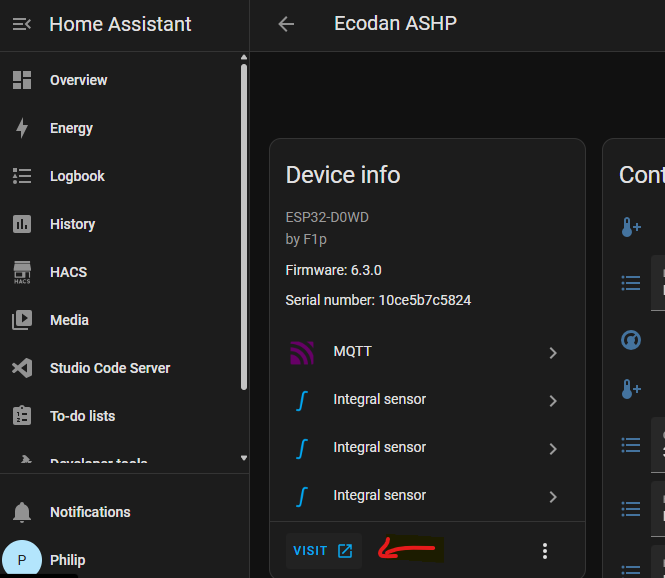
Can you suggest how can avoid to manually connect to the esp everytime there’s a new fw update? Now that is managed via HA it would be great to have it updated and directly connected back to the wifi network instead of manually connecting via direct wifi and setting up again home wifi credentials.
Can you share your top automations using this device? I’m just using climate curve for heating and smart DHW. Was looking forward other clever way to improve my efficiency and comfort!
I can show you mine for the compensation curve baed on external temp:
alias: 'Curva Climatica Riscaldamento a Pavimento Ecodan'
description: 'Regola la temperatura di mandata del riscaldamento a pavimento in base alla temperatura esterna con gestione modalità vacanza e isteresi.'
id: 'ecodan_heating_climate_curve'

trigger:
  - platform: time_pattern
    minutes: "/5"
  - platform: state
    entity_id: sensor.terrazza_cameretta_t_h_temperature

condition:
  - condition: state
    entity_id: switch.ecodan_heatpump_server_control_enable_disable
    state: 'on'
  - condition: time
    after: '08:30:00'
    before: '16:30:00'

action:
  - variables:
      external_temp: "{{ states('sensor.terrazza_cameretta_t_h_temperature') | float(0) }}"
      hysteresis: 0.6
      current_set_flow_temp: "{{ state_attr('climate.ecodan_heatpump_caldaia_t_mandata', 'temperature') | float(0) }}"
      # Calcolo mandata teorica
      final_flow_temp: >
        {% set t = external_temp %}
        {% if t <= -7 %}
          35
        {% elif t <= 0 %}
          {{ 35 - (t + 7) * (3 / 7) }}
        {% elif t <= 7 %}
          {{ 32 - t * (2 / 7) }}
        {% elif t <= 13 %}
          {{ 30 - (t - 7) * (2 / 6) }}
        {% elif t >= 14 %}
          27
        {% else %}
          28
        {% endif %}

  - choose:
      - conditions:
          - condition: state
            entity_id: switch.ecodan_heatpump_modalit_vacanza
            state: 'on'
          - condition: template
            value_template: "{{ now().month in [11, 12, 1, 2, 3] }}"
        sequence:
          - service: climate.set_temperature
            target:
              entity_id: climate.ecodan_heatpump_caldaia_t_mandata
            data:
              temperature: 10
    default:
      sequence:
        - condition: template
          value_template: >
            {{ (final_flow_temp > (current_set_flow_temp + hysteresis)) or
               (final_flow_temp < (current_set_flow_temp - hysteresis)) }}

        - service: climate.set_temperature
          target:
            entity_id: climate.ecodan_heatpump_caldaia_t_mandata
          data:
            temperature: "{{ final_flow_temp }}"
And this one to set the DHW setpoint based on different time of the year:
alias: Ecodan > Regolazione Setpoint ACS
description: Imposta il setpoint della temperatura ACS in base alla stagione.
triggers:
  - at: "00:05:00"
    trigger: time
actions:
  - choose:
      - conditions:
          - condition: template
            value_template: |
              {{ now().month in [1, 2, 3, 5, 11, 12] }}
        sequence:
          - target:
              entity_id: climate.ecodan_heatpump_acs_termostato
            data:
              temperature: 50
            action: climate.set_temperature
      - conditions:
          - condition: template
            value_template: |
              {{ (now().month == 4) or
                 (now().month == 5) or
                 (now().month == 6 and now().day <= 15) or
                 (now().month == 9 and now().day >= 15) or
                 (now().month == 10) }}
        sequence:
          - target:
              entity_id: climate.ecodan_heatpump_acs_termostato
            data:
              temperature: 48
            action: climate.set_temperature
      - conditions:
          - condition: template
            value_template: |
              {{ (now().month == 6 and now().day >= 16) or
                 (now().month == 7) or
                 (now().month == 8) or
                 (now().month == 9 and now().day <= 14) }}
        sequence:
          - target:
              entity_id: climate.ecodan_heatpump_acs_termostato
            data:
              temperature: 46
            action: climate.set_temperature
    default: []
And this to heat up dhw
alias: Ecodan > Attivazione ACS
description: >-
  Attiva la produzione di ACS se la temperatura è bassa, il server mode è attivo
  e non è in modalità vacanza.
triggers:
  - at: "13:25:00"
    trigger: time
conditions:
  - condition: state
    entity_id: switch.ecodan_heatpump_server_control_enable_disable
    state: "on"
  - condition: state
    entity_id: switch.ecodan_heatpump_modalit_vacanza
    state: "off"
  - condition: template
    value_template: >
      {{ state_attr('climate.ecodan_heatpump_acs_termostato',
      'current_temperature') is not none and
         state_attr('climate.ecodan_heatpump_acs_termostato', 'temperature') is not none and
         state_attr('climate.ecodan_heatpump_acs_termostato', 'current_temperature') < (state_attr('climate.ecodan_heatpump_acs_termostato', 'temperature') - 5) }}
actions:
  - condition: state
    entity_id: switch.ecodan_heatpump_forza_acs
    state: "off"
  - entity_id: switch.ecodan_heatpump_forza_acs
    action: switch.turn_on
  - wait_for_trigger:
      - at: "15:00:00"
        trigger: time
    timeout: "00:35:00"
    continue_on_timeout: true
  - entity_id: switch.ecodan_heatpump_forza_acs
    action: switch.turn_off