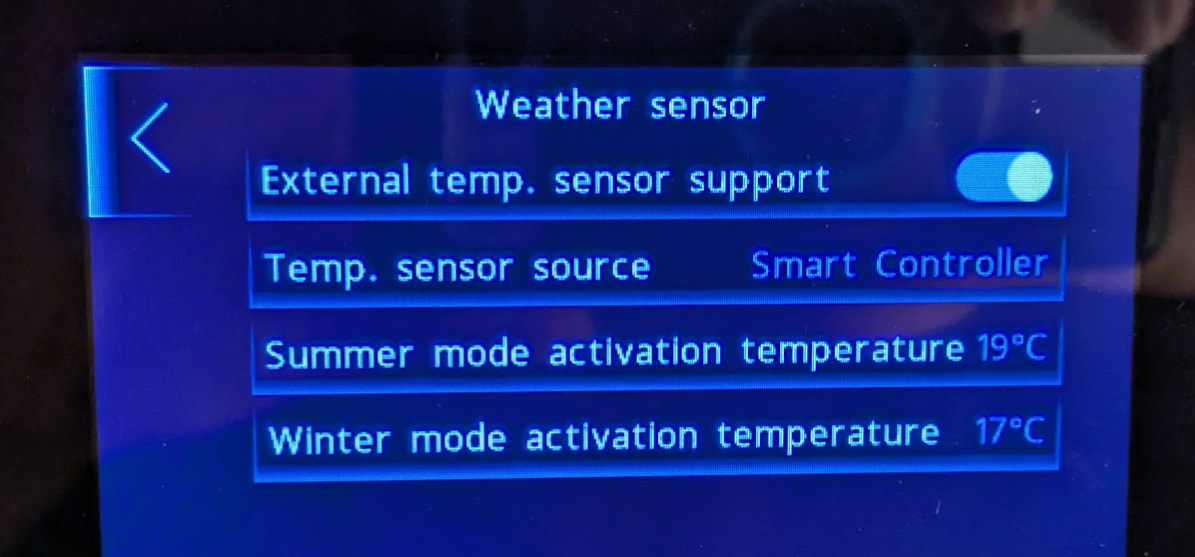
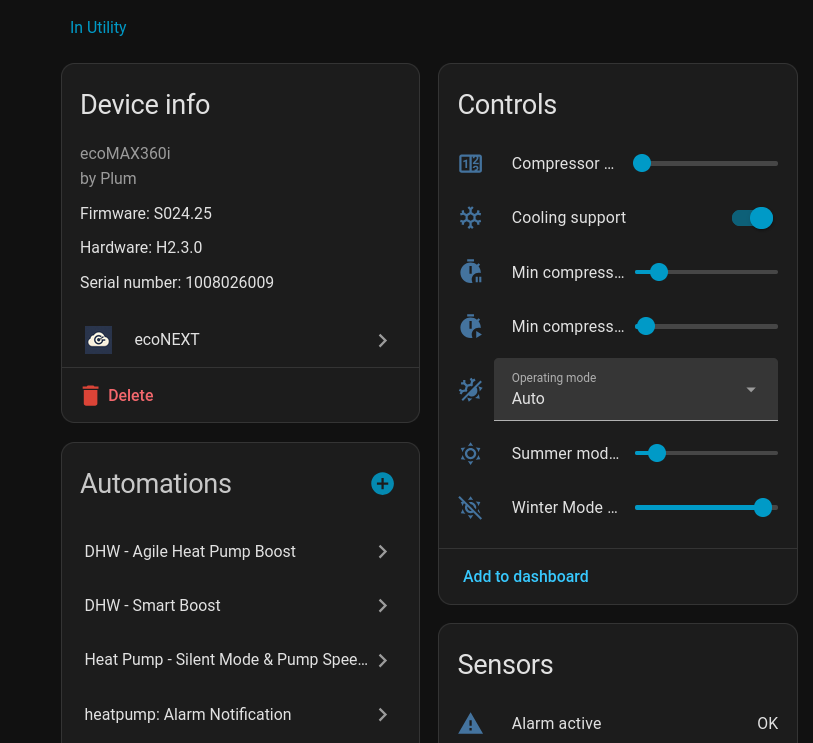
I can’t see to see an option in the HA integration to change the work mode of the Circuit e.g Day (comfort), Night (Eco), Auto or Boost. Do you think this is something that could be added? The ability to set the day/night schedule is already available via the HA schedule car.
I’ve also noticed a number of cooling options in the HA integration. I think I’m correct that the Grant HP290 heat pump doesn’t support cooling (yet?!). Or have you been able to get cooling to work?
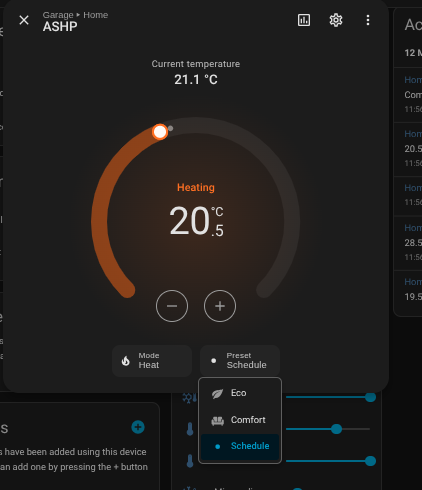
The work mode is already available in the integration - it’s exposed as preset modes on the climate entity for each circuit:
Comfort = Day mode
Eco = Night mode
Schedule = Auto
Boost isn’t supported by the HA integration yet - I’ll add that in.
afaik the grant 290 does support cooling! There are a few things that need to be in place though:
Cooling support needs to be enabled for the heatpump. Either in the HA integration or via the 0000 service menu → Main heat source → Cooling support
Circuit type must be set to either UFH or Fan Coil - radiator circuits don’t support cooling. (min cooling temp is 18C for UFH, ~7C for fan coil)
Cooling needs to be enabled per circuit - each circuit has its own cooling enable switch
Operating mode needs to be set to Summer, or set to Auto with the outdoor temp above the summer threshold
Once all that’s in place, the climate entity will show the relevant HVAC modes (Heat, Cool, Auto).
I have now joined you in the econext world, after some frantic button clicking to swap all dashboards to the new entities it’s working great so far @LeeNuss - thanks! I’ll update as I find out more
Also I notice coil temperature replicates what it did in econet24 (makes sense, obviously!) in that it goes high when it should be low, like this:
It went from 0.3 to 6553.4, so I’m thinking - is this an unsigned 16-bit int divided by 10 and it wraps when it goes negative? If so, wondering if this should be something we fix with a HA template or fix in the gateway?
Logic I guess being:
raw = displayed * 10

if raw >= 32768:
    raw = raw - 65536

final = raw / 10
I had a good thought this morning - I believe the internal remote thermostat (the white one) uses the same GAZ-MODEM3 protocol that econext now talks, so would it therefore be possible to emulate a thermostat? Reason I ask is because I have aqara temp sensors all over my house and I take a room-size (m3) based average, so e.g. the larger kitchen has more influence over the average than a small toilet.
If econext could be a “virtual thermostat” this would be fantastic, e.g. home assistant submits the temperaterure reading to it and it simply passes on to the controller. That way my “thermostat” temperature is a whole house one.
yes great idea that is definitely possible. I’ve just added this, just need to test it a bit more thoroughly. Will post some instructions on how to configure this once I’m confident it works well
@MrW I finally got around to finishing the virtual thermostat support, needed a bigger rewrite to work reliable. Tested this for several days now without any issues. I’ve just published a beta for it:
To install it re-run the bootstrap with --pre:
Also bump the HA integration to v0.1.1 (update should show up automatically in Homeassistant).
Setup:
In the HA integration settings (Settings → Integrations → ecoNEXT → gear icon), select the temperature sensor entity you want to use for the virtual thermostat. The integration submits this every 10 seconds to the gateway/controller.
A new “Virtual Thermostat” device appears in the ecoNEXT integration - click on it and press the Pair button. This opens a 60s pairing window.
On the grant smart controller panel, tap the current temperature of the circuit you want to assign it to, then tap the “thermostat-with-plus” icon in the bottom-left. Follow the pairing wizard and the gateway should automatically pair as an ecoSTER_40.
Tap > to confirm on the panel. The HA “State” entity should switch to “Paired (addr XYZ)”.
The virtual thermostat coexists fine with a real ecoSTER on a different circuit. If HA stops sending updates for more than 5 minutes the gateway falls back to a fixed value (default 19 C, configurable) so the heat pump never sees stale data.
If anyone tries this and runs into issues please open a GitHub issue on either repo so I can track them.
Thanks so much for making this excellent gateway code and HA integration @LeeNuss . It’s very well thought out and really effective. I run the gateway on a Raspberry Pi Zero 2.
The thermostat feature is interesting and I have tested it as working with my system. Do you think it is possible to use a virtual thermostat in place of the outdoor temp sensor in the heat pump? Mine has very inaccurate readings in the evening when the sun shines on the heat pump.
Unfortunately that’s not possible, as this comes directly from the controller and not the api. I had the same issue and installed a Grant Smart Outdoor Sensor on the north side, away from direct sunlight which sorted that issue.
A minor point, but remember to site it well away from the effects of cold air circulation from the evaporator. Even though my HP (a Samsung) is on an elevated platform, the OAT sensor - located inside the outdoor unit chassis - dips by up to 2degC whenever the HP starts, so distorts the weather compensator.
@LeeNuss What an absolutely fabulous integration this is.
I eventually got myself a Raspberry pi Zero 2W, followed your instructions & got it fairly painlessly set up. Loaded the Home Assistant integration & everything appeared. Thank you so much for your time & effort to get this to its current state.

 it’s working great so far