I’m using S3 atom lite, no proxy. Did not upgrade the atom fw.
I was on the latest 2025-12-21 fw which was updated via ota (ha) and was working just fine with ftc6 fw 1900. Just upgaraded the ftc6 fw to 2001 and nothing else. Did not change any pin or the like.
That is weird, power and gnd are correct. But It cannot communicate. The protocol did not change with the ftc 20.01 (I and others upgraded too without issues).
Do you have a another spare atom or esp that you can test?
I was going crazy, but the problem turned out to be a loose connector in the extension cable I made from the CN105 to the ESP32! The TX pin was loose, so no data was coming through. Everything’s finally working now! Thansks for your great support!
Accessibility has always been at the heart of my adapter project, to provide users of all abilities with access to advanced control options and deeper data from their Ecodan Heat Pumps.
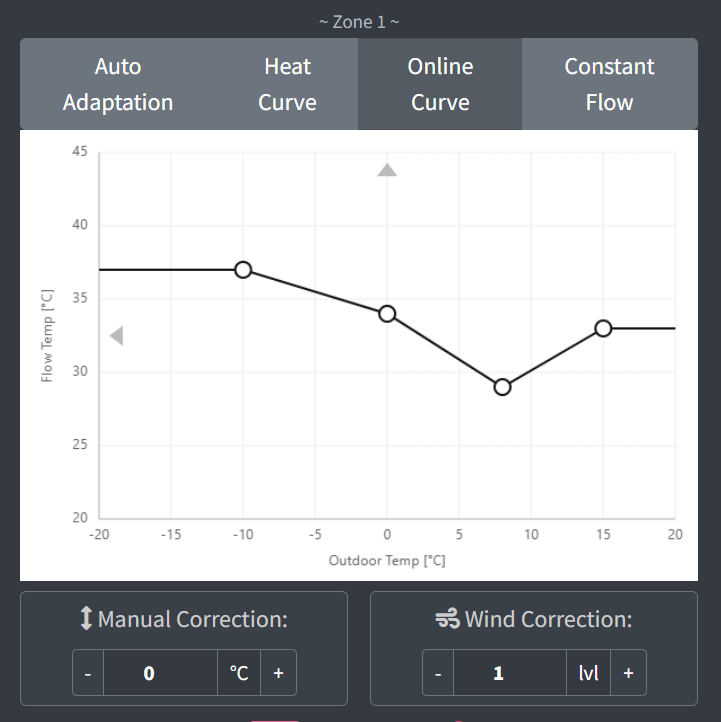
Released in July last year, the Onboard Compensation Curve feature was intended to unlock dynamic adjustments and remove the limits on data points. Since then, it has been adopted by many users; I really appreciate the fantastic community that has tested, reported, and helped enhance this feature.
I recognise that this advanced feature is initially technically more difficult to set up.
In early 2025, I collaborated with the popular third-party app MELPump to fully support my adapters, in addition to traditional MELCloud, and make the key advantages of the adapter even more accessible (This is a great solution for those who do not wish to host Home Assistant, or for users who want to run both in parallel)
I am delighted that MELPump has built an easy-to-use online curve designer directly into their app to help users with this feature (expected to be generally available next week)
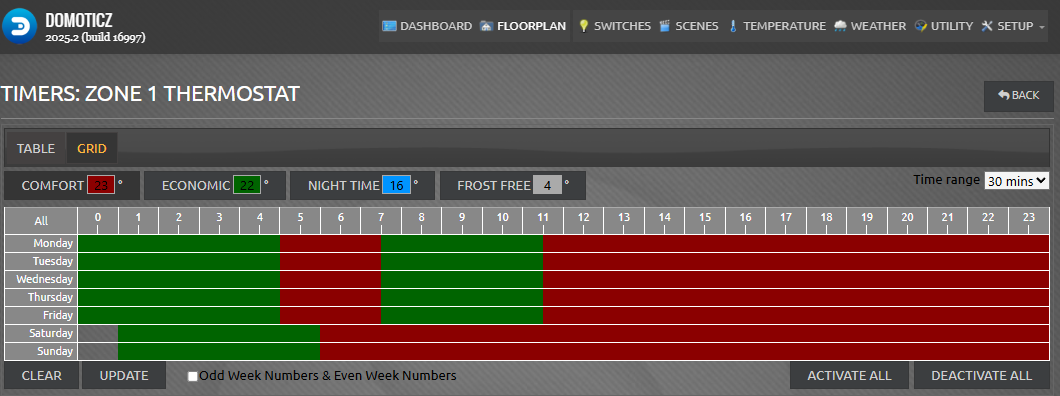
Also is it possible for the device to write time to HP and/or toggle daylight saving feature . I’m running DHW schedule on the HP, I could move it to server control and add some script.
For example at first S3 would get time from HP, then compare to HA and updates it if neccesary.
Regarding Time/DST,
While it might be possible - it could be more disruptive because they force you to shutdown the heat pump first (like some options in the service menu)
@gekkekoe Thinking about going for your AA control and got few questions about it.
Currently running on HP advanced AA mode and it keeps steady room temperature across one floor building about 100m2. I’ve set up some night setbacks and room temperature stays around 22-23C.
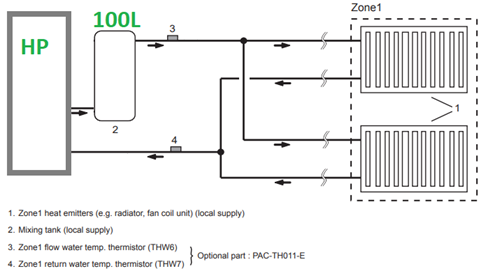
My system has got buffer tank on flow and zone1 flow/return temperature sensors after tank, whole system runs on internal pump. Rooms have TRV’s but they are mostly fully open.
Does this setup somehow affect the working of your adaption to this?
Does it try to maintain room temperature or rather depend more outside compensation curve?
Only downside i’ve found on advanced AA mode is that when it starts up to increase room temperature, it set’s flow setpoint high so the compressor starts on full whack, even at -10C, although there’s no need for it to get desired flow temperature.
I’ve limited max flow temperature to 48C, otherwise it would set the flow temperature even higher even with milder outside temperatures. COP was around 1.9 on those colder days.
Are there any other UK based buyers out there? If so would you like to team up with me to buy one of these and share the postage/customs VAT etc? There’s too much post-Brexit red tape otherwise. Please DM me if interested. I’d love to get my hands on one but Gekkekoe is unable to post to UK without one or two more interested people…
Might give it a try on weekend. Currently colder weather persists and might see longer run times on compressor without the need for short cycling prevention interrupts.
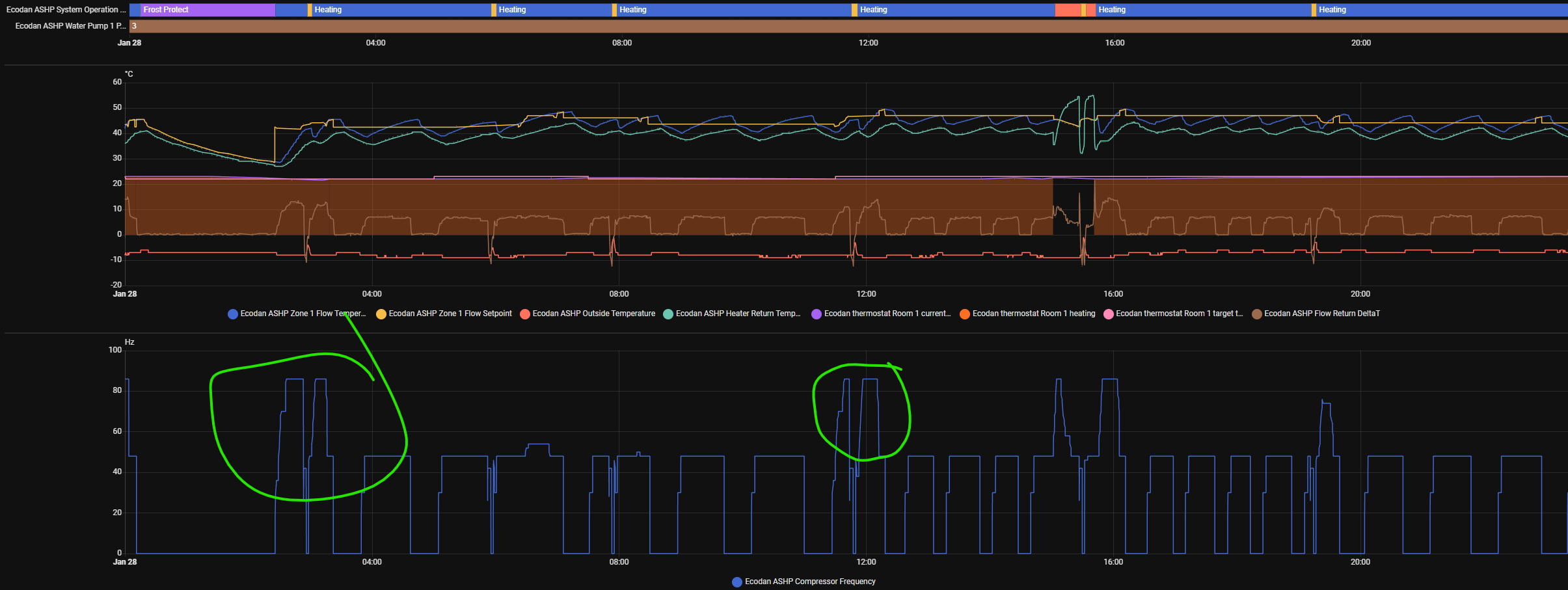
Does your control remove/reduce the unnecessary compressor peaks like on the image below, that are purely caused by large delta on flow vs sp flow?
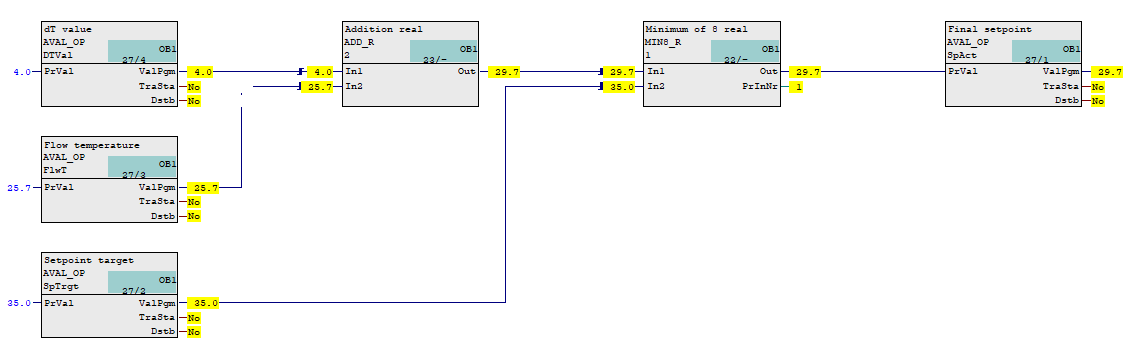
This could easily be avoided by using “virtual flow SP” that is 3-5C higher than actual flow temp that gradually follows it to reach actual calculated flow SP. This “virtual flow SP” should be monitored/specified at which delta the compressor ramps up.
Tried the simulator and based on that the calculated flow temperatures were lower than Ecodan uses and should reduce the peaks.
Any realtime charts on lower outside temperature about -10C?
I don’t think there would be any difference, unless Flow Setpoint rises gradually.
This is FTC controlled, you can try “Normal” instead of “Fast” response if you have the option set in the Service Menu > Heating Operations
Typically this is just caused by the high delta between setpoint and actual
Note here that in some cases (e.g. post defrost) some users actually require a fast response in order to return to normal flow temperature as quickly as possible
This will probably depend on the size of your heat pump and heat loss
Yes that might be the reason why it performs like this on commercial product.
What I had in mind was a possible customized control solution to keep the compressor running on lower power, thus raising COP (especially in colder/nordic climate), let’s call it “Eco heating mode” .
I have installed buffer tank mostly for that if it’s cold (-15C) outside and the defrost cycle begins, I still have a full tank on warm water to feed radiators. Also it keeps cycling down.


 . I’m running DHW schedule on the HP, I could move it to server control and add some script.
 .
.