https://www.youtube.com/playlist?list=PLHhwQCDPuRcZW3u0jJucsiCCsUbNbMy-c
Has the PCM60X been connected to the DIY BMS yet?
Battery charge controllers with RS232
Hello, I programed next 16 modules v4.5 and 14 blinks green, but two start red LED (balancing). Where I should look for issue, do anybody know? Or it will repair itselve when I connect it to the ring with mainboard?
Thank you
Anyone selling 16 v4.50 or two v4.90 (+passiv balancer) boards?
Hello. I’m trying to get the 4.90 module board running. It’s probably a little older version than is currently on github as I ordered it a little over 1 year ago. I’m having issues with the calibration settings. Whatever calibration multiplier I set (and I save the settings) the voltage value does not change. If I refresh the page I can see the stored multiplier, but the voltage readings remain the same. Only when I disconnect the module power supply and then I connect it again I sometimes get readings that are approximatelly 10% higher. I’m not sure if I misunderstood something, but if there is someone who could point me to the right direction, it would help me a lot. Thank you!


Sorry, my fault, there should be no calibration needed with the reference voltage… I was also using wrong firmware as my reference voltage is 4.096V and I dont have the U6 on the board. I’m still getting diffrent readings everytime I connect the module, so it seems that I have issues with the reference voltage reaching ADC…
hi all,
apologies for asking a most likely silly Q, but I have my system running on a v4.3 board with v4.4 modules 8S LifePO4 bank on my boat for the last three years. Once a year I’d update s/w (over wifi) and once or twice I’ve updated modules (mainly to set them to 5k)
However, following a mishap (unrelated to diybms) I had to disconnect everything for a couple of weeks. Noticed that the v4.4 modules stopped blinking randomly as they do, some went dead, some went constantly lit. Disconnected from the cells, connected again, dead, cells all around 3.2V.
controller is stuck to waiting for modules (for ever)
Got some backup modules, works with them, so thought I’d reflash the modules just in case.
And here is my problem on the latest s/w 30.3.25 as well as an older 8.24 that I’ve tried, the More>AVR Programmer comes up with the text but without the selection of module code to upload. Furthermore, I don’t get the orange warning on top of the screen that I’m in programming mode.
Edit to add that tft screen changes to the normal AVR Programming white screen with the progress bar at the bottom (empty).
What am I missing please?
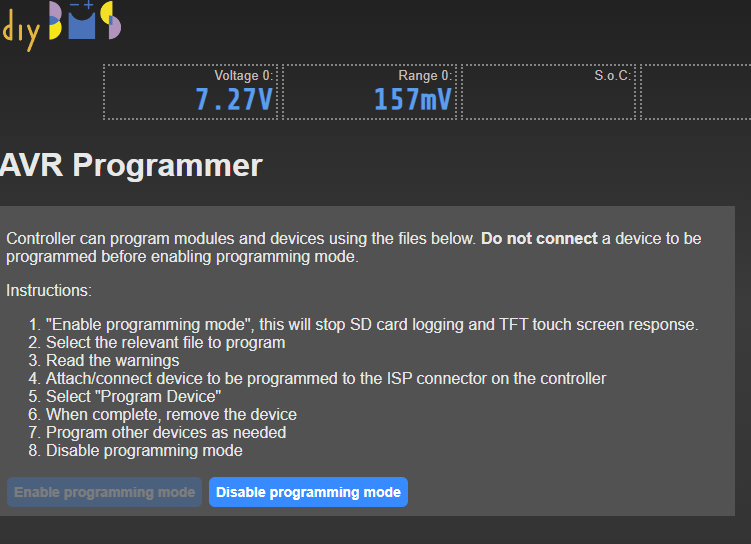
[ignore the values, its my backup board with just two 18650 modules for testing…]
cheers
V.
Hello, how did you flash the esp? Over the air/network? I don’t think that updates the firmware files, a full flash using a cable and the precompiled firmware files from GitHub would be my place to start.
hi Stuart,
OTA, same wifi, using my own compile as well as your esp32-controller-firmware-over-the-air.bin
will do it again using PlatformIO and a usb cable to the esp32 and see if I do get the full menu with options. Hadn’t occurred to me that OTA wouldn’t update the firmware files!
thanks will report my success first on having the full menu on the interface and also of reflashing the 8 v4.4 modules that seem lost…
V.
managed to program the latest esp32-controller-firmware-complete.bin using NodeMCU-PyFlasher as per the instructions.
got the full proper list on the AVR Programmer screen, thanks!
Now I’ve only managed to reprogram two of the 8 1.9f modules, on all the others I get the:
Failed, error code 3 FAILED_ENTER_PROG_MODE and fwiw I dont get the orange band on the top of the window saying I’m in programming mode, just a warning for say 15-20secs saying that some features are disabled while in prog mode…
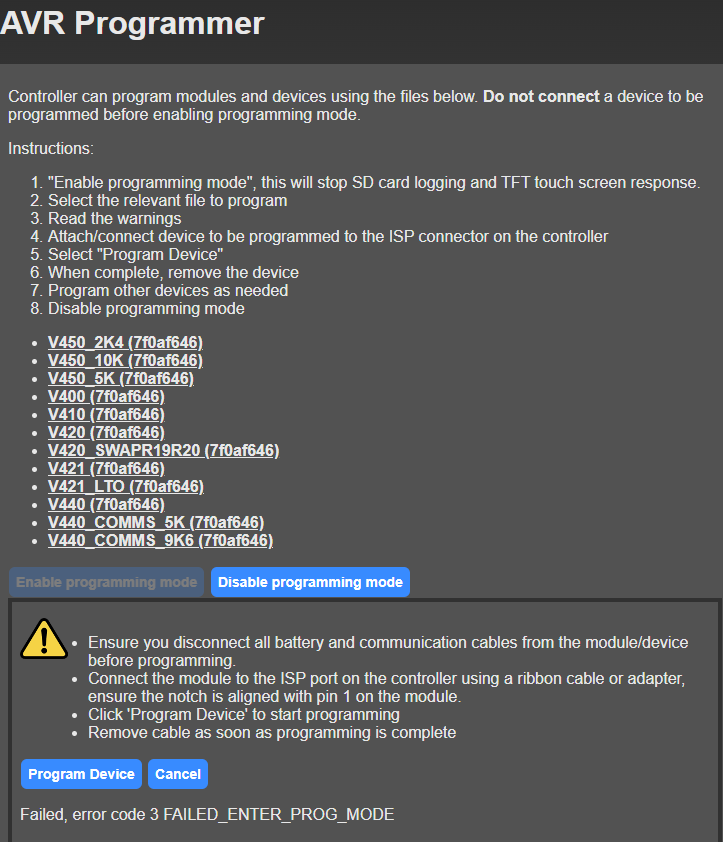
Cables cannot be wrong as I managed to program one module twice and after a lot of fooling around and getting the same Error 3, managed a second one, wonder if I could do anything other than getting a dedicated programmer to do the job. Seems that whole setup is flaky…
cheers
V.
Have you tried rebooting the controller between programming? If it managed to do 2, I’m surprised the others didn’t work. Could the modules be bad?
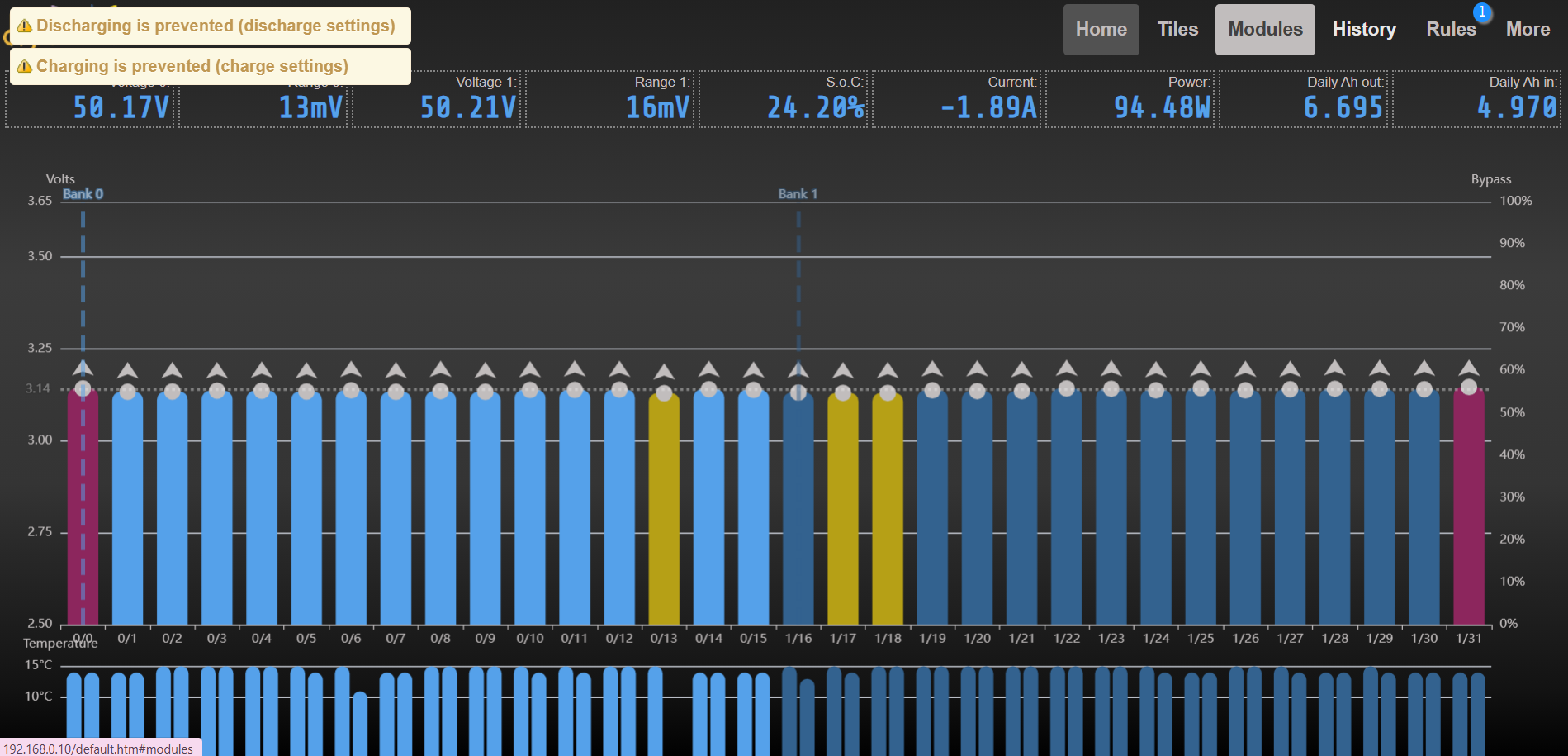
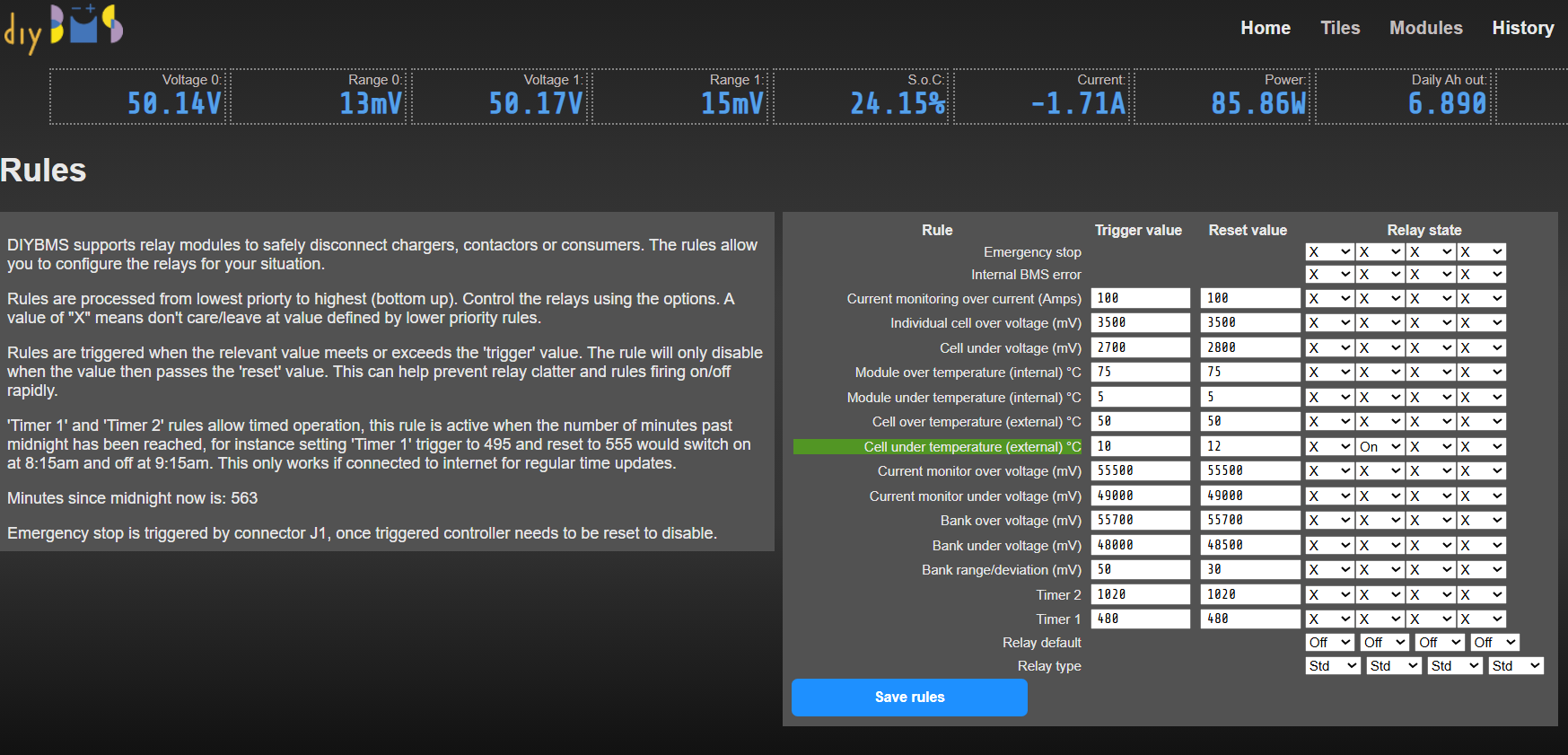
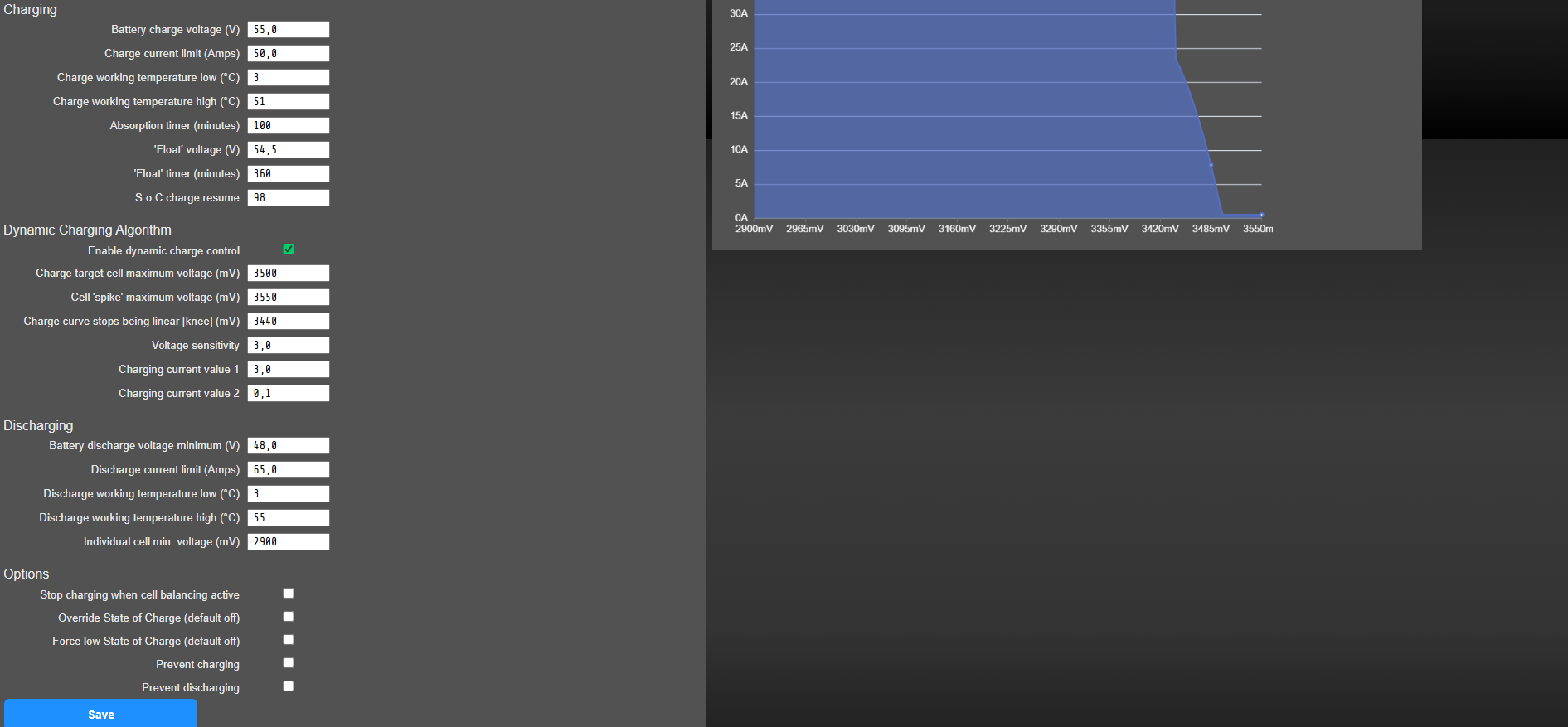
Cells are reporting under temperature so charging is prevented. -
Thank you,
I hope I am not totaly wrong, but it seams that relay rules are not for relays only, but they are for charging/discharging rules too?
There are another temperature values, voltge values… at charging and discharging settings, these values does prevent charging and discharging?
If yes, then are there some rules twice…
Is possible to set somewhere, if relay rule will be conected to charging/discharging rules?
If not, is possible to add this to the firmware?
Thank you very much.
The project’s code is open-source, so anything’s possible  But you may have to DIY…
Don’t forget the pull request!
It should be great if I can DIY, but unfortunately I can not program this. 
Yes, some of the rules also affect the charge rules, this was deliberate, but for the life of me I can’t remember why now! Old age!!
Hi everyone.
I need help connecting to a new wifi (ssid). A search only found older posts and most of them mentioned “reset” which has me worried about my settings and everything I’ve adjusted over a couple of years.
Is there a safe way to connect to a new wifi?
I dont have lan access anymore as the previous network has been taken down (security issue) but I can spoof it with another router if that’s a way to do it.
I’m running the esp32 and have a pretty recent firmware (april..may), if that makes a difference.
Thanks for any help
If you have the old Wi-Fi network data, SSID and password, you can use this information to set up a hotspot on your mobile phone. The BMS can then log in, and you can log in with your PC.
I think that’s the easiest way, or you could use an old router that you set up accordingly.