Hi
I’m in the process of a long overdue upgrade of my EmonCMS system (no Emonhub).
The hardware is a Raspberry Pi 4 with 160GB HDD connected via USB. I installed the latest pi os (trixie 64bit lite) using Raspberry Pi Imager. So far so good!
To install EmonCMS, I used the installation script from the web at “EmonCMS Install Scripts”. For the first attempt, I edited config.ini to exclude the Emonhub modules and for the second, after a clean reinstall of the OS, tried a complete EmonCMS install changing only the hostname in config.ini.
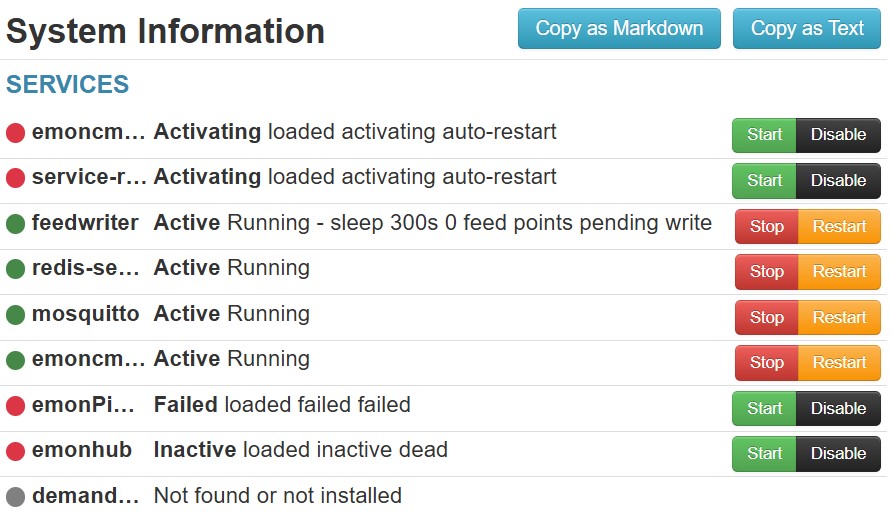
In both cases, when the install completed(?) I could start Emoncms and register a username. However the Admin page showed emoncms_mqtt, service-runner, (emonPiLCD & emonhub) not running correctly (see below). It was not possible to change their state using the Start / Disable buttons.
Looking at /home/pi/main.sh.log seems that Mosquitto couldn’t be installed (see attached).
main.sh PART.txt (2.6 KB)
I’d be grateful if anyone could help.
Dunum