The User Manual writers were set to “mystify” mode for the Auto Mode section.
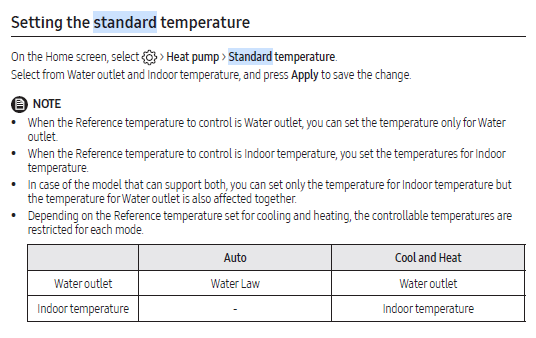
I believe that you can only select Water Outlet control (as opposed to WL control) when no roomstat is installed. I base this belief on two bits of evidence:
The EHS Installer Reference Guide Book (aka Installers Guide) p158 says “When setting standard cooling & heating temperature as indoor temperature, the Auto mode cannot be selected.”
UK Helpdesk emailed me the following observation “The only time water law is not in use is when the thermostats are de-activated and the controller set to leaving water temp. The target flow temp can then be manually controlled in the zone section on the front screen, in this set up the system is thermo on constantly and will run to maintain the target flow temp.”
In other words (I think ), if you have a roomstat, then WL is a mandatory control, though you have the different flavours selectable in #2091/2 (3rd party roomstat) or #2093 (WRC). Without WL control, the only available control is a constant target LWT (i.e. irrespective of OAT).
Whether setting all of #2091/2/3 to 0 would fool the controller into thinking that you haven’t got a roomstat is something I haven’t tested. (I’m a strong believer in the ABDF strategy - Ain’t broke, don’t fix.)
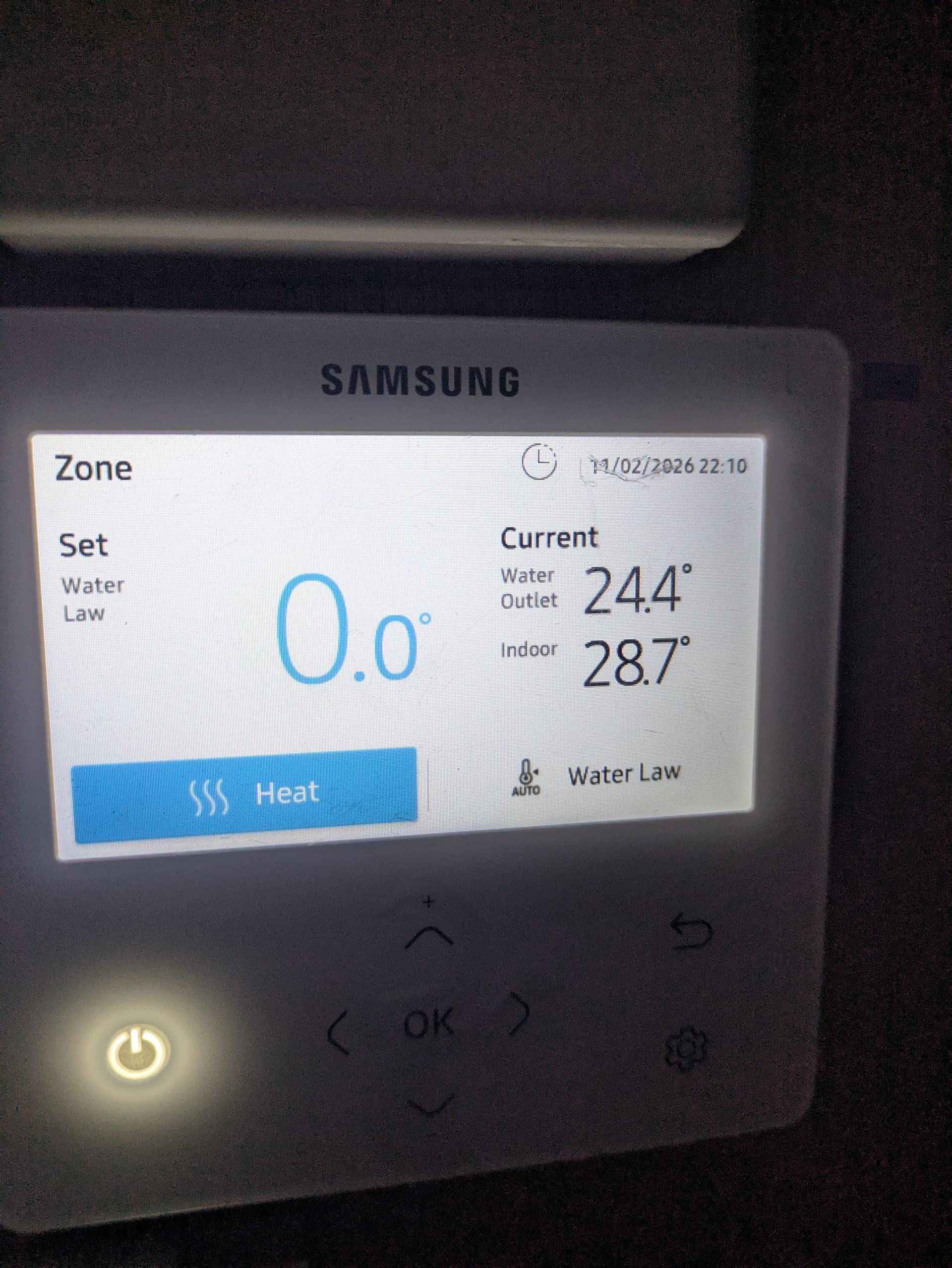
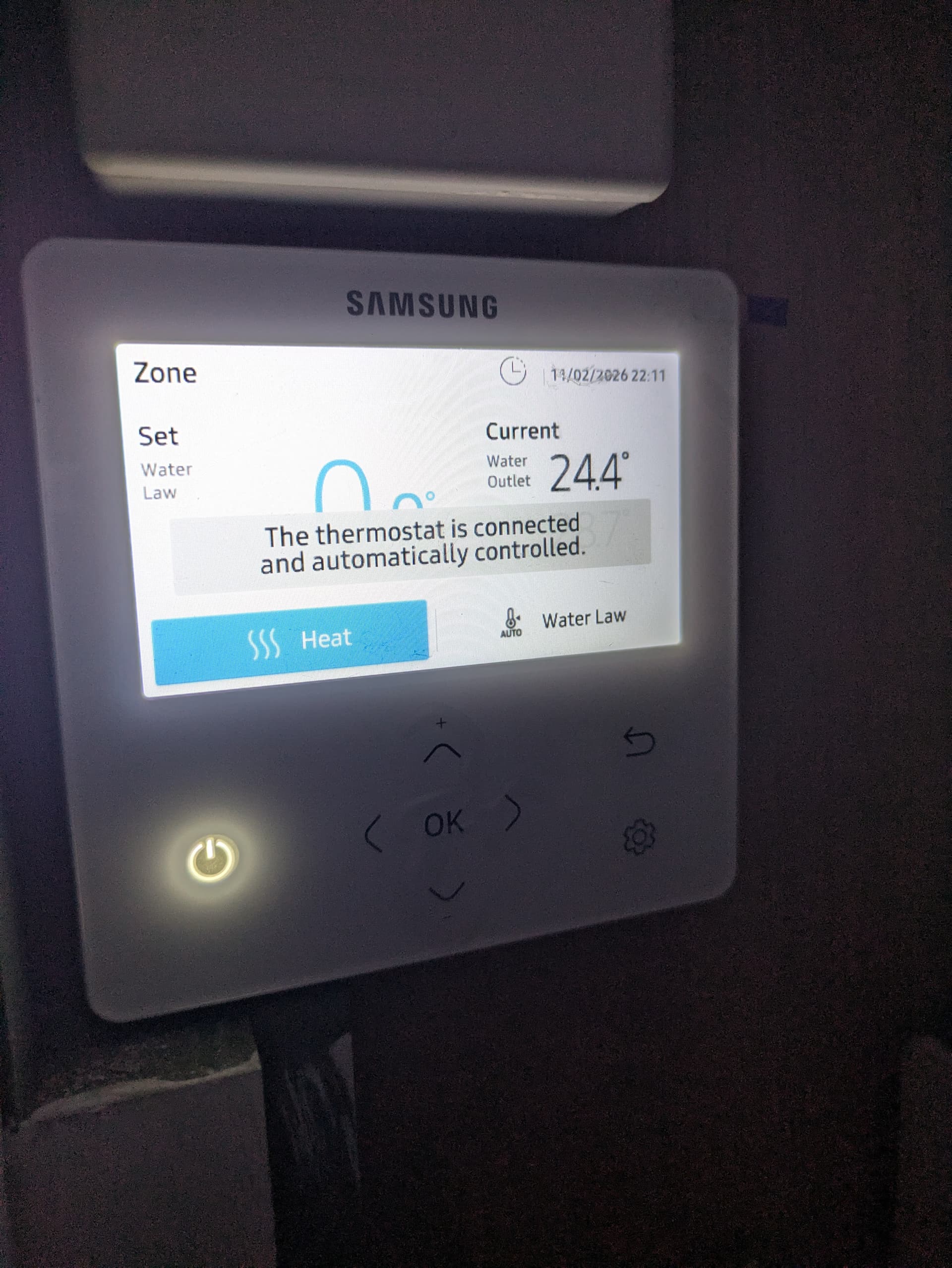
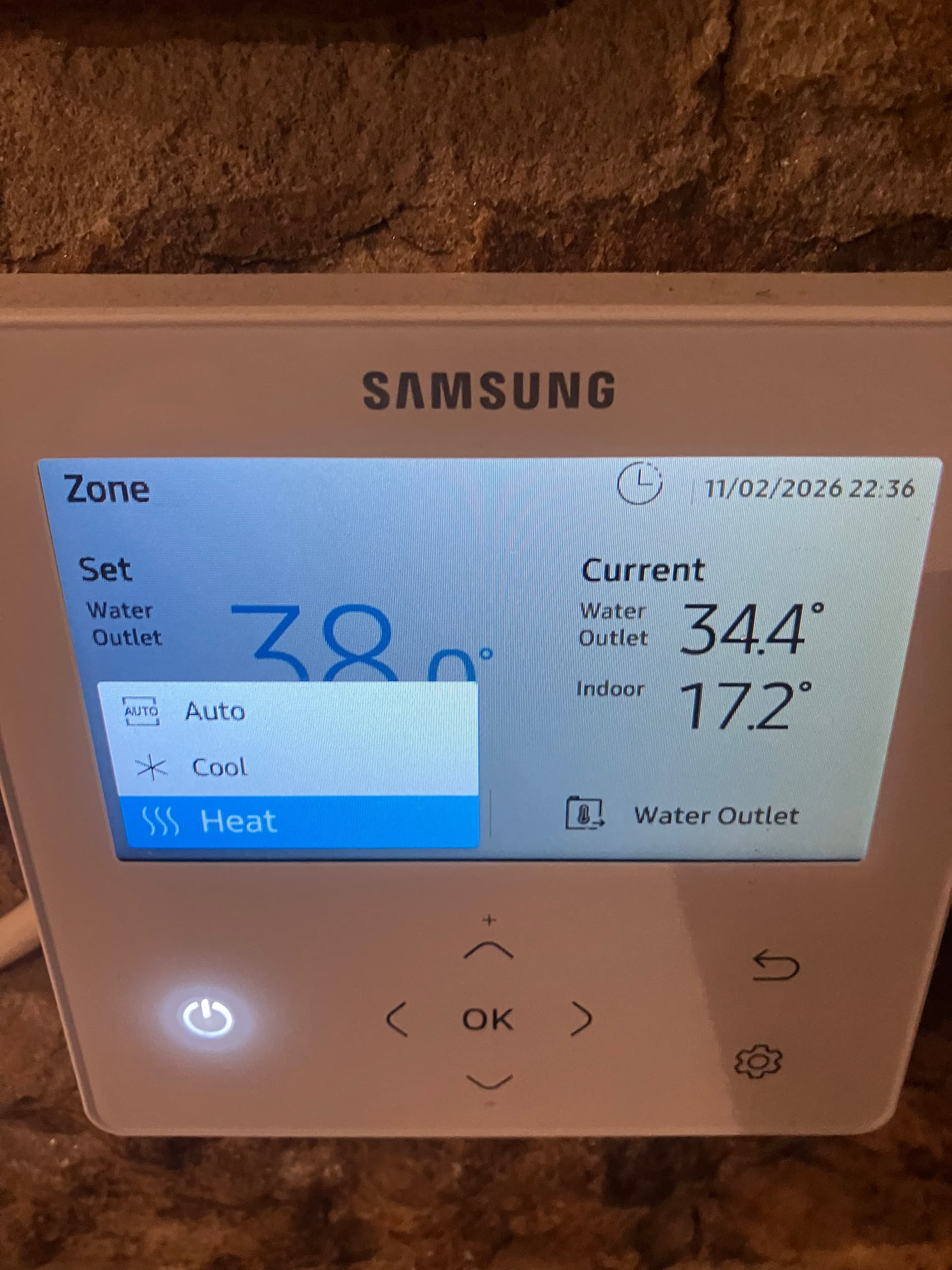
I’ve never quite understood this bit as people seem to say different things. My display on the home screen says Heat on the left and Water Law on the right. Like you @JPB I am unable to change Heat to Auto. I run third party thermostats so think that makes a difference?
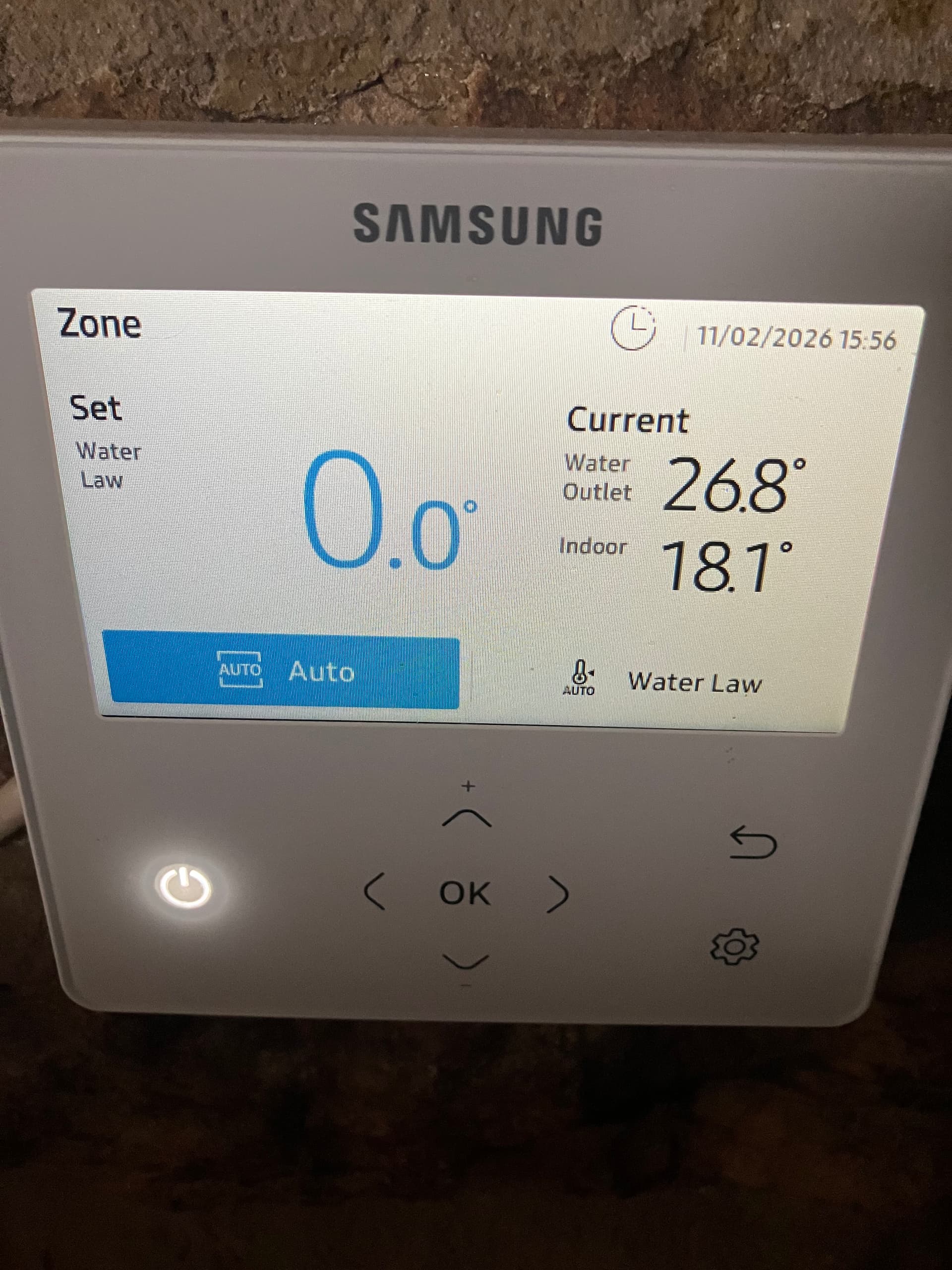
Some people have said where I have Heat on the left of the home screen it must say Auto to be running Water Law. However I’m pretty sure I am running water law, so I think that advice is wrong?
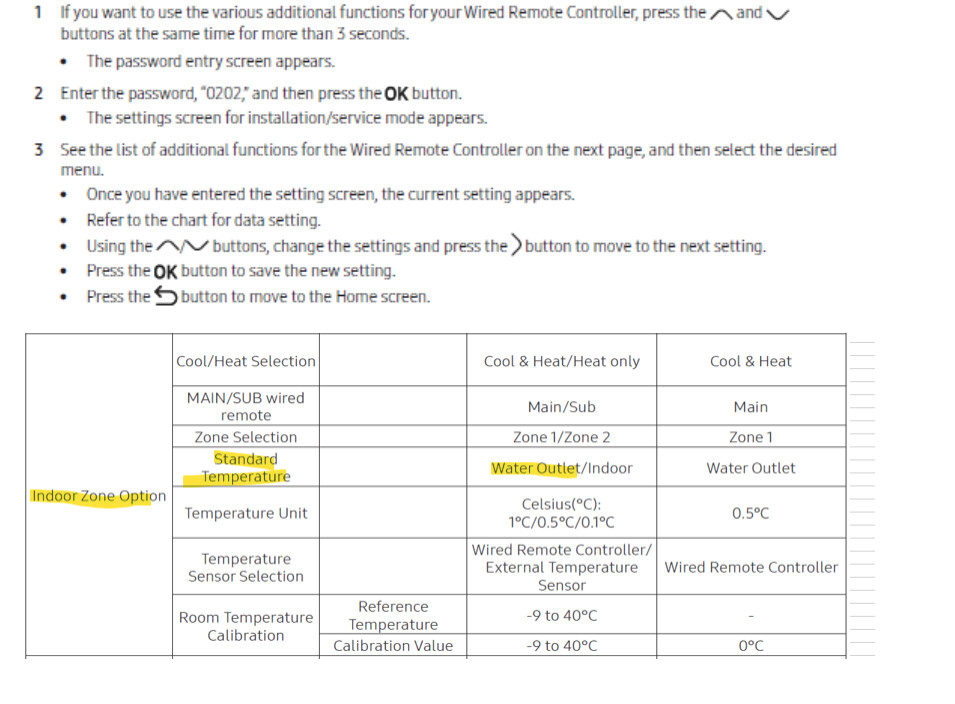
However I’m now a bit confused by the setting in Standard Temperature. Mine is set to Water Outlet. But I’ve seen people say it must be set to Indoor to be running Water Law. Is this the case if you’ve got third party stats?
Sorry to hijack the thread but it seemed more sensible than starting a new one.
Yes, quite agree, totally confusing and really is time consuming! I just followed the instruction above blindly really and I’m on auto and running continuously with a cop of 5.4 over 6hrs so massive improvement over my stop start. Think I was going too far in when I’d tried to change it previously.
I am trying various settings but it seems better on auto so far. Found a pdf which summarised the settings on the FB group (FB I normally never go near!) and followed that.
Hi @Kate, I’m interested to know what you see on the heating screen. I don’t use 3rd party stats, (or any stats for that matter) so I can’t check this myself. Are you also using the MIM stat to switch the heat pump off?
I think unless you are directly setting the water outlet temperature, you are always using water law.
I think the 2091/2/3/ setting change what you see on the home screen.
I have mine set to water outlet mode. I have my schedule set to Auto from 7pm to 4pm, then set it to Heat between 4pm-7pm where I set the outlet temperature to 20 degrees.
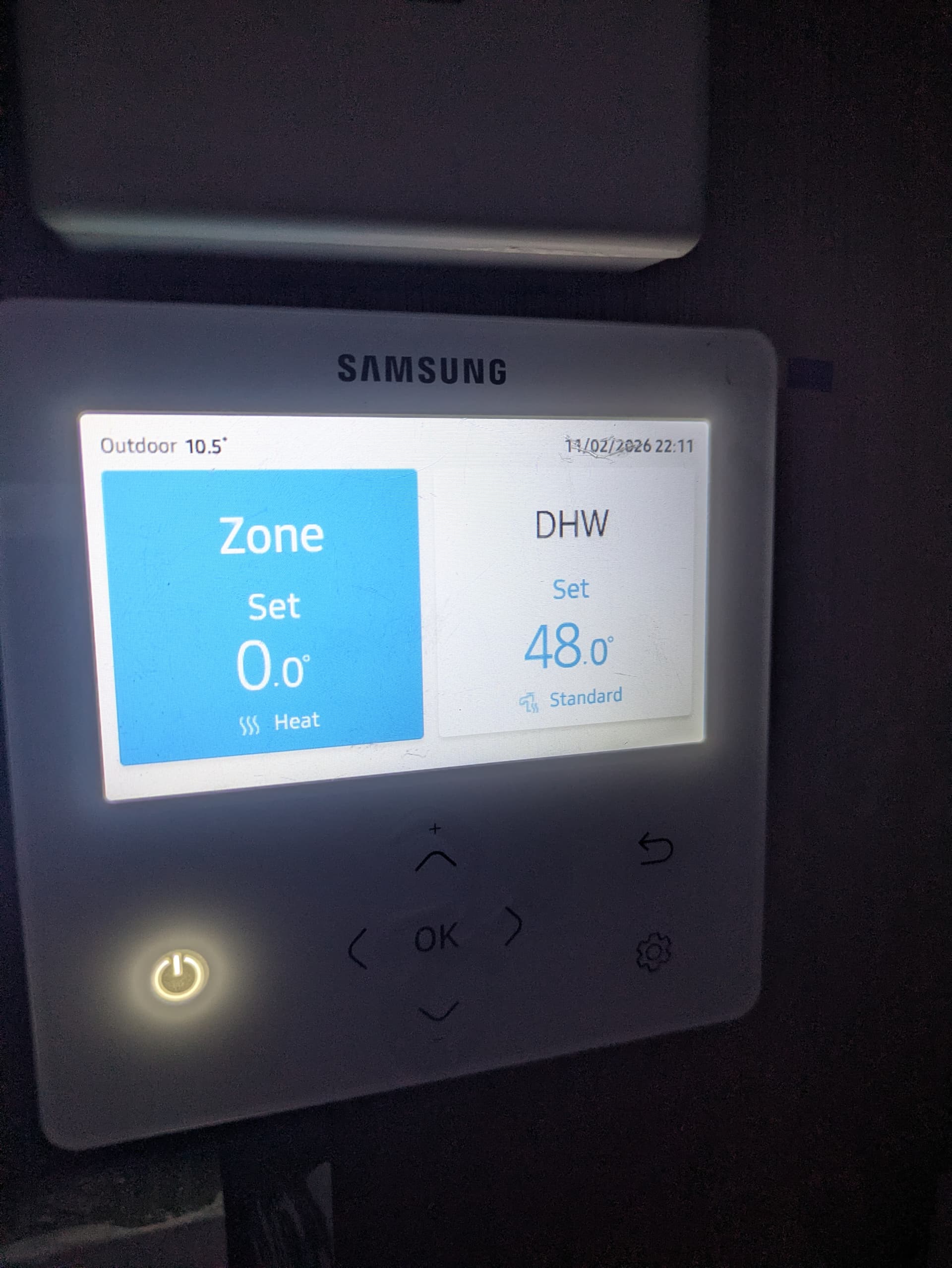
Here is a screenshot which did help me, but I think it gets more complicated with 3rd party stats as these sit over the top of everything.
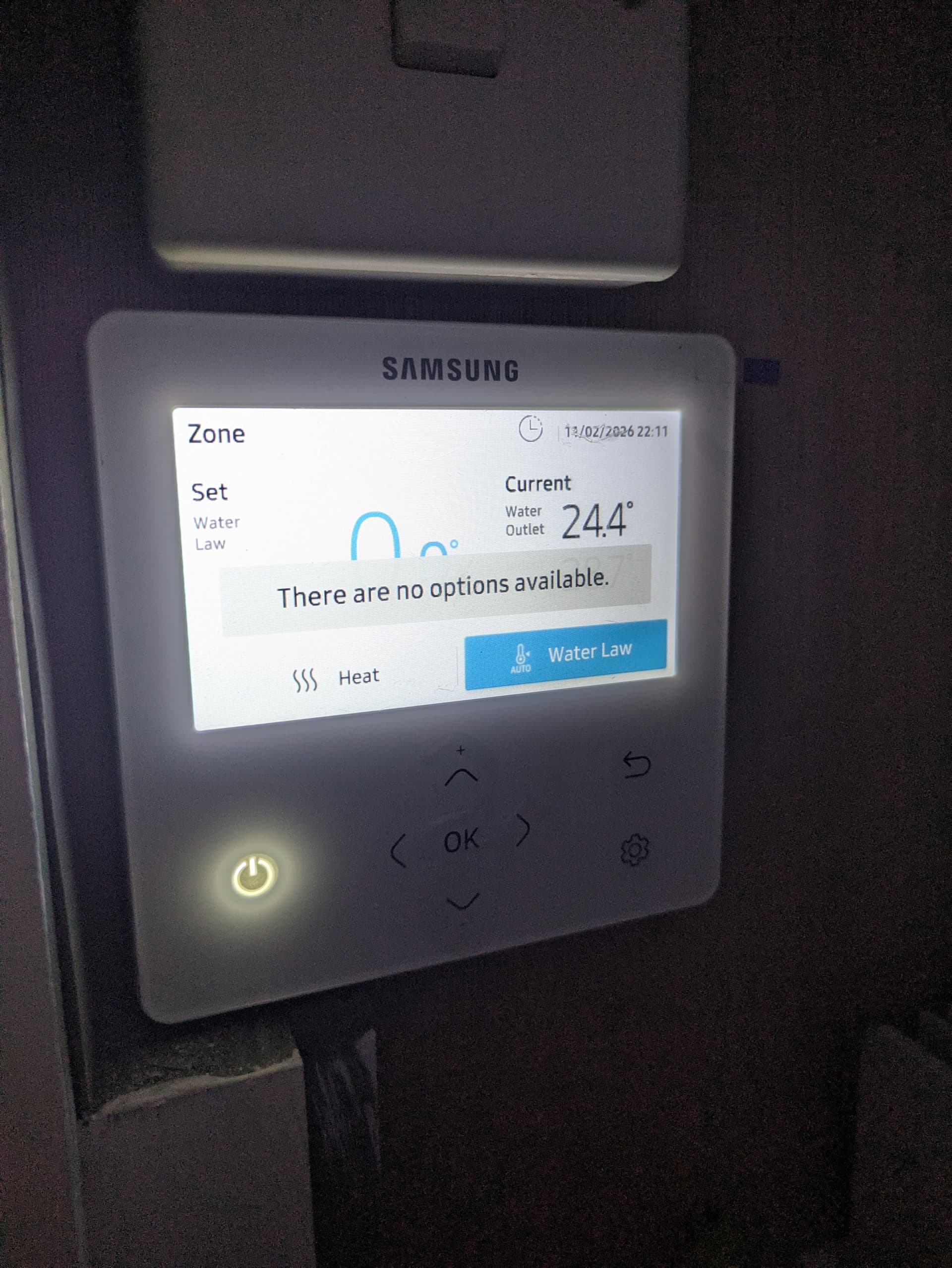
That’s my home screen. And then the two images below are what comes up if I try to select either Water Law on there or Heat on there. i.e. you can’t change anything. But to answer your question no I don’t think the MIM stat comes into play (assuming the MIM stat is the one in that controller) because I have 2091 with an active setting. But that’s a bit of an assumption.
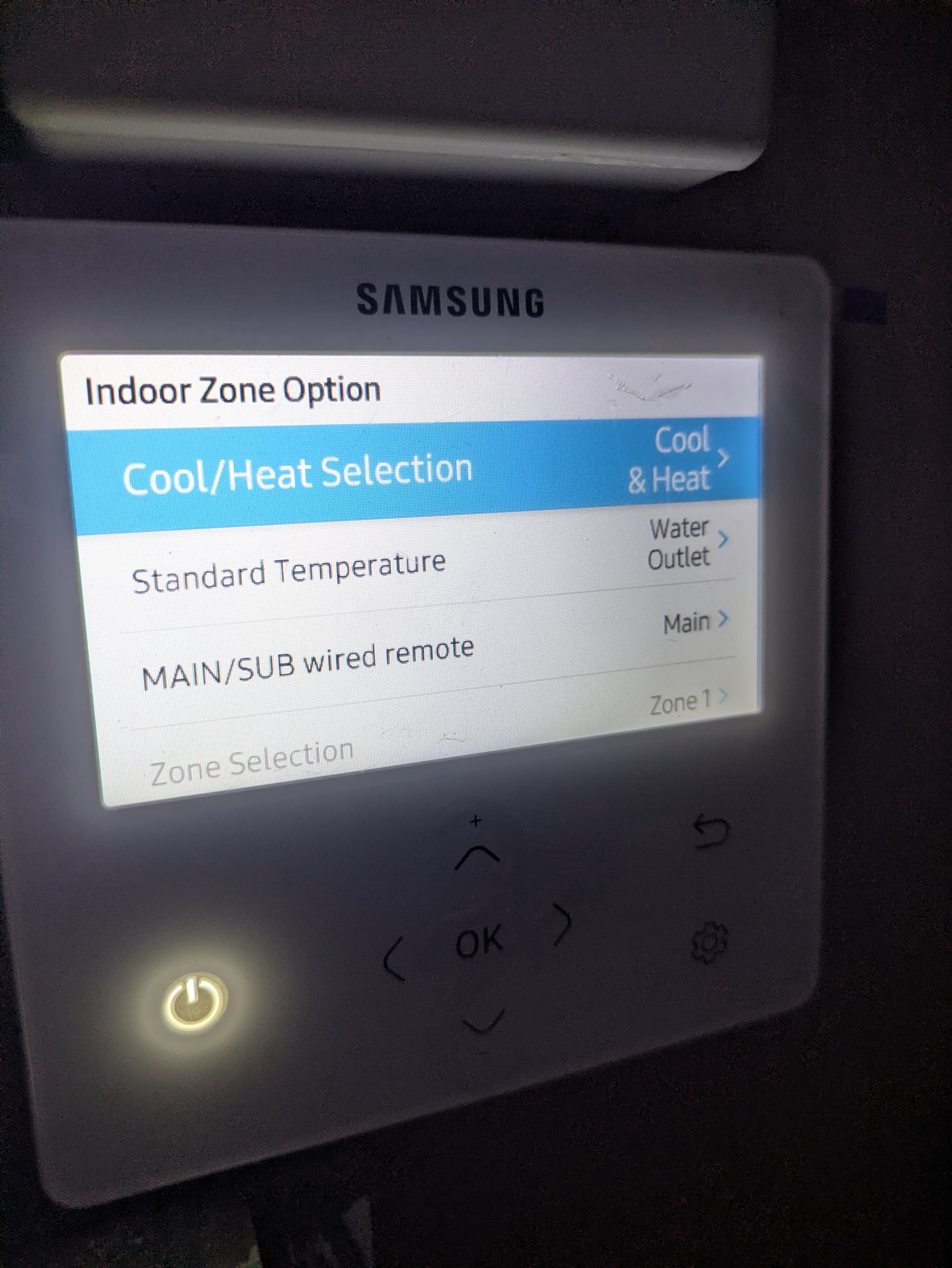
This is what it says in my Indoor Zone Options menu, but I think given what Sarah has said about only being able to select Water Outlet mode if no stats are installed then I think this is probably irrelevant and isn’t actually doing anything to how my system is running…..I think.
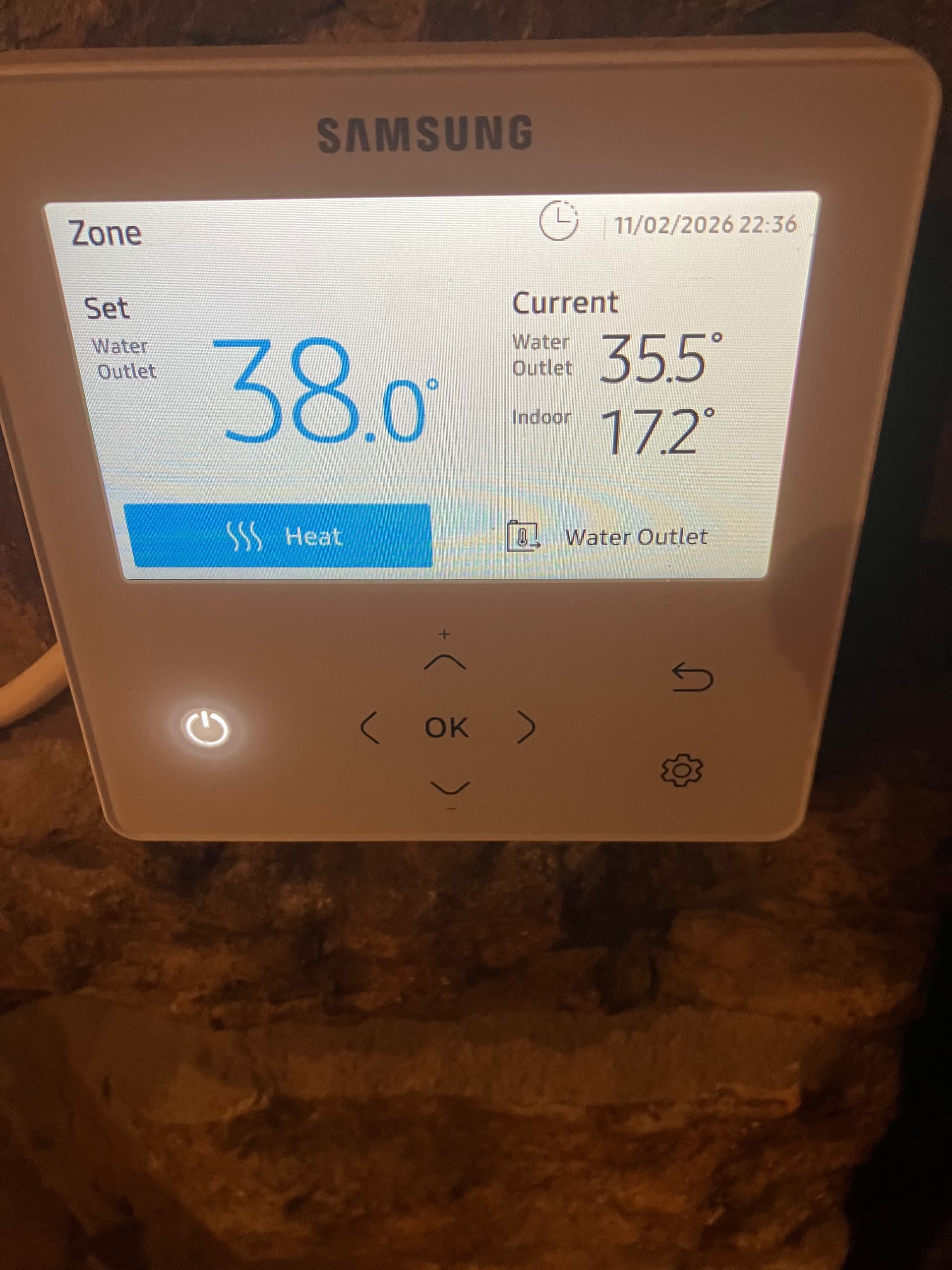
@Kate Your screenshot confirms that you are using water law. However, when I select Standard Temperature = Water Outlet (as you have done), I get a very different display, which allows one to adjust the water outlet temperature and doesn’t use water law.
A useful post, @MikeJH.
It suggests that setting both#2091/2 to 0 is equivalent to not having an external roomstat fitted, and allows the Auto setting to take effect. (In my post #3 above I guessed that this would be the case but was too nervous to try it out.)
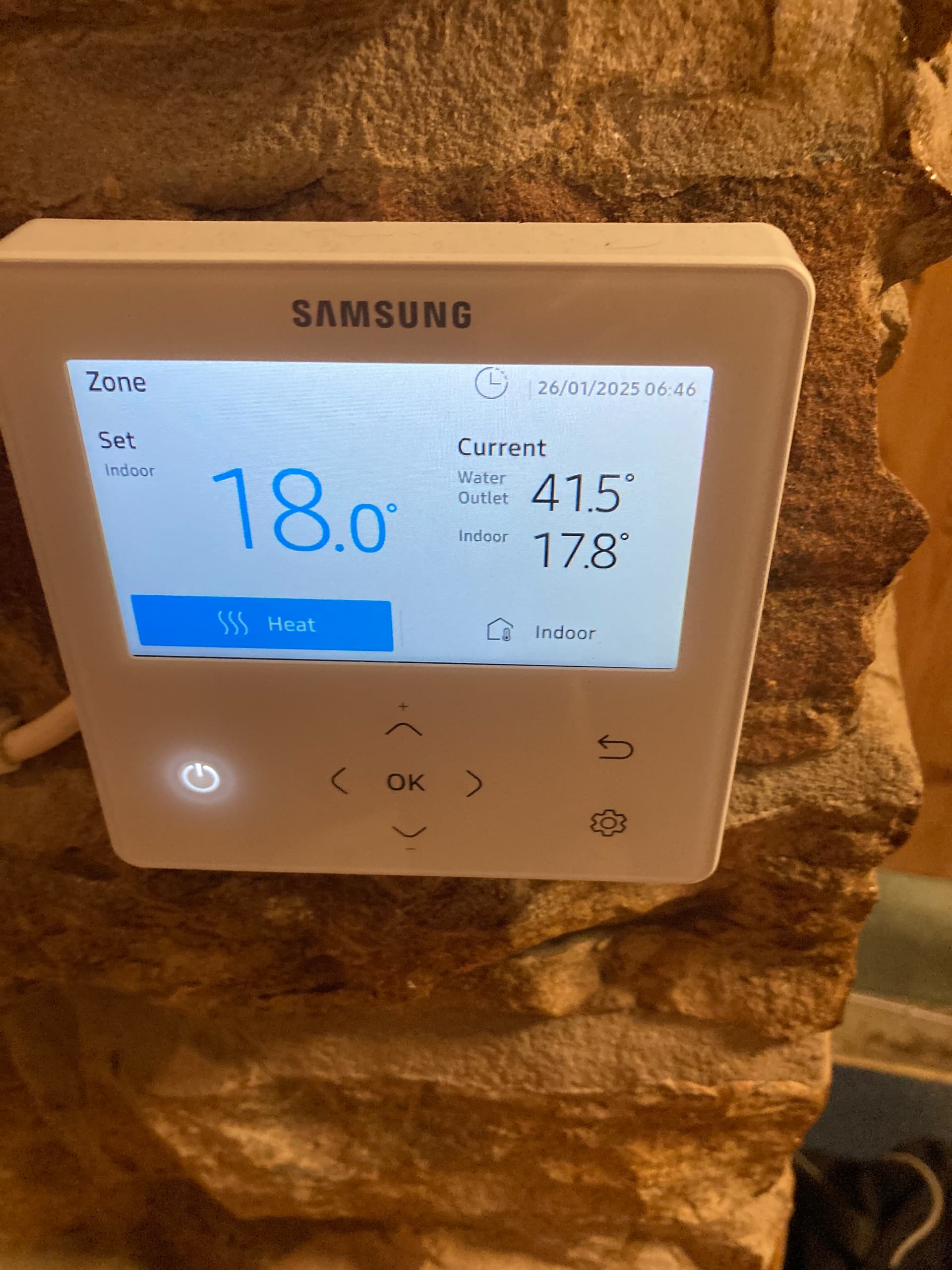
Hopefully @MikeJH will give us the definitive answer, but his second photo above, and his words…
…suggest that a #2093 setting of 0 will force control on LWT only, and 1-4 will allow you to choose LWT control (Auto) or roomstat control (Cool or Heat).
Hi, after some experimenting I found that the 2093 setting does not affect the availability of Auto. Standard Temperature has to be set to Water Outlet and 2091/2 have to be set to 0 (Not use).
When Standard Temp = Indoor (my default setting) then Auto is not available whatever 2091/2/3 are set to.
When Standard Temp = Water Outlet then:
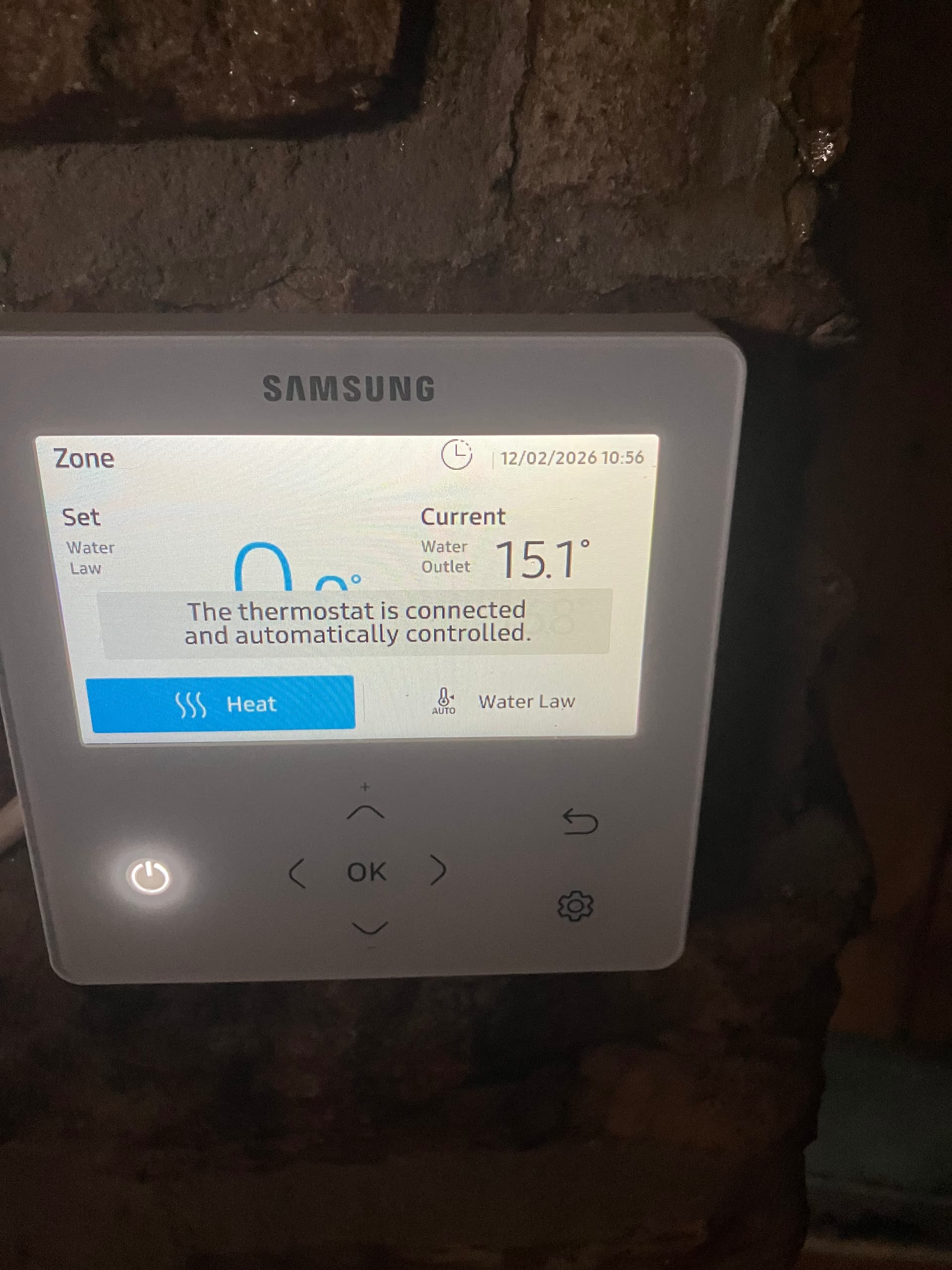
If 2091/2 = 2-4 then Auto is not available when pressing the OK button, but Water Law is active as in the photo below
This feels like a giant puzzle that we all have some of the pieces to and have to work together to create the picture.
I think I understand the various options now and actually I think the settings I have are right for what I want.
I could in theory trick it into thinking there were no third party stats by setting 2091/2092 to do not use and then running it on auto. However, I do use my stats for a nighttime setback, which I don’t think I could do in auto.
@SarahH Yes, thanks for that. I’m really not clear what the advantage of Auto is. For me, it messes up the schedules I run at cheap Cosy times. I left it on Auto last night and the heating didn’t come on!
 ), if you have a roomstat, then WL is a mandatory control, though you have the different flavours selectable in