Hey everyone,
I wanted to share a project I’ve been building over the last few months to completely take over my Nibe heat pump. I was tired of locked-down ecosystems, basic on/off thermostat logic, and paying subscriptions just to see my own data.
As a software developer who takes an “AI-first” approach to my homelab, I decided to build a complete Building Management System (BMS) from scratch. I’ve just finished sanitizing the codebase and pushing it public as OpenNibe Thermal BMS.
Here is what the system actually does:
 The ML Thermal Engine (Heating & Cooling)
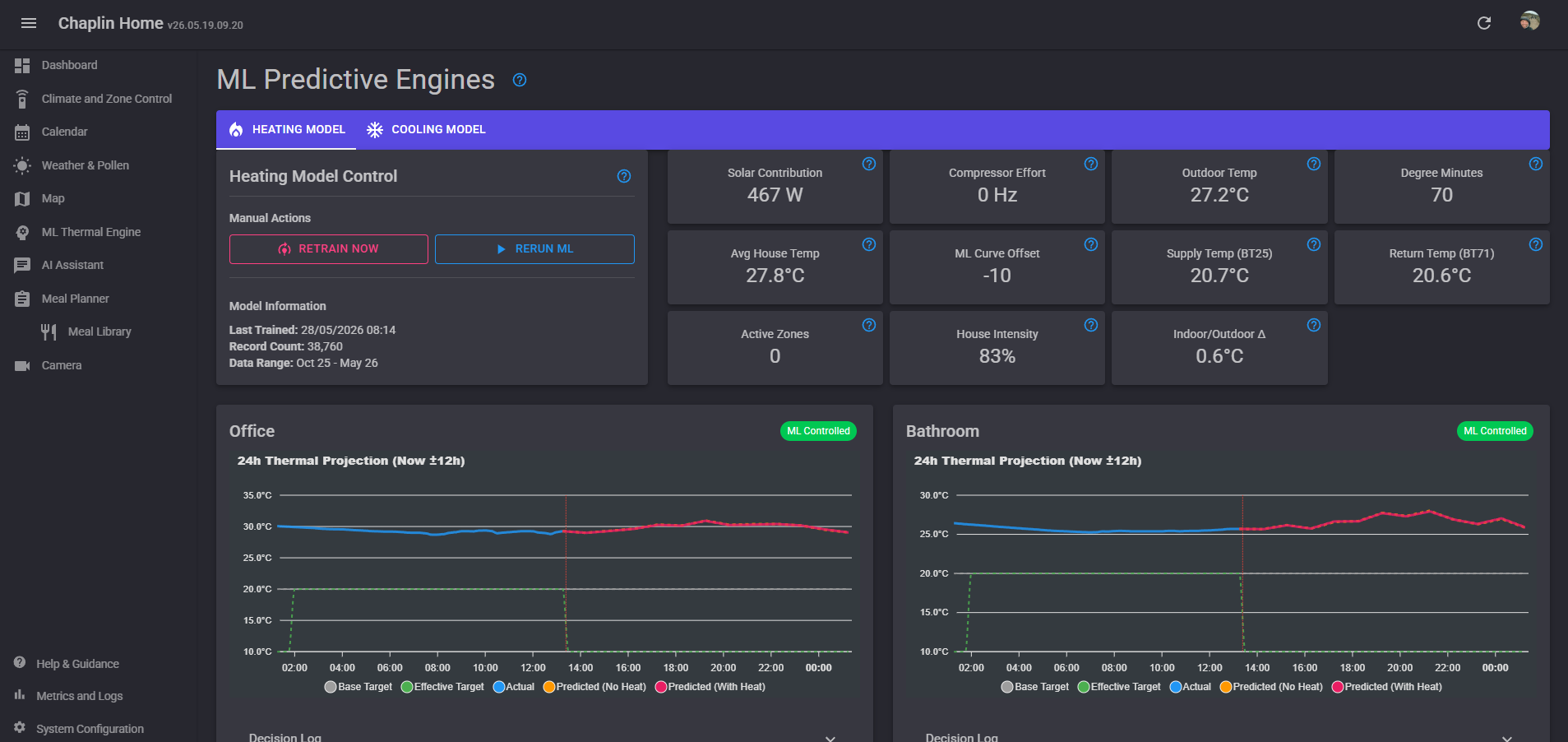
Standard thermostats just look at the current temperature. I needed the system to see the future. I built a custom ML .NET (FastTree Regression) pipeline that runs continuously in the background.
-
Winter (Proactive Heating): The engine learns the specific thermal inertia of different rooms. It evaluates the whole-house state and generates a “Global Curve Offset” for the Nibe, proactively heating the slab before the temperature actually drops.
-
Summer (The T+60 Dew Point Watchdog): Underfloor cooling is great until you hit the dew point and ruin your floors. The engine ingests high-frequency telemetry (temp, humidity, solar azimuth, cloud cover) and predicts the indoor dew point exactly 60 minutes into the future. If that forecast (+ a 2.5°C buffer) exceeds the target flow temp, it immediately drops the relays and halts cooling. Zero condensation.
 “AI-First” Agentic Control
Since I run a local Ryzen 7 Pro server with Vulkan-accelerated Ollama, I didn’t just want a dashboard; I wanted an intelligent house.
-
Conversational Control: Using an LLM, I can ask, “Why did the cooling turn off?” and it will query the
MlDecisionsdatabase, analyze the T+60 forecast, and explain the exact mathematical reasoning. -
Agentic API: A secured API specifically designed to be consumed by autonomous agents.
-
Daily Briefings: The local AI pulls the day’s compressor hours, Smart Tariff (ToU) costs, and the family calendar, and pushes a summarized morning briefing to my phone.
 Family OS &
  Security (TC65)
I wanted everything in one pane of glass, so I built it directly into the Blazor Material UI:
-
Calendar & Meal Planning: A fully integrated scheduling system with recurring events, reminders, and automated shopping list generation from our meal plans.
-
RTSP Camera Integration: I integrated MediaMTX to pull WebRTC streams directly from my TC65 security cameras into the UI with virtually zero latency.
 Hardware & Tinkering
I’m a tinkerer with micro-electronics, so the software is only half the project:
-
Custom Thermostats: I built my own environmental sensors using ESP32-S3s wired to BME280/AHT20 sensors, housed in custom 3D-printed enclosures I designed.
-
SMO20 Telemetry: I have a dedicated ESP32 plugged directly into the Nibe SMO20 that logs data every 10 seconds into InfluxDB, which is then visualized in Grafana.
-
Relay Control: The Nibe F2040 / SMO20 is controlled via local relay spoofing (and MyUplink as a fallback).
 The Tech Stack & Open Source
-
Backend: .NET 10.0, Entity Framework Core (SQLite for config, InfluxDB for time-series).
-
Frontend: Blazor Server with MudBlazor UI and ApexCharts.
-
Integrations: Open-Meteo API (weather/solar compensation), MediaMTX.
I’ve just abstracted all the configuration and stripped out my specific network topology, so it is now fully open-source and licensed under GPL-3.0.
If you are running a Nibe system, or if you just want to dig into how to build a predictive ML .NET pipeline for HVAC control, you can check out the repository here: OpenNibe-BMS
I am happy to share more of the MicroPython code for the thermostats/humidity sensors as well, or how my SMO20 is configured physically.
Open to critique, suggestions, or ideas on how to push the predictive modeling even further!
How does this version look? It brings the heating, calendar, and cameras right into the spotlight while keeping the awesome ML cooling stuff intact!
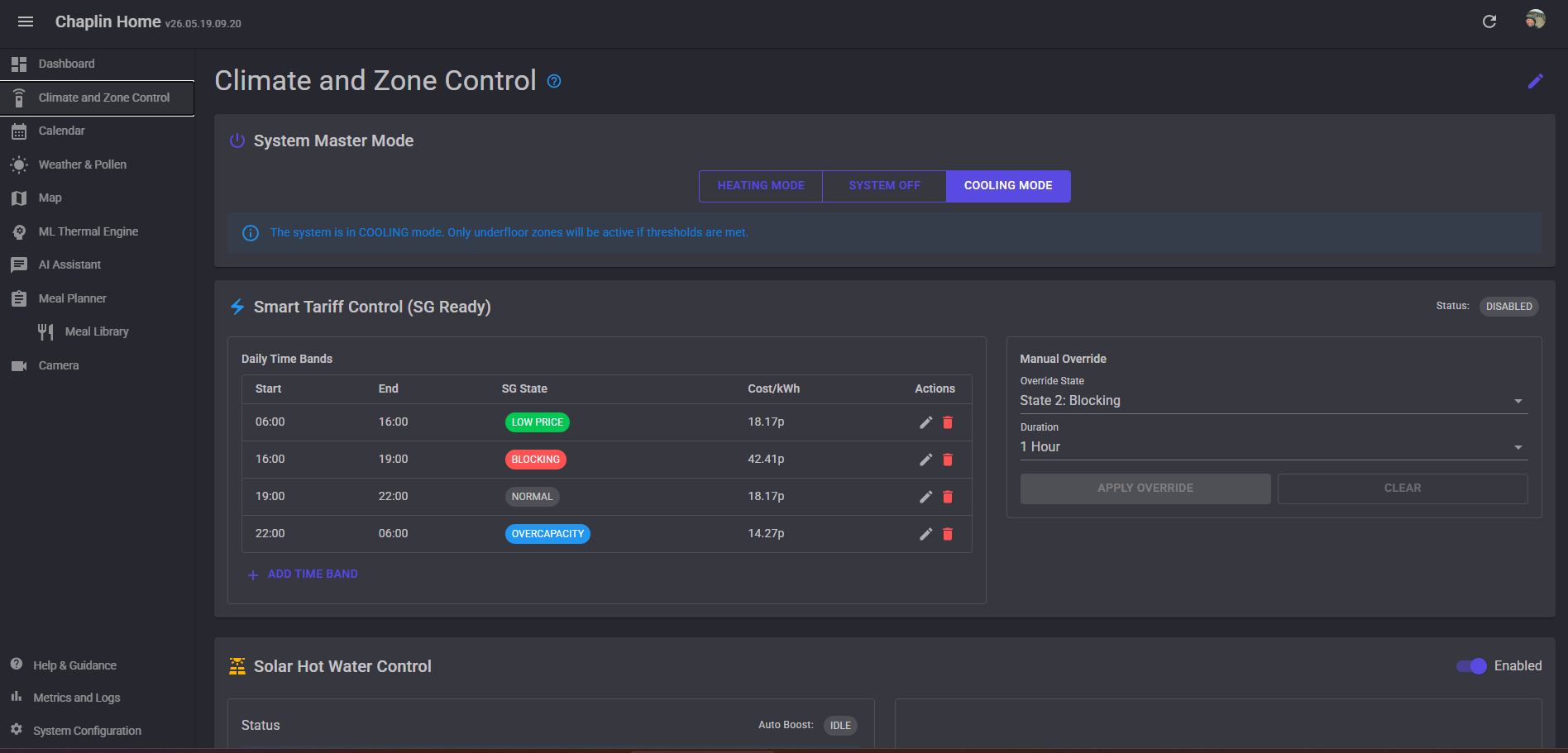
Here are some images of the app:
Thanks for reading

 Would it run on a Pi? I know .NET has Linux support, wasn’t sure about AArch64.
 .
.