Hey Matt,
Sorry for the slow reply. Grant send out the firmware update on an SD card, but it’s possible to put the updare files on an SD card and flash it yourself. I’ve attached the firmware update files to this post. There are instructions for how to update in section 11.3 of the latest V2.2 user guide:
Here’s are some more detailed instructions:
- Determine which version of the touch controller you have. On the back of the controller there will be printed either “T50” or T50 and then some additional stuff below, usually HW2.0X (The X is the important bit). My controller is the T50 varient, the other varient is the “X” varient
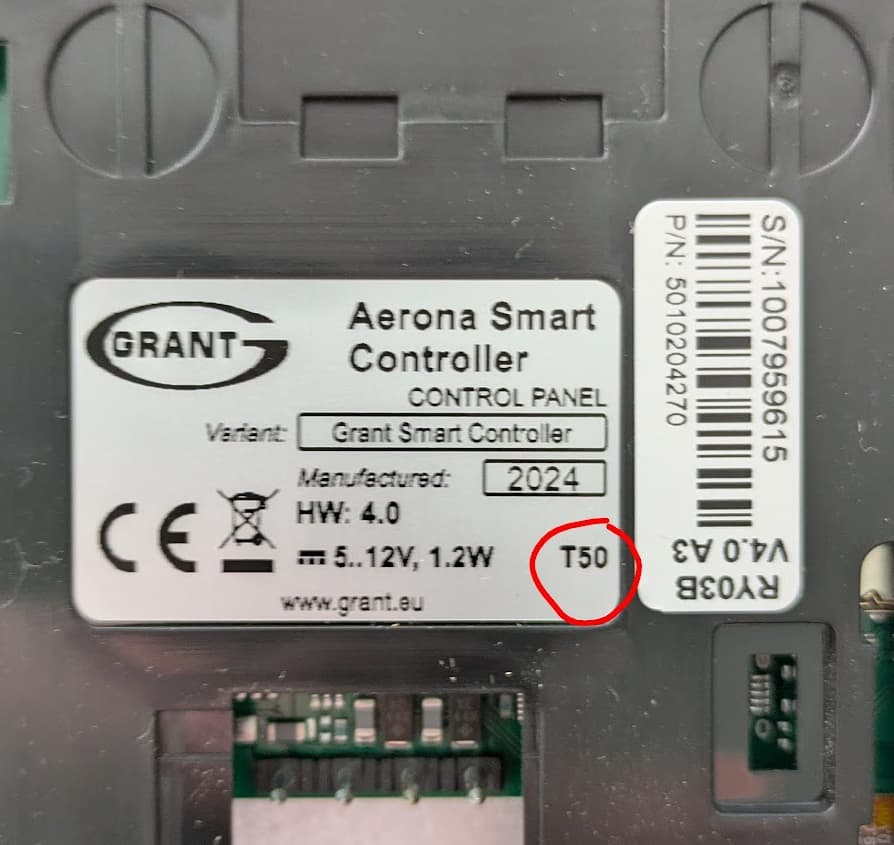
- Select the correct FW version: There’s two different firmware versions, one for “T50” and another for “X”. Make sure to select the correct one to match your controller:
Grant-FW-T50-controller-econet-C114.01.20-ecotouch-S024.22.zip (4.1 MB)
Grant-FW-X-controller_econet-C114.01.20,ecotouch-S024.22.zip (1.4 MB)
- Extract the
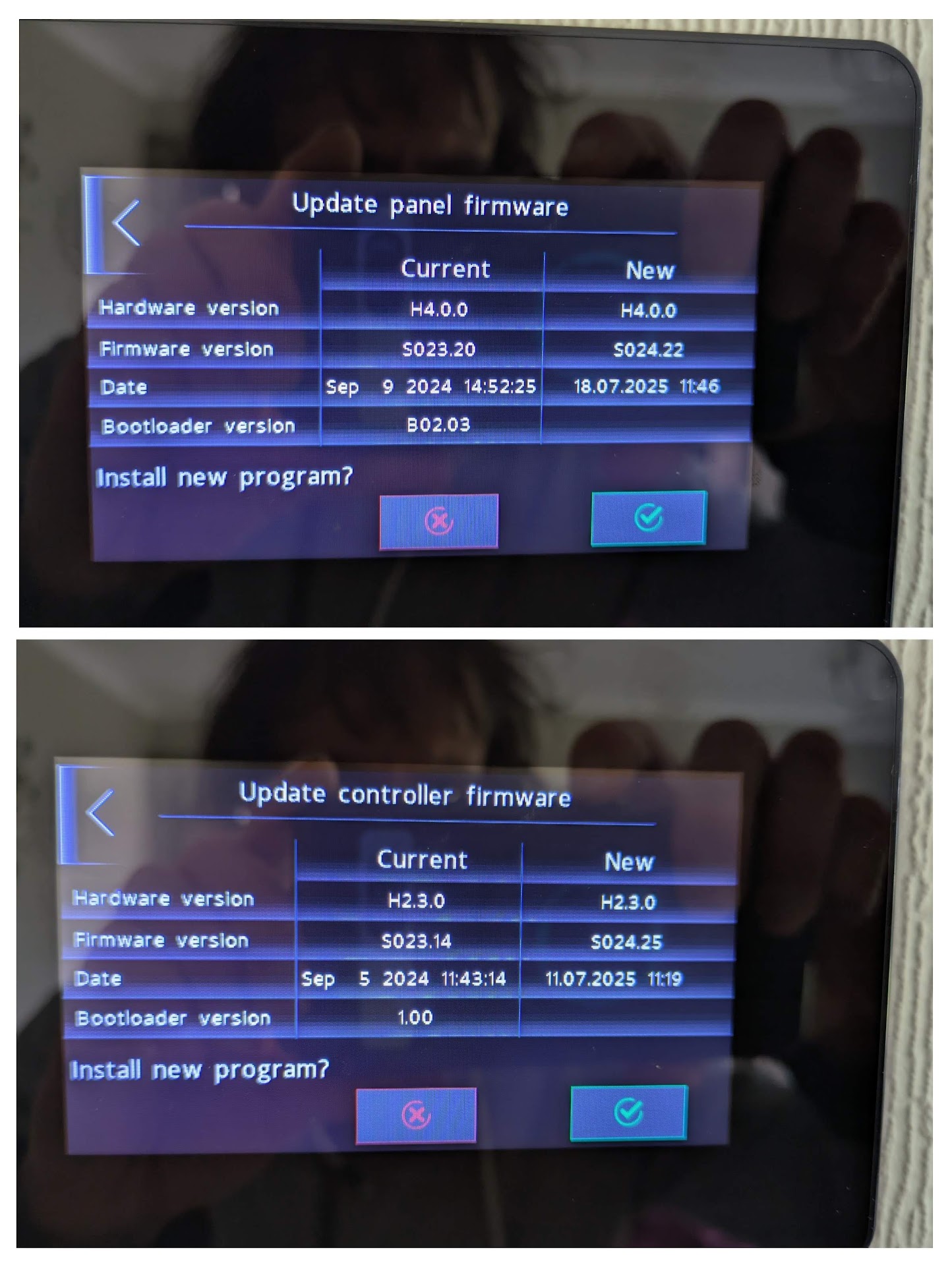
.pfcfiles into the root of a freshly formatted FAT 32 SD card (max 32GB) - Once the files are on the card, insert it into the bottom of the smart controller touchscreen display (with the gold pins facing you). It should then pop up with a prompt to update the two firmwares.
- Select PANEL first, let it update and complete
- Remove the card for and reinsert it and select CONTROLLER.
- Grant recomend doing a factory reset after a firmware update with service code “7586” then "RESTORE DEFAULT SETTINGS’ then power cycle the wiring center. However, I didnt do this. The only issue I had is that I had a AHS (additional heat source) error. To fix this I had to go into Service settings code “0000” and switch off AHS additional heat.
This is what the update screens looked like for me: