System Photos: It’s now possible to upload images of installations!
This is a much requested feature, being able to see photos of the installations should add lots of additional context and learning opportunities. It’s possible to add photos to an existing system by logging-in, then editing a system under the My Systems section. Thanks to @jeremypoulter for help implementing this feature.
Please add photos to your existing systems 
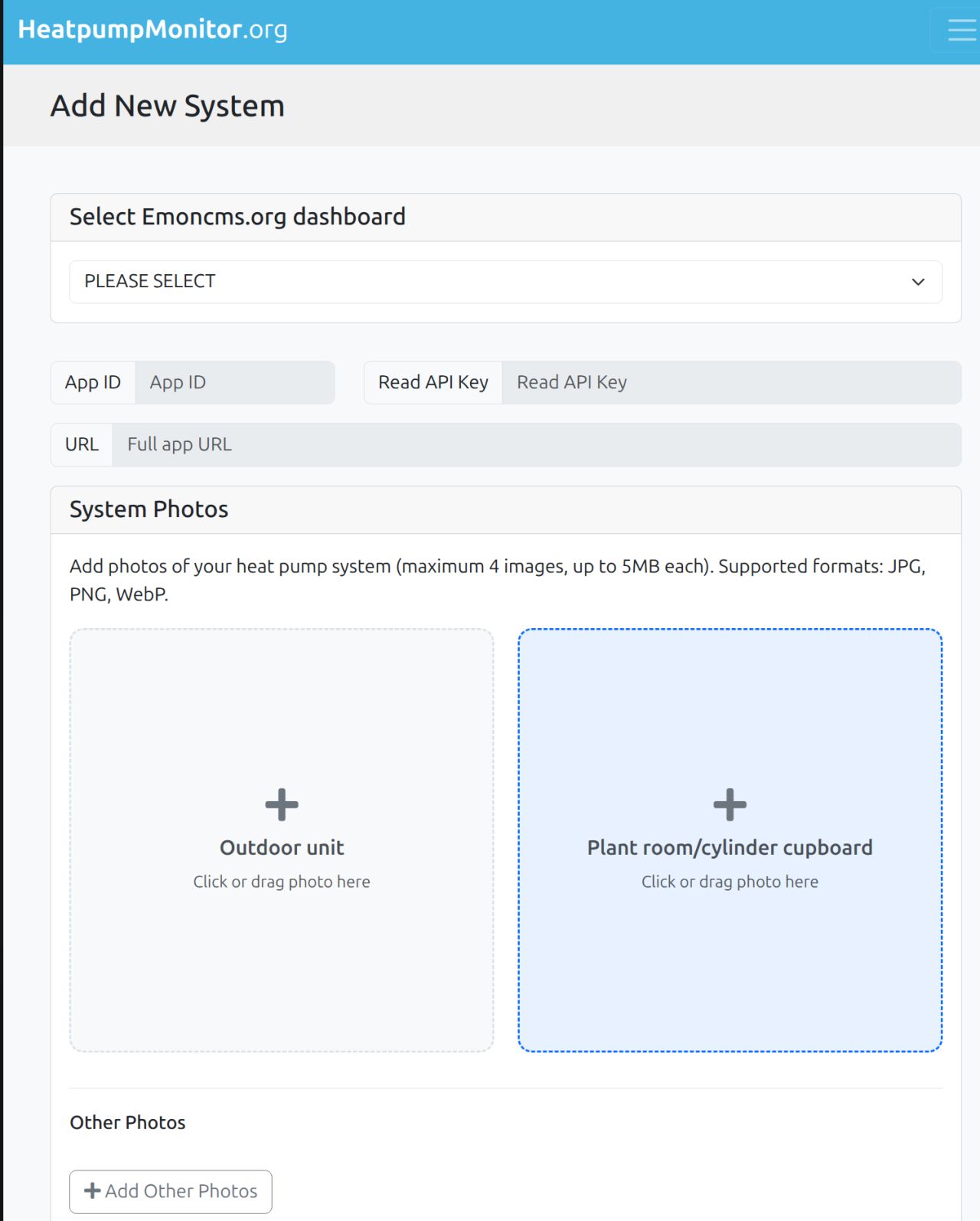
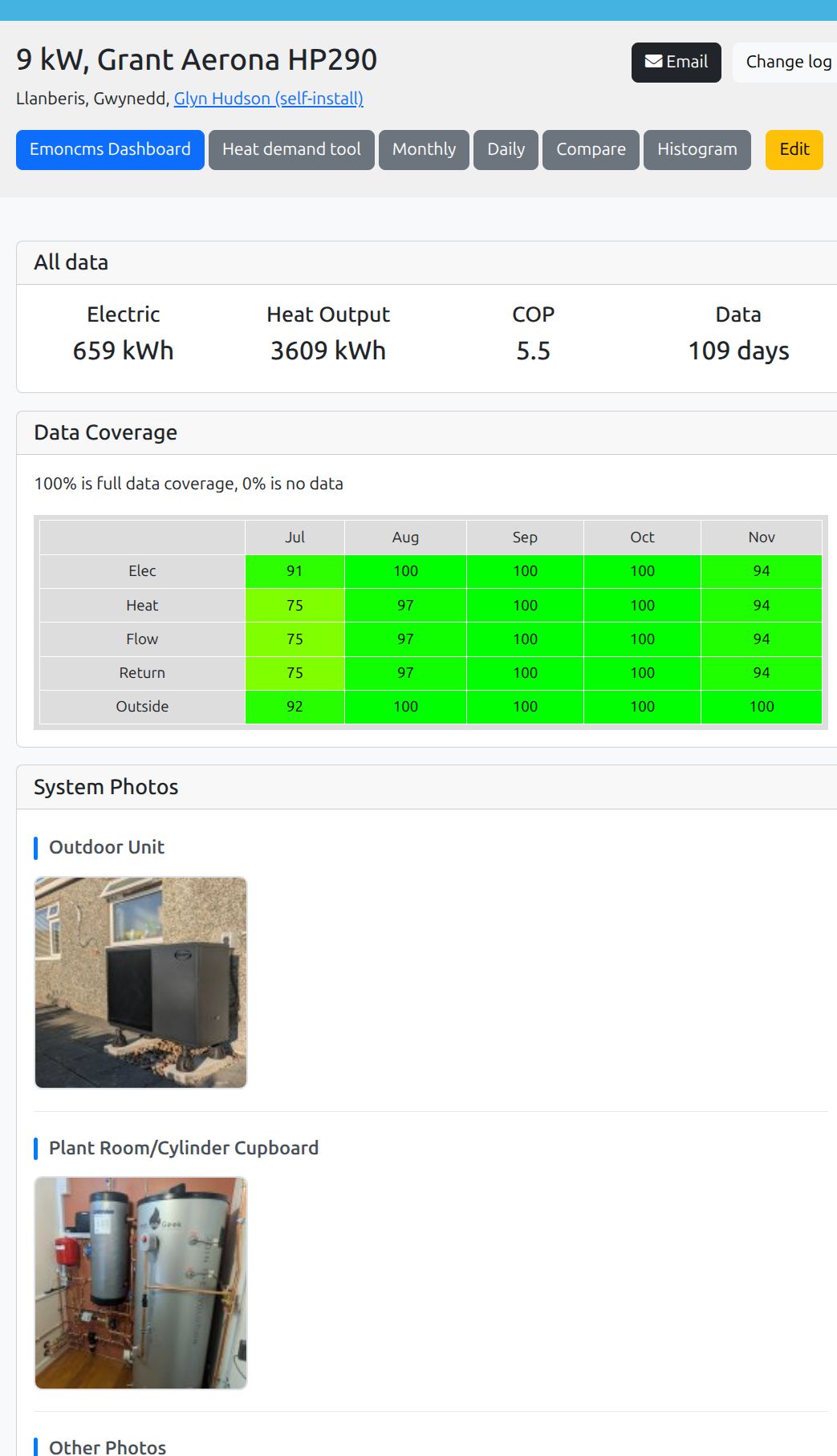
e.g this is my heat pump with photos 
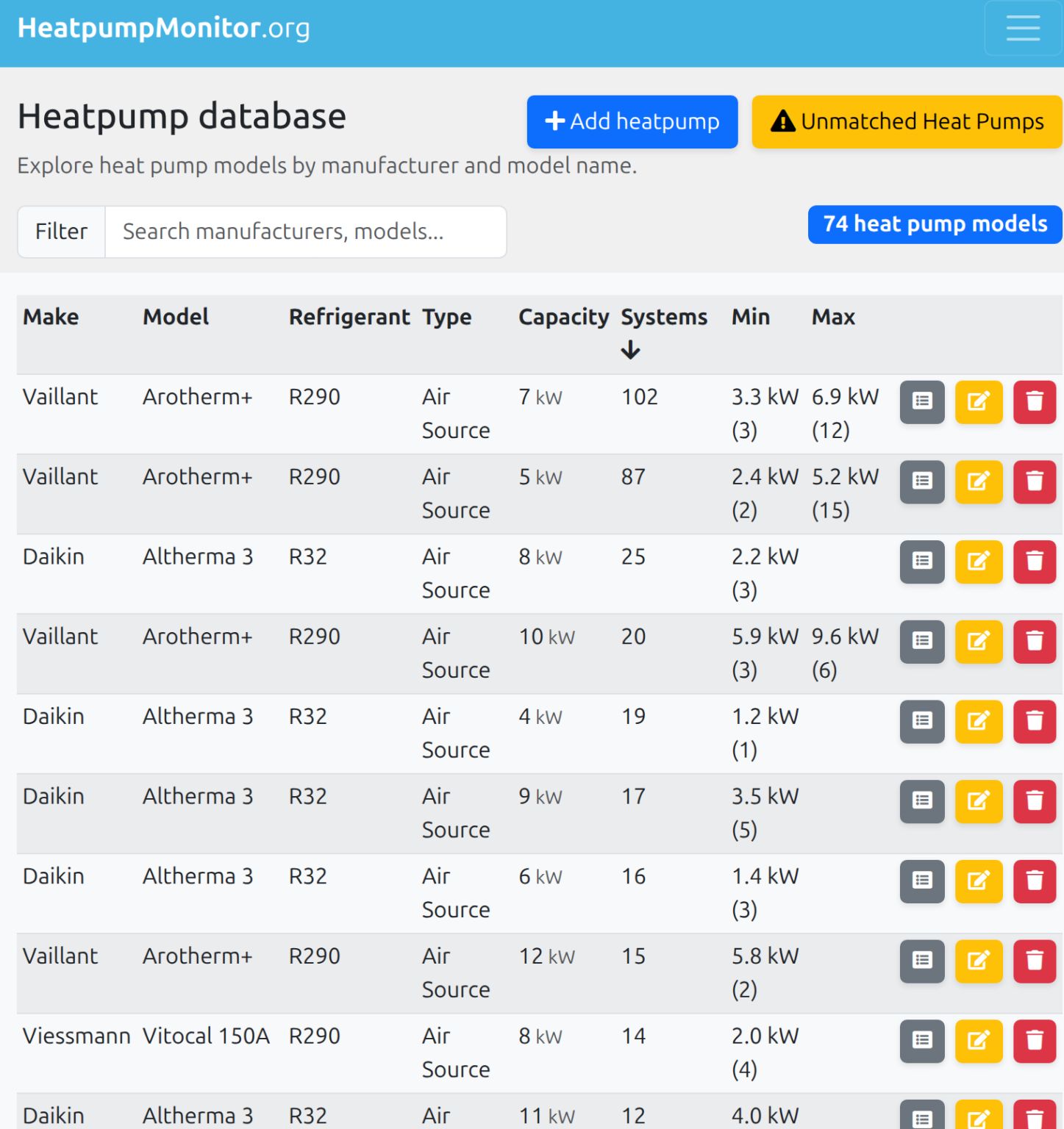
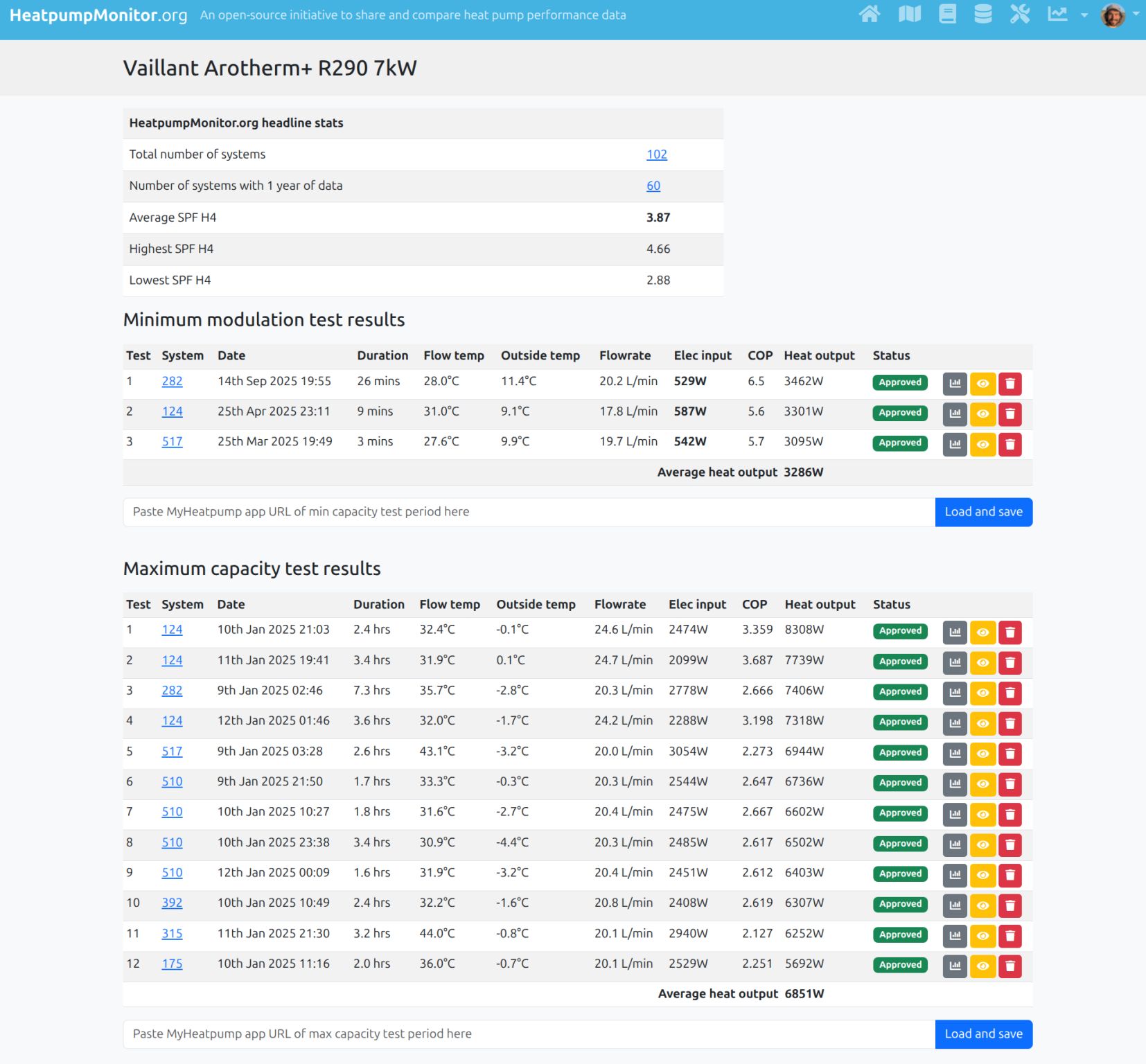
 Heat Pump Database: with real-world maximum capacity & minimum modulation data:
We’ve started creating a heat pump database, which lists all the systems of a particular make and model of heat pump alongside real-world minimum modulation and maximum output figures. It’s possible for users to submit a minimum modulation period or maximum test to contribute to this data. We’ll be posting more about this as the weather gets colder. We need freezing conditions to conduct maximum output testing.
Hopefully, this database will be a very useful resource for installers when sizing heat pumps.
 Installer List: We’ve added an Installer list to make it easy to list all systems from a particular installer, it’s also a useful way to see how many systems each installer has got on the site. @UrbanPlumber and Libtek (Alex Winters) and leading the way

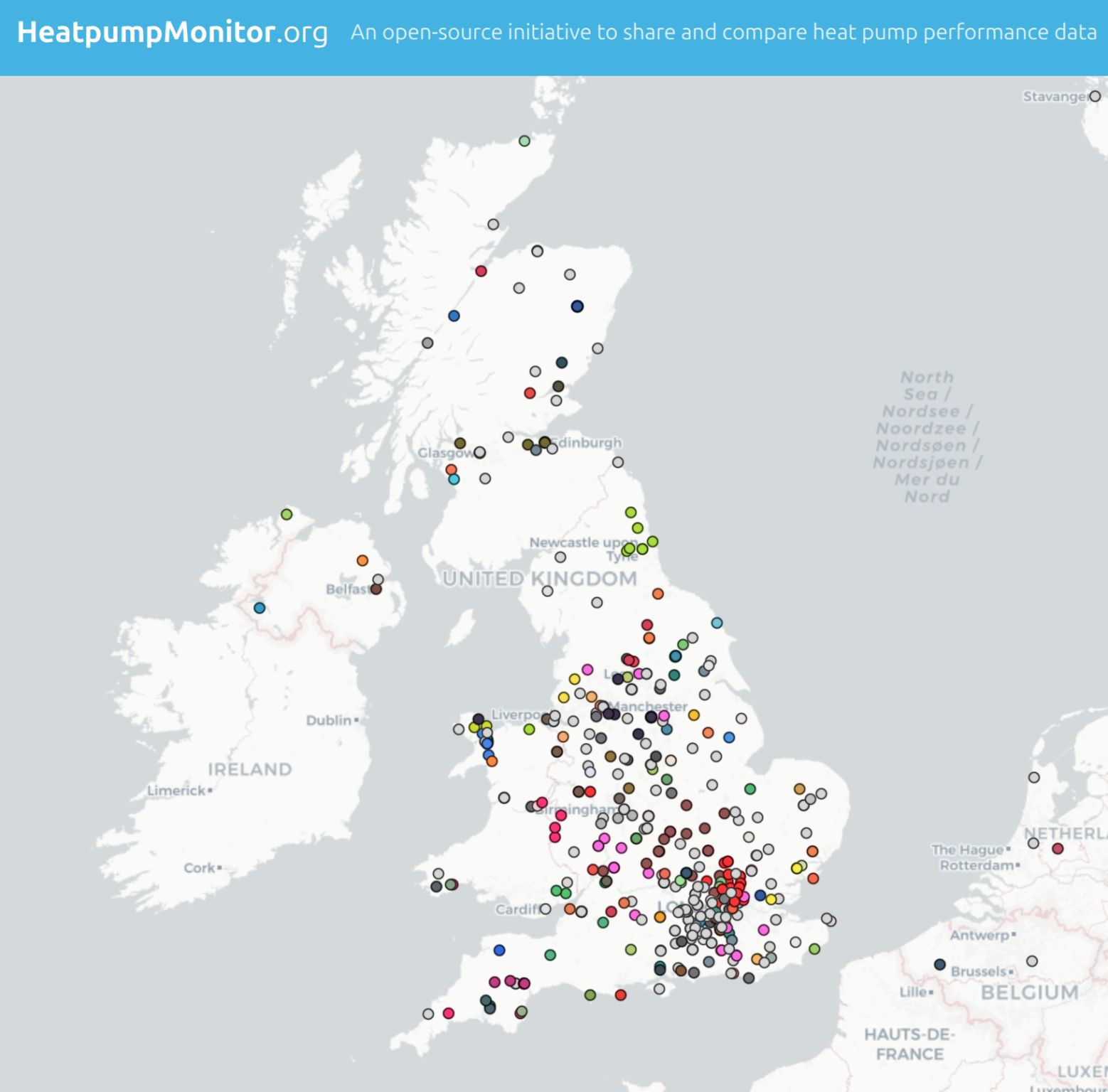
 System Map: This feature was added a few months ago, it’s a very useful feature to locate installers in your area:
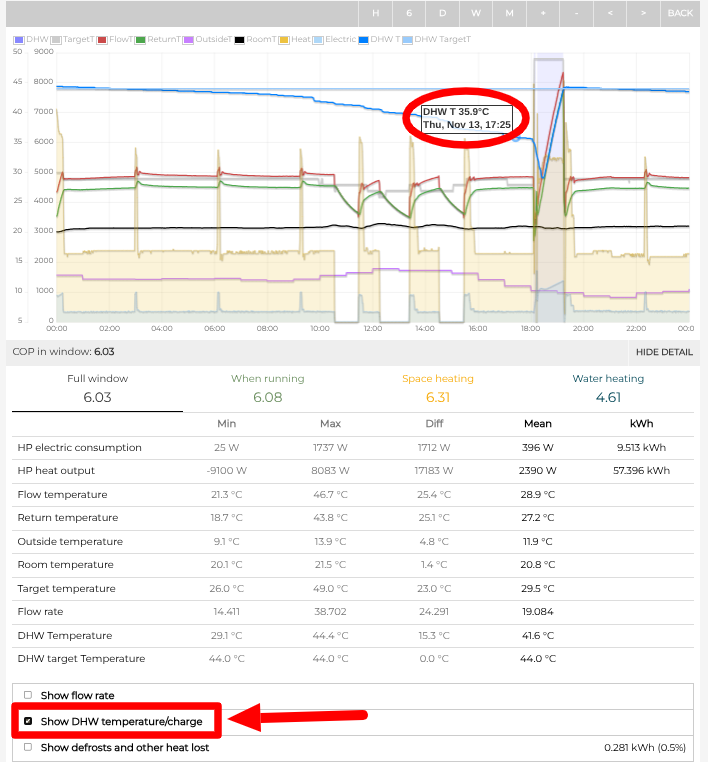
 DHW tank sensor - we’ve now added a wired DHW tank sensor to the option list for the L3 Monitoring Bundle. Adding this option will enable the DHW tank temperature to be shown on the MyHeatpump dashboard: