Need help with an older Growatt Solar setup

Greetings, first post here. Sorry in advance for the long post but I figured I would try to give as much info as I have available up front to help point me in the right direction. Please feel free to redirect this to the proper channels/forums where needed.

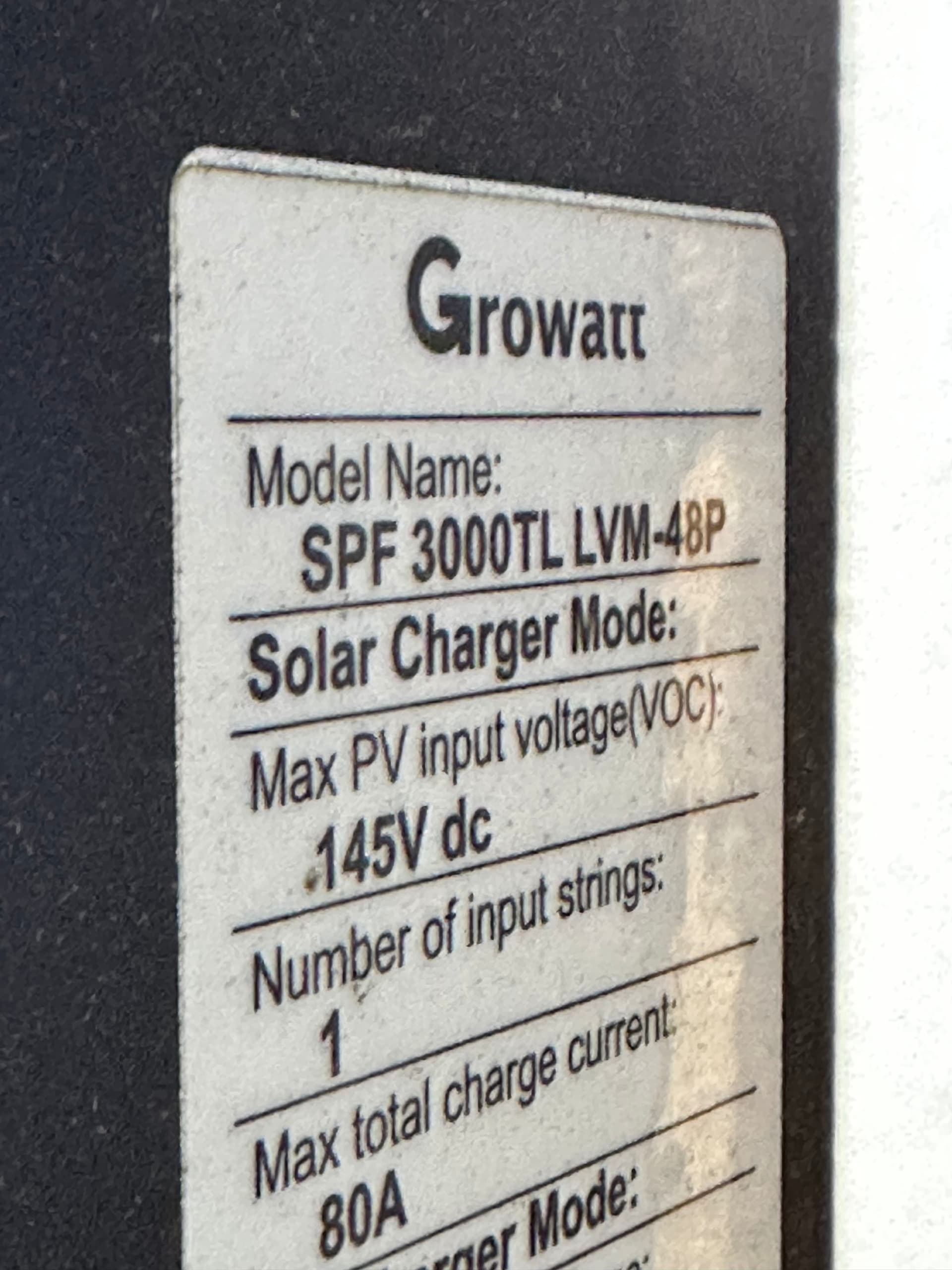
I recently moved to Monterey Tennessee and closer to an old military buddy of mine who lives in Rock Island. He bought a house a few years ago that came with a barn that had a Growatt SPF 3000TL LVM-48P solar setup and 16S LiFePo4 battery bank installed. It is in sad shape, not currently working and he knows absolutely nothing about it. I don’t think the previous owner is with us any longer so I can’t tap into his system knowledge. Best I can do is help my military brother out the best I can. He knows I’m a former Aircraft Electrician, somewhat computer savvy, an MacGuiver of sorts (could be dangerous) and have limited solar experience from owning an 18 panel SunRun Solar system in the past. I live an hour away from this setup so please be patient with my response timing as I may have to make trips back and forth when necessary to continue troubleshooting.

I am in WAY over my head with this setup and I found this community as a result of doing research on some of the existing equipment he has. This doesn’t appear to be a commercial setup but rather a DIY endeavor from the previous owner. The ultimate goal is to try and figure out how to get it running again. I have lots of pictures of his equipment setup and may need additional approvals to get to where I can post them in this forum. For now, a detailed explanation is all I can offer.

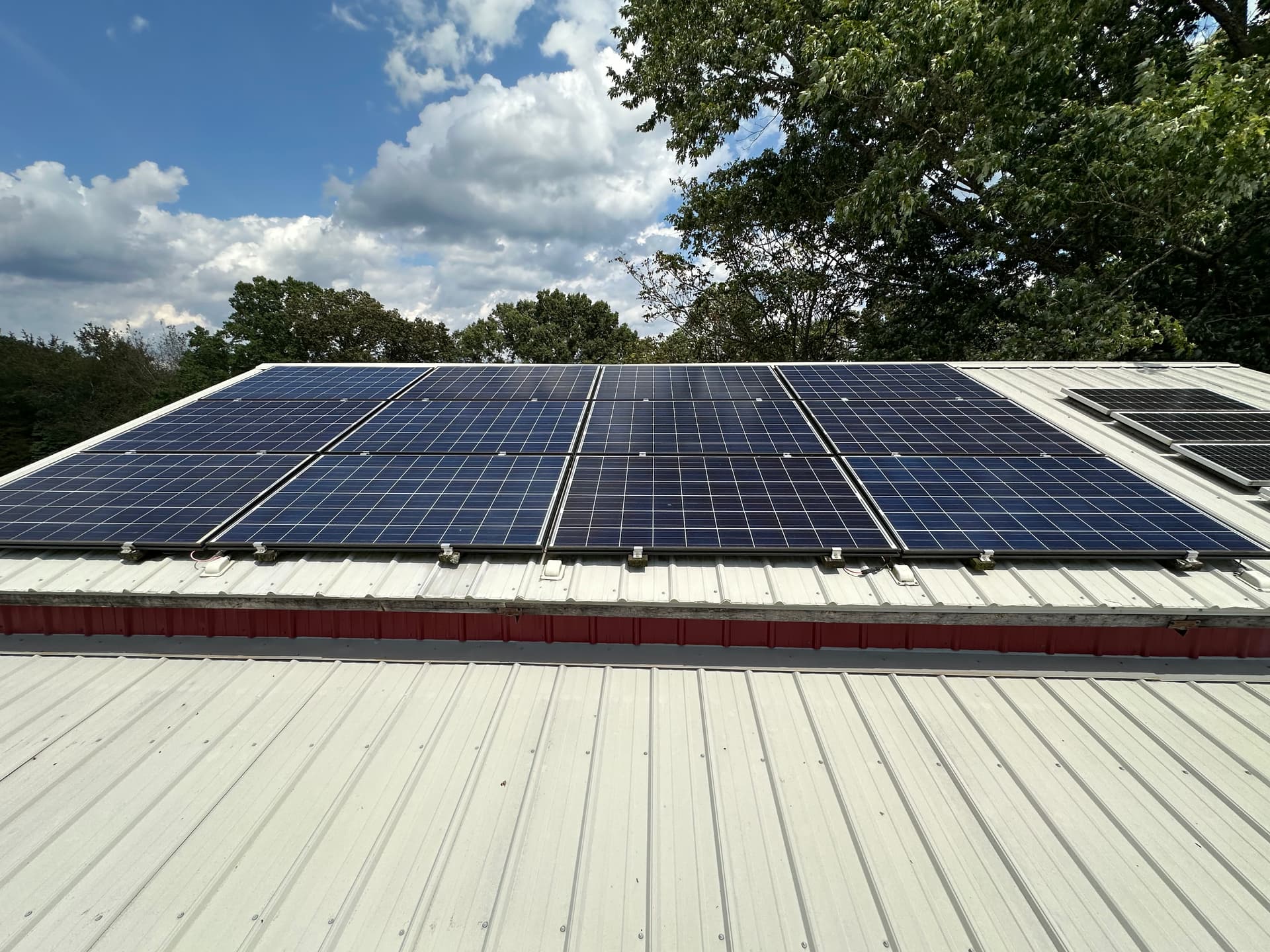
The setup in general consists of two individual solar systems. A small 4 panel system and a larger 12 panel solar system.

The smaller four panel solar setup works but has been disconnected for a while. The only reason I’m mentioning this smaller system is it may have something to do with providing a power source for the larger systems Growatt inverter? I need to figure out what the significance of this smaller system is for. There is no other source of electricity in the barn so that might be a missing link to get the larger system operational.

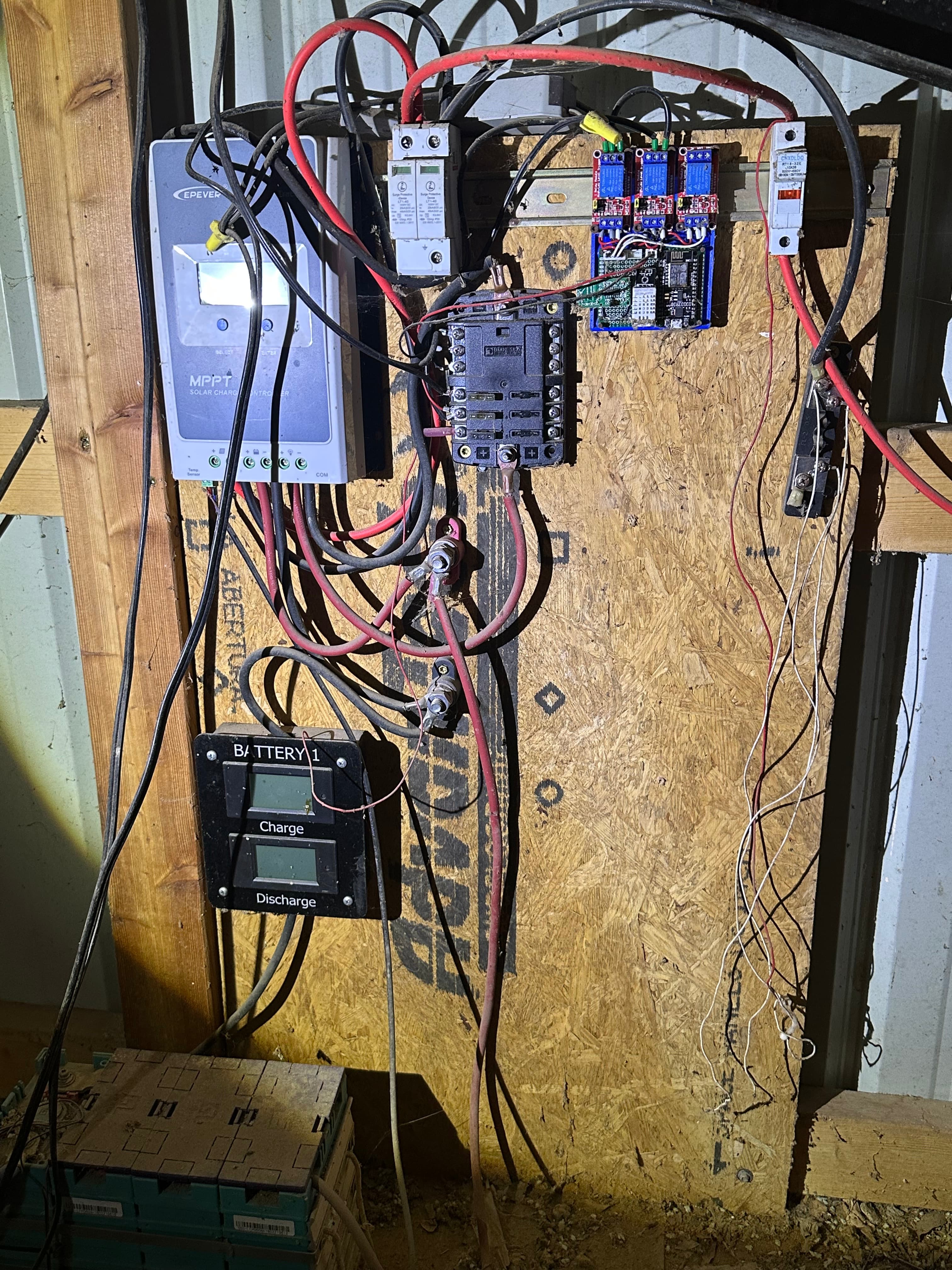
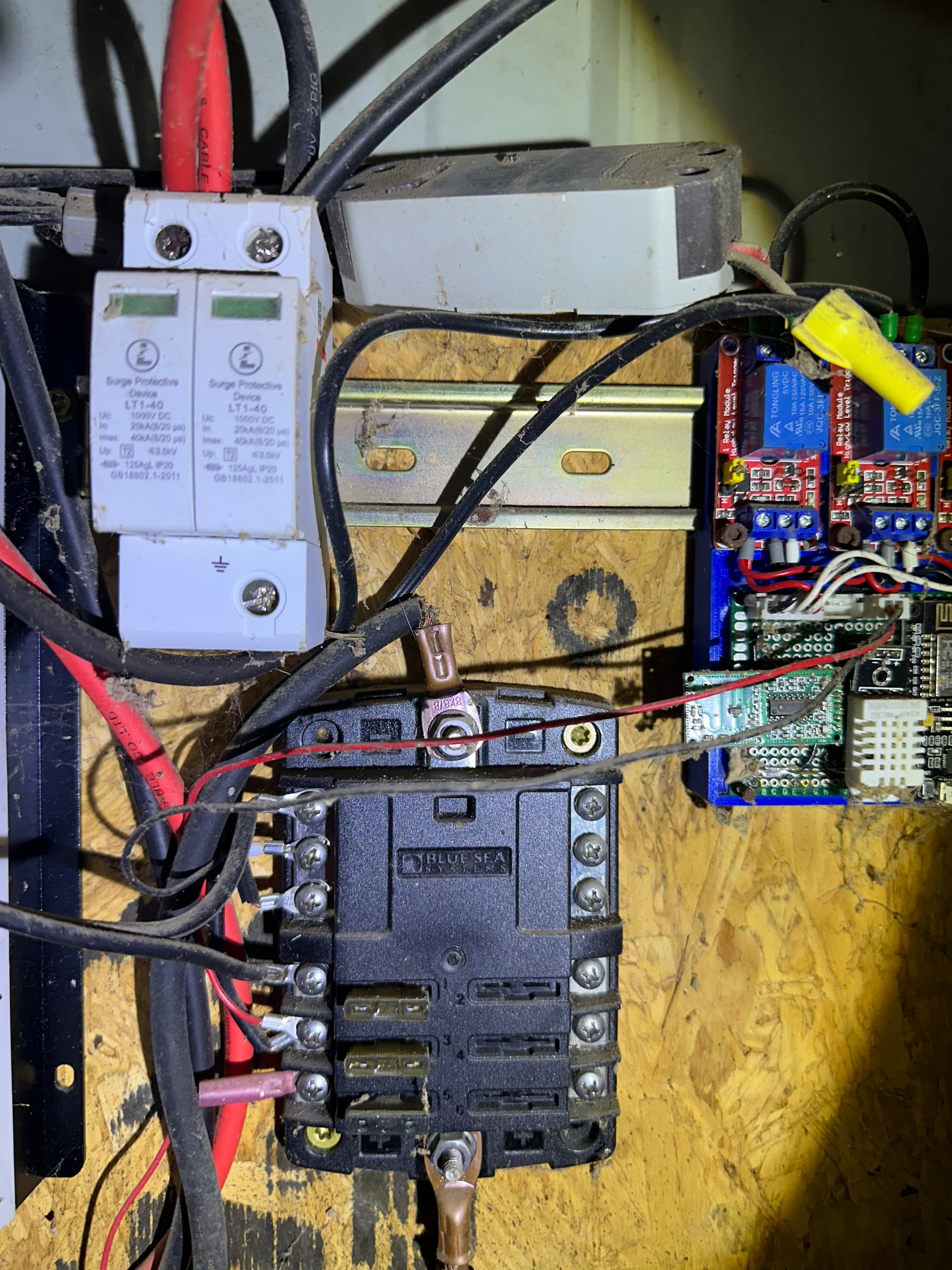
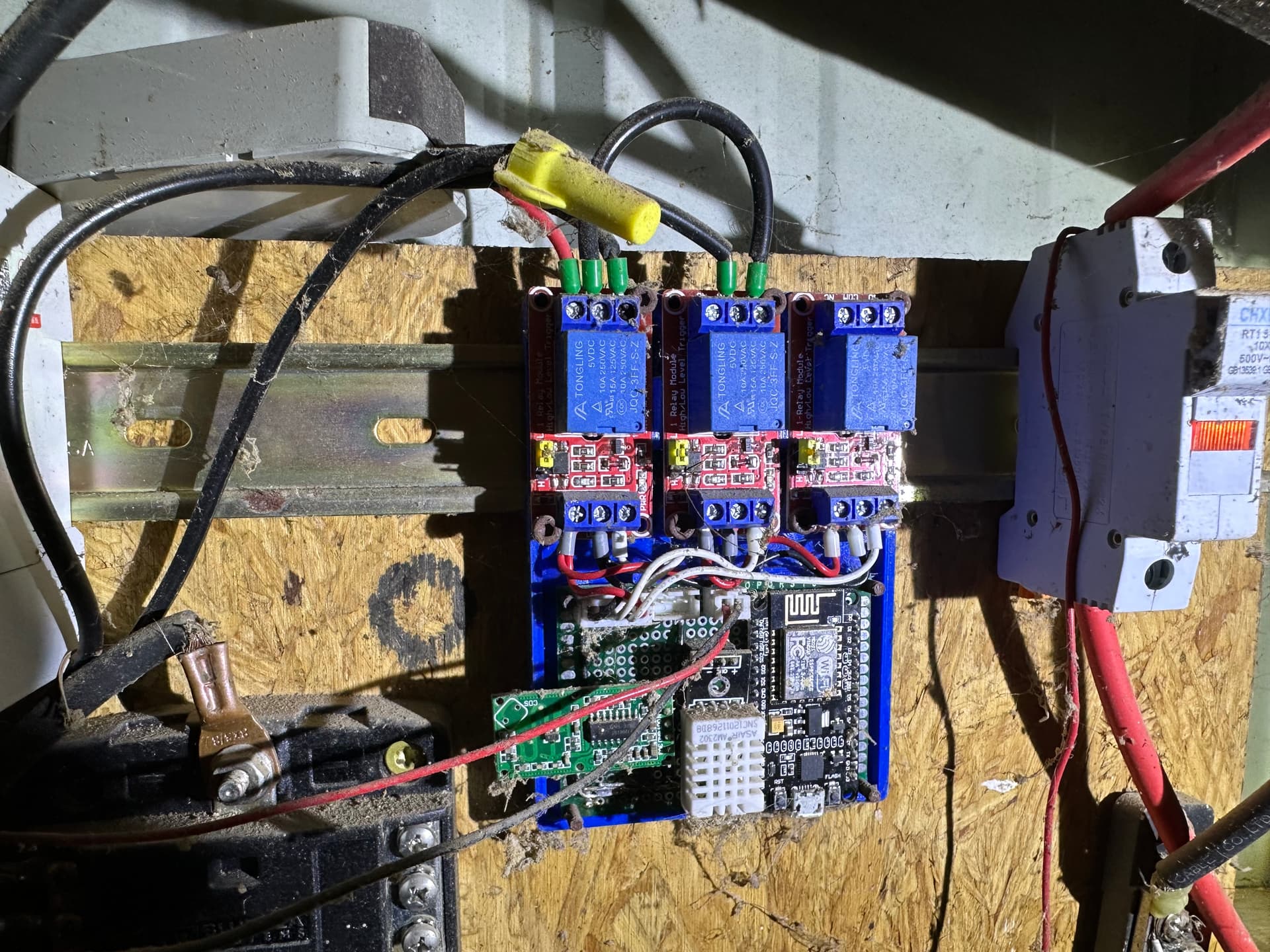
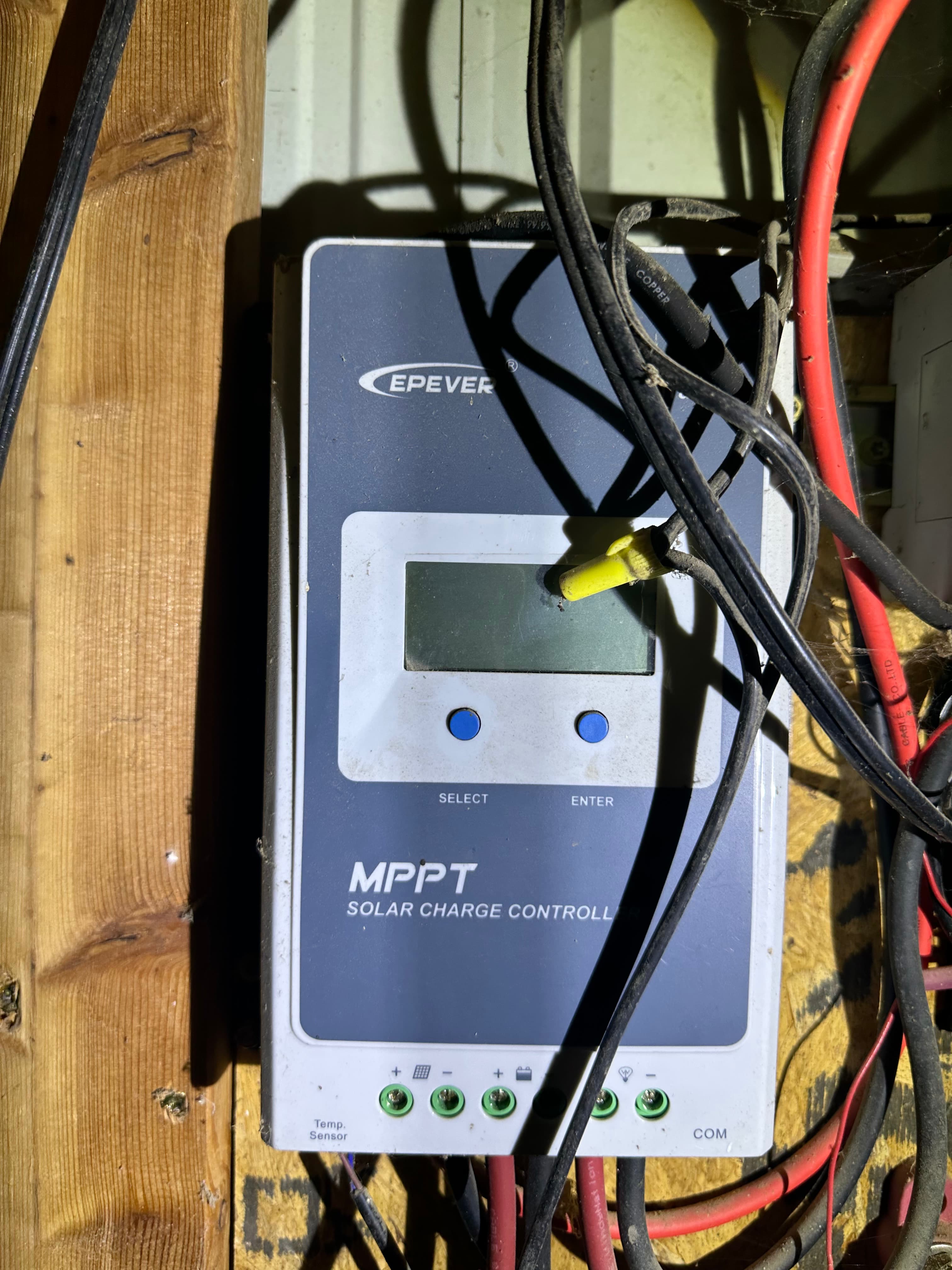
From the four solar panels there is a CHXDLDQ RT18-32X fuse on the red DC+ wire as well as a terminal block looking fuse on the black DC- from the panels. From there the red and black wires go into an LT1-40 Surge protector device, one side for DC+ and the other for DC-. Next in line is an EPEVER MPPT Solar Charge Controller. This provides power to a Blue Sea Systems bus bar looking thing with some automotive type fuses. This in turn provides power to a group of DIY looking PCB boards with three blue relay modules mounted on red PCB boards, one of which is connected to an eMylo RF remote control switch for lights (Perhaps barn lights?). There is also a DIY Wifi board in this PCB group as well. Also from the charge controller, there is a black Battery 1 box with two LCD displays, one for charge and one for discharge. This Battery 1 box is between the controller and four LiFePo4 batteries. The batteries have an Overkill Solar 120A 4S 12V BMS and what looks like DIY PCB Controller with a WiFi port.

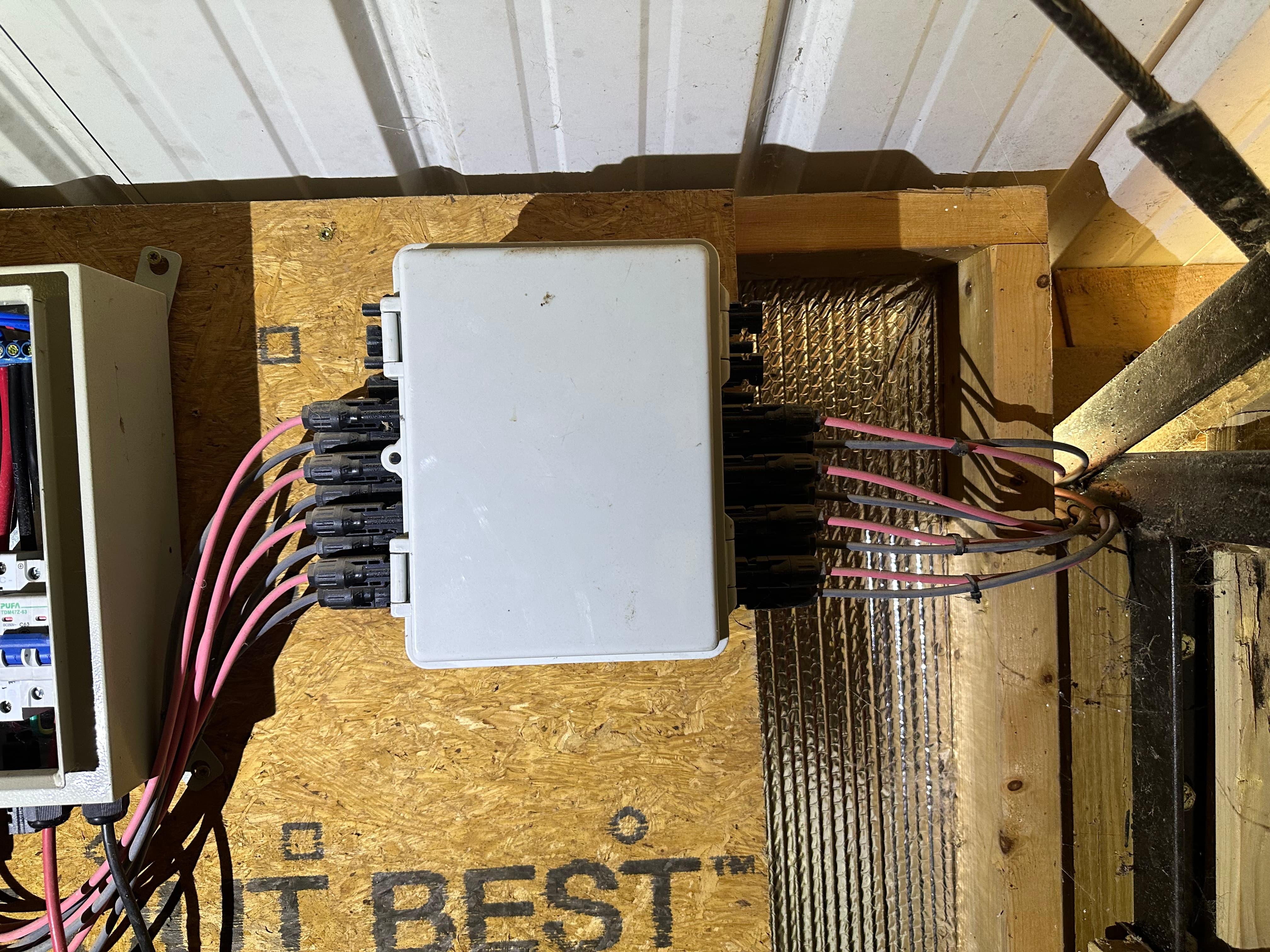
The larger systems consists of 12 large solar panels. I don’t have any idea what the wattage of these panels are or how old they are. The inverters beneath the panels are connected in a way that ties three of the panels inverters together, giving me a single pair of black and red wires from each set of three solar panel inverters. Each of these 4 sets of Red/Black cables lead to a fuse or tie-in box inside the loft of the barn. There are quick disconnects for each wire on either side of the tie-in box.

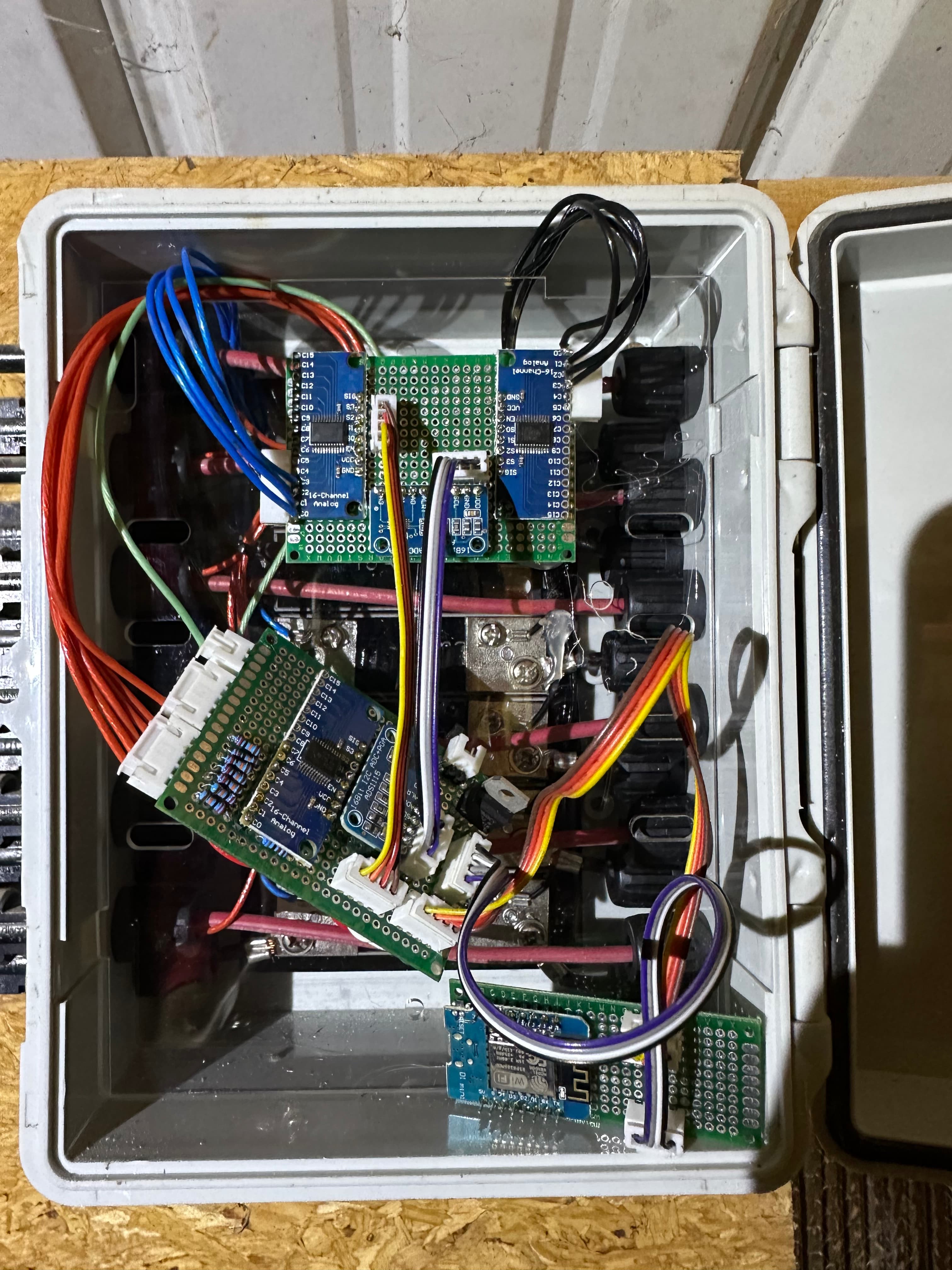
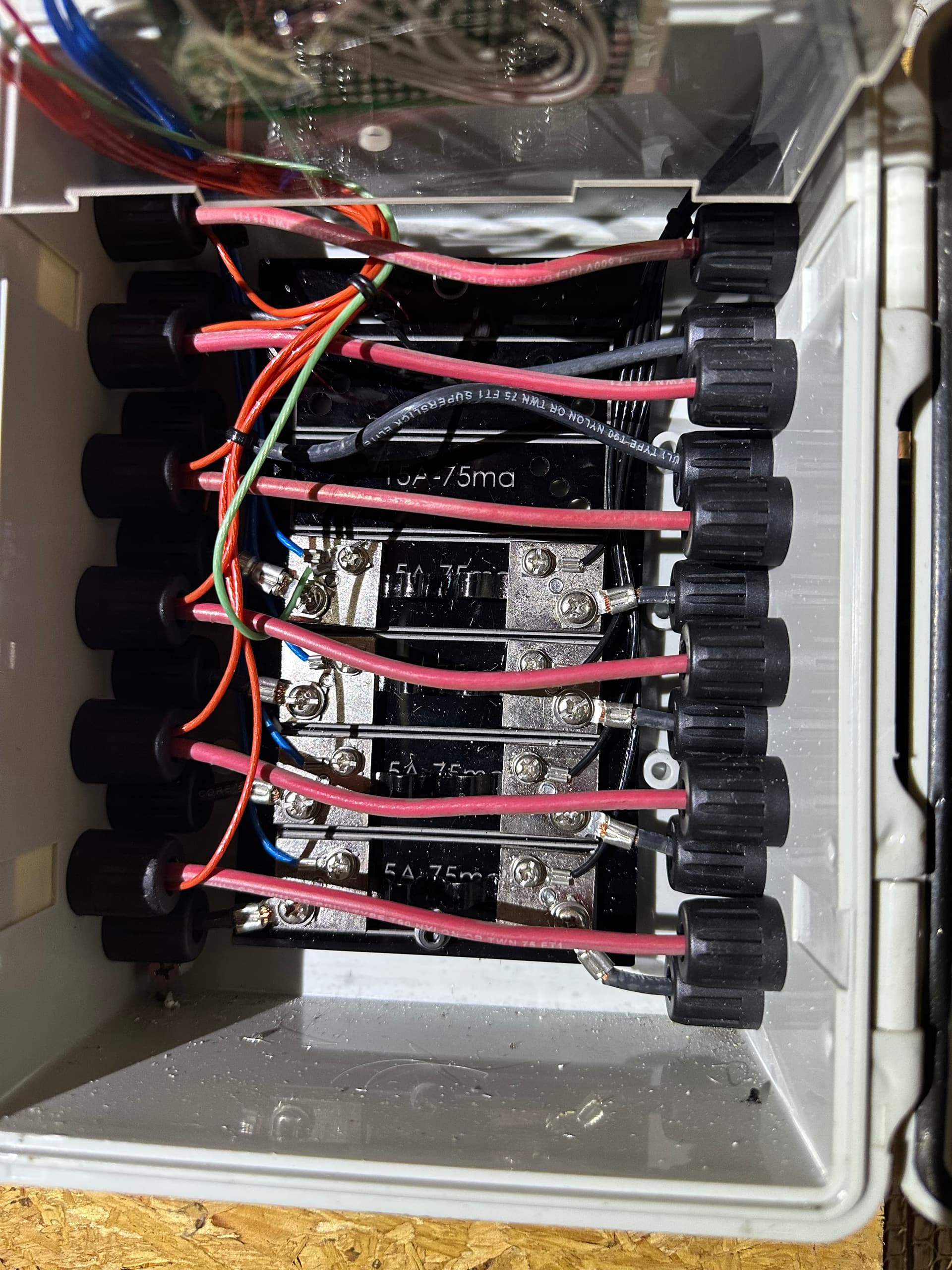
This tie-in box has what looks like 4 inline fuses (5A-75ma written on them) connected to the black wire of each of the 4 sets coming from the solar inverter chains. The red wires appear to pass through. There are 3 PCB boards that look like some sort of panel monitoring interface. The first PCB board has 4 black and 4 blue tap wires from either side of the inline fuses as well as 4 red wires tapping off of the red pass-through wires from the inverters. There are two 16Bit Analog chips, one on either side of the board with a single 16Bit I2C ADC+PGA ACD1115 chip in the middle. This PCB board has two 4 wire patch cables connecting to a second PCB board. One patch cable with yellow-orange-red-brown colors and the other with black-white-grey-purple colors. These patch cables connect to a second PCB board with a single 16Bit Analog chip and a single 16Bit I2C ADC+PGA ACD1115 chip on it. This second board is connected to a third PCB board with a single black-white-grey-purple patch cable. This third smaller PCB board has a patch cable connector (from the second PCB) and a WiFi chip with USB 2.0 Mini-A connector on it.

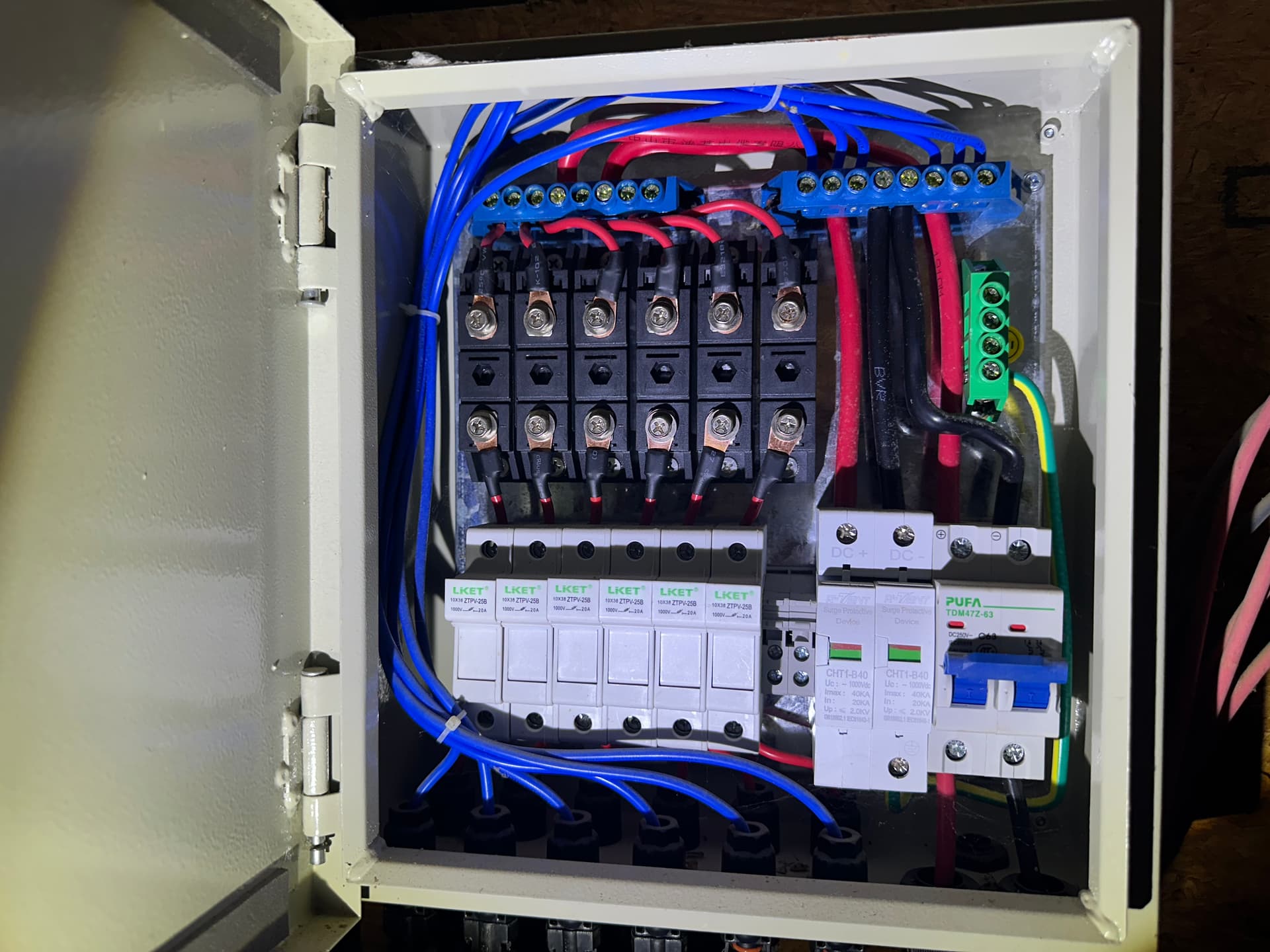
From the tie-in box, these 4 sets of wires go into a fuse block and a bus bar that combines the DC+ and DC- into their respective wires with a surge protector on each wire. There is a DC circuit breaker that breaks the power before it leaves the fuse box and heads towards the Growatt inverter.

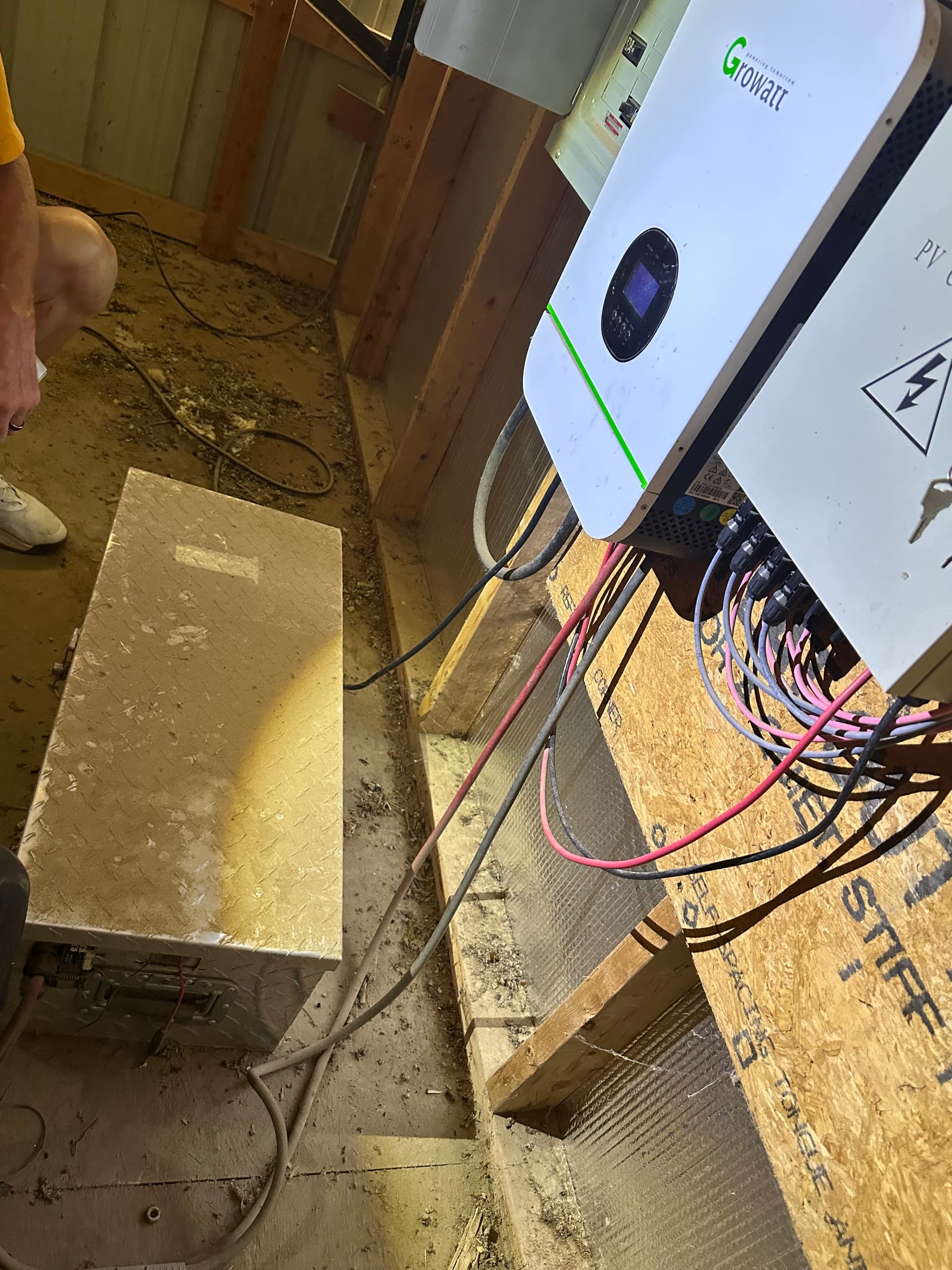
These two DC out wires go into the Growatt inverter via the PV Input. Flipping the circuit breaker in the fuse box doesn’t do anything that I can see. I would have thought that, if the solar panels are producing any sort of power, flipping that fuse box circuit breaker should send power to the Growatt inverter? The inverter isn’t operating at the moment. Perhaps it’s my ignorance but there’s nothing to plug the AC power cable into unless it is supposed to get AC power from the smaller solar setup I mentioned above? Can the Growatt inverter be powered by the DC input from the solar panels or the battery bank alone? The battery box is currently disconnected and removed from the barn for repairs that I explain below.

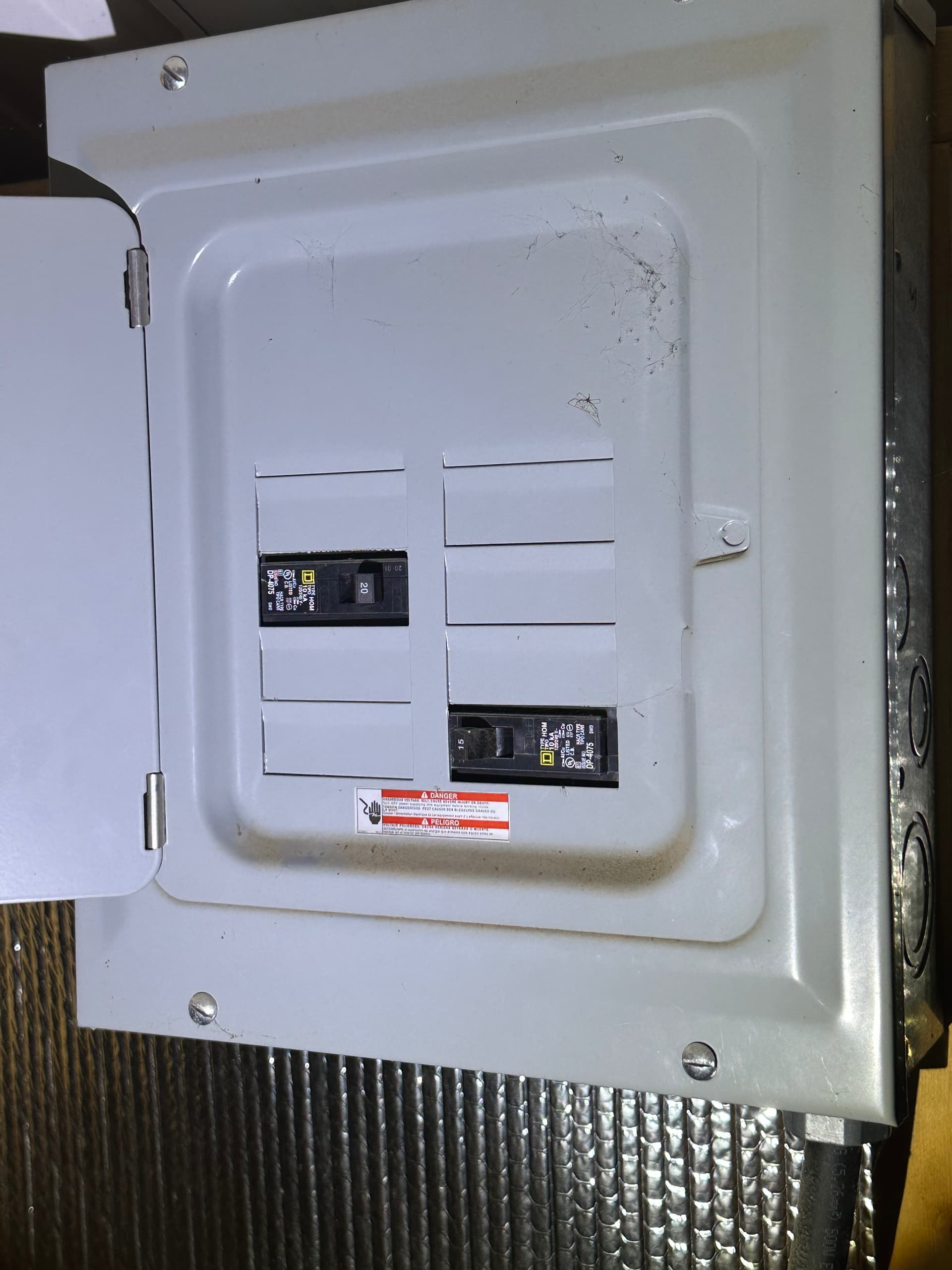
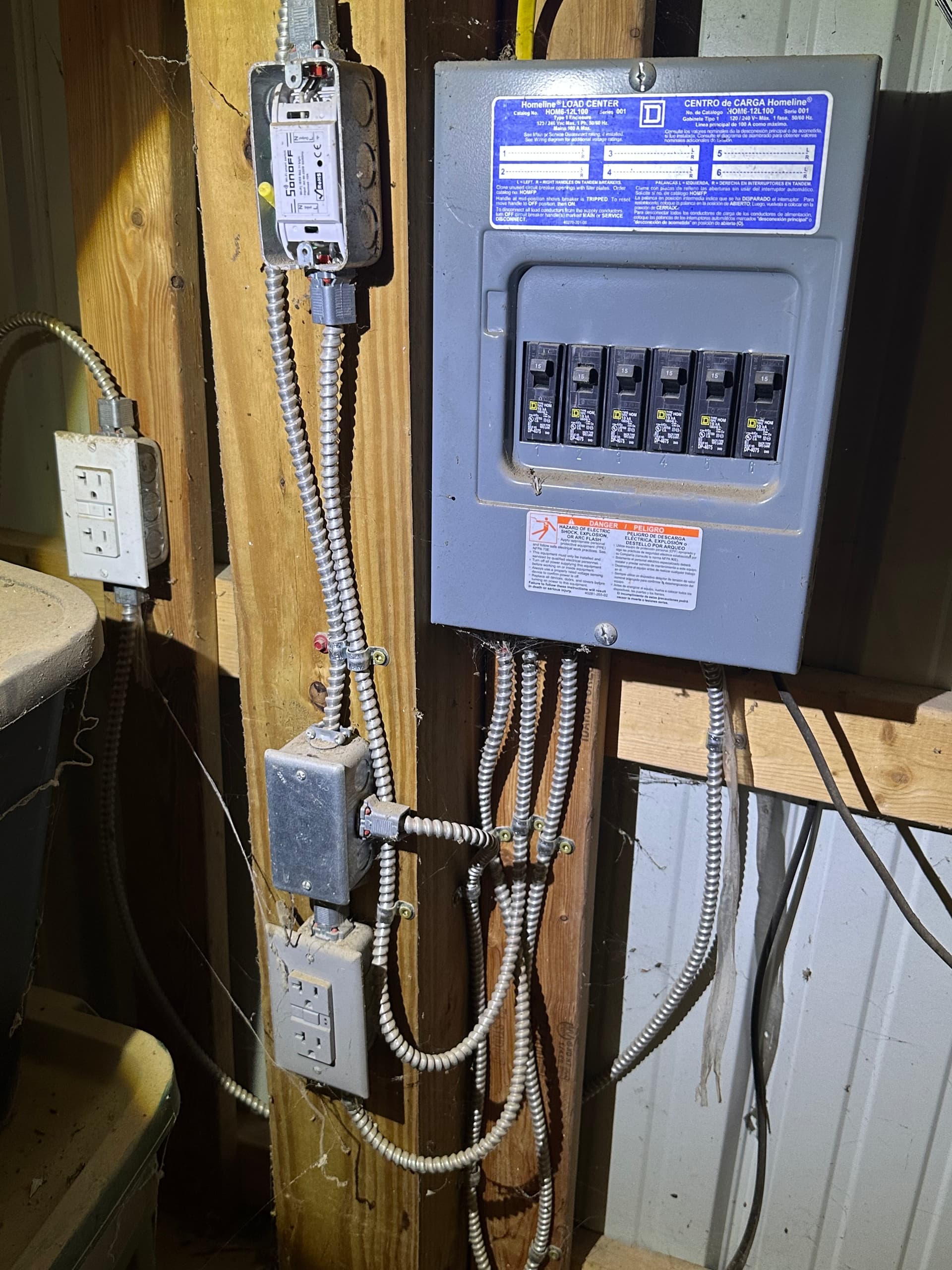
The Inverter has two heavy gauge red and black wire going into the DC input. They come from the battery box which has a disconnect joint (disconnected for safety). The inverter also has a single, heavier gauge black wire (AC Output) that goes to a circuit breaker panel next to the inverter with one 20A circuit breaker and one 15A circuit breaker installed (Both are off). There is also a standard 120V AC plug wire from the bottom of the inverter which isn’t connected to anything. From the circuit breaker panel, there appears to be a single yellow 20A romex cable that goes to a Homeline HOM6-12L100 load center. This box has six 15A circuit breakers that provides power to various outlets in the barn as well as a Sonoff Wifi smart switch of some sort. Not sure what that would be used for but maybe a remote control for barn lights?

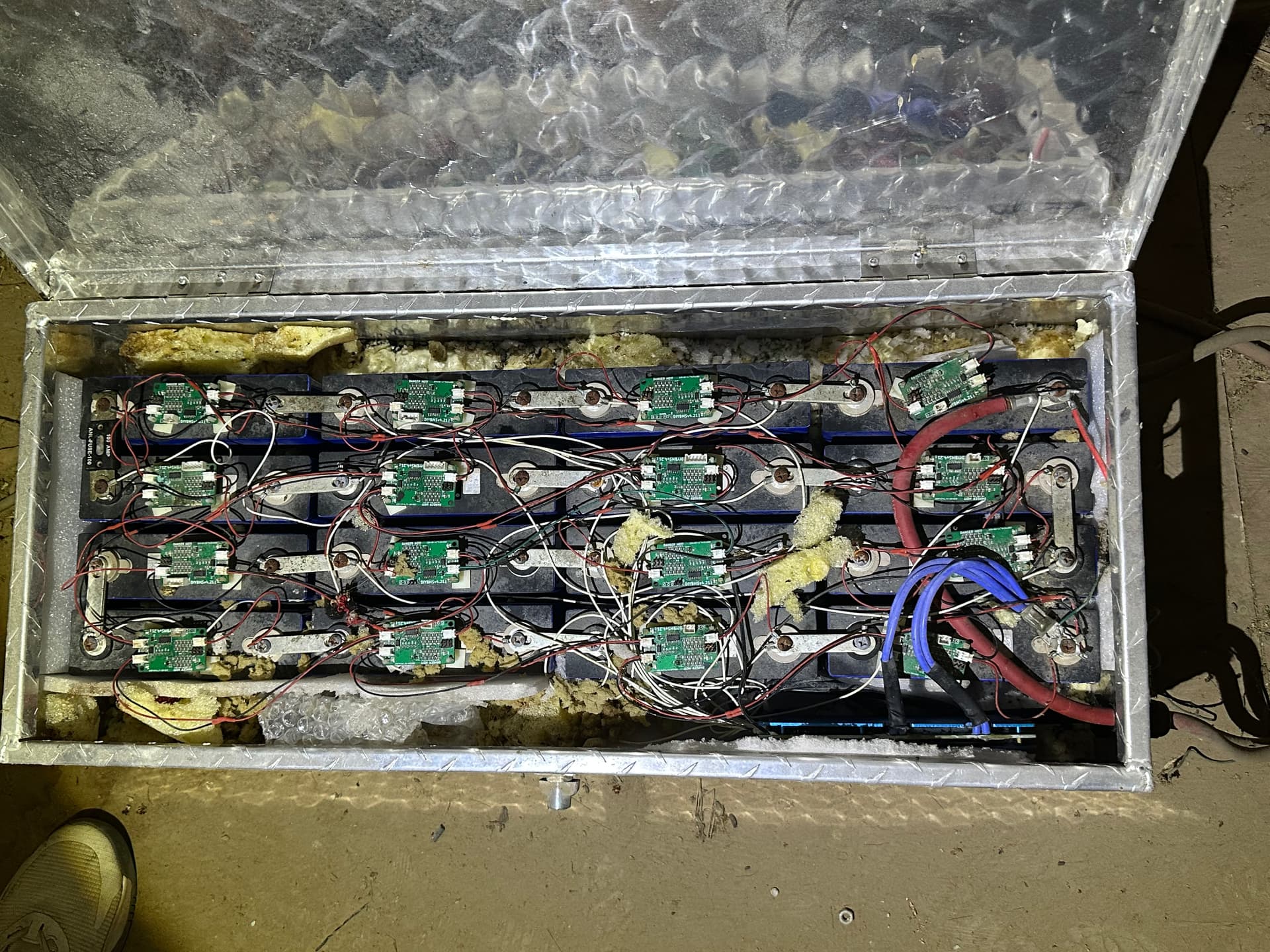
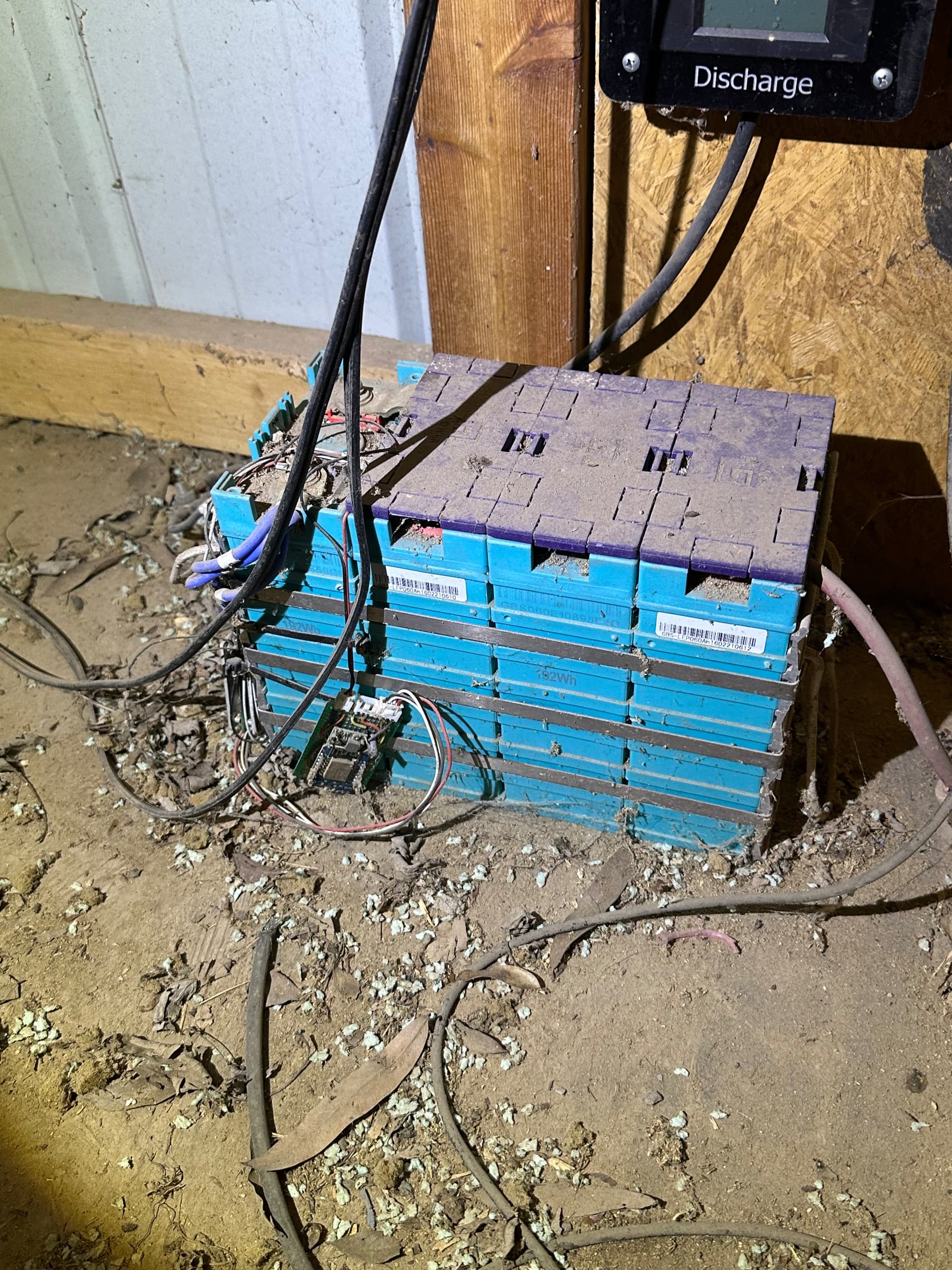
The battery box was my next center of focus and it was in sad shape. I have done some initial repairs to the connectors like fixing the TX1 and RX1 patch cables that seem to connect between the 16 individual DIYBMS V4.21 battery modules. Each module has a two pin TX1, RX1 and Power1 connector. The TX and RX connectors are daisy chained between modules. The Power1 connector has a single two pin connector with red and black wires going to the POS and Neg terminals of the battery the module is attached to. These modules seem to be connected to a DIYBMS V4 Controller with a WiFi chip which I have no idea how to enable or even if it still works.

Some of these module connector wires were damaged by mice eating wire insulation or severing the wire completely. I’ve replaced and/or repaired each connector using my former aviation spark chaser experience while I’m awaiting new connectors to arrive. I tried to logically connect all the TX and RX cables. From the controller, I connected the RX1 to the TX1 of the first battery module that has the positive end of the series chain. from there, I simply connected RX1 to TX1 through each module until I got to the last one on the 16th battery cell. From that module I connected the RX1 to the TX1 of the controller. From what I can tell, there is nothing else connected to the controller board other than the WiFi chip with Mini-A connector.

This battery bank has 16 individual cells connected in series with a PWOD LiFe PO4 16S 48V battery management system. The BMS is connected between the last negative terminal of the series and the external connector that goes to the Growatt Inverter. I checked all of the 16 BMS battery taps as well as the single ground wire. They seem fine, had to repair a few of the tap wires that go to each battery although the existing connection order doesn’t make sense to me yet. There is one white wire going to each of the 16 battery cells however some are connected to the positive terminal and others are connected to the negative terminal. About every three battery cells in this series, there is a single battery that has a white BMS wire on each of the terminals. This is the part that doesn’t make sense to me. I had to repair the single black wire that was connected to the last negative terminal in the series as it was chewed in half.

I put a multimeter between the first pos and last neg terminal of the entire pack and got about 17.5 volts. That’s a little more than a volt per battery. They haven’t been charged in a while but my friend says the previous owner, who I think is no longer with us or at the very least no longer reachable, came out to look at the setup about a year ago and my friend remembers seeing LED light activity in the battery box (Modules balancing perhaps). When I put the multimeter between the pos and neg wires at the battery side of the connector break that is between the battery and the inverter, I get .5 volts. This test has the BMS in the loop with leads me to believe that either the BMS is shot, something isn’t connected properly or there’s not enough voltage in the packs to allow for a proper BMS operation. Perhaps there’s a min voltage required to allow the BMS to do anything? All I know is with all the RX and TX cables daisy chained between the modules and connected to the controller, there is no activity on the modules in the form of LED lights or apparent balancing action.

I have a single ~12 gauge red wire with an automotive type fuse block (no fuse) that leaves the battery box and connects to nothing. It appears to have been chewed or mangled and there’s nothing in the immediate area that would suggest it went to anything close. There is a singe 18 gauge green wire coming from the last negative terminal of the pack series that was severely chewed and also goes nowhere that I can figure out (Possibly a ground wire of sorts). Lastly there is a single black wire, same size as the BMS wires (~20 Guage), connected to the last neg terminal of the pack which leaves the battery box and was just hanging. It appeared to be cut and I have no idea where it goes or what it might connect to. There were no dead rats so I don’t think any of them electrocuted themselves but I can’t rule out some of the module connectors shorting out due to them chewing the connector wires. Some were chewed clean off, right up to the two pin connector. Nothing looks burnt out on any of the controllers but some have minor corrosion from exposure to moist air (or rat piss).

A few remaining comments about this setup. I found a Growatt Wireless module lying around nearby. Not sure how to use it or where it needs to be connected but the connector on it looks like it would connect to the USB Mini-A port on the WiFi chip on the battery controller board and the same type of WiFi board in the tie in box mentioned above. I’ve been surfing the forums since I joined trying to self educate and found an image a similar WiFi controller module with a USB Mini-A cable connected. I can’t tell what it was connected to but no doubt to some sort of visual interface?

I don’t have, nor do I know anything about Raspberry PI setups but I’m thinking I might need something like that to interface with this type of system. That would be a whole different rabbit hole to go down. I have an iPad and a Mac Pro Laptop available but I’m not sure if there is an app or software program that I need to perhaps interface with any portion of this solar setup.

Any ideas, suggestions would be super helpful. I think my first task is to get AC input to the Growatt inverter followed by making the battery safe. I’ll figure out how the WiFi monitoring plays into the overall setup. I can send additional pictures and explain further in detail about various portions of this system if something I’ve written doesn’t make sense.

Thanks in advance!

Cheers!

Rick
1 Like

Welcome, Rick, to the OEM forum.

You should be able to post some pictures now - I’ve promoted you. We like to keep everything together here, so please DON’T post your pictures on a 3rd party site.

I can well understand that you feel overwhelmed by the task you’ve taken on. I think I can safely say everyone here will do their best to help you.

Thank you Robert for the promotion! I will put it to good use and post what I have shortly. I haven’t posted them anywhere else because I don’t think the average Joe would know what they’re looking at! I believe this forum is the correct location for help! Cheers!

This is the first five pictures of the power path from the solar panels.

The first box is what I’m calling the Tie-in box (image 1, 2 and 3). I’ve verified the inline fuse links are good. Still have no idea what the three PCB boards are for (testing-monitoring perhaps).

Image 1:

Image 2:

Image 3:

I’ve verified the inline fuse links are good. Still have no idea what the three PCB boards are for (testing-monitoring perhaps).

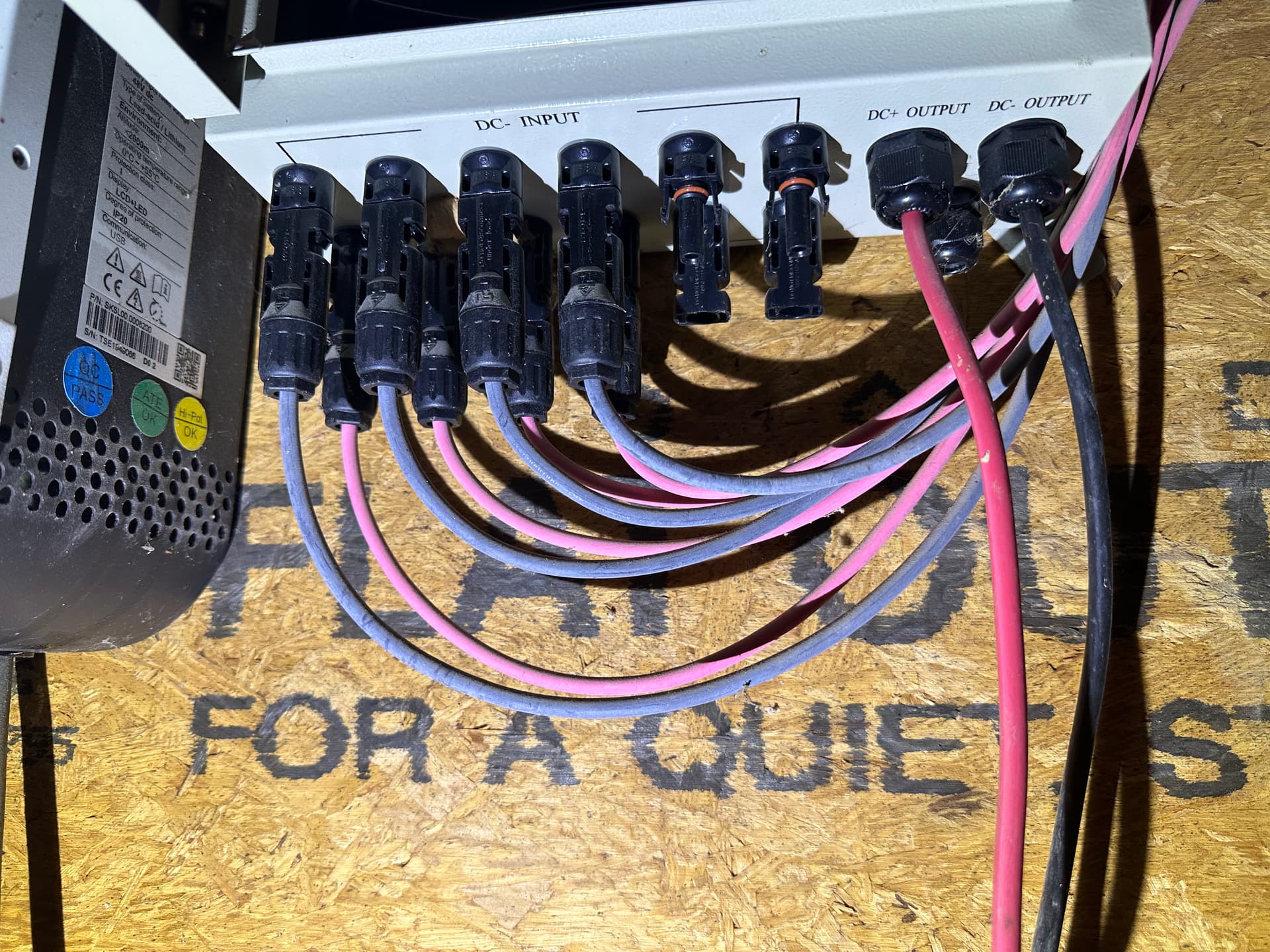
The next images are the PV Connector box. Image 4 is the bottom showing the DC inputs from the Tie-In box. It has one-way diodes (six black terminals, only the left 4 are used.), Liket PV Fuses, two surge protectors, one each for DC+ and DC- and the blue lever circuit breaker (image 5). Image five shows the cabling from the Tie-in box to the bottom of the PV Connector box.

Image 4:

Image 5:

I have verified PV power makes it through everything up to and through the circuit breaker, and that the circuit breaker works to break power going to the Growatt inverter.

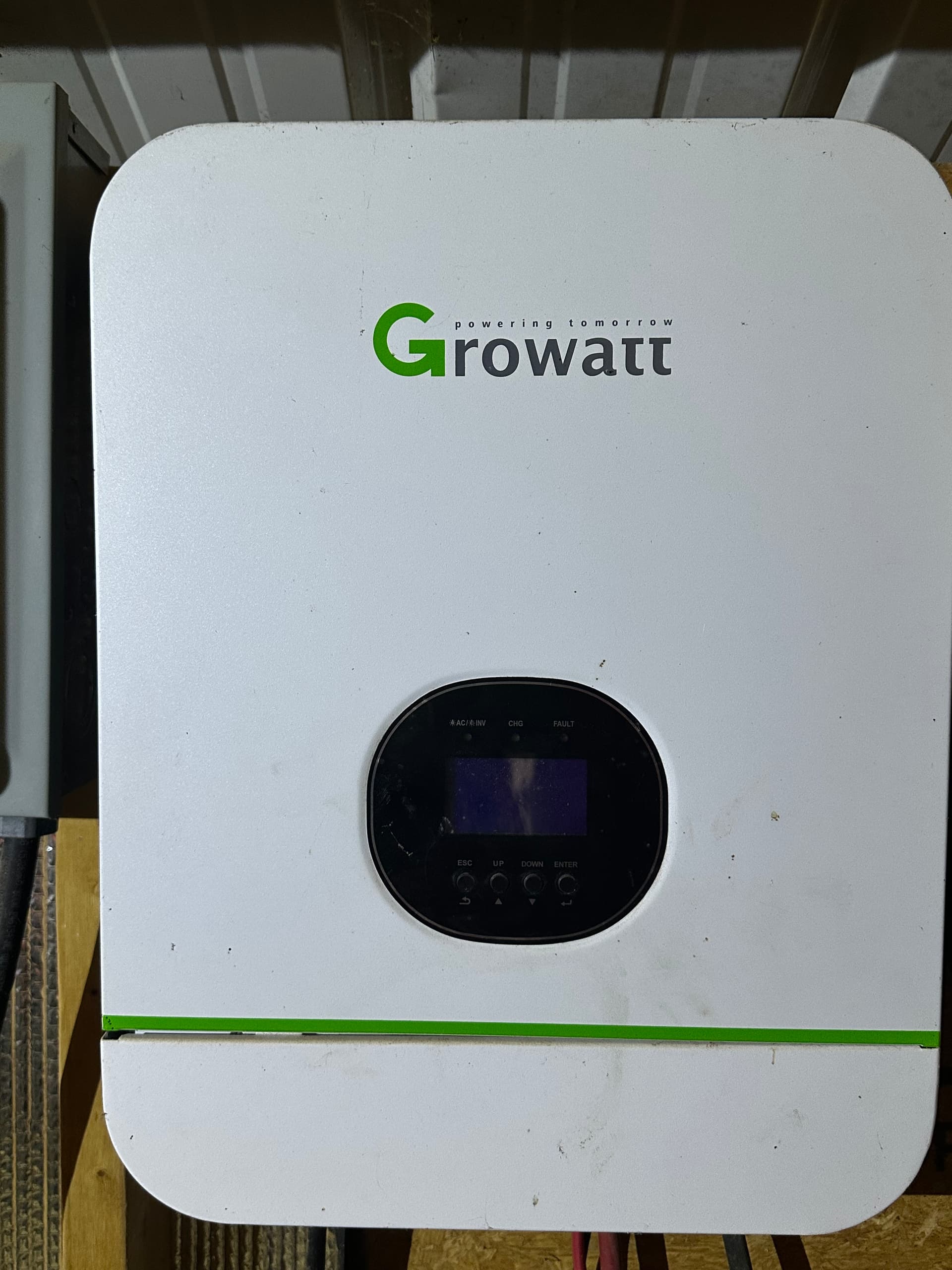
These are the power path from the Growatt inverter to the battery box and the circuit breaker downstream from the Growatt. Image 6 is the Growatt label, Image 7 is the layout between the PV connector box, Growatt inverter and the battery box. Image 8 is the Growatt front panel, Image 9 is the battery box and Image 10 is the circuit breaker downstream from the Growatt inverter.

Image 6:

Image 7:

Image 8:

Image 9:


This image was before I did all the legwork fixing the daisy-chain module connectors and the BMS sensing leads.

Image 10:

After replacing all the daisy-chain connectors to each of the modules and the 100 Amp Fuse (top left of battery box) I was able to get 19 volts across all 12 cells. I think this is going to be my initial problem because the inverter manual says, when no response after power on (AC Main input connected) there’s no LCD/LED/Buzzer because the battery voltage per cell is less than 1.4 volts (currently 1.18V) I will be using a small RC battery charger to trickle-charge these cells to above a 1.5V per cell total and then try turning on the Growatt inverter again.

Image 11 is the 12 panel solar array that is providing voltage to the Growatt setup. Image 12 is the circuit breaker panel the Growatt system is supposed to be powering assuming everything is working (it’s not). it appears that the previous owner was using the Growatt system to power outlet plugs in the barn loft and feed room.

Image 11:

Image 12:

This is the second smaller solar system in the barn.

I believe this system was only used to power a remote light controller, a small LED barn light and a motion sensor. This doesn’t appear to be tied into the Growatt system, or provide 110V AC power as previously thought. Bottom line, the Solar array powers the MPPT inverter (LCD screen working) but the battery voltage is less than 4V and I believe that voltage is too low for the inverter to provide power to the terminal block that supplies power to the LED lights, motion sensor and the PCB group that powers the RF remote controller for lights? not sure about that. The current owner (my military bud) says the remote was broken and has been thrown away a long time ago. I now have to do homework on what kind of remote goes with this system and where to buy it.!

Image 13:

Image 14:

Image 15:

Image 16:

Image 17:

The Growatt system claims to be ā€œOff Gridā€ so it shouldn’t need (and should not accept) a second power source on the output side. But I can well believe it can’t do a ā€˜cold start’. I think you’re right: the inverter isn’t getting enough voltage from the battery to wake up and start charging the battery from the PV panels.

I also concur with your thinking that the DIY circuit boards in the 1st set of pictures are monitoring (also note the WiFi module).

Hello Rick,

I’m in the US too.

Image 1 looks to be 6 shunts, along with analog-to-digital conversion hardware, as well as a Wi-Fi link. A Wemos D1 mini is visible in the lower right corner of image 2.

Image 5 appears to be what’s referred to in the US PV industry as a combiner box.

FWIW, circuit breaker 2 in image 12, appears to be in the tripped position.

If your battery bank measures 19 VDC, then it sounds like you’ve either got
some bad connections, e.g. corrosion - or more likely batteries that have been
ā€œflatā€ for so long, they’re essentially scrap at this point.

No doubt about that.
The datasheet for your inverter says the DC input voltage is 48 Volts.

SPF_3000TL_LVM_Datasheet-2509.pdf (1.3 MB)

SPF_3000TL_LVM_User_Manual_EN_202109.pdf (4.9 MB)

Hi Bill, Thank you for your reply. I was able to get back to working on this pack. I made progress but wasn’t able to get the inverter on without pulling some MacGuiver stuff. I’m about to write up a progress report for today’s activity. I’ll post it below.

Do you know what I can use to interface with the Wemos D1 Mini?

My buddy has been flipping those CBs in a vain effort to get something to work. Nothing connected to that circuit breaker box will be getting power until I can get the Growatt to work (I got close today).

All, I had a very productive day today but we’re still not fully up and running. I used an RC charger to get the pack voltage up to about 45V hoping that the Growatt would sense a voltage above its minimum and be happy and turn on.

I isolated a single cell and tried to use my RC Charger on its LiFe setting but I got a ā€œNo Battery Connectionā€ error. When I isolate two cells in series and changed the cell settings to 2S, I got the same error but if I set the charger to a 1S setting with two cells connected, there was enough voltage to allow the charger to detect the batteries. At a 1A charge rate it quickly brought the total cell voltage up to 3.6V (or 1.6V per cell) and it would finish the charge, albeit too early for what I needed. I found a work around and that was to use the NiMH charge settings at 1A and was able to bring each isolated 2-pack group of cells up to around 5.5 volts. My charger has four charge ports so I was able to charge 4 pair of batteries up to around 5.5 volts as the same time.

I managed to get the entire 16 cell pack up to almost 45 volts which was more than I needed to meet the >1.4 Volts per cell requirement for the Growatt to come to life. I even started seeing some LED activity on the DIYBMS V4.21 modules. Side note: I think I might have three dead modules since I’m not getting any light activity on those modules.

Enter the next problem, with the total pack voltage up to 45Volts I connected the battery pack to the Growatt, flipped the switch and….. got nothing!!. A quick check of the voltage at the DC terminals of the Growatt and I had about 0.4 Volts. I traced the issue back to the PWOD BMS. It was not alosing any power through the BMS to the terminals. I found that some of the balance leads weren’t connected correctly from the previous owner. When I connected all the balance leads to the positive terminals I thought that would fix it but no joy again.

I was able to temporarily bypass the BMS and FINALLY got some activity on the Growatt!! When I first tried the bypass (shorting the terminal lug on the P- side of the BMS to the last negative terminal of the entire pack. I initially had the inverter connected to 110V mains and the battery disconnected but it wouldn’t power up. I disconnected the mains, did the BMS Bypass and lo and behold, the Growatt LCD screen lit up! It would go through a boot test, start beeping and display a flashing 04 with an exclamation point in the lower left of the display. This would last for about 10 seconds and power off. After a few more bypass attempts, the pack voltage had dropped to 41 volts and we couldn’t get the Growatt to come back on.

By the time we got to that position, we had lost all daylight and we packed it up for the day. I tried to find a manual for the BMS online but no luck. I couldn’t find the exact BMS but one that was very similar. Its schematic showed that we might have the balancing wires hooked up in the reverse order. There are 17 wires, 16 of which are white, 1 black wire and one temperature probe on this BMS. The schematic I found listed the black wire as B0 and the next white wire as B1. If that schematic is correct (not doubting it), this would mean my B1 is connected to Battery 16 and B16 is connected to Battery 1 of the series. The BMS was connected this way by the previous owner so I’ll be VERY lucky if the BMS isn’t fried.

Another thing with the BMS according to the manual, ALL the cells must be within 0.5V from each other and total voltage needs to be above 47V. With that said, I have some re-wiring to do as well as further charging to meet those requirements.

If the BMS isn’t already fried, I think when I get to that point I will finally get the total pack voltage to show at the Growatt DC in terminals (I.E through the BMS). I think because the balancing wires are hooked up in reverse order as well as the overall pack voltage being too low, the BMS is preventing the full pack voltage from passing through. I’m only getting about 0.4 volts through the BMS at this point.

Another trip down the hill soon, it’s a 1 hour trip one way so that round trip gets old after a while.

Thanks for reading and trying to make sense of my MacGuiver troubleshooting!

Are you referring to programming the D1?

Or is it the Wi-Fi data you’re after?

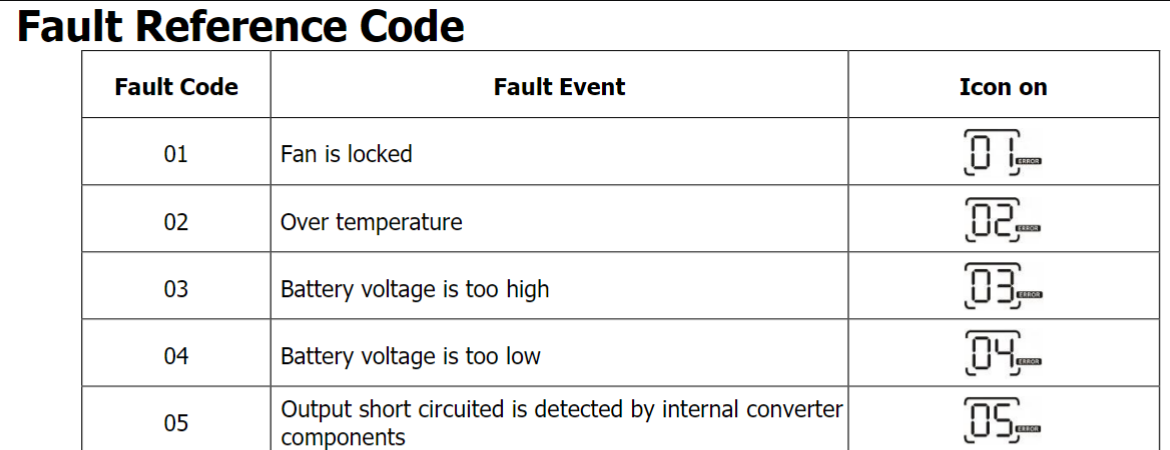
Fault code 04 is Battery voltage is too low


which falls in line with batteries that haven’t been maintained.
(batteries left ā€œdeadā€ for more than a short time, tend to stay that way)

Even though the voltage read close to what the inverter wants to see,
the battery bank’s ability to supply the necessary current is gone.

Your SPF3000TL is actually a hybid inverter as opposd to a strictly off-grid inverter.

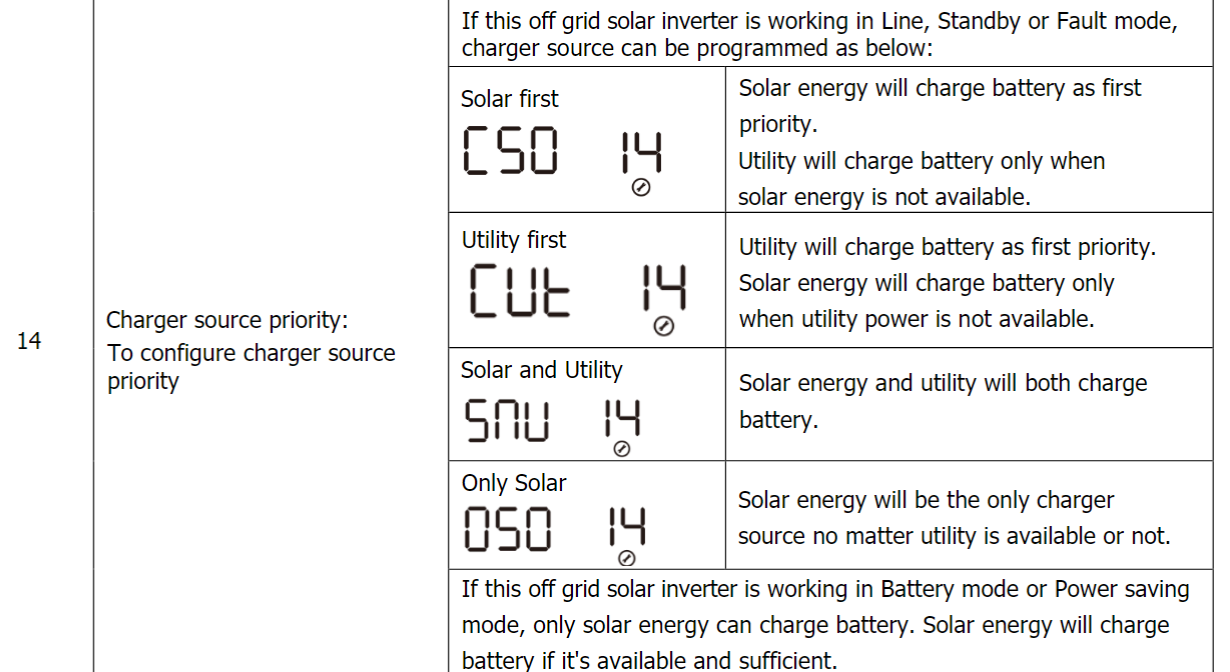
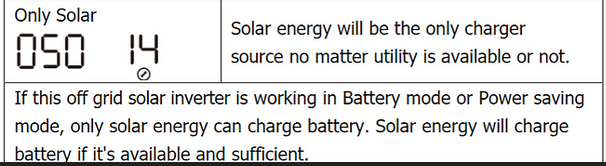
According to the user manual, you should be able to charge the batteries via the grid:


IIRC, our ā€œgenius-level problem solverā€ spelled his name MacGyver. :wink: :grin:

Hi Bill, this system isn’t mine so I have no idea how to interface with these WiFi boards. Anything that would help me see the information these WiFi boards are supposed to provide would be wonderful. Whether it’s Apps, Software, cabling etc., all I know is these WiFi boards have a USB Micro B connector. I imagine there is some monitoring software or apps that can be used with iPhones or Laptops somewhere out there.

Hi Bill, Thanks for that info and yes that code checks with what I also found in the manual, albeit ā€œafterā€ I made my post. These batteries have been sitting and slowly dying for the past 5 years or so. I’ll break the news to my owner friend that these batteries might be shot.

I realize this endeavor might be an effort in futility but I’m trying my best to cover all the options.

The ultimate goal is to get the system to a point where it can actually charge the batteries. So far, with this ā€œHybridā€ system, I can’t get it to power up with Utility power alone. I was lucky to get the pack voltage up to a point where the Growatt inverter came to life, albeit long enough to tell me the voltage was too low and then power off.

I would have thought that with AC ā€œUtilityā€ power connected AND enough pack voltage to meet power up requirements, the system would then take over the charging responsibilities. So far that hasn’t been the case. It’s probably a settings thing, I just need it powered up long enough for me to set it correctly!

I will continue to work the angles until I give up, or blow something up haha!

BTW, thanks for pointing out my spelling error. My Kansas education has failed me once again. Haha! Now I need to break the habit of miss-spelling MacGyver in the future! (Yes, I had to do a search to verify I was in the wrong! I should have started there first).

Cheers!

I’d say that’s more than likely the case.

I’m not familiar with Growatt’s line of products, but it looks like this setting
could be (among other things) one of the sources of your issue.

I’m just to the south of you, in Oklahoma.

The USB connector is used to upload code to the board. It can also supply power to the board.

One way to get a look at the code (called a sketch in Arduinospeak) is via
the Arduino IDE (Integrated Development Environment)

Lots of how-to videos/instructions are available on the web that should help
you get up to speed on how to get the Arduino software talking to the D1.

Greetings All,

I’m back from my little excursion to Okinawa Japan so nothing has happened since 22 Sep. I’ve taken the battery box out of the barn, brought it home and have begun cleaning things up. I’ve been able to get all 16 batteries back to a nominal 3.2V per cell. I’ve tried cleaning the battery modules and 2 out of 16 are a lost cause due to rat urine corrosion.

Any idea where I can buy replacement DIYBMS 4.21 boards?

My next trick is to try and reconnect the modules back to the individual batteries and pray for no magic smoke! I have a feeling I’ll need more than two replacement modules.

On another note, I discovered the BMS was wired backwards. What I mean by this is, on the large BMS connector that has 1 black (negative) wire and 16 white (positive) wires, the number one white wire should be the first wire after the black wire. This number one wire should be connected to the positive terminal of the last battery in the series or the Negative side of the Load. It’s the same battery that the black Negative wire is connected. White wires 2-16 should be connected to the positive terminal of each battery inline, ending with wire 16 connected to the positive terminal of battery 16, where the positive side of the load is connected. These white positive wires were connected in reverse, with wire 16 connected to the negative load (Last battery) and wire 1 connected to the positive load battery.

I have no idea if the BMS is shot until I reassemble the entire pack and hook the BMS up properly.

I’m beginning to think that I’ll need to get all the modules operational before I can begin figuring out how to interface with the entire pack. Bill.Thomson suggested Arduino IDE so I’ll start doing further homework on how to do that.

Cheers and comments, thoughts are welcome. Anything will help me at this point.

Have you got the Growatt working without the BMS since you restored/recovered the batteries? That would be my first task, what I would want to avoid is making each step too complicated. I think the Growatt doesn’t need the BMS and it should work happily without it, this is what I’d establish first. That done, you’re in a much better position to establish how much of the BMS is still working.

Try posting a request here in the Community Marketplace category – "Swap / buy / sell hardware… " Surplus boards pop up occasionally.

This is slightly worrying. I take it as a strong indication that you can trust nothing of the original setup until you’ve thoroughly checked.

Thanks for the reply Robert, when I returned from Japan, the first thing I did was take the battery box out of the barn, bring it to my house and take everything apart. My intent was to re-terminate all the battery jumpers with the proper size terminals and to get the battery voltages up to an adequate voltage for the GroWatt to recognize. I’m shooting for 3.4V per cell or a total voltage of 54V. This should allow the GroWatt to take over the charging duties using the solar panels.

I’ll post a request in the marketplace as you suggested, Thanks for that.

Finally. I agree 100% that I can’t trust anything with this setup. I may order a Daly BMS with the remote screen. I think that will give me the info about cell health as a replacement for the DIYBMS portion of this setup.

I’ve spent the whole day researching the DIYBMS info, watched several videos and read lots of forum posts. I think I’m going to suggest to the current owner of this system that either an upgrade of the modules and controller might be something to think about (If they’re even still available) and/or replacing the BMS.

I’ve considered reaching out to Stuart Pittaway directly but I don’t want to be that random Joe that comes out of nowhere asking info about discontinued products haha!

I ran across a video on how to order new stuff from JLCBPCB but man, what a convoluted process that is!! I went to their webpage, hit up the chat help and they asked about a Gerber file. Never heard of one of those so that was a dead-end for the time being.

You will get those from Stuart’s website - it’s the instructions to manufacture a p.c.b.