I have not received an outside temperature update for a while. I believe the feed came from the Met Office but they changed something that stopped the feed. How can I get the outside temperature showing again in my Feeds.

What’s your username?
Thanks for reply. username is: emonhp
That’s the local username, what’s your username on emoncms.org? Metoffice weather data api is only suported on emoncms.org
- sent from my mobile device

Ask @glyn.hudson to reset for you
What’s your emoncms.org username?
Hi @glyn.hudson and thank you i know i am supposed to know which login you mean, but i have a main one MaisonMerlin and an account under that which is mm16500 hope that is what you need.
I put my hands up, I tried to get Gemini along with Home Assistant to do something and it messed up and somewhere along the line i lost the metoffice field. I also have my MBus dropout periodically so if you don’t mind giving my settings a once over and seeing if there is anything glaringly obvious out of place. It would be very much appreciated.
Sorry and thanks again,
John.
The MaisonMerlin account is empty.
The mm16500 account has a Level 3 Heat Pump Monitoring system connected to it and the outdoor temperature is updating correctly. This system is shared on HeatPumpMonitor, you can see the outdoor temperature is present on the dashboard: https://heatpumpmonitor.org/dashboard?id=1099
@glyn.hudson Thanks for looking. I don’t know where it is getting that data from but it is very inaccurate it has been closer to 40 degrees here, in France, for the last two weeks! which leads me on to another question… is there a way i can reset my figures as i have been running my unit in cooling for quite a while and it messed up my scop cop etc. because i did not having the cooling mode switched on your settings.
Mmm your right, I’ve just updated the weather data to use Confolens as the location.
Cooling is enabled on your system, if should re-process any data prior to having cooling enabled. The SCOP figures look correct to me. There’s not much space heating data yet.
I noticed data from the heat meter has stopped update ding. Could you check the MBUS wiring has not been disrupted?
@glyn.hudson Thanks for the weather update.
Re: MBUS: Yes, this is what keeps happening the MBus has been off for 12hrs now if i unplug and re plug it starts again but for how long varies.
It has given up again: here is my config file (I can’t seem to paste it nicely):
#######################################################################
#######################        emonhub.conf      #########################
#######################################################################

### emonHub configuration file

#######################################################################

\[hub\]
loglevel = DEBUG
autoconf = 1

\[interfacers\]
\[\[digital\]\]
Type = EmonHubDigitalInputInterfacer
\[\[\[init_settings\]\]\]
pins = 15,
invert = 1
\[\[\[runtimesettings\]\]\]
pubchannels = ToEmonCMS,
read_interval = 10


[[SPI]]
    Type = EmonHubRFM69LPLInterfacer
    [[[init_settings]]]
        nodeid = 5
        networkID = 210
        resetPin = 24
        selPin = 16
    [[[runtimesettings]]]
        pubchannels = ToEmonCMS,

[[MQTT]]
    Type = EmonHubMqttInterfacer
    [[[init_settings]]]
        mqtt_host = 127.0.0.1
        mqtt_port = 1883
        mqtt_user = emonpi
        mqtt_passwd = emonpimqtt2016

    [[[runtimesettings]]]
        pubchannels = ToRFM12,
        subchannels = ToEmonCMS,
        node_format_enable = 0
        node_format_basetopic = emonhub/
        nodevar_format_enable = 1
        nodevar_format_basetopic = emon/
        node_JSON_enable = 0
        node_JSON_basetopic = emon/

[[emoncmsorg]]
    Type = EmonHubEmoncmsHTTPInterfacer
    [[[init_settings]]]
    [[[runtimesettings]]]
        pubchannels = ToRFM12,
        subchannels = ToEmonCMS,
        url = https://emoncms.org
        apikey = f98190af748245da652443f9ac33e92a
        senddata = 1
        sendnames = 1
        interval = 30

[[DS18B20]]
    Type = EmonHubDS18B20Interfacer
    [[[init_settings]]]
    [[[runtimesettings]]]
        pubchannels = ToEmonCMS,
        read_interval = 10
        nodename = sensors

[[SDM120]]
    Type = EmonHubMinimalModbusInterfacer
    [[[init_settings]]]
        device = /dev/serial/by-id/usb-1a86_USB_Single_Serial_5AAB009235-if00
        baud = 9600
    [[[runtimesettings]]]
        pubchannels = ToEmonCMS,
        read_interval = 10
        nodename = heatpump
        [[[[meters]]]]
            [[[[[electric]]]]]
                address = 1
                registers = 12, 72
                names = Power, Energy
                precision = 1, 3

[[MBUS]]
    Type = EmonHubMBUSInterfacer
    [[[init_settings]]]
        device = /dev/serial/by-id/usb-Prolific_Technology_Inc._USB-Serial_Controller_DDA7b152808-if00-port0
        baud = 2400
    [[[runtimesettings]]]
        pubchannels = ToEmonCMS,
        read_interval = 10
        validate_checksum = False
        nodename = heatpump
        [[[[meters]]]]
            [[[[[heatmeter]]]]]
                address = 1
                type = standard


\[nodes\]
\[\[23\]\]
nodename = emonth2_23
\[\[\[rx\]\]\]
names = temperature, external temperature, humidity, battery, pulsecount
datacodes = h, h, h, h, L
scales = 0.1, 0.1, 0.1, 0.1, 1.0
units = C, C, %, V, p
For future reference, when posting code or output, please put 3 ‘backticks’ (normally found at the top left of the keyboard) on a line of their own before the code, and 3 more backticks also on a line of their own after the code:
```
code
```
If it is something like php you can add a language identifier after the first 3 backticks: ```php or even ```text if you don’t want any language markup applied.
Your square brackets should not be escaped with \ - if you only put them there instead of surrounding the whole text with ``` - you’ll need to take them out, otherwise, they’re wrong, a comment in the file is everything following a #.
Your config file looks correct. Do you have another USB-C to USB-A cable you could test between the MBUS reader and the emonHP?
Yes I do but I am using the one it came with. I will give it a go. The thing is, is that it was all working fine.
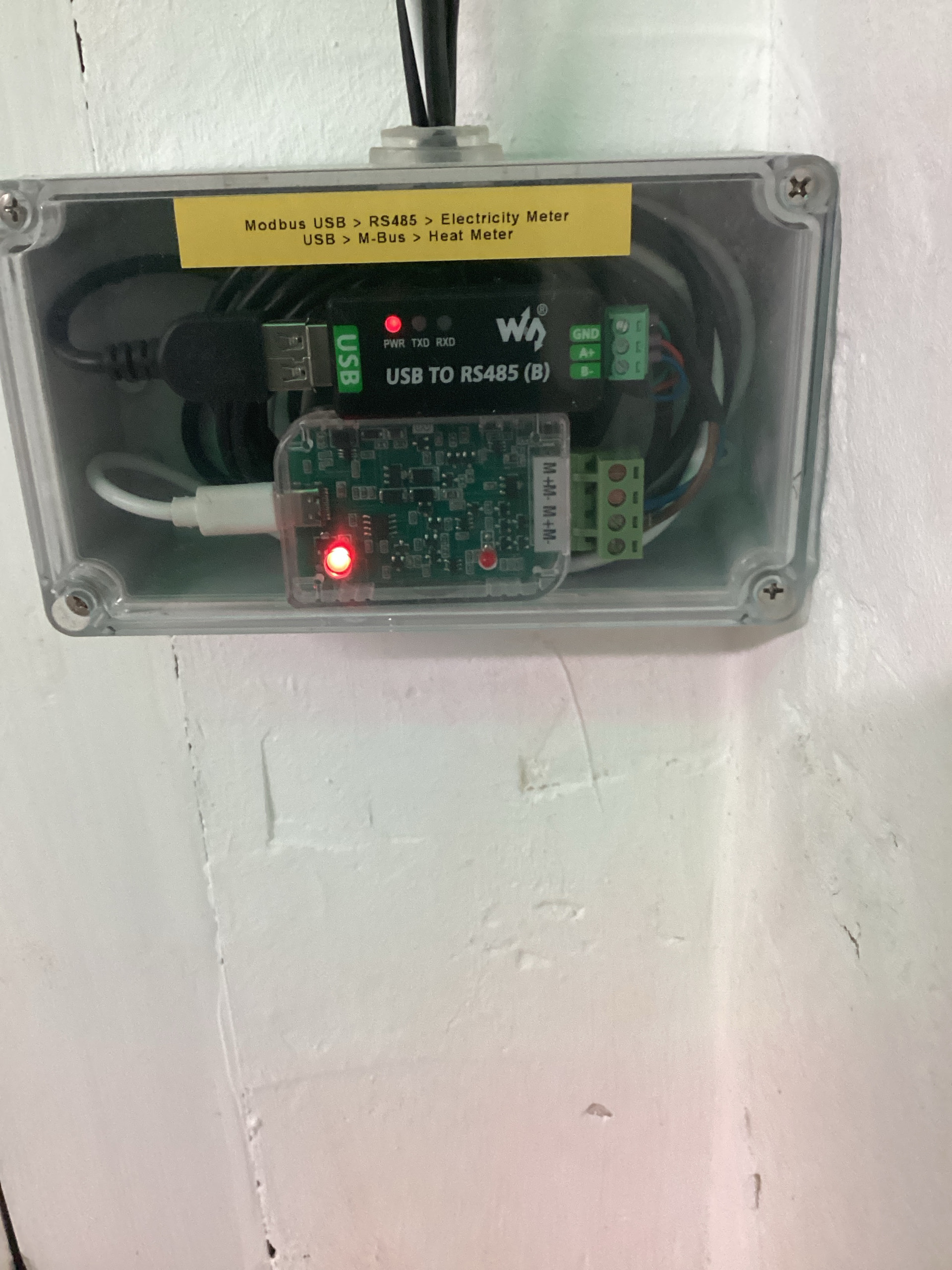
@glyn.hudson So here we are 9 days later and it has not missed a beat! I have not changed any cabling at all. But what I have done is the following:
Before:
After:
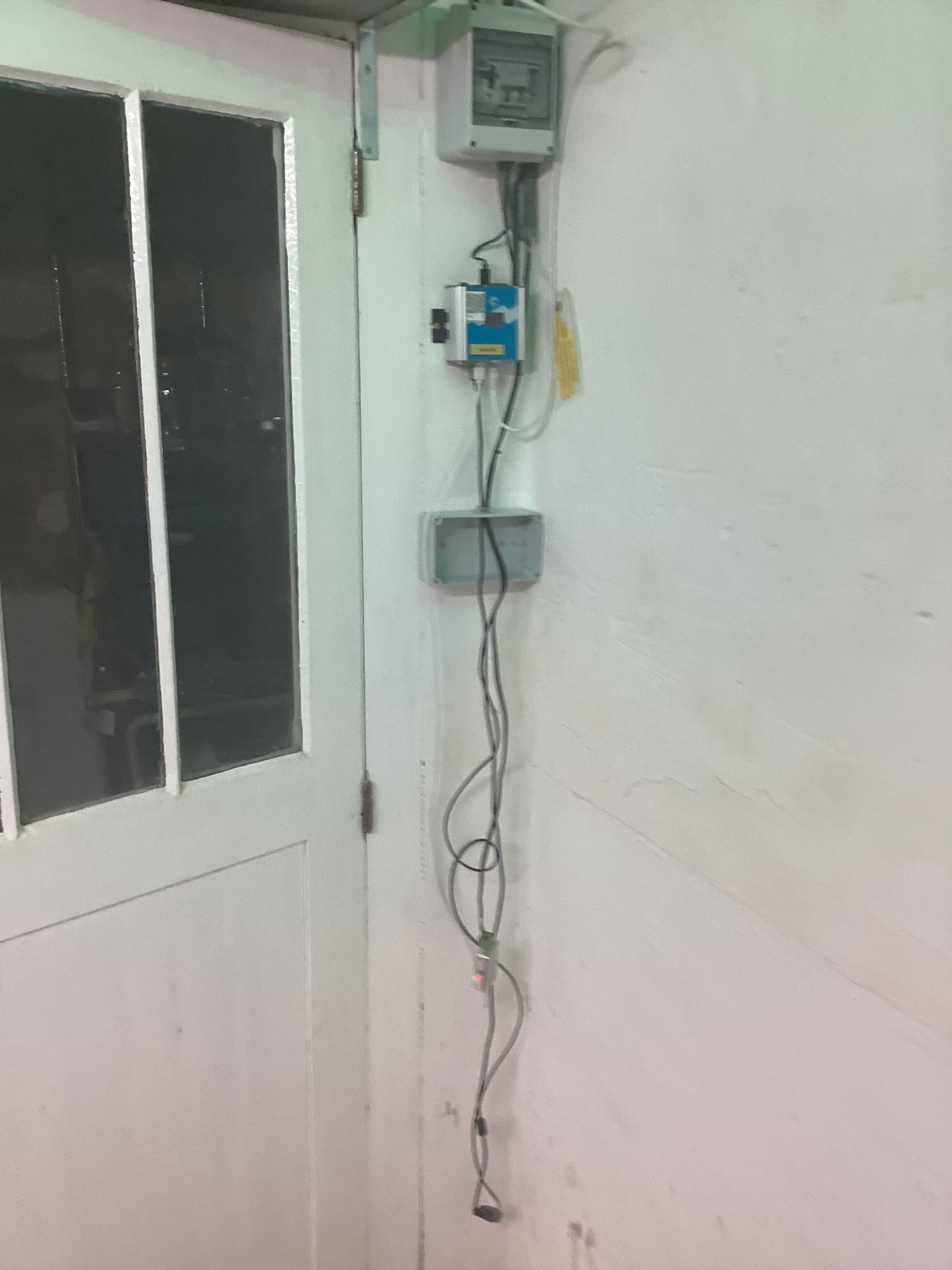
I am assuming it doesn’t like having its wires coiled up interference?
Is there anything I can do to have it working and neat?
Is it the coiled cables, or something else? It might be worth putting the two converters back in the box and leaving the cables dangling. If your problem comes back, you could be looking at two boxes with some space between.
If it continues to work OK like that, you can shorten the cables. Those that end in the screw connectors are easy. Your main problem appears to be the USB connectors. Possibly the easiest will be to try and source cables that are nearer the length you need. If that’s not possible, you can buy free USB-A and USB-C plugs and shorten the existing cables, so the black cable into the left hand side of the RS485 converter can be shortened fairly easily. The USB-C plug to the M-Bus converter will be a bit harder to solder on account of the size. In both cases, you just need to find which coloured wire goes to which pin on the connector, and replicate.