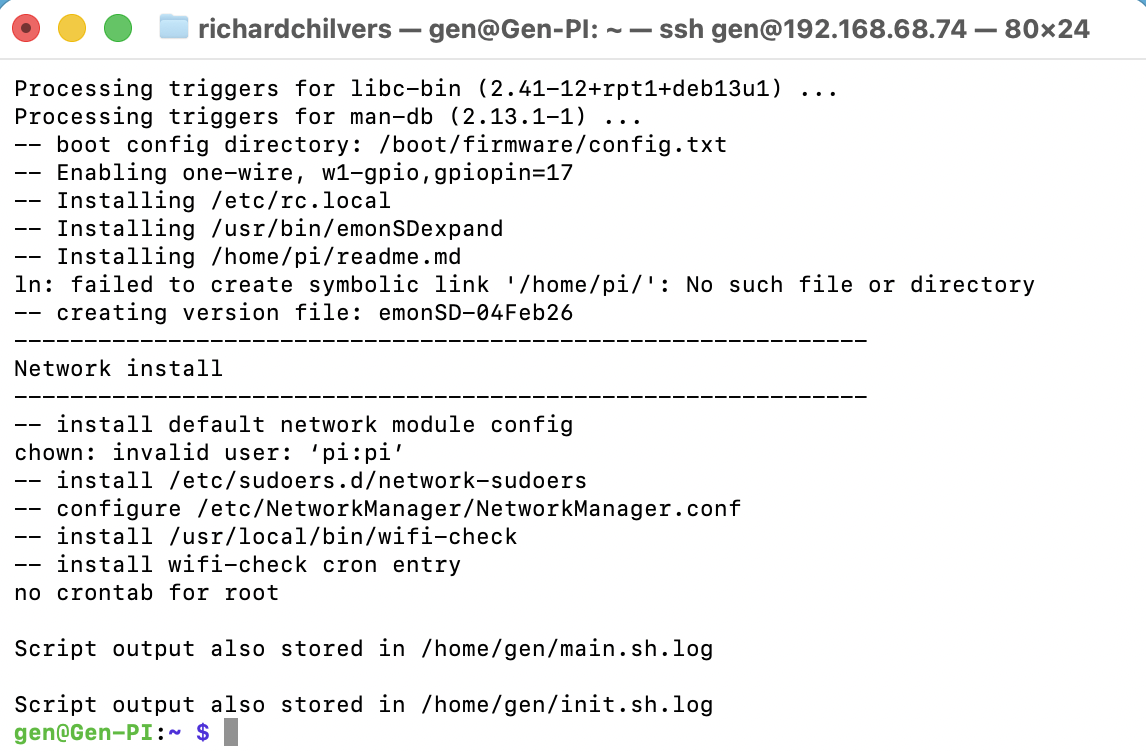
Hi all, im really sorry but this is probably noob 101 type question but I guess trhe onkly stupid question is the one you dont ask!
To give you some back story, I work with generators and wanted a budget friendly current data logger to see what loads were doing. A friend built me one using a PI3 but as I work remotely it was getting a pain to have to reset the time manually and ment I had to set it up and couldnt leave it with colleagues. Along comes the PI5 with its RTC option and I thought great, this suits me perfectly, Not realinsing that emon doest really play nicely with PI5’s from the pre built image.
I have managed the manual route, installing Rasberry OS then, SSH into the PI and running the installer script, All seems to go well but it stops at ‘Network Install’. Thats as far as it goes. Script stops and tells me the script output is logged.
Any help? It woudl be nice to see this working if I can!
Can you paste the log? (use Ctl-E to format the text)
I suspect that on the latest PiOS has changed the Network stuff too much for the scripts to be backward compatible now @glyn.hudson@TrystanLea
Depending on what you need, there is an emoncms docker by @alexandrecuer available. If you need emonhub then you should be able to install that on the Pi and then use the emoncms Docker for the data visualisation.