My emonTH is part of a Heat Pump bundle, and has been in use for just over a year.
It’s been sitting in a little cradle on the back of a door, and transmitting data quite happily until a gust of wind caught the door and the emonTH fell to the floor just under a week ago and stopped working.
I’ve tried taking the batteries out and putting back in to restart it, but I can’t see a led lighting up (dimly) when it should be starting up, and no data is being transmitted. I’ve even tried new batteries. But given that it’s a dim led, I’m not sure I’m looking in the right place  . Where exactly on the board is it?
I assume it’s an emonTH2. It’s the yellow (in daylight) component between the terminal block and the antenna. It is labelled reasonably close by “D9” and “LED” – in this image from Docs on the left-hand edge below the black terminal block.
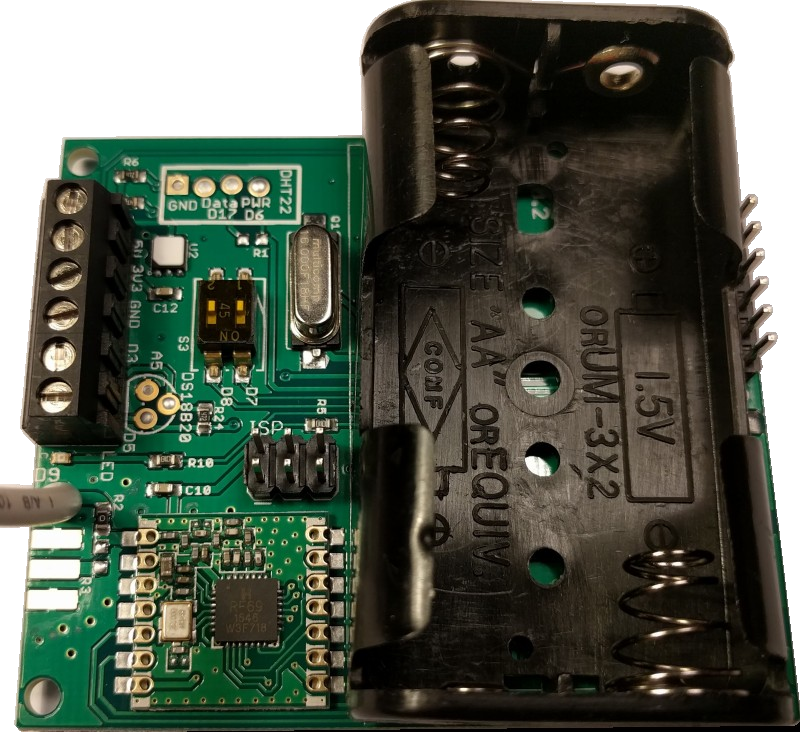
How far did it fall, and onto what?
Can you check voltages on the terminal block - “D3” is 3.3 V to GND, as is the bottom right-most pin (in the picture) of the ISP 3×2 header. N.B. the battery voltage (bottom terminals of the battery box) may well be less than 3.3 V.
Does the battery box feel “right” - still attached to the PCB? It might be worth taking it out of the box and giving it a very careful inspection on both sides.
If you’ve got a programmer, plug that in and see what comes out when you do (the act of monitoring using the Arduino IDE serial monitor should restart it, so you’ll get the startup status etc).
Thanks Robert. I definitely can’t see a led coming on in that area when I put the batteries in.

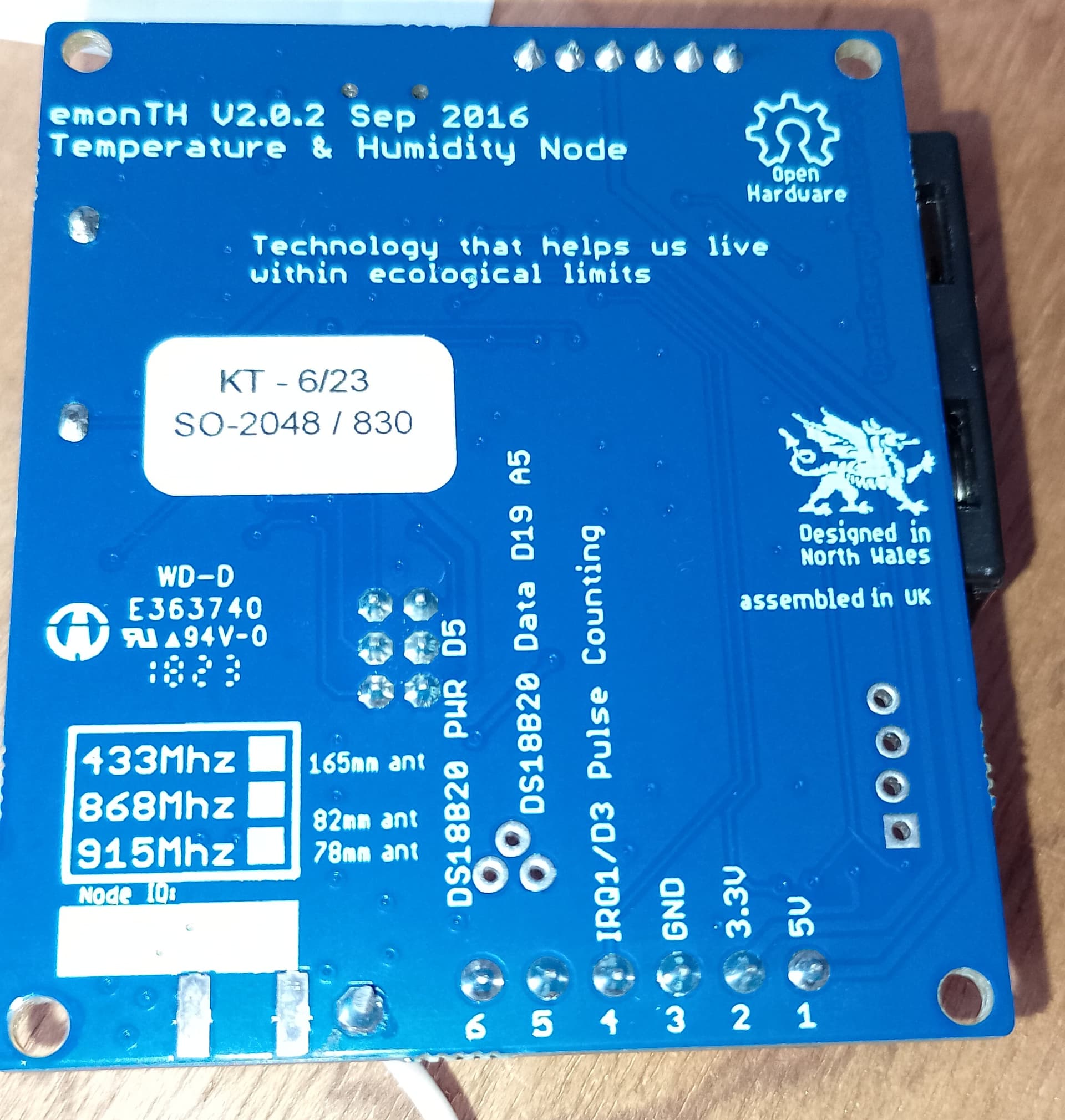
The emonTH fell about 5ft, onto wooden floor.
I can’t check voltages, but the last reported value for battery into emoncms feed was 2.2V.

I think so, the two connections to the PCB seem ok, you can only move the battery box a tiny bit at the other end. The battery box terminals(?) don’t seem to line up with battery terminals that well.

And one of the little brass collars is missing, but maybe that doesn’t matter since it’s where the batteries connect to each other.

I don’t have a programmer…
Do you reckon it’s irretrievably damaged?
That missing “collar” is correct.
You need to be in a quite dark place to see the LED - it’s green.
Here’s a pair of photos - LED off and LED on, taken not many minutes ago, in deep shadow and deliberately under-exposed to give an impression of the degree of darkness necessary to see the LED.


As you can’t measure voltages, and you haven’t a programmer, it’s hard to know what’s happened, or what might have failed. I can’t see anything obviously wrong.
I suggest an email to ‘The Shop’ ( [email protected].) because it still might be a simple fault that’s easily repaired.
1 Like
I’d definitely try a fresh set of batteries - that’s very low, so one (or both) of the cells are very drained.
That is dark..! Not a lot of current going through it (800 µA or so).
1 Like
Turned the light off and repeated - no change. Will contact the shop! Thanks
1 Like
Thanks Angus. I replaced the batteries with brand new ones yesterday, but it made no difference!
We’ve just received this emonTH back for inspection. It looks like it’s missing inductor L1, presumably knocked off when it fell on the floor. I’ve just soldered on a new inductor, and it’s alive again 

1 Like
Unfortunately, not visible in the pictures @SianiAnni posted  .
.
Great news! Thanks Glyn.
1 Like