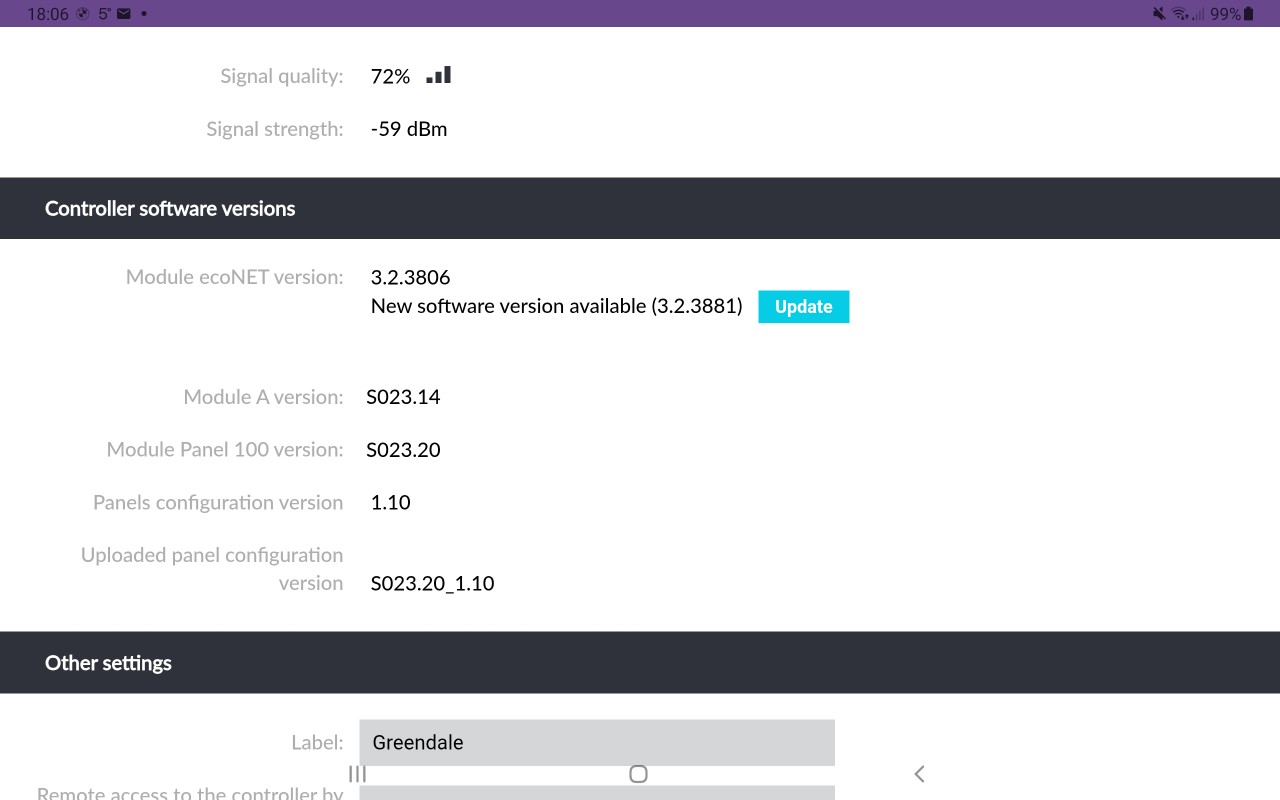
I’ve updated the Econet element before, as far as I’m aware that only updates the part on the tp-link device, and to update either the wiring centre or touchscreen controller you need the SD card update.
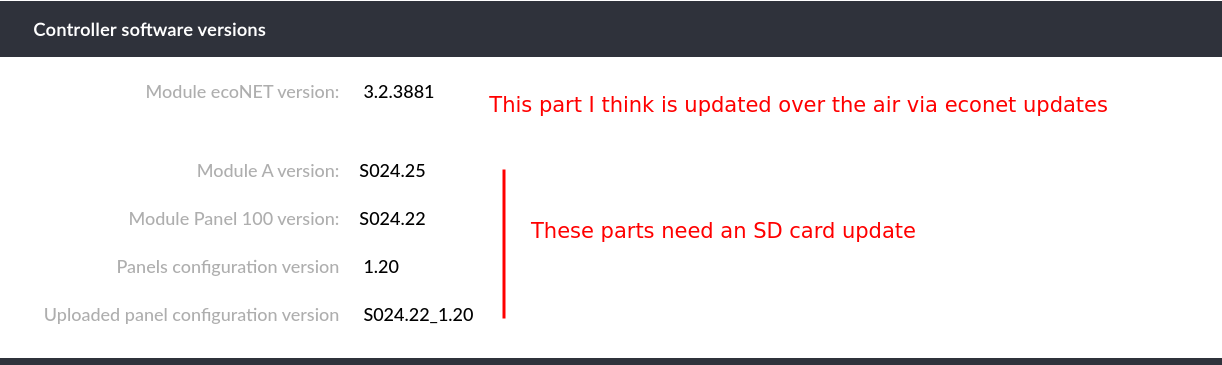
The update is in “Device Settings” in Econet.
I have no such restraint so I just did it 
swmbo would not like me twiddling with critical bits in the heating season. the sd card slot also appears to be the cheapest money can buy (I had a look) so correctly Inserting a card might be exciting.
ah yes, I’ve seen that. I clicked update. As you mention, I think this only updates the TPlink. I’m running
Module ecoNET version: 3.2.3881
Module A version: S024.25
Module Panel 100 version: S024.22
Panels configuration version: 1.20
Uploaded panel configuration version: S024.22_1.20
Yes I managed to jam the sd card between the touchscreen body and the slot so be careful!
Oh by the way, the econet update you see won’t get you silent mode. I don’t recall it really doing much of anything. You need the sd card update for that
Grant are going to send me an official microsd update card, so I live in hope, but I don’t see the silent modes mentioned in even the latest 2.2 documentation .. did I miss it?? Hopefully I can turn it on and off automagically via home assistant, and the local econet api. Sounds like I need it on in tg current blizzard conditions.
Yeh I noticed the lack of documentation as well. Good they’re sending a card! Yeh you can turn it on via home assistant with a HTTP call, not at my PC now but will send when I am unless someone beats me to it
no need but thanks for the offer, I have restful commands that can do everything, so if this is just another operating mode I can set it. I already adjust the wc curve shift, boost dhw at various temps etc. The annoyance is things with no accessible control, or no control at all. It amuses me that you can’t set night temp higher than day temp (it is really high and low, but Grant assume low has to be at night. I run mine backwards).
Ah yeh you’re fine then. It’s two settings plus a schedule. Annoying the setting is off or by schedule, no “on”, so I imagine you’ll set the schedule to be 24/7 and simply toggle between “off” and “by schedule”
How does that work with 2 different silent modes (plus normal)??
Like this, so if not in silent mode it’s in normal mode I guess
ah, so you have to schedule silent mode, and then you have to say silent mode is currently mode 1 (or two), you can’t actually schedule “normal, s1, s2” in one place? Have to see if HA can switch silent modes automagically, as well as fiddling the schedule.
So what do get in silent mode, lower compressor, but does it also restrain the fan and water pump? Most of the noise seems to be fan noise, and water pump when it goes crazy during oil recovery.
Yeh that’s right, it’s basically silent mode on/off, if off then it’s in normal mode, if on then it’s in whichever one you told it to be in, rather than it being scheduled e.g. 4am - 7am is silent mode 1, 1pm - 4pm is silent mode 2, or even certain temps triggering respective silent modes (that would be nice).
Yeh you can trigger from HA:
Silent mode off:
curl -u admin:admin -X PUT "http://10.150.2.225/econet/newParam?newParamName=1386&newParamValue=0"
Silent mode “By Schedule”:
curl -u admin:admin -X PUT "http://10.150.2.225/econet/newParam?newParamName=1386&newParamValue=2"
Silent mode level 1:
curl -u admin:admin -X PUT "http://10.150.2.225/econet/newParam?newParamName=1385&newParamValue=0"
Silent mode level 2:
curl -u admin:admin -X PUT "http://10.150.2.225/econet/newParam?newParamName=1385&newParamValue=2"
To my knowledge you get:
| Mode | Fan Speed | Max Compressor | Pump Speed |
|---|---|---|---|
| Mode 1 | 450rpm | 50hz | Lower (but I don’t know what) |
| Mode 2 | 400rpm | 40hz | Lower (but I don’t know what) |
Fan noise is all I notice with mine - I don’t think I’ve ever heard heard the compressor in a negative way. It’s just the flippin sub 5c fan speed at 650rpm - it’s loud! I can’t understand how no-one else seems to care about it. I don’t mind the pump speed too much during oil recovery, would prefer it not be there but it doesn’t bother me too much, but that fan…
Nice, that’s useful 
I wonder if you’ve got a faulty fan? My ASHP is outside our bedroom, and it’s basically inaudible inside the house, whatever the fan speed. In my installation video there are a few clips of the unit running flat out without silent mode enabled. Can you post a video of how your unit sounds districted?
I’m going to guess it was above 5c when you did the video Glyn so yours would have been running at 500rpm if I’m correct, here is a video when it’s running at that speed:
https://youtube.com/shorts/td_qMCcb9UI?si=HRkPB2UJUgfDWYND
That speed isn’t that bad though, sure would prefer quieter but it’s ok. It’s when it goes to 650rpm it’s loud. And I think it can also go to 700rpm. I can’t find a video of 650rpm but will post when I hear it again.
Here’s the yaml code to add the above commands to adjust slient mode to HomeAssistant:
  econet_silent_off:
    url: "http://<econet-IP>/econet/newParam?newParamName=1386&newParamValue=0"
    method: put
    username: "admin"
    password: "admin"

  econet_silent_schedule:
    url: "http://<econet-IP>/econet/newParam?newParamName=1386&newParamValue=2"
    method: put
    username: "admin"
    password: "admin"

  econet_silent_level_1:
    url: "http://<econet-IP>/econet/newParam?newParamName=1385&newParamValue=0"
    method: put
    username: "admin"
    password: "admin"

  econet_silent_level_2:
    url: "http://<econet-IP>/econet/newParam?newParamName=1385&newParamValue=2"
    method: put
    username: "admin"
    password: "admin"
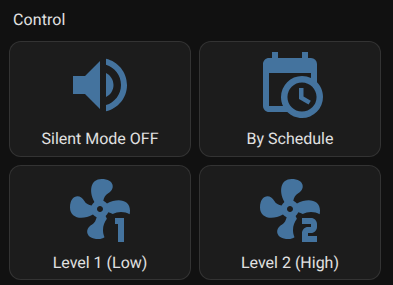
and here’s the code to add some buttons to the Lovelace dashboard:
- type: grid
  columns: 1
  square: false
  cards:
    - type: heading
      heading: Control
      heading_style: title

    - type: grid
      columns: 2
      square: false
      cards:
        - type: button
          name: Silent Mode OFF
          icon: mdi:volume-high
          tap_action:
            action: call-service
            service: rest_command.econet_silent_off

        - type: button
          name: By Schedule
          icon: mdi:calendar-clock
          tap_action:
            action: call-service
            service: rest_command.econet_silent_schedule

        - type: button
          name: Level 1 (Low)
          icon: mdi:fan-speed-1
          tap_action:
            action: call-service
            service: rest_command.econet_silent_level_1

        - type: button
          name: Level 2 (High)
          icon: mdi:fan-speed-2
          tap_action:
            action: call-service
            service: rest_command.econet_silent_level_2
Result
Good point. Your fan doesn’t sound faulty in the video, but it’s hard to tell relative sound levels from a video.
Presumably the silent mode schedule / off commands trump (oops) the regular ch on/off/schedule settings? I.e. if I have ch set to on, then set silent mode to on, the heatpump goes into silent mode, and turning ch mode on, or off, has no effect until silent mode ends (on schedule, or just forced off)?
Going to take some explaining to Joe average public, isn’t it. 
The schedule part I suppose could be confusing with overlap with ch and dhw schedules, my way of viewing it it’s a limiter like a car speed limiter but with two levels and applied only when the schedule says to.
I’ve spent a while with the heat pump thinking that all these naysayers are talking rubbish, but then I think ah…how long did I spend fiddling with heat curves and obscurely named settings? Hmm, a lot. Would any of the general public spend their lives setting this up? Doubtful!