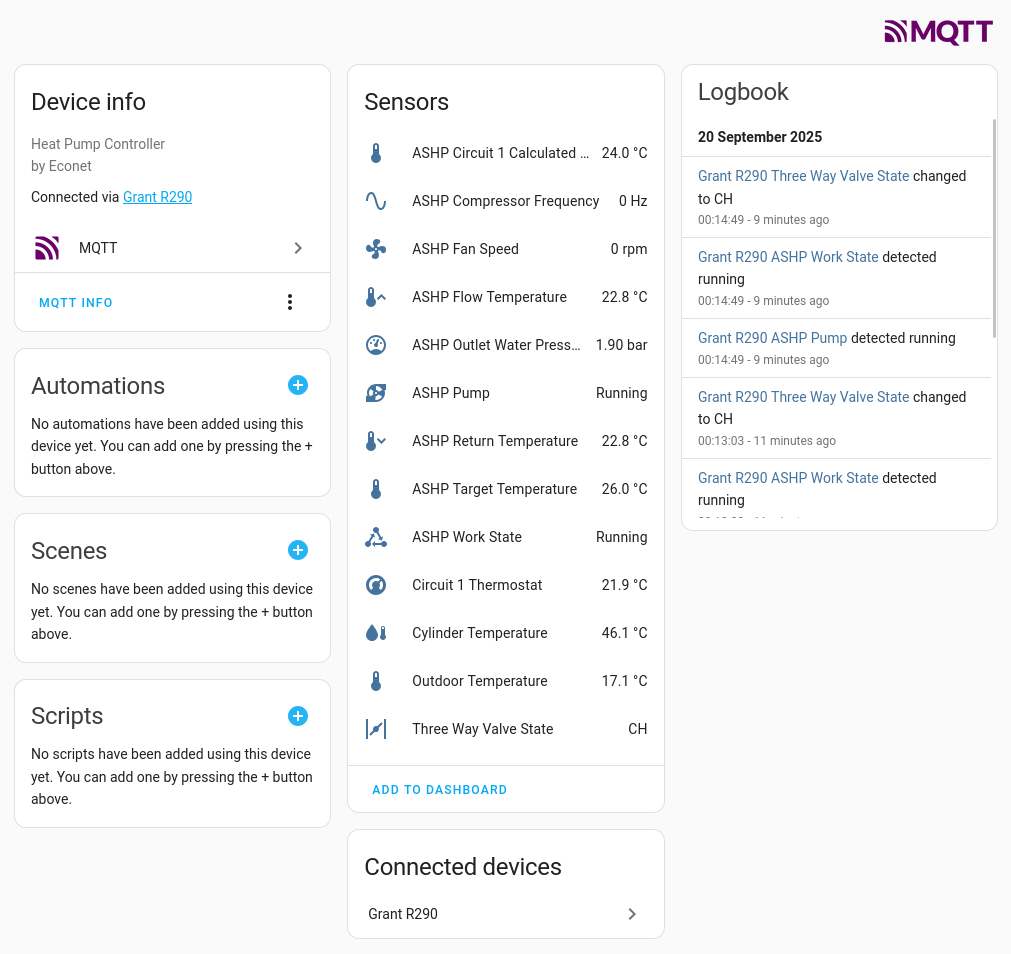
In case this is useful for anyone, I’ve just knocked up a quick MQTT publisher for my Grant R290 with an Econet controller, which includes Home Assistant device detection so if you have an MQTT broker and HA knows about it, it will automatically pick it up.
Be warned that the Econet stats I fetch are very undocumented, I have no idea if they change with different versions so treat this as experimental, but it’s easy to get running with docker in case you fancied it!
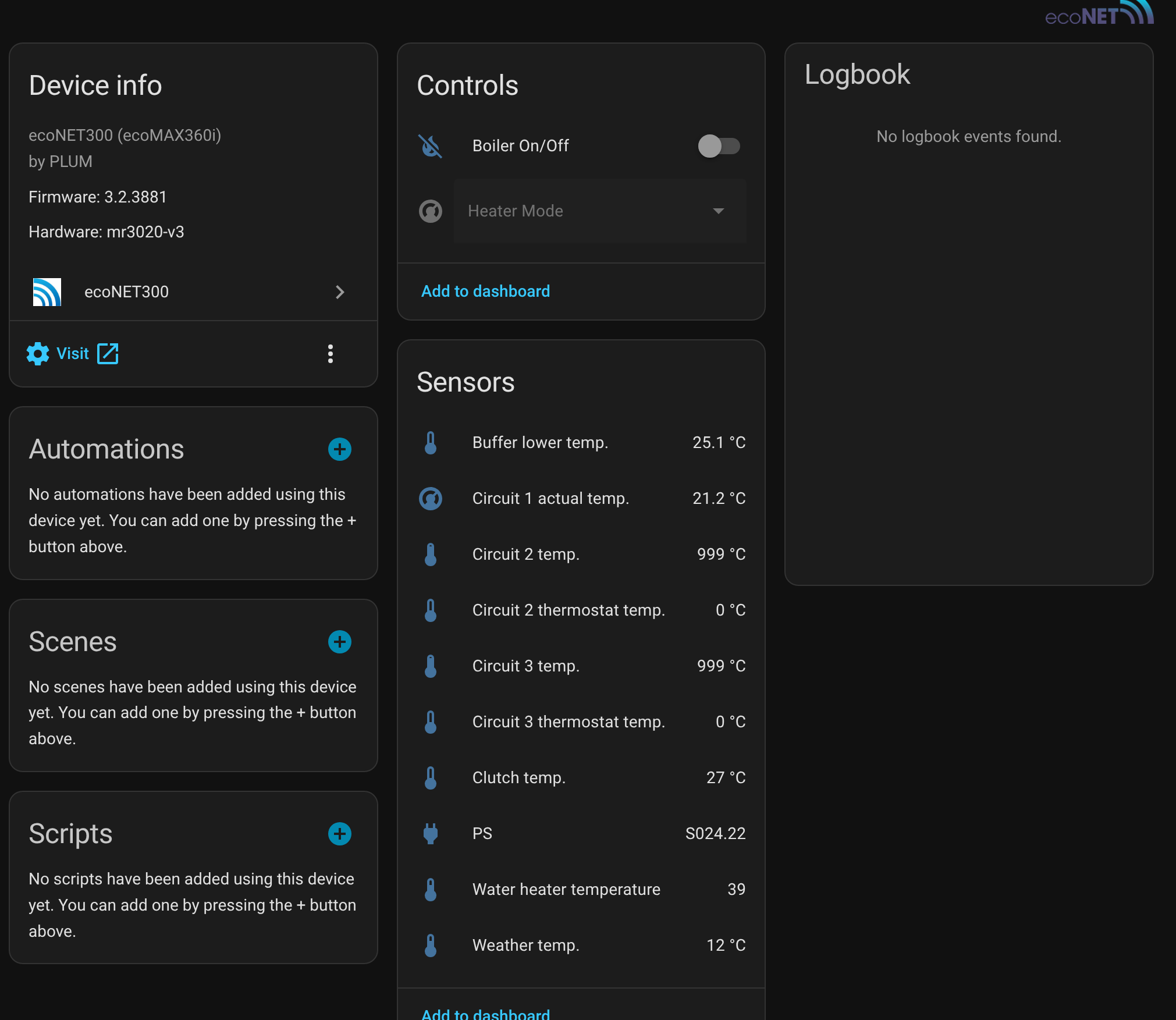
I’ve been using this HA integration, it grabs data from the EcoNet via local HTTP, but compared to your integration it looks like it’s missing a few metrics
Oh nice one for the Control endpoint! I wonder what other values you can control. Don’t suppose you have a map for the numeric values do you?
My code is reading the “tiles” section - I have no idea how changeable this is, it looks bad to rely on, time will tell if it changes! I’ll see what other values I can extract over time. I think I got most of them
I’m about to buy a heat pump to install alongside my oil boiler. The Grant R290 was top of my shortlist but I’m struggling to get Modbus documentation for it which was my plan for programmatic control of it. It sounds like if I buy the WiFi bridge too I’ll be able to figure out some URLs for on/off and flow temp in less time than figuring out the Modbus registers.
It seems fairly easy to do, how reliable it will be when Econet issue updates I have no clue!
I’ve extracted a list of the editable params, this is direct from the https://www.econet24.com/service/getDeviceEditableParams response, the param numbers seem to line up with the endpoint Glyn mentioned, e.g. param num 238 sets the Circuit 1 thermostat, and also 103 lines up with the DOM when using the edit icon in the tiles interface, so this is probably all correct.
Looks like you can edit some useful things:
Turn on/off circuit 1
Set DHW temp
Set room stat temp and hysterisis
Control legionella stuff
Set weather comp curve and shift
If this works, I’ll update the MQTT publisher so it’s more of a bridge than just a publisher and allow control, I haven’t played with MQTT before really but looks a really nice way to get stuff in to HA without using HACS etc.
The inbuilt controller works very well, I’ve been impressed by the inbuilt control algorithms. I’m more interested in monitoring rather than control. But it’s nice to have options.
Once thing to note is that, like all heat pumps, the onboard monitoring is not very accurate. Ir’s currently telling me I’m getting a SCOP of 9, which is impossible! My actual SCOP so far as measured with a heat meter via the OpenEnergyMonitor L3 bundle is 5.0.
It’s great that it’s possible to interface with the econet locally via HTTP, Grant don’t support OTA updates, so I don’t think this local API will change, at least not without a manually applied update.
Yeh I saw yours was running well! You seem to use less electricity than mine at minimum modulation, I wonder why? Maybe your pump is not having to work as hard? I assume your electricity meter is monitoring everything including the controller? Although I presume the controller takes very little..
Out of interest Glyn, what impressed you about the control algorithms? This is my first heat pump so I’ve nothing to compare to so I’m curious as to what people think is good/bad about the unit. I’m occasionally confused as to why it is doing what it’s doing, OpenEnergyMonitor has been invaluable in trying to figure this out which is great.
Oh with the onboard monitoring, I assume the flow is calculated by the controller knowing the pump speed rather than having a flow sensor? You may know.
Yeh agreed only manual updates will change it, I’ll try and check when I update and keep a list of compatible controller versions. I suppose you don’t actually update the TP-Link box during an update, which I presume is where the HTTP server sits? So I wonder if it would ever change? No idea.
Yes, I’m monitoring everything, including the controller. But it’s negligible, only a few W
It seems to handle cycling well i.e when the heat requirement of the house is less than the minimum modulated output of the heat pump it will need to cycle. The Grant algorithms do a good job of avoiding excess cycling. The exact cycle length will vary from system to system based on system volume and emitter area.
Yes, I think so. The Aeroa 290 does not have a flow meter, so the onboard flow measurement won’t be very accurate. I’ve got a heat meter fitted on mine which measures the flow rate accurately.
I’m not sure, I doubt much will change.
If you’re interested, I wrote a post on LinkedIn about my system. I’m also in the process of editing a video of the installation:
I installed the smart controller and mains power for my R290 yesterday. I shall be having a go at the internal plumbing today. Alas I don’t think my “plant room” is going to look quite as smart as yours Glyn but hopefully it’ll be functional.
My Plan A is to use the ecoNET HTTP API as you have as it would be preferable to to have my code adding functionality/optimisation on top of the Smart Controller rather than replacing it. It would be best if the house heating wasn’t dependent on my code - just to cover off the chance of some poor plumber being called in to fix a fault should I ever pop my clogs!
The outdoor unit does have what appears to be a second modbus bus, so I shall hook up to that when I get to the outdoor unit install and perhaps see if it’s possible to have direct modbus communication without upsetting the Smart Controller on it’s bus as my Plan B.
The Smart Controller does have some support for turning on an additional heat source (oil boiler in my case) but it’s quite crude (on below a given OAT and/or during defrosts). It has no way to consider the demand in addition to OAT and given the size of my boiler I suspect it’d result in the return temperature rising over the point where the heat pump would turn off the compressor and the boiler would take all the load. I’m hoping to turn the boiler on and off to manage return temp to allow the heat pump to fulfil the demand that it can and also to consider how far indoor temp has diverged from the set-point and/or how many zones are on to determine whether the boiler is actually needed.
Ah late to this party too. I had already decoded most of the local API stuff, also using HA, and can confirm that the values for work modes are:
- name: "DHW work mode"
  unique_id: 'dhw work mode'
  value_template: "{% set s= value_json['data']['119']['value'] %} {% if s==2 %} {{'Scheduled'}} {% elif s==1 %}  {{'On'}} {% elif s==0 %} {{'Off'}} {% else %} {{s}} {% endif %}"

- name: "Circuit1 work mode"
  unique_id: 'c1 work mode'
  value_template: "{% set s= value_json['data']['236']['value'] %}  {% if s==3 %} {{'Scheduled'}} {% elif s==1 %} {{'Day'}} {% elif s==2 %} {{'Night'}} {% elif s==0 %} {{'Off'}} {% else %} {{s}} {% endif %}"

And you can set those modes with HA 'rest-commands'

rest_command:
  set_dhw_temp:
    username: "admin"
    password: "admin"
    method: put
    url: "http://192.168.1.25/econet/newParam?newParamName=103&newParamValue={{value}}&_=UID"

  set_dhw_hysteresis:
    username: "admin"
    password: "admin"
    method: put
    url: "http://192.168.1.25/econet/newParam?newParamName=104&newParamValue={{value}}&_=UID"

# 0 =off, 1=day, 2=night, 3=scheduled
  set_ch1_work_state:
    username: "admin"
    password: "admin"
    method: put
    url: "http://192.168.1.25/econet/newParam?newParamName=236&newParamValue={{value}}&_=UID"
where 192.168.1.25 is the ip address of the econet controller on your local LAN/Wifi. Best to set a fixed one from your router, rather than letting it wander about DHCP wise. You pass in ‘value’ when you call those rest commands in HA (or you can always use fixed ones, which results in separate commands for on, off, schedule, etc).
My COP numbers are equally silly, though power used and flow temps are pretty accurate, it is flow rate which is not seemingly measured very well, though it gets reported to 0.1 cuM/hr accuracy.
Minimum electrical power at 15hz reads as 330W, which my power meters confirm, but sensible COP of say 6 get only 2kW heat output, which is less than the spec minimum (although there is no spec for 12c ambient).