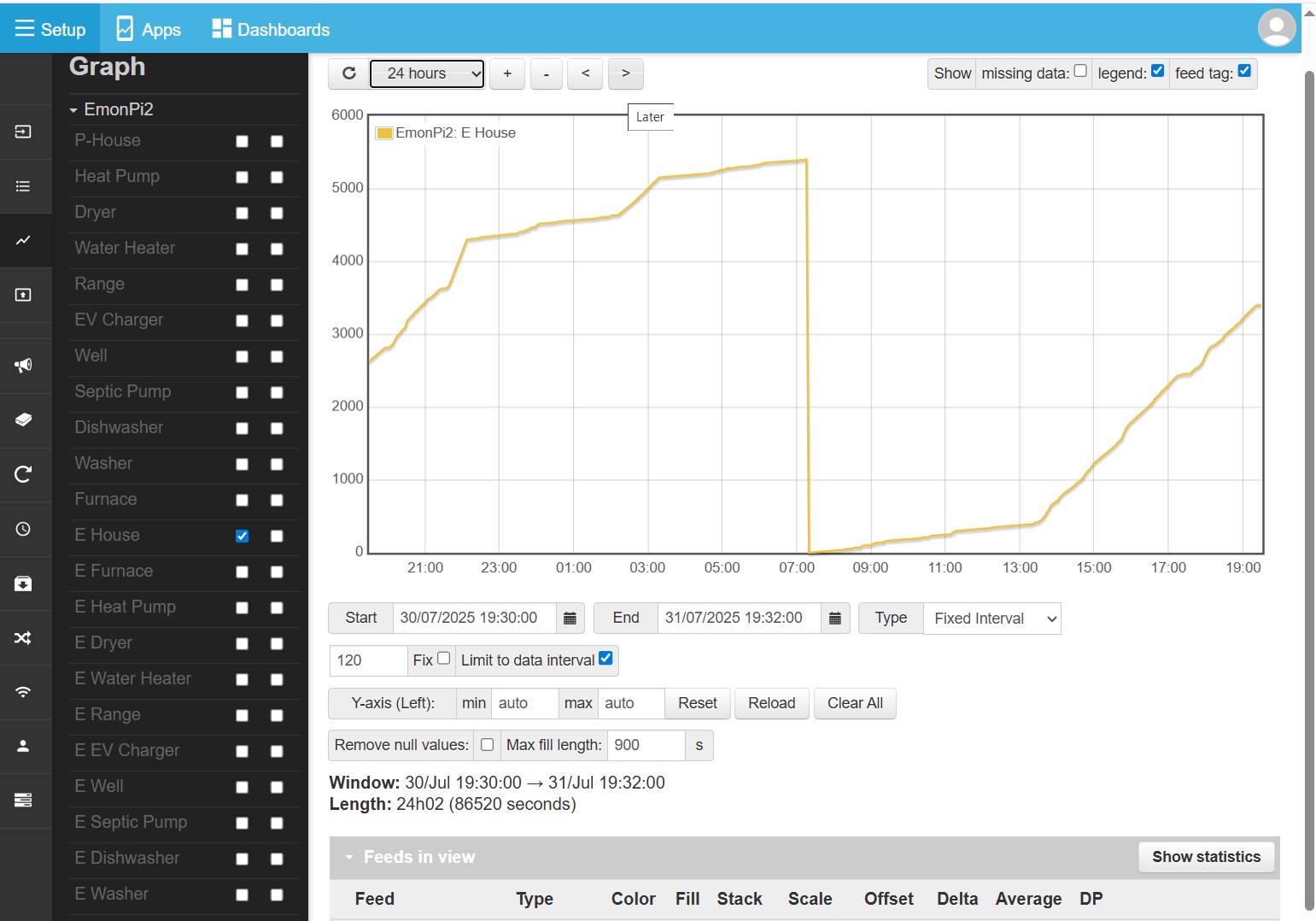
I lost power on my emonPi2. Once restored, it seemed that all the Energy Logs, but not the power logs, were set to zero. Is that data gone forever?
Which brings up a question, “Can I log directly to my NAS which I have mounted in the user directory?” Is this even a good idea? Can I log to two places simultaneously?
Are you referring to the energy values coming from the “emon” part of the emonPi2 and displayed on the Inputs page, or the values you’ve Logged to a Feed - or haven’t you done that? If you haven’t, then it does indeed look like bad news and that data is lost, because a couple of days ago I was looking at the modifications that had been done to my emonEProm library and it no longer works as intended and as described in the documentation. What you need to do to minimise the possibility of future data loss is log those 6 (or 12) values to Feeds. Of course, this won’t protect you from an SD Card failure.
Probably, almost certainly, and yes.
You can log to another server if it has an IP address, if you look in your emonhub.conf file there used to be a block to send to emoncms.org:
[[emoncmsorg]]
    Type = EmonHubEmoncmsHTTPInterfacer
    [[[init_settings]]]
    [[[runtimesettings]]]
        pubchannels = ToRFM12,
        subchannels = ToEmonCMS,
        url = https://emoncms.org
        apikey = xxxxxxxxxxxxxxxxxxxxxxxxxxxxxxxx   # Your NAS emonCMS Read/Write APIKEY here, NOT the RPI's
        senddata = 1                    # Enable sending data to Emoncms.org
        sendstatus = 1                  # Enable sending WAN IP to Emoncms.org MyIP > https://emoncms.org/myip/list
        sendinterval= 30                # Bulk send interval to Emoncms.org in seconds
so all you need to do is (a) install emonCMS there (possibly easier said than done because it’s customised particularly for the RPi - your starting point will be the install scripts, not the SD Card, so be warned, you might have trouble and it’ll need somebody who knows more about this than I to help you) and then put its IP address in the appropriate place above.
The values I’ve logged to a Feed. I think you implied that the data may still exist, but where is it?
I had created an instance of emonCMS in a virtual box on another linux machine. Then I learned that emonCMS was on the emonPi2, so I used that. So I already have my local version of emonCMS.
I modified the file /etc/emonhub/emonhub.conf for my installation:
[[emoncmvbox]]
url = https://[ip address]
apikey = [myRWkey]
I assume that I have to reboot the emonPi2, but I don’t want to assume. I ssh’d into the the emonPi2 to make the changes.
Should I issue the command sudo reboot?
Or sudo shutdown then go out and power cycle the box?
Or go out to the box, use the button to shutdown, then power cycle the box?
(what would be the difference in using these?)
No, restarting emonHub - which it should do itself anyway when it sees the file has changed, should be enough.
And you didn’t need to go in via SSH. You can do it via your Web browser Setup and the Emonhub page.
In emonCMS (local as yet) Setup → Feeds, or Setup → Graphs, or Setup → Visualisation; or on a Dashboard. The feed data can be accessed from all of these places.