It might well be worth getting a copy of KiCad and importing the Eagle CAD files from Github, so you have the schematic & board layout to hand. (If you can’t figure out how to import them, I can provide a zip version of mine.)
I suggest starting with the emonTx4. The first question is, does your custom sketch use the on-board LED? If it does, like the standard sketch, the LED should light for about 1 s on power-up (whichever way, USB or emonVs). It’s between the USB and the antenna sockets. (You might need to take one end off and slide it out of the box to see it.)
If no LED flash, about all you can do is check for 3.3V. The most accessible place is the green sockets next to the USB connector. The outer two of each set of 3 are GND (left) & 3.3 V (right). If there’s no 3.3 V there, I suspect the emonTx4’s power supply, especially if it’s fed from the USB socket.
If it’s OK on the USB power, you need to look at the emonVs.
Disconnect from the supply, take the bottom off (depending on its age & version, you might need to unplug the output cable and/or slacken the glands, and look at the end where the output cable is. You’ll find screw terminals labelled 5 V & GND - check the voltage there.
or
If it’s good, skip to checking the cable.
Otherwise, check continuity across both legs of suppressor choke L1 - it’s in circuit on early versions but shorted with cuttable links on the V1.4, and overcurrent can burn it out and put a short on the d.c. converter.
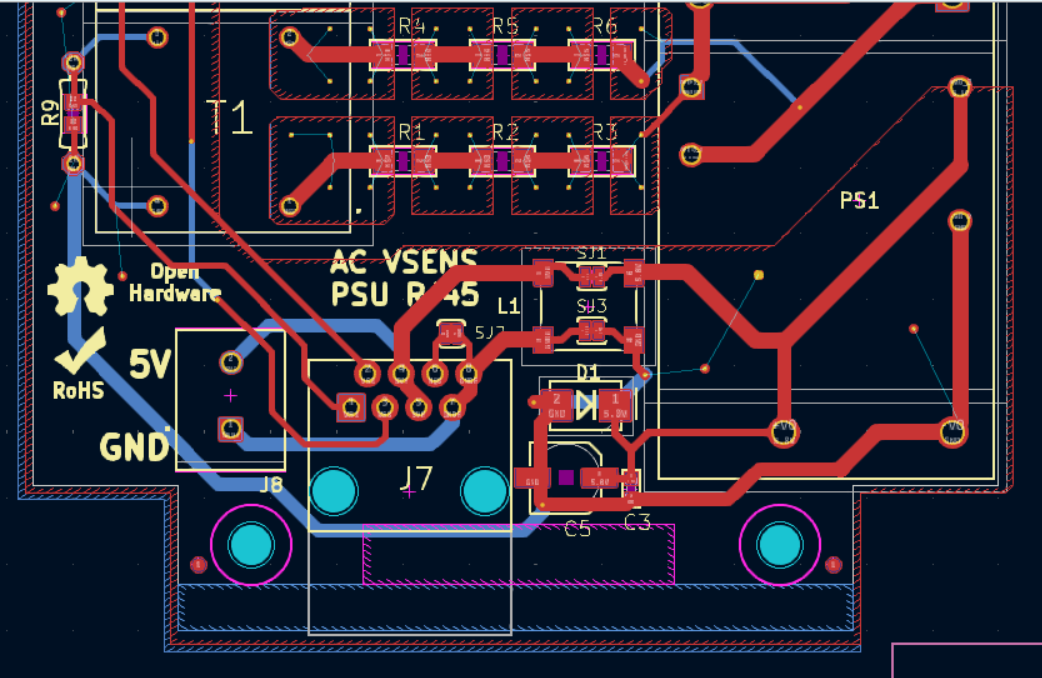
If that’s OK, check the fuse - it’s the very first component after the L1 terminal and the terminals of the Schaffner filter (U$1) are a good place to measure. N is nearest the edge and L nearest the terminals. A ruptured fuse means unsoldering and replacing.
If that’s OK, work your way towards the emonTx, checking the cable - it’s straight pin-pin.