I’ve been getting a “Script error: See Browser Console for Details” pop-up coming into Emoncms for a while now, so I thought I’d update to the latest. I have, and it still happens.
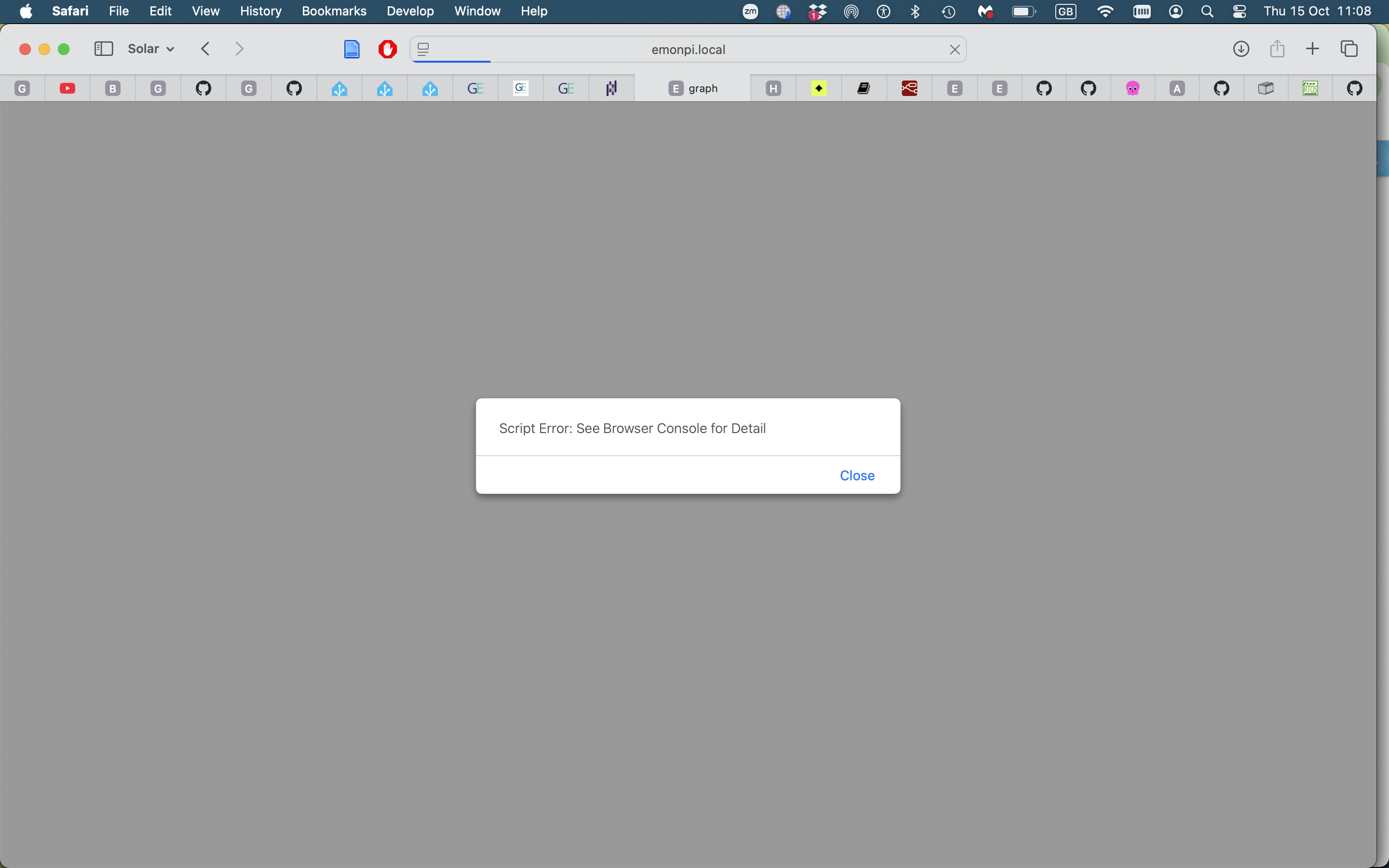
Here’s the error popup and the Console output:
The popup is EmonCMS’s own doing, which should make it easier to pin down. In the emoncms repository (emoncms/emoncms on GitHub), Theme/js/emoncms.js registers a global window.onerror handler. When the browser reports an error whose message contains “script error”, it shows exactly the alert you are seeing. Two things follow from that:
“Script error.” is the deliberately opaque message browsers produce for an uncaught error inside a cross-origin script - the details are hidden for security unless the script is served with CORS headers and a crossorigin attribute. So the modal tells you an uncaught error fired on the page, but the browser is withholding where it came from, and the handler can only repeat the opaque text.
The .map 404 is a red herring, as you suspected. Master ships Lib/bootstrap5/js/bootstrap.bundle.min.js with a sourceMappingURL comment pointing at bootstrap.bundle.min.js.map, but that map file is not in the repository, so DevTools 404s on it. Source maps are only requested while DevTools is open, and a missing map cannot throw the kind of error that triggers the modal.
How I would narrow it down:
Reproduce with the console open and filtered to Errors. The popup means window.onerror just fired, so the corresponding console entry should appear at the same moment. On Safari, also watch for “Unhandled Promise Rejection” entries - those surface through the same global handler.
If the console really shows nothing beyond the .map 404, the error lives in a cross-origin script and Safari is hiding the details. Since Chrome stays quiet on the same pages, a Safari-specific code path is likely - an API or behavior the dashboard JS only hits on WebKit. That exact console line is what the maintainers would need to see.
The handler only alerts when _SETTINGS.showErrors is true, and that flag is hardcoded at the top of Theme/js/emoncms.js (the comment says to set it false to let errors be handled by the developer console). On your own emonpi you could flip it to silence the popup - but that only hides the symptom, a future update would overwrite the file, and it changes nothing on emoncms.org.
For what it is worth, JohnT’s 2024 episode clearing on its own is consistent with all this: something in the served pages changed and the error went away without any client-side change.
I’ve removed sourceMappingURL from bootstrap.bundle.min.js, currently only on local installs I havent pushed to emoncms.org yet. Do you want to try it @John ?
One note for the test so nobody reads the result wrong: if the dialog still shows up after the sourceMappingURL removal, that is expected to be possible. The direct trigger of the alert is the window.onerror handler in Theme/js/emoncms.js - it pops the dialog for any error that reaches it, and cross-origin script failures arrive there as the generic “Script error.” with no file or line info. The missing .map file itself would not fire that handler, so if the dialog is gone after your change, the map reference was somehow involved after all, and if it still appears, there is another script error hiding somewhere.
The handler is only active because _SETTINGS.showErrors is currently hardcoded to true in the same file, so that setting is the actual on/off switch for the dialog itself.
Thanks Trys, I just got back to this. Like so many of these flaky problems, it’s hard to pin down.
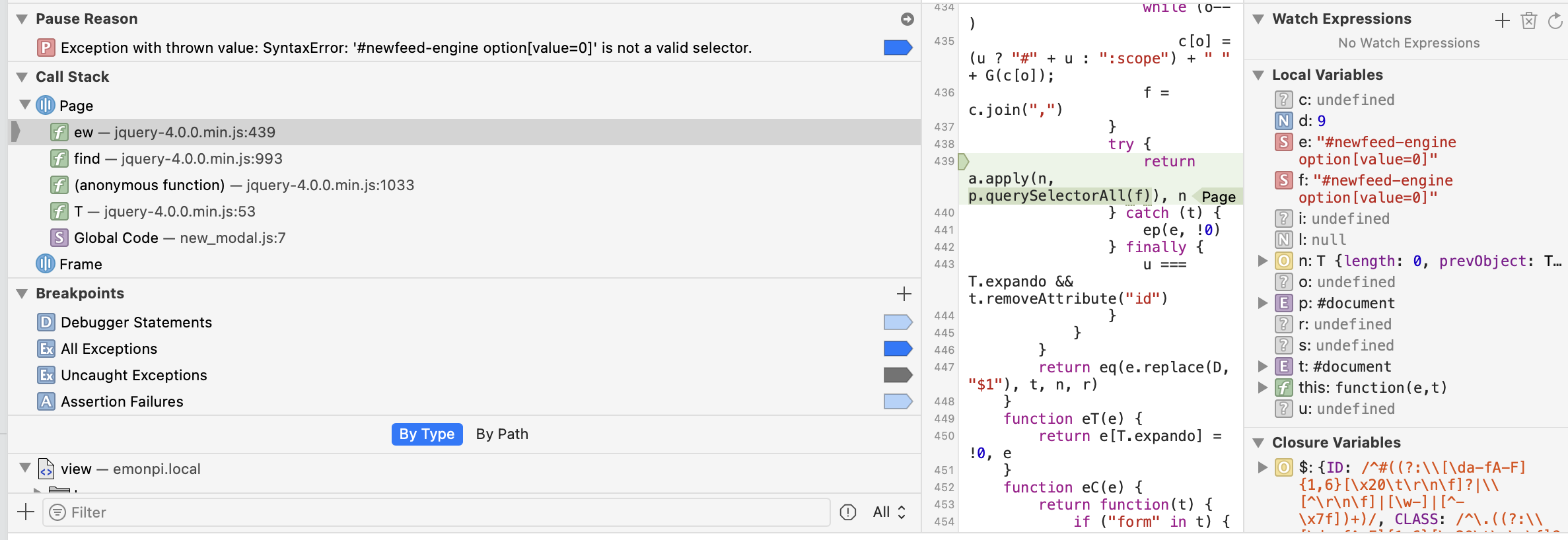
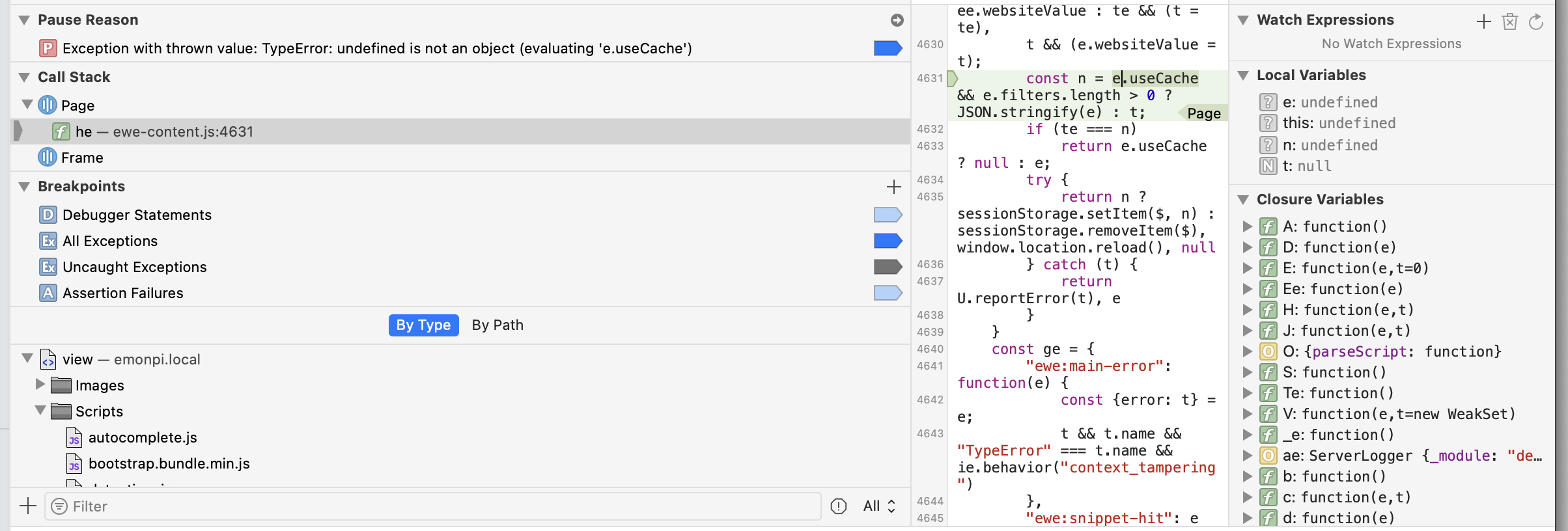
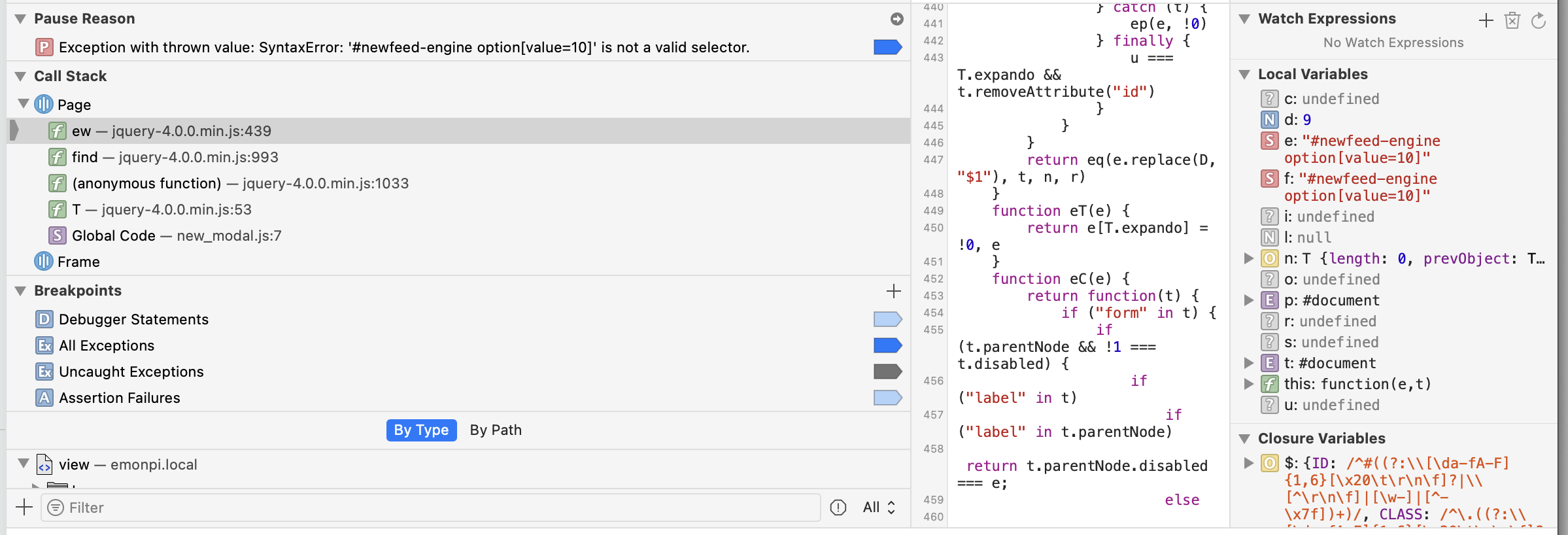
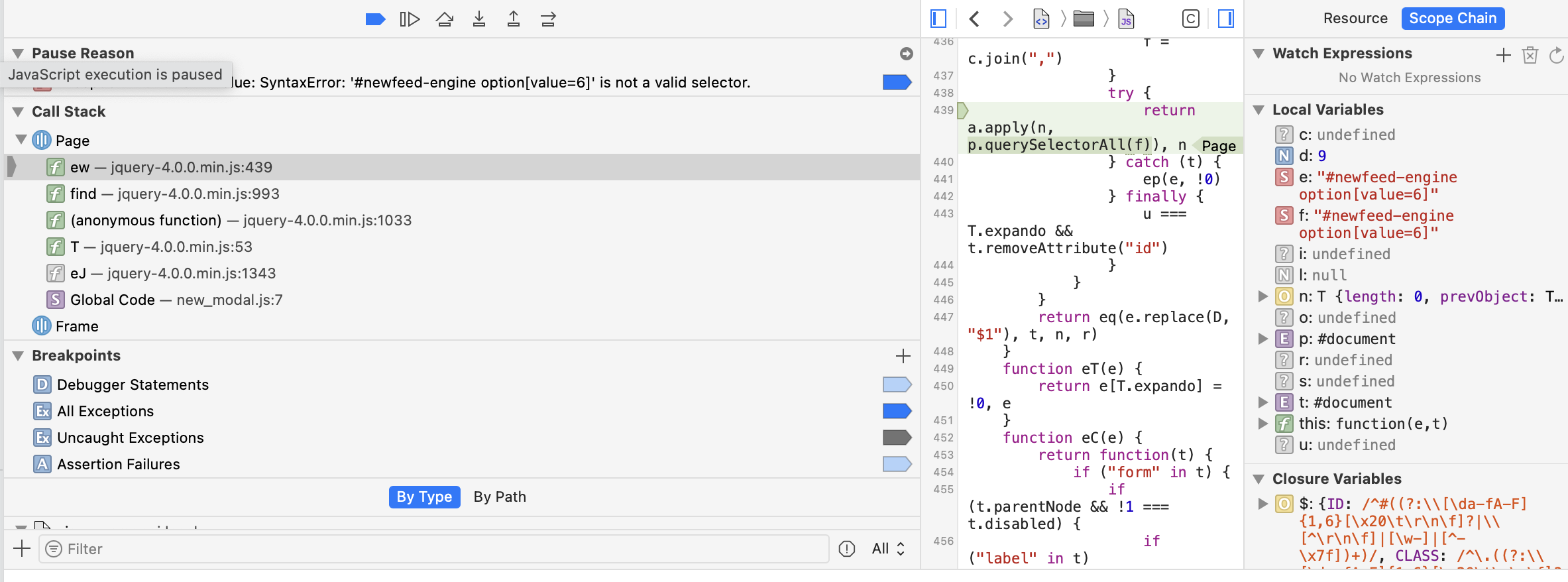
Following similar instructions from a presumably different AI, I had experimented with keeping the Dev Console open while refreshing. That didn’t really get me anywhere, so I tried setting breakpoints on All & Uncaught Exceptions, screenshots of exception breakpoints included. I suspect these are not the culprits - 3 are in JQuery in the same spot and the problem didn’t occur with any of them.