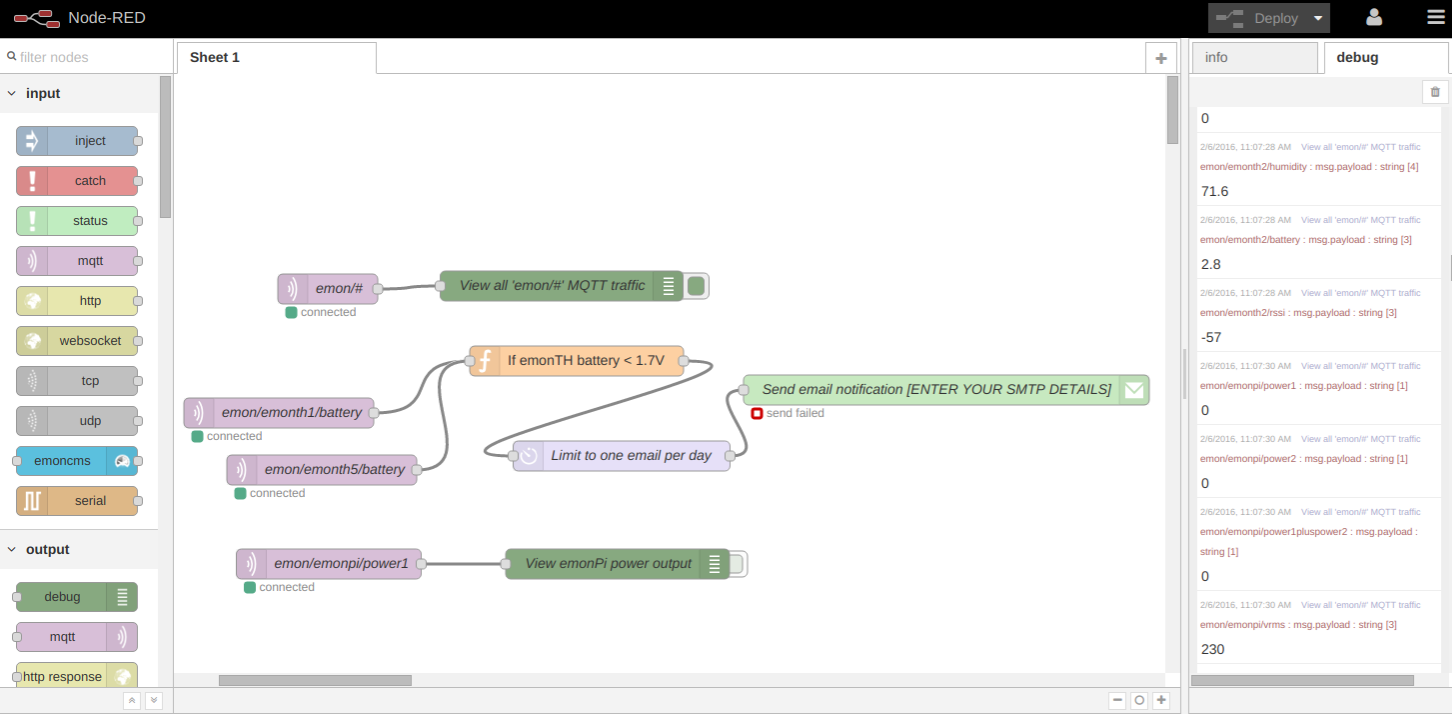
Not sure if this would be useful to someone but in the interests of giving back to the community i thought i’d post it. I have recently installed a emonTH temp probe that samples my hot water temp in my boiler. I had wanted to connect this to my 3rd gen Nest to heat the water when it goes below a certain temp, but the API’s are quite limited at present…
Anyway, as a work around i decided to write a small python script to email me from my gmail account to tell me to turn on my Nest boost function manually, so here it is. You will have to replace the values in betweent the asterix to match your local installation. I am running this from a Rpi that connects to my emonpi via a local network.
snip===
import smtplib,urllib2

fromaddr = '*INSERT FROM EMAIL ADDRESS*'
toaddrs  = '*INSERT TO EMAIL ADDRESS*'
subject = 'Water Temp Low'
url = ('http://<YOUR IP>/emoncms/feed/value.json?id=*INSERT FEED NO*&apikey=*INSERT READ API KEY*')
response = urllib2.urlopen(url)
data = response.read()
data = data[1:-1]

if data < '40':
   header = 'To:' + toaddrs + '\n' + 'From: ' + fromaddr + '\n' + 'Subject:ALERT Low Water Temp! \n'
   msg = header + '\n Water Temp is ' + str(data)

   username = '*INSERT GMAIL USERID*'
   password = '*INSERT GMAIL PASSWORD*'

   server = smtplib.SMTP('smtp.gmail.com:587')
   server.ehlo()
   server.starttls()
   server.login(username,password)
   server.sendmail(fromaddr, toaddrs, msg)
   server.quit()
====Snip
Once you have verified you can send email via gmail, just set a cron job to run the script as often as you wish
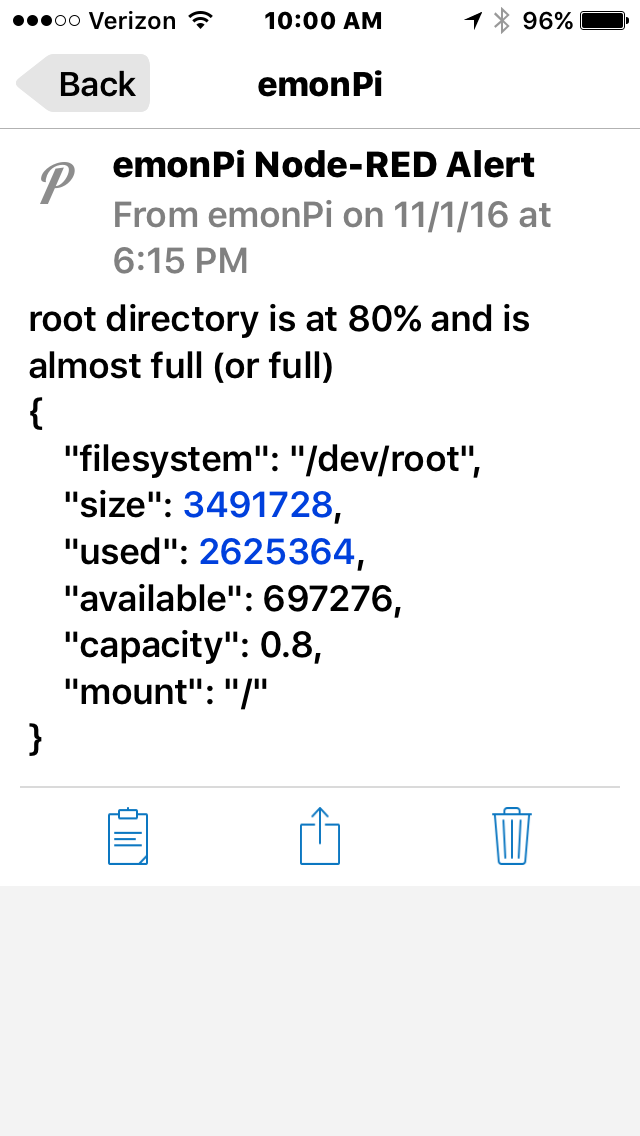
I’m using something similar, except I’m using the ‘Pushover node’ to send push alerts, instead of emails. I’ve found it reliable, responds quicker, is much more configurable, being able to prioritize the ‘alert level’, ranging from a silent ‘information only’ alert, to a full blown verbose alert.
Also uses different alert tones to emails etc, so easy to identify when a problem arises.
You can also set different priority messages according to the urgency, so you could step up the intensity as the directory fills up;
Lowest Priority (-2)
When the priority parameter is specified with a value of -2, messages will be considered lowest priority and will not generate any notification. On iOS, the application badge number will be increased.
Low Priority (-1)
Messages with a priority parameter of -1 will be considered low priority and will not generate any sound or vibration, but will still generate a popup/scrolling notification depending on the client operating system. Messages delivered during a user’s quiet hours are sent as though they had a priority of (-1).
Normal Priority (0)
Messages sent without a priority parameter, or sent with the parameter set to 0, will have the default priority. These messages trigger sound, vibration, and display an alert according to the user’s device settings. On iOS, the message will display at the top of the screen or as a modal dialog, as well as in the notification center. On Android, the message will scroll at the top of the screen and appear in the notification center.
If a user has quiet hours set and your message is received during those times, your message will be delivered as though it had a priority of -1.
High Priority (1)
Messages sent with a priority of 1 are high priority messages that bypass a user’s quiet hours. These messages will always play a sound and vibrate (if the user’s device is configured to) regardless of the delivery time. High-priority should only be used when necessary and appropriate.
High-priority messages are highlighted in red in the device clients.
Emergency Priority (2)
Emergency-priority notifications are similar to high-priority notifications, but they are repeated until the notification is acknowledged by the user.
just mentioning - if you wish to to send to SMS alerts instead of email alert . just use any simple smtp send function… the hardest thing is figuring out the SMS address for your provider or what ever SMS number you are sending to
example in CANADA it would be ( for your provider you just need to google the SMS for provider
[10digitnumber]@txt.bell.ca (Bell and Solo)
[10digitnumber]@sms.rogers.com and [10digitnumber]@pcs.rogers.com
[10digitnumber]@sms.fido.ca
[10digitnumber]@msg.telus.com
(10digitnumber]@vmobile.ca (Virgin Mobile)
[10digitnumber]@mobiletxt.ca (PC Mobile)
[10digitnumber]@msg.koodomobile.com
[10digitnumber]@sms.sasktel.com and [10digitnumber]@pcs.sasktelmobility.com
[10digitnumber]@text.mts.net (MTS Allstream Inc./ Manitoba Telecom Services Inc.)
[10digitnumber]@txt.windmobile.ca