I’ve been using a local instance of Emoncms for years - and it was setup years ago. Two questions
I’ve just setup Emoncms.org and can see data appearing in the INPUTS view. However, the Inputs do not “know” what type of device is sending the data. I tried clicking on the cog, selecting the right type (e.g. emonTH) and Save but nothing changes. I tried Initialize - again nothing. What do I need to do to get the right template?
If I click on a cog for (e.g.) temp, I see a potential feed. I fill in feed tag and feed name (what’s the difference)? and create it, and save. However, in the Feeds view, the "value field is always NULL. I’ve looked through the docs, but they skip from posting data to Emoncms to view graphs - there’s nothing on inputs and feeds (that I can find).
Correct, only the nodeID and values in sequence are sent. I think you will want to add the same process steps in emoncms.org as you have in your local emonCMS (but you don’t need to). Do this in exactly the same way as you did in the local emonCMS.
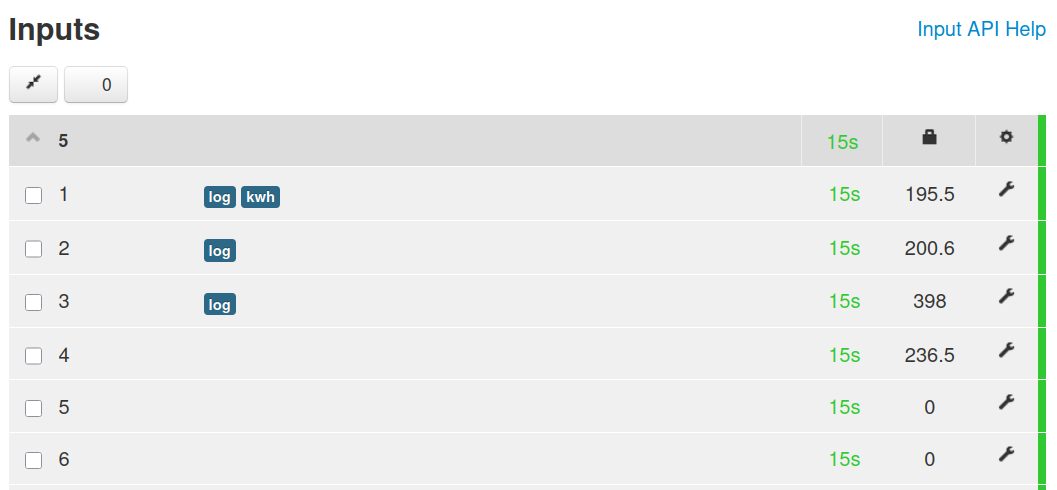
To try to envisage what you have, I’ve sent data from my emonPi1 (with more or less a standard set of processes and feeds) to my emoncms.org account. Two nodes show up, 5 (the emonPi) and 23 (an emonTH). Node 5 has 14 items, corresponding to Power1, Power2, Power1+Power2, Vrms, T1-T6, Pulse1, Pulse2, E1, E2 & rssi.
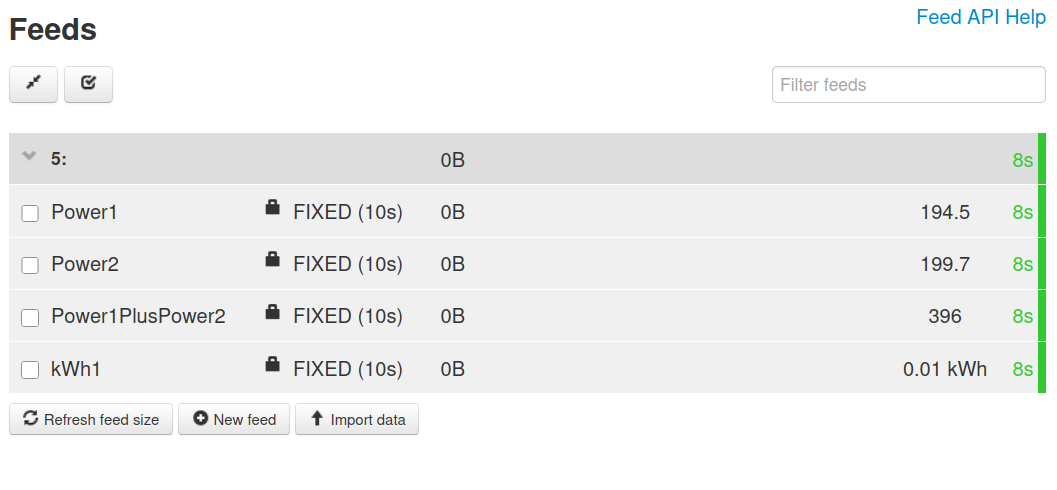
The simplest way - as we did in the emonTx & NanodeRF days, is add the process steps manually: on the Inputs page, click the spanner icon against (say) Input 1, which we know from the local emonCMS is Power1, add Log to feed as your first process step, in the Feed boxes CREATE NEW (Node) 5 and in the 3rd box name it Power1 You probably want the default engine (fixed interval time series) and time (10 s) and Add the process. Continue to add (say) Power to kWh as you wish - or copy what you have locally and don’t forget to save. You should find you now have a Feed called Power1 (and some others if you created more).
Work your way down the list like this.
Unfortunately, I cannot find a way to add the Input Names to the Inputs page - in your local emonCMS, this information comes from emonHub and the file emonhub.conf. This does not exist on emoncms.org.