Thank you for this advice. My issue is that I built an environment around the first 2016 emonPi with the added emonTX, including a Great Wall display of energy use covering items important to me, and using the included NodeRed connected to smartEVSE giving me a very safe 11kWh single phase EV maximum charging regime, plus the ability to perfectly match the solar input when required. The sample rate was increased with a patch from Glyn Hudson to 1.5s which made the entire solution both great and safe. The physical wiring alone for this solution was not easy (included charging contactors and a charging cable able to safely pass 48a single phase).
After 8 years of uninterrupted and very successful use, NodeRed suddenly lost its connection to the emonPi data (something to do with mqtt?). I stupidly went into emonPi and accidentally (unintentionally) updated emonPi with disastrous results. A few months ago with your and Trystan’s assistance I tried to regress to the very stable emonSD 16 Oct17 to re-create the successful system, but I could not stop it upgrading and becoming too difficult for me to use.
I understood from forum comments that the latest emonSD is not able to successfully run on the original emonPi and as you point out in any event is not suitable for a mixed emonSD and NodeRed application as was the original. Also, the Open Energy Monitor team confirmed that the sample rate cannot be improved from the current 5s so this is not able to drive the feedback required by the smartEVSE.
This issue is entirely my fault; I so wish I had cloned the very successful original. Recovery would be so simple! I really do not wish to abandon the current setup but I am now lost for a solution, given you advice.
I have a copy of emonSD-07Nov16.zip if this would help?
Also, I’m not sure that
is true.
I think it depends on the version of RPi - I have a Raspberry Pi 2 Model B Rev 1.1 - 1GB (Sony UK) running emonCMS Version: low-write 11.9.10 from emonSD-01Feb24,
and a Raspberry Pi 3 Model B Rev 1.2 - 1GB (Sony UK) running an older (emonSD-10Nov22) emonSD image as it’s a real pain to shrink the image to fit on a 8 GB SD card, but the EmonCMS version is updated likewise to low-write 11.9.10
I think you are likely to have to modify your installation. Things have moved on in 10 years.
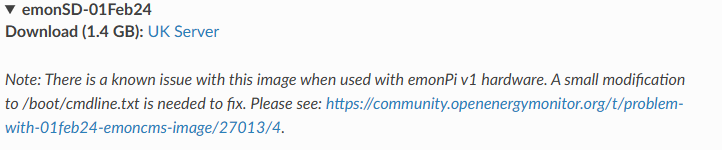
Re the emonPi V1, there is a note on the downloads page and I think therefore you should be able to get the emoncms part working again. However, as you say, the minimum feed time is not as short as you would like (I think it is now 10s).
Do you still have access to the NodeRED flow? IME migrating NodeRED flows is a nightmare!
For directly matching your charging to excess solar, these devices are not really the best option. I think there are a number of dedicated solar diverters now available which may meet your need.
I have just worked out that my issues with the attempt to install 26Oct17 are due to the image failing to boot Raspberry Pi. My hardware is fine with later versions downloaded just for test purposes so I am confident that it is the image. Earlier emonSD versions prior 21Jul21 are not available, except the corrupt 26Oct17 image, which I have downloaded several times, all fail. I would very much like to access the 07Nov16.zip as it would simply enable me to re-enable my system. Does this forum allow personal messages? Or can it be attached to a post? Many thanks
@TrystanLea
Having only ADSL Internet, I was unable to send @keithfromoz my copy of emonSD-07Nov16.zip, but I approached Gwil (thanks again, @Gwil ) who provided a link to the archived copy. Keith downloaded this but - and this is where we need your help - it insists on updating itself after it starts up. I cannot explain this: my copy, which has the identical SSH checksum, behaves as intended and refuses to start the update process as the version is too old.
To be able to rebuild his system, Keith needs a way of preventing the update mechanism from acting and effectively destroying the Nov 16 version.
I sent you a PM about this a few days ago asking for some help, because I don’t know enough about how the RPi OS starts up and how you detect the different versions etc, but you seem to have missed it.
Nope. What I can’t understand is I sent the fistful of hashes (both the zip file and the extracted image) and he said
So the big question is why does what should be exactly the same version fail to update for me (as it should) but invoke the update for him?
Thanks, Gwil, for picking this up. I’d never have thought to look there for that. Here is the same file from the 2016 SD
#!/bin/bash

# Script to update new emonPi's to latest firmware and software the fist time they are booted up in the factory
# Looks to see if /home/pi/data/emonpiupdate.log exists, if it does not then run update script
# To rc.local before exit 0 add:
# /home/pi/emonpi/./firstbootupdate

# Check if update log file is empty if so then proceed to update
if [ ! -s /home/pi/data/emonpiupdate.log ]; then
	echo "First Boot Update.."
	printf "Checking interent connectivity...wait 5s\n"
	sleep 30
	WGET="/usr/bin/wget"
	$WGET -q --tries=20 --timeout=5 http://www.google.com -O /tmp/google.idx &> /dev/null
	if [ ! -s /tmp/google.idx ]; then
  		echo "No Internet connection :-("
	else
   		echo "Internet connection detected running update.."
   		connected=true
	fi

	if [ "$connected" = true ]; then
		/home/pi/emonpi/service-runner-update.sh 2>&1 >> /home/pi/data/emonpiupdate.log 2>&1
	fi
else
	echo "Not first boot"
	exit
fi

# set permissions on newly created logfile so emonpiupdate script an write to it
sudo chmod 666 /home/pi/data/emonpiupdate.log

exit
I didn’t see that output, here’s what mine did:
Starting update via service-runner-update.sh (v2.0) >
Filesystem is unlocked - Write access
type ’ rpi-ro ’ to lock
mount: / is busy
Filesystem is locked - Read Only access
type ’ rpi-rw ’ to unlock
Fri 8 May 22:44:14 UTC 2026
…
emonPi update done
So clearly the second shell script service-runner-update.sh overwrote the output of firstbootupdate before I could see it, because the output of this second script is what I saw.
Should I suggest @keithfromoz deletes both these scripts - or even the third emoncmsupdate from his image before he puts it in his RPi and then tries? It would appear no harm can be done because I think he’ll never want to run an update anyway, but it does look as if the third 'emoncmsupdate` actually needs modifying as it appears to install other things which he will need.
Talk about a rabbit hole, this is more like a badgers’ sett.
First - many thanks to the assistance given, especially Robert who clearly went above and beyond.
Second - I am now going to attempt the rebuild again, and I assume that I need to delete three scripts - service-runner-update.sh, firstbootupdate and emoncmsupdate. Let’s see what happens! Again, thanks
Not the success I had hoped for. I removed the 3 files from emonSD 7Nov16 using the rm command but found that:
1. I could not sftp the 1.5s sample rate hex file onto emonpi – the failure was dest open “file” failure – something that never originally happened. Tried chmod 770 on emonpi but this did not make any difference. Tried to expand the directories using emonSDexpand on a 16gb card but this failed – after 40 mins I pulled the plug.
I re-tried a vanilla 07Nov16 emonSD and sftp worked perfectly, allowing the 1.5s sample rate hex file to “put” into the emonpi (using ethernet attached to mac laptop disconnected from internet), then I removed the 3 files.
2. When connected to the emonTX the inputs were plainly rubbish (try 27899 kW from solar at night – I wish!).
The emonTX data worked perfectly and accurately when restarting using the 10Nov22, so I wonder if using later emonSD’s have changed something in firmware or the emonTX. Or perhaps now seeing that the removal of the 3 files has a marked effect (the sftp fail) maybe these files somehow do more?
3. After flashing the 1.5s sample rate is not working – again, I wonder if the file removal is affecting more than just the updates.
I will try again tomorrow with some 8gb SD cards and emonSDexpand, as M1 macs will not run gparted. Would I be better just hashing out the code lines in the files?
OK, the second & third files do things I couldn’t see the need for, so you probably need them and you must “only” edit out the update commands.
Digging deeper - it’s not so simple, there’s a lot of layers. You need to look at every line and check exactly what the line does - if it runs another script, check that in detail and any scripts that one runs, etc, and comment anything that does any sort of download, keeping things that don’t. This may still give errors, it’s a pity Trystan is ignoring my requests for help, because he should know exactly what needs to be done.
I wondered about making a false log file to avoid all of this - but then it might see that is out of date and promptly try an update and you’re back where you are now. You don’t want to stop the first update - you want to prevent every attempt to update, ever, however it is requested. Especially the accidental one, so once you’ve got it running I’d zip all the update scripts etc, whether you edited them or not, and then delete them all, retaining the zip file “just in case”. And for goodness sake, as soon as you have a working version, take it out of the Pi and make your own image or copy.
I’m not going to be able to look too much at this for a few days, I’m afraid.
Will do, especially the backup if it gets going. Pity I did not do that 9 years ago. I do understand that Trystan may not be able to assist; the Open Energy team were really great in assisting the original setup, with Glyn supplying the 1.5s sample rate script. However they are a business that need to focus on current issues and supporting a 9 year old no longer current system would not be a sensible commercial thing to do - and we all need Open Energy to continue being successful.
My issue is that there is no sensible alternative - 11kW single phase EV charging that is tied to a safe maximum rate and also able to charge on solar only.
If you can’t get emonCMS (2016) to work, you’ll have to explain (rubber duck fashion) what you’re doing with the data, and we’ll try to find an alternative solution.
Thanks Robert.
After days of frustration I have now given up. I finally managed to get a stable emonSDNov16 by deleting and commenting, and was at least satisfied that with assistance the regression was possible. The 1.5s sample rate hex file was installed but did not show up on the input or feed tables which kept at the emonpi rate. I considered that it might be specific for the Node Red feeds. However, Node Red then became an issue. It would not start up with the requirement that it needed some additional items - then proceeded on a real upgrade, deleting and replacing a heap of files. This updated version did not start up either, with the system frozen after start-node-red.
I have now looked at the updated SmartEVSE from Michael Stegan (Netherlands) and have found this has progressed into a Version 3.1 since my original purchase, now having Solar as well as a Maximum charge rate control. This is what Node Red provided with the original SmartEVSE. This new version can be used with my bespoke charging infrastructure of single phase 48A as per the original version.
Emonpi will now become the monitoring system only as it tracks and displays the specific items required. On a more positive note your advice on how to get the Nov16 issue working was correct, so again many thanks for all your efforts and advice.