Me and @f1p have been playing with CNRF and reversed most important stuff of the protocol and basically got remote thermostat working. You can use any temp sensor or thermostat as remote thermostat.

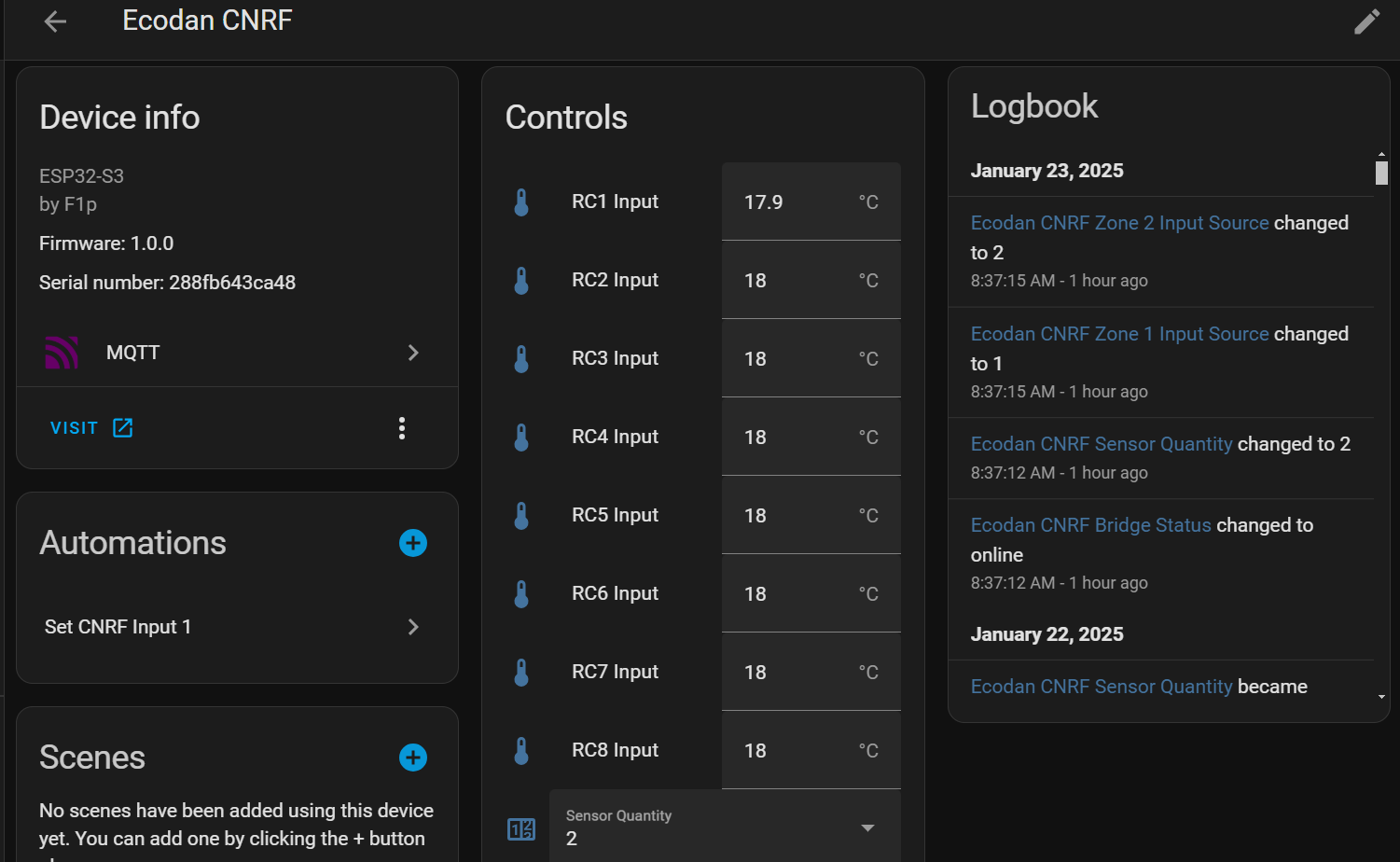
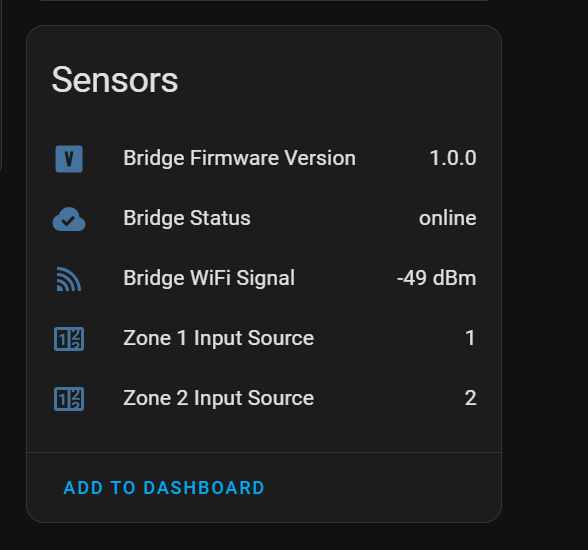
I’m thinking of going down this route as our FTC6 main controller is in the hallway that is a bit colder than other rooms mostly due to me meeting to sort out the seal under the front door.
Does anyone know where I can source a, preferably, pre made cable to connect to the CNRF. Or @F1p can one of your CN105 solutions be used?
It’s the same cable & connector as CN105 which is helpful, and the software can be changed between the two projects with the normal Update method
Initial multi zone support for the remote thermostats has been added. It should do all the basic stuff.
remote thermostat project is now able to accept REST api calls to supply it with temperatures instead of HA.
This is all very interseting, but a bit above me. I do have one of Phils magic CNRF devices along with his CN105 device. Not used the CNRF yet, but I’m considering trying to use AA again with my 6kW Ecodan.
Currently I’m using on-off stats in our lounge and lodgers lounge…. on heating curve.
Both lounges have woodburners for depth of winter, so, ideally, I’m wondering if I can have 3 temperature-sensing devices in lounge1, lounge2 and hall. The FTC needs to control on the lowest temperature. e.g. 18 in each lounge, and say 16 in the hall. if any lounge jumps up due to woodstove, it ignores that, and looks at the cooler room. If both stoves alight, it looks at hall. Is this possible?
@F1p told me you were looking to run it without HA.
@johncantor me and @F1p use the same hardware, so you can just flash our firmware on the devices. see esphome-ecodan-hp/docs/install-from-bin.md at main · gekkekoe/esphome-ecodan-hp · GitHub
For using AA and CNRF let me try to explain:
- When using CNRF we emulate a mitsi wireless thermostat. The FTC does not see any difference. But you need a way to send your 'current’ room-temp to the CNRF device. This can be done via REST API or HA. HA is easier.
- If you want to use my AA, then you don’t need CNRF. The AA also allows you to communicate the current temp back directly (see step 2+3 from the getting started section Using Auto Adaptive Delta-T (ΔT) Control · gekkekoe/esphome-ecodan-hp · Discussion #214 · GitHub , and esphome-ecodan-hp/docs/auto-adaptive.md at dev · gekkekoe/esphome-ecodan-hp · GitHub )
I do recommend direct interfacing via HA/REST API. This will allow you to use a 0.1c temp resolution instead of the 0.5c via CNRF. 0.5c is a LOT when you are using UFH for example.
The current temp can consist of any sensor, you can do some logic (like what you are describing for the conditions) on it before sending it to the esp device.
Use the simulator to see how the engine works and what flow it will select. Also keep in mind that it also takes the outside temp into account. If its colder → it will use a higher flow temp.
Let me know if you have any questions, and I will be happy to answer them (here or on my github)
I have been using AA for the last 3 weeks and for me it has great. I also support complex setups with mixing tanks, multi zones, has anti-cycling handling, defrost handling, …
Read more into the setpoint bias, it allows you to optimize for cost very elegantly.
Use the example dashboard to control/monitor all options
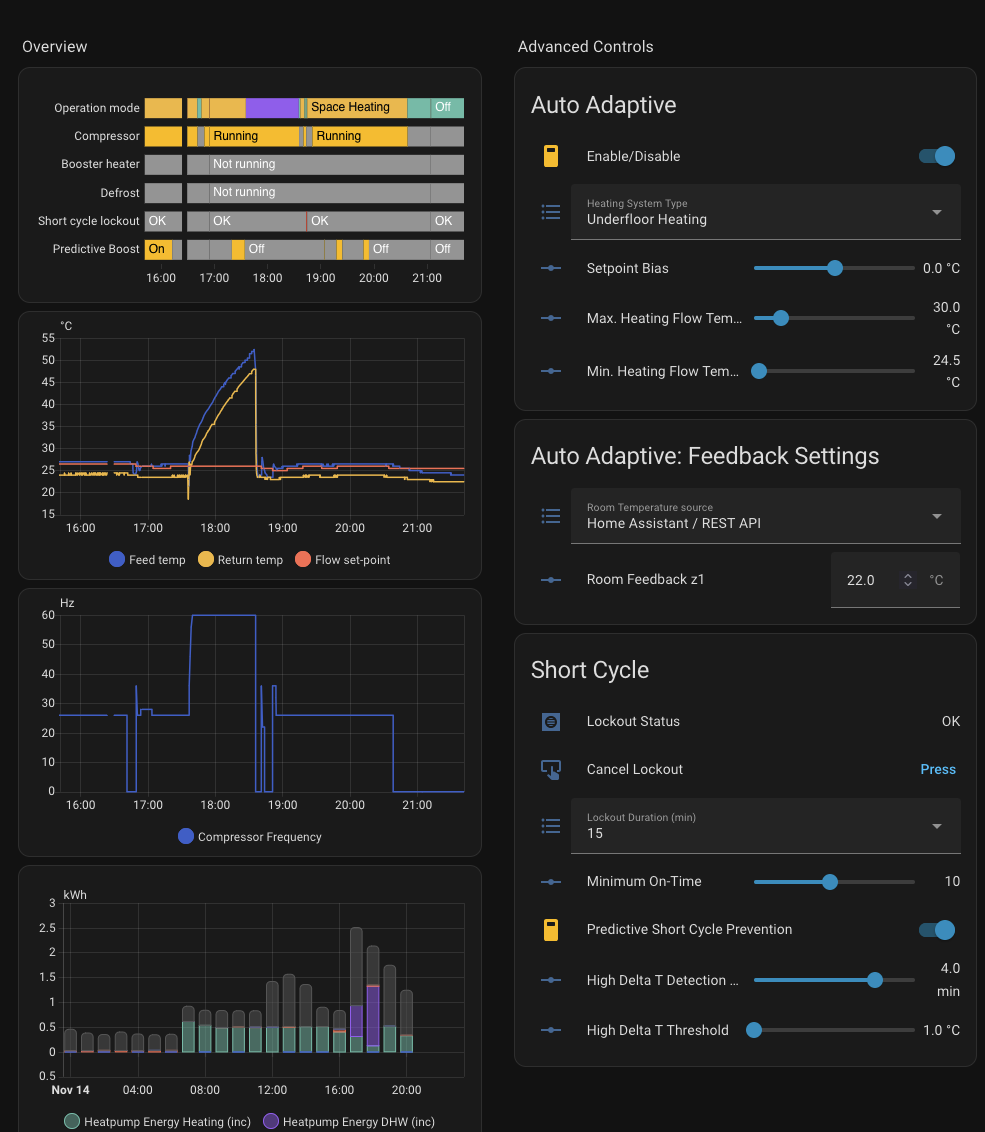
Thanks Gekkekoe, that all looks amazing work. I must admit, much of it is above me. I am happy to learn some of this. Apart from a ‘clever’ control, what I want is a parallel system of standard thermostats so when we sell up, the system can easily be made ‘standard’ . In the mean time, i would love to see my Ecodan running much better. Currently a crude thermostst system. One difference here is that our use is quite variable. Its a very old house, so too expensive to heat it all, all the time.
Its an interesting concept to monitor the return temperature. So to do this usefully, you need a constant flowrate?, and no TRV valves? Is your system ‘open loop’ as it is often called?
Re Home Assistant. I have not managed to learn it, but would be open to trying if it would be useful.
I will read your stuff again to see if i make more sense of it. One of the problems is lanuguage, and understanding what some terms mean.
Many thanks
I use the internal feed/return temp sensors of the ecodan. So their flowrate and feed an return temp. It does have a resolution of 0.5c for the temperatures.
I did used another approach before using delta T concept. The other method was a moving weather curve, it works, but it was too difficult for people to setup correctly. The delta T method has a lot less parameters and is way more robust. Why the return temp is working so well, is because it’s the actual load indicator for your house. If we get solar gain, then its reflected in the return value, if it gets really cold you also see it in the return value (I do use the outside temp to proactively react on colder weather). It often called Load compensation combined with weather compensation, so its a hybrid. You get best of both worlds.
Re thermostats: you need to find a way to define your rules/logic. I think HA is the easiest for it, but it can be done from what ever system you want. It’s needs to be able to communicate via REST API. For beginners, I think HA is easier and there are more resources online.
For AA you don’t need to heat all the time. For example, with these weather I turn of heating at night. But for some electricity is cheaper at night and the choose to buffer heat into their UFH. It does mean that you need to be able to make up for the heat loss during the day. When it’s < 5c, I also heat at night.
Regarding flowrate: The ecodan uses fixed flowrate, it does not change during heating, unless you change it in the menu of the MRC.
You just need a thermostat (could be wireless) and a automation to send the values to the esp device. The rest of the data is being retrieved from the ecodan itself.
If it’s not clear, just ask, I will try to answer or refer to documentation.
Having intermittent connectivity issues, device suddenly stops responding to curl posting and web UI isn’t accessible. Last evening I connected to device using usb serial and that’s all it printed out. Last time it did that was about 4 days ago.
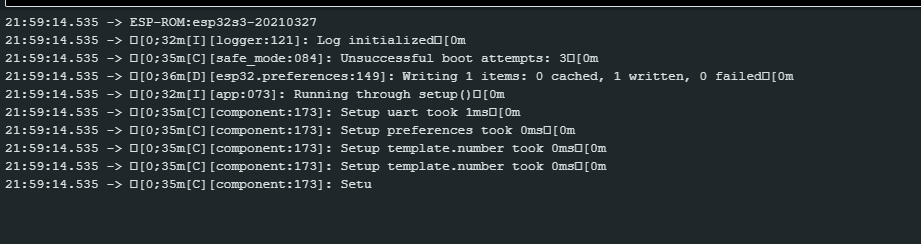
After power cycle it started up without issue and all was accessible, but now it’s yet again unavailable:
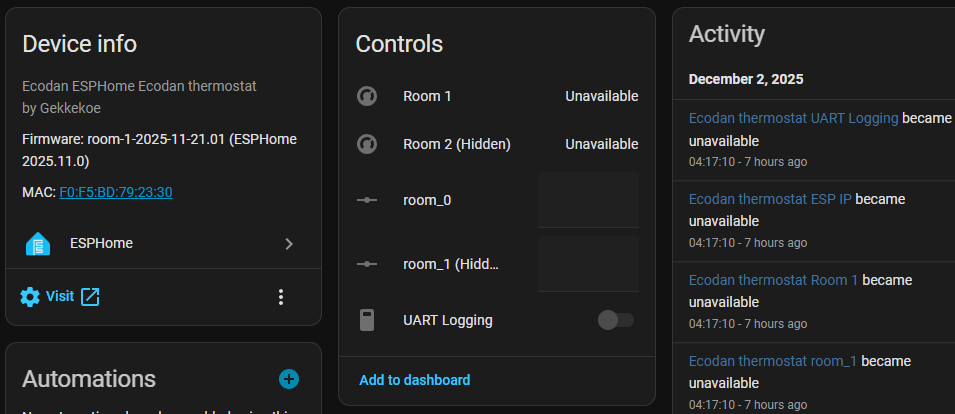
Responds to ping, but UI isn’t loading
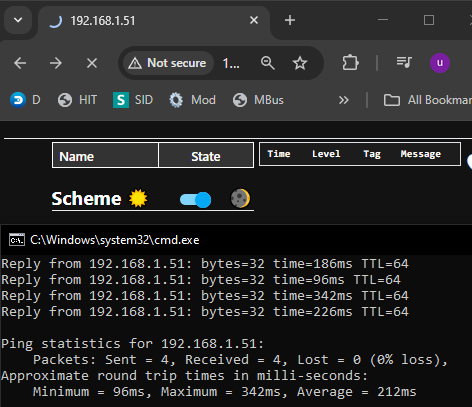
Using only zone 1, Firmware: room-1-2025-11-21.01 (ESPHome 2025.11.0)
It’s seems to receive the posted curl, but not always, since i’ve got a script made in domoticz that checks response and if there’s no response 3 times, it switches to compensation curve mode.
One log entry resetting error counter in script:
2025-12-02 11:30:03.325 Status: LUA: LUA: ESP temperature updated: 22.4°C
2025-12-02 11:30:03.513 Status: LUA: LUA: CNRF HTTP status = 200
2025-12-02 11:30:03.513 Status: LUA: LUA: CNRF OK → counter reset.
Next one doesn’t reset counter, thus response was ok right away:
2025-12-02 11:36:00.088 Status: LUA: LUA: Updated average temperature → 22.4°C
2025-12-02 11:36:00.640 Status: LUA: LUA: ESP temperature updated: 22.4°C
Maybe it’s the device itself that might act up?
I’m using this device with low-level converter from Ali. Uploaded via esphome.io web interface if I remember correctly.
Is there a way to reboot device via API call?
Also it would be a nice feature, if device could read previous room setpoint from device, currently it sets it to 8C (ASHP shows 10C as minimum).
But overall great job guys 
Edit:
Wifi signal is ok, sharp yellow dip is where the setpoint goes to 8C
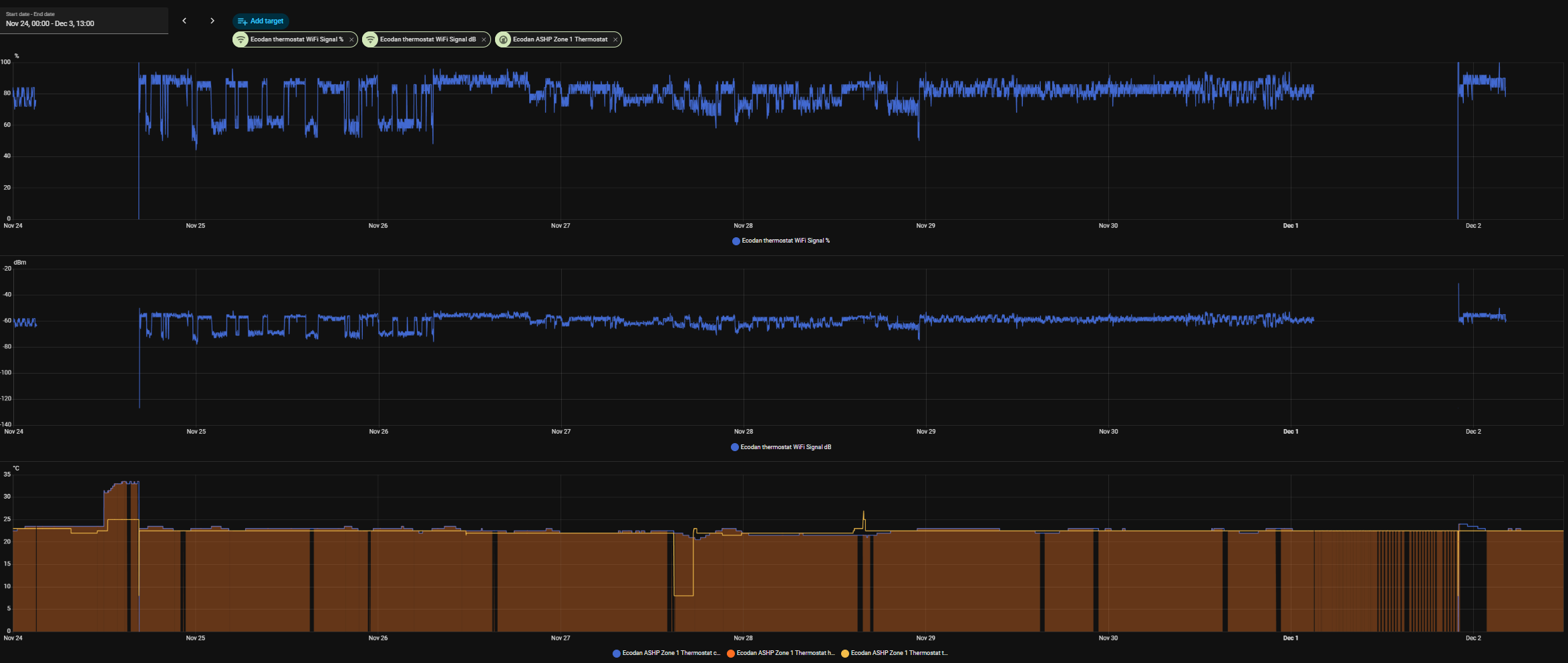
this did hot happen with previous firmware?
I did not limit current temp when sync, so that might need to be added and maybe reboot button. But I did run this for a while with an atom s3 lite, and never had connectivity issues.
When did it started after upgrading to latest esphome ?

the min I know, but you can easily fix it in the sync code, do max(current_temp, 10) before sending it to the cnrf. I will put it in cnrf later,
I just pushed a new build which will remember previous value on boot, so that would avoid the 8c drop after the first time. But you should really fix the network connectivity.
When I got home the WebUI was reachable again, uploaded previous build.
My home network doesn’t have any connection issues, CN105 is with F1P v6.3.5 with this board from ali and works flawlessly. After googling a bit I think it’s the S3/C3 super-mini board issue, we’ll see over time. Some solution was for that to reduce wifi transmission power.
Also what I’ve noticed, that if the second room setpoint isn’t set, it spams nonstop on room2
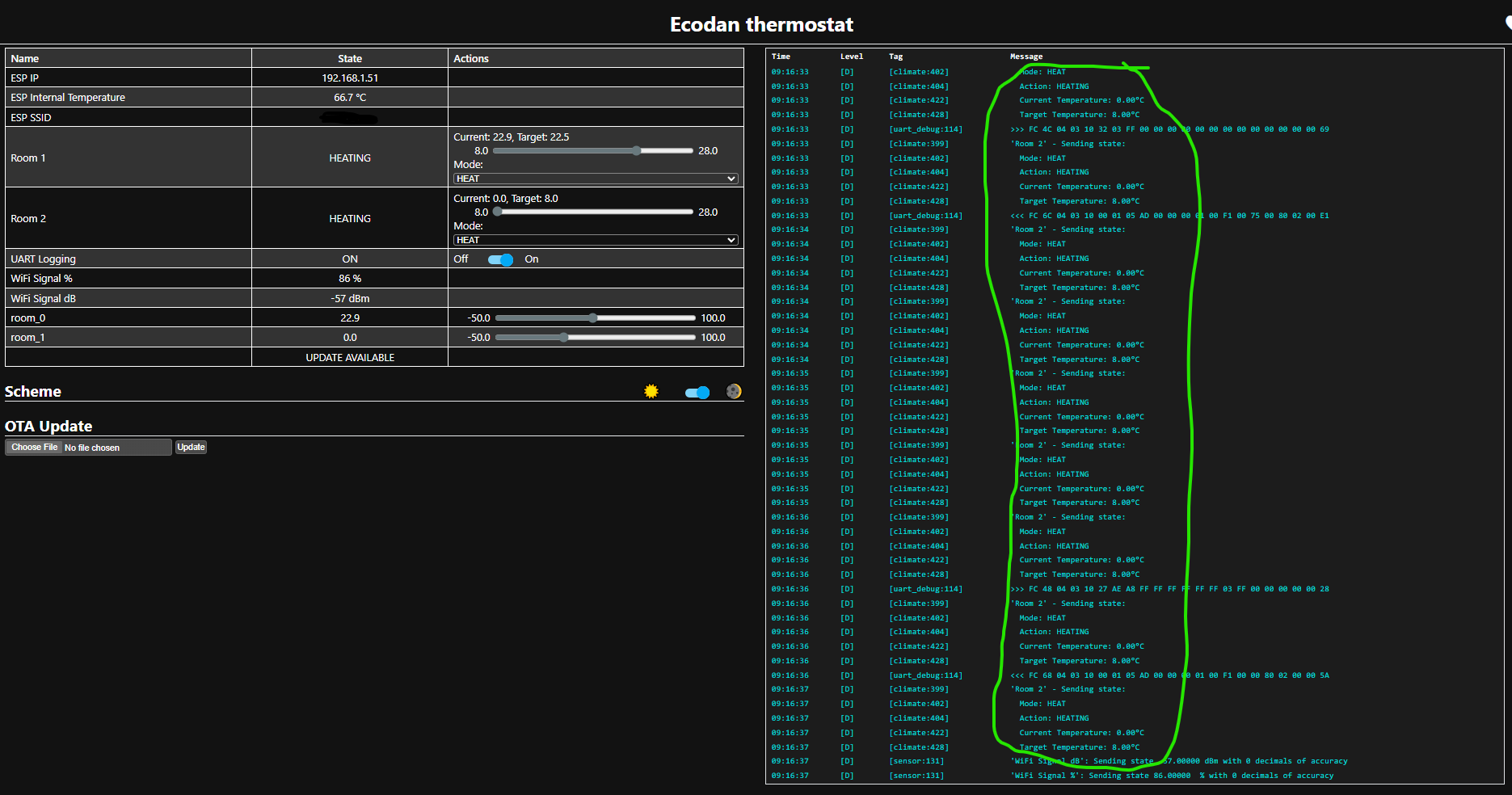
When setpoint is set, it runs normal
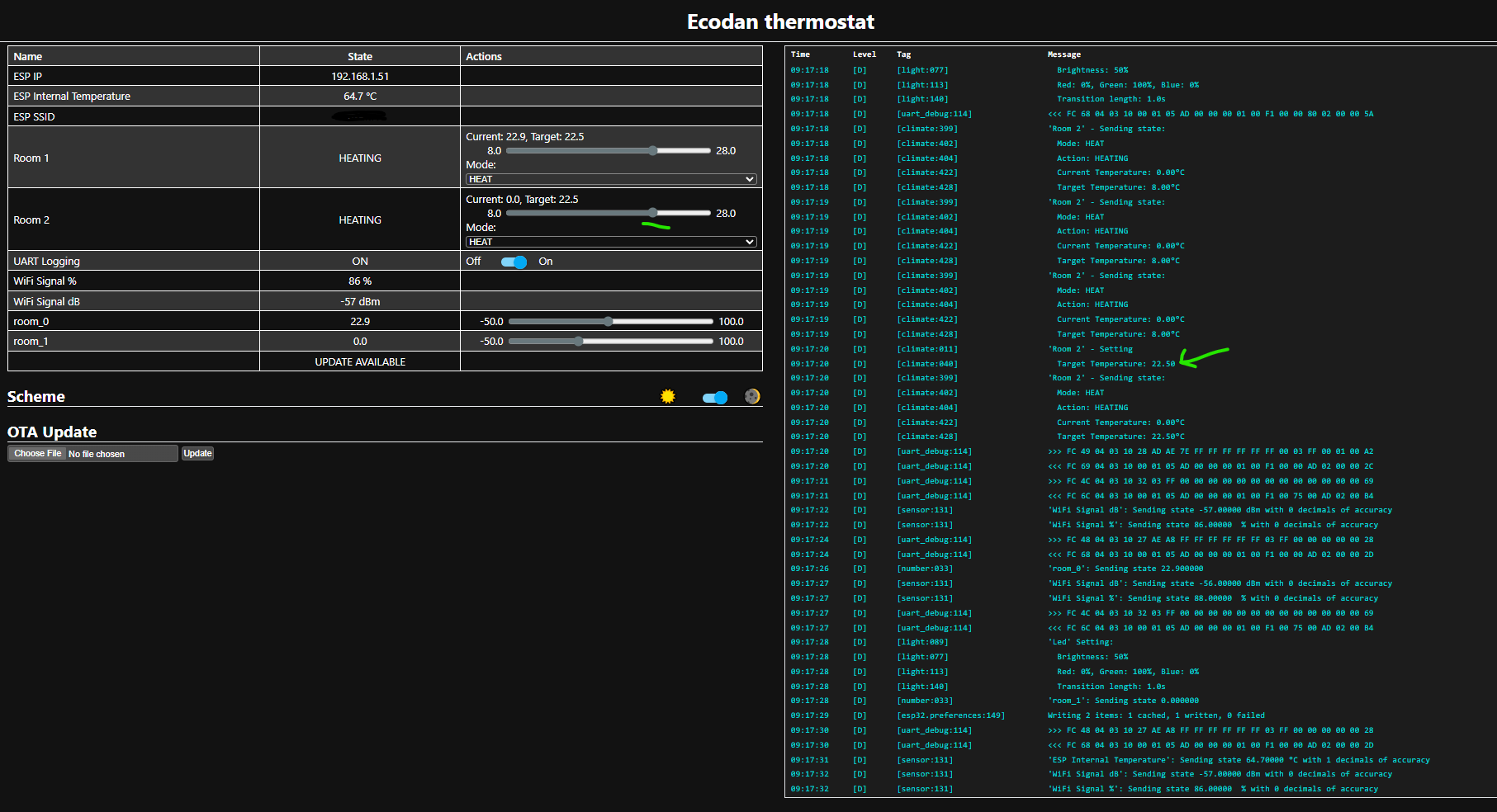
Maybe It’s the 8C issue where heatpump min is actually 10.
E: just did a test and spamming stops as soon as the setpoint 2 changes, even to 8.5.
E2: tested latest release and spamming is gone, although there is some mixup in remembering setpoint.
At first:
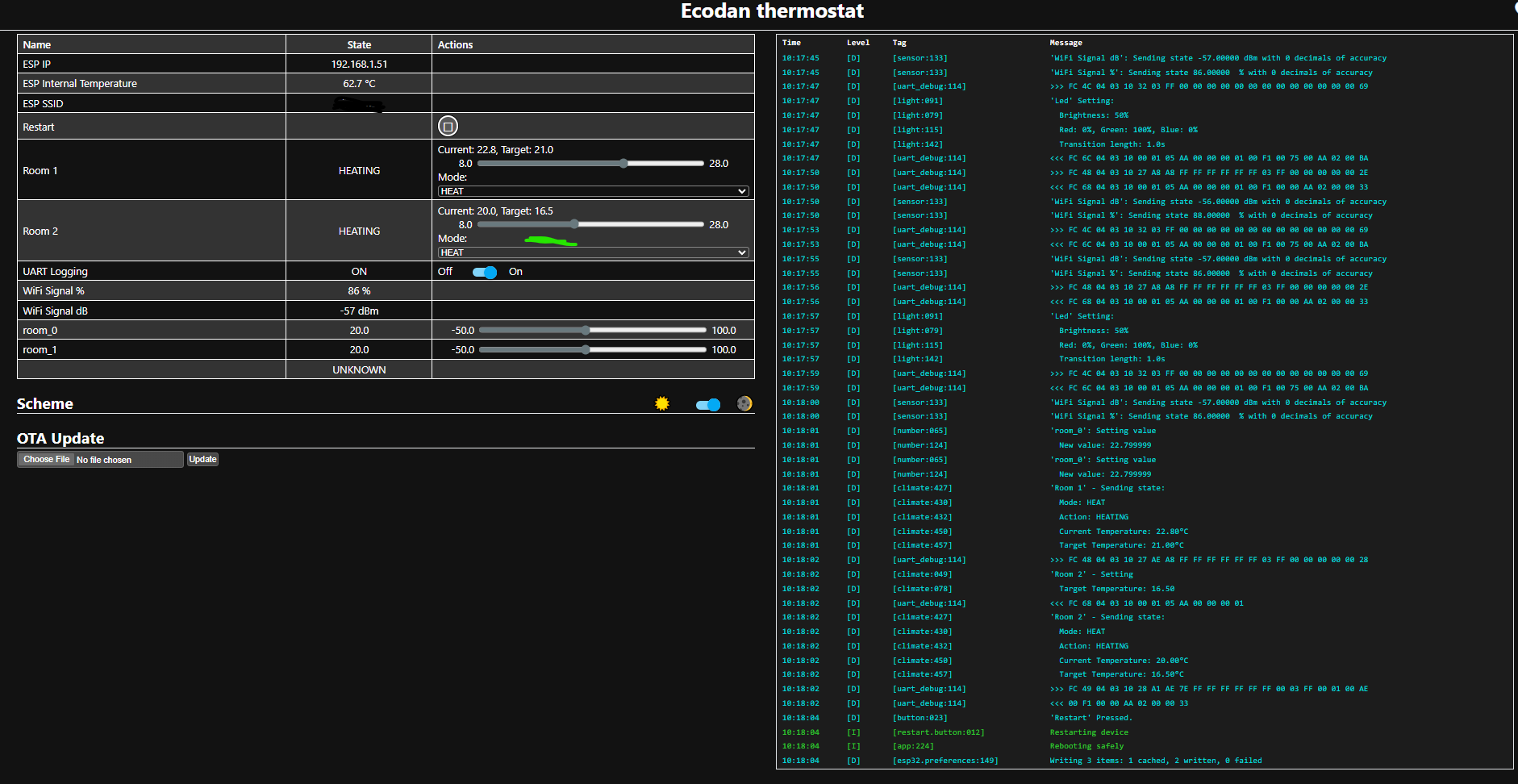
Setpoints are changing positions after reboot:
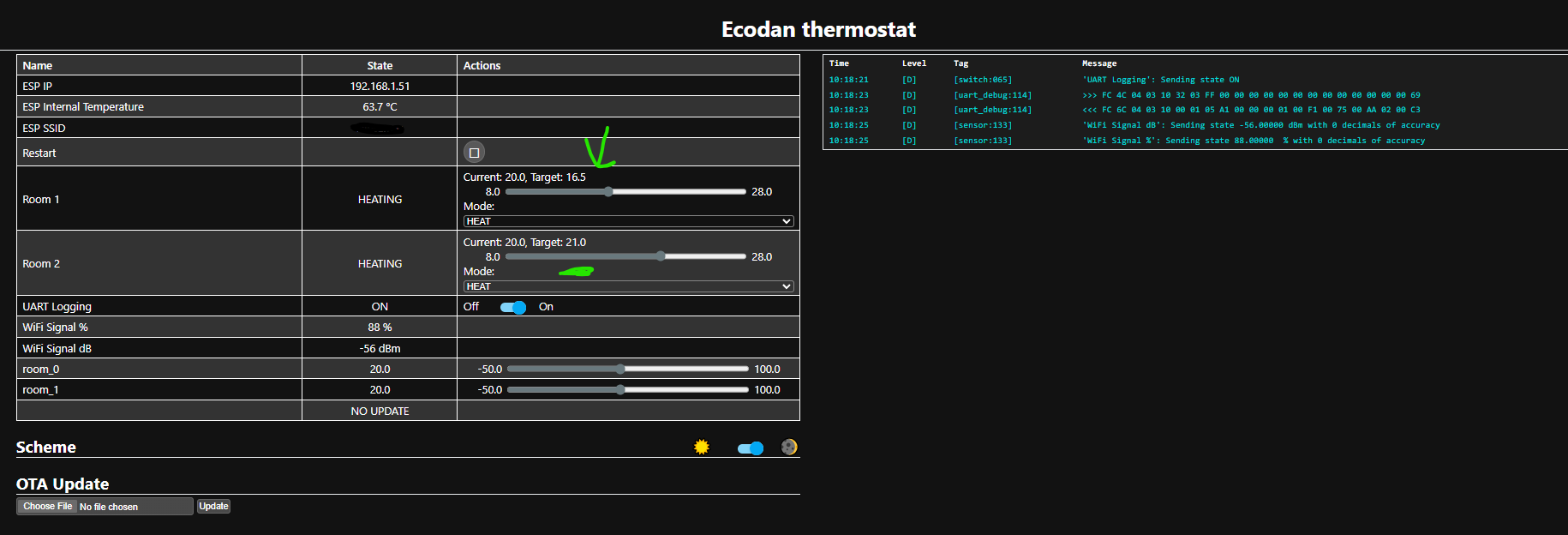
if you don’t have 2 rooms, just don’t enable room 2 via yaml? I mean it is disabled by default, and you had to turn it on.
Regarding memory for previous current temp, it restores the last saved to prevent starting with 0 (8c). It only saves 0.5 values (what is actually sent over CNRF), so if you are setting current value of 19.2, then 19.0 is sent over CNRF and remembered.
your trigger should sync the correct value when it notice it has been changed.
As for setpoint, my setpoint are restored properly. Did you set it up correctly ? This can only happen when you messed up the identifiers. It should look like this:
 thermostat-room-0: !include { file: confs/thermostat-room.yaml, vars: { room_identifier: 0, room_name: "Room 1" } }
 thermostat-room-1: !include { file: confs/thermostat-room.yaml, vars: { room_identifier: 1, room_name: "Room 2" } }
But your issue seems to be connectivity that is causing this, I suggest using an atom s3 lite
I haven’t done any configuration, just uploaded binary to device, HA auto discovered it and i’m only posting curl temperature values to “/number/room_0/set” (with 0.1 accuracy) from domoticz and room setpoints come from CN105 (F1p) with 0.5 accuracy. That might be the cause of some mixed setpoints. Thought the previous setpoint was read from HP, since it also has buttons to change setpoint.
Not that familiar with HA, have been using long time domoticz. Had to try HA because HP control made by both of you is oriented to HA, so had to compare things.
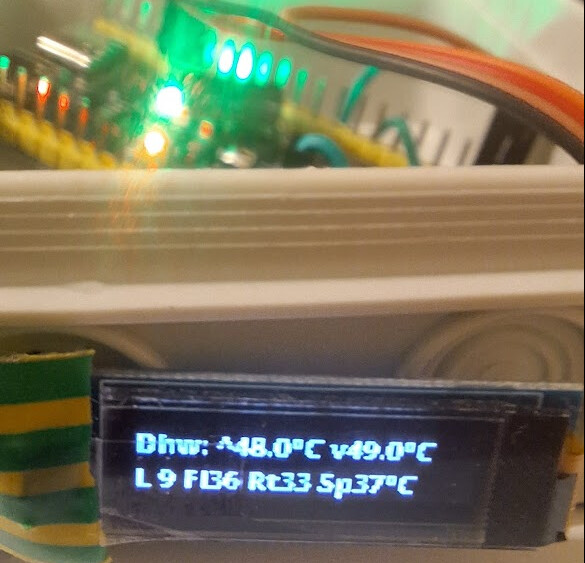
F1p variant has mqtt and that way HP is integrated to domoticz and most of the features work. Also it’s made in C family language which is more familiar to me, over the years of self learning. Added also small OLED display to the CN105 code to show some temperature readings right next to HP.
Haven’t had time to familiarise myself with python yet.
There we’re some issues regarding F1p CNRF variant that I can’t recall exactly now.
I’ll order other variant of ESP32 for CNRF.
the binaries are only for the atom s3 lite boards. If you run a different board it will for sure not work. Now I also understand the reboot issue. You probably used an OTA binary and it did not create the partitions correctly to store values.
I’m surprised it did something. If you run your own hardware, you need to compile yourself.
If you want mqtt in esphome, then you need to configure it
and disable the HA api.
Use this guide to build from source:
At first it was factory, but to update I used OTA variant.
For the board defined in git, this also suits for me if I use Arduino to compile/upload
board: esp32-s3-devkitc-1
Now I’ve checked F1p varaint on my arduino code and I have limited it’s output power in sketch
void setup() {
  WiFi.mode(WIFI_STA);         // explicitly set mode, esp defaults to STA+AP
  DEBUGPORT.begin(DEBUGBAUD);  // Start Debug

  HEATPUMP_STREAM.begin(SERIAL_BAUD, SERIAL_CONFIG, FTCCable_RxPin, FTCCable_TxPin);  // Rx, Tx
  HeatPump.SetStream(&HEATPUMP_STREAM);

WiFi.setTxPower(WIFI_POWER_8_5dBm);
Since the Wifi router is in same room with HP, there wasn’t any loss of signal for me, but it was stable.
I’ll try to find time for MQTT guide or check what was the issue I had with F1p variant for CNRF.