I feed data to emoncms.org from the built-in monitoring on my Vaillant. Can I export half-hourly electricity consumption as say a CSV? I’d like to be able to feed my battery simulation with my heat pump’s actual energy usage. (The Vaillant phone app does have a data export function but only supplies daily consumption.)
Hello @Dan_Grey yes you can, there’s a CSV export docs page here Export CSV — OpenEnergyMonitor 0.0.1 documentation but depending on what your after it may be easier to use the feed API and just bridge to your application/simulation directly?
Hello Trystan,
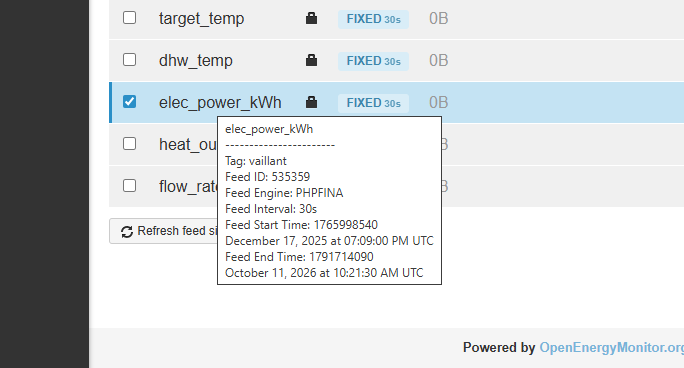
I’m exporting elec_power_kWh:
And this is the result:
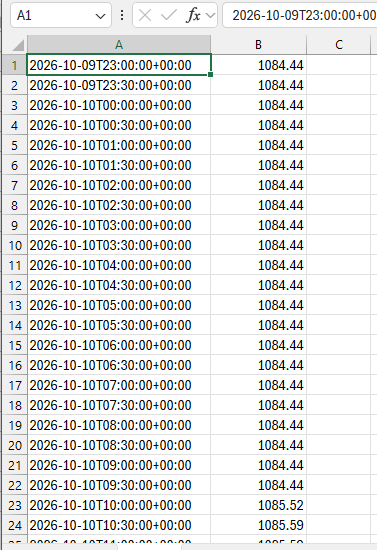
I think that’s total electrical power since oem recording began, isn’t it? So the number increments by however much energy was used over the previous 30 minutes. Is there a simple way to download only the increment, or shall I just figure it out how to extract the increment at my end? Probs pretty easy with a bit of AI-provided code!
I see your page on using AI agents to analyse data from the API, so might give that a try instead, although my data is in emoncms.org, not a local install.
Hello @Dan_Grey
If you are using the CSV download tool on the feeds page, the option to do this isnt actually broken out on the UI easily (I should add it!). If you use the Graph page CSV export tool you can select delta mode on the feed config.
Here’s an example python script generated quickly with claude just now, this uses delta=1 to conver the cumulative kWh data to kWh per half hour:
Prompt example:
Please write a simple python script to download half hourly kWh data from an emoncms.org feed. Use delta mode on the emoncms.org api, output the result to a csv file, implement this in the least lines of code possible and make it very easy to understand.
Resulting script:
# Download half-hourly kWh data from emoncms.org and save it to a CSV file.
import csv
import requests
from datetime import datetime

# --- Settings: change these ---
API_KEY = "your_read_api_key"   # Found on your emoncms.org "My Account" page
FEED_ID = 123                   # The id of your cumulative kWh feed
START = "2026-10-01"            # First day to download
END = "2026-10-08"              # Day to stop at (not included)

# The API wants times in milliseconds since 1970, so convert the dates
start_ms = int(datetime.fromisoformat(START).timestamp() * 1000)
end_ms = int(datetime.fromisoformat(END).timestamp() * 1000)

# Ask for one value every 1800 seconds (30 minutes).
# delta=1 turns the running kWh total into the kWh used in each half hour.
response = requests.get("https://emoncms.org/feed/data.json", params={
    "id": FEED_ID, "start": start_ms, "end": end_ms,
    "interval": 1800, "delta": 1, "apikey": API_KEY,
})
data = response.json()  # A list of [time_in_ms, kwh] pairs

# Write each half hour as one row in the CSV file
with open("kwh_half_hourly.csv", "w", newline="") as f:
    writer = csv.writer(f)
    writer.writerow(["time", "kwh"])
    for time_ms, kwh in data:
        writer.writerow([datetime.fromtimestamp(time_ms / 1000), kwh])

print(f"Saved {len(data)} rows to kwh_half_hourly.csv")
That code worked a treat, thank you!