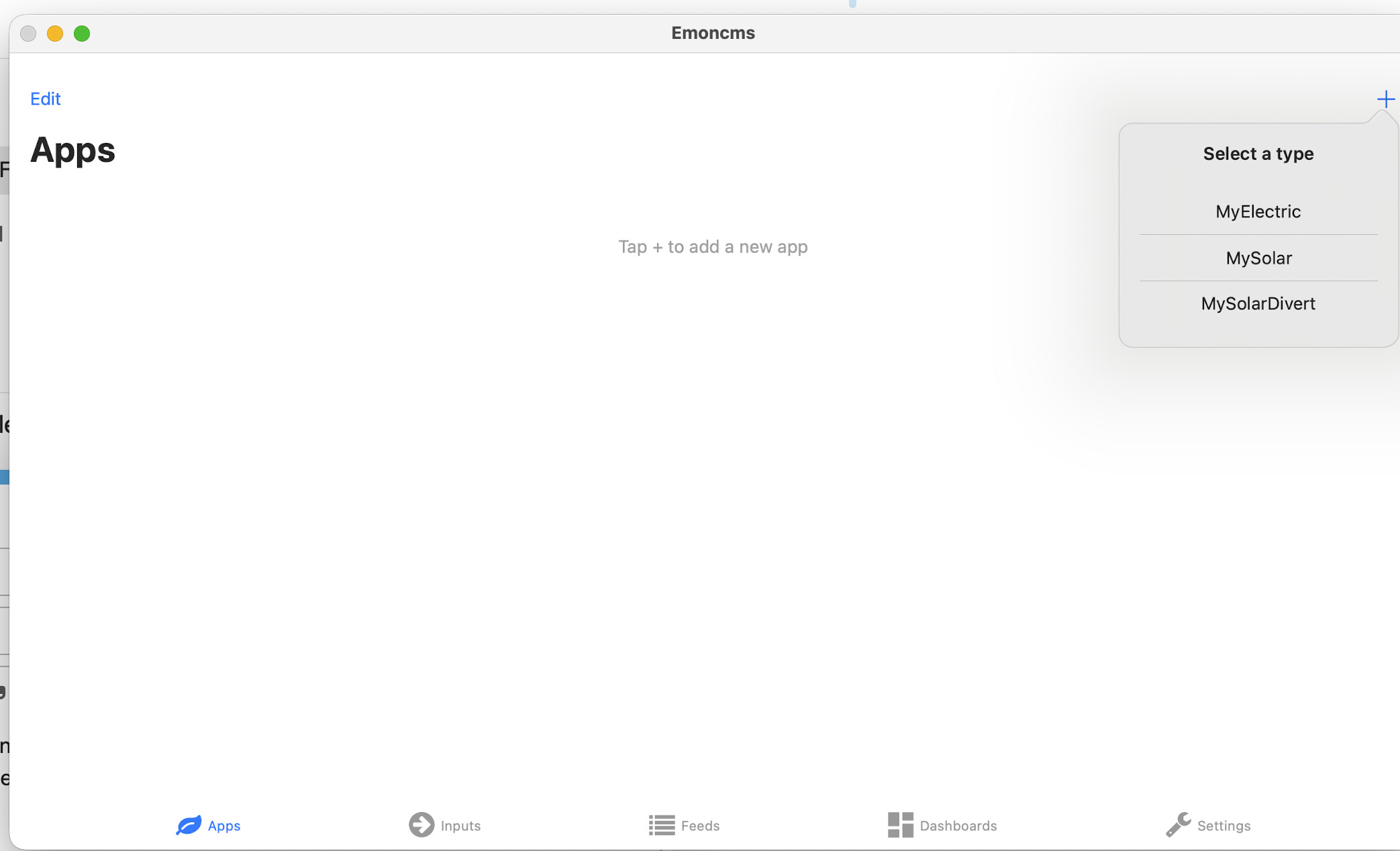
Using emoncms App

Have been using the web for getting information for my heat pump. Downloaded the App onto my Mac. When I open the app I can see the Dashboard but not the Apps. It requests that I add an App, but when I click on + it does not show the Heat pump App.

How can I load the Heatpump App?

There are a lot more than 3 apps. Did you try scrolling that list?

Yes, but will not scroll, just those three.

Still trying to sort problem. Can @TrystanLea or one of the team help. Thanks

Can you provide some more background?

  1. do you have an account set up at emoncms.org?
  2. is the heatpump app configured and working in the web browser?
  3. have you logged into the Emoncms app with the same credentials?
  1. I have an account setup on emoncms.org?
  2. On my web browser I log onto my account through the emoncms.org? web site
  3. I am using the same username and password I use on emoncms.org? web page
  4. I notice that in the App when I click on dashboard the result shows in a web page, not within the App.

Hello @dmhom the iphone app was a really nice community contribution by @mattjgalloway but it pre-dates the MyHeatpump app that is available in the web version of emoncms.org. Our recommendation is to use the web version directly and then save a shortcut to the home screen, following this process: https://www.youtube.com/watch?v=lKbsY8hLVaw

That could explain it. Thanks

Sorry, it’s correct that the iOS app doesn’t support the MyHeatpump app unfortunately. I haven’t got a MyHeatpump setup I could develop it against, and I haven’t had chance in a while to update the OEM app sadly!