Total Generated Energy info Samsung NASA monitor - how to reset this?

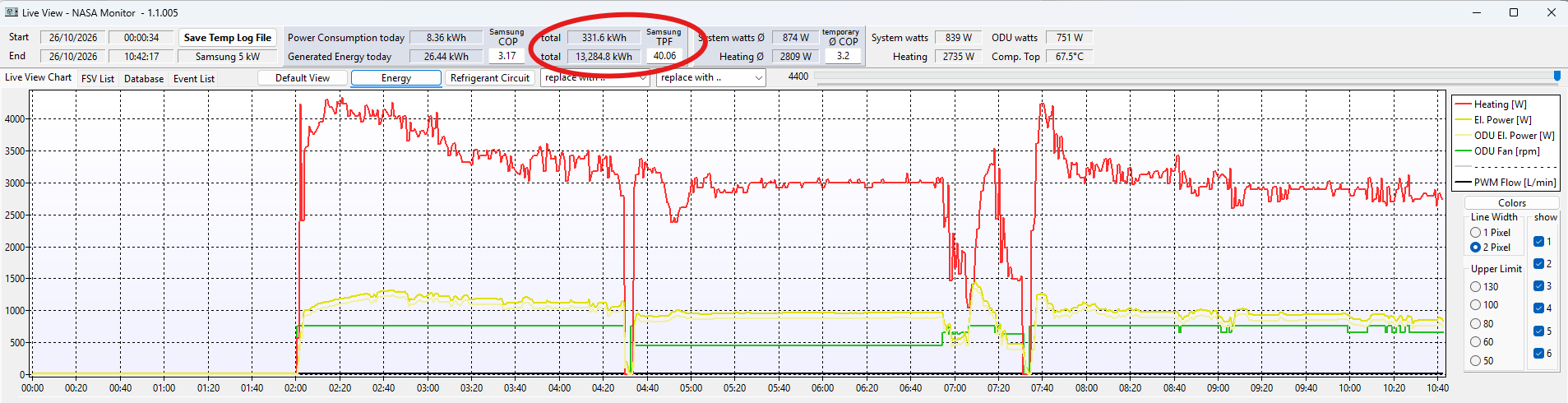
I would like to reset the “Total Generated Energy” figures that are currently showing in NASA Monitor, see circled in RED, reason is I’ve recently changed out my Heat pump and want these figures to start afresh, so I can check lifetime COP etc for this new unit.

Is this an FSV I can write to or something via SNET-2 or is it something I can access via a HA integration or simply change via Indoor unit?

I don’t think you can reset this number via software, @hank31980. NASAMonitor reads this from 0x4427 (which appears every 160s or so on the F1/F2 data highway), but SNET-Pro2 doesn’t access it at all. I assume that it’s a read-only register in the EEPROM, so unless you replace this for any reason you’ll probably* be stuck with it. I base this assumption on the observation that when I replaced my PCB last year - but retaining the old EEPROM - the energy counter didn’t reset, suggesting that the data resided in the EEPROM, not the MICOM.

*There might be a loophole for you, though. There’s a “Usage Data Initialisation” option under the Energy Setting (Settings on the Remote Controller) that “initialises the entire energy function” according to the User Manual (p11). I haven’t tried it, and suspect that it zeroes the energy stopwatch built into the Remote Controller, rather than 0x4427.

Let us know what happens if you try it… :upside_down_face:

Hi Sarah,

I thought I had changed everything and therefore assumed it would reset;

  • The Samsung ASHP (Monobloc Outside unit) itself changed from a 16kW to a 5kW.
  • The MIM-E03 PCB changed
  • The Indoor Wired Controller (MWR-WW10) changed
  • I tried the Energy reset from the Wired Controller as you suggested, did it the other day

I assumed all counters would start afresh, but I don’t think anything was refreshed.

100000_energy_consumption (NASA msg Id $8414)…reading 339kW

100000_energy_generation (NASA msg Id $4427)…reading 13,309kW.

Its not so important really, I was just wanting the lifetime COP not to be skewed by erroneous figures, just wanted to refresh it and start again, but its no big issue.


DHW settings?

Anyway, would like to pick you brains briefly to confirm my DHW settings resemble something sensible. Initially I don’t want to include any Immersion heating, as I want to see if the 5kW ASHP can produce sufficient Hot water for me in the 300l Tank.

This was my main task tonight, trying to set up DHW scheduling and settings, as I have never used the ASHP for anything but heating before.

So I’ve gone for the following which is pretty much Default I think;

#3011 = 1

#3021 = 55

#3022 = 2

#3023 = 10

Via the Wired Controller, I’ve set the DHW Water Setpoint to be 50C.

I’ve also set up a Daily schedule, one for the evening and also in the middle of the night and for both I set DHW “ON” and have chosen “Standard mode” as I assume it will obey the Hysteresis of #3022 and #3023, although I am not sure whether “Eco mode” is the really the correct choice here, maybe standard mode just runs the DHW cycle regardless and Eco mode obeys the Hysteresis parameters.

I am hoping that during DHW scheduled times, the system will check actual Water tank temp and if below (Setpoint) 50C - 10C (Lower Hysteresis) = 40C this will result in a DHW run and hot water run should end at (Setpoint) 50C + 2C (Upper Hysteresis) = 52C?

However, I think when the DHW schedule kicked in and the DHW function was enabled, it just started, I don’t think it waited for Water temp to drop 10C below setpoint of 50C, it just started and ended once the Water Tank temp was at 50C, so I didn’t see any hysteresis parameters come into play, so whether Standard mode or Eco mode I don’t think the Hysteresis parameters ie DHW On/Off’s were obeyed?

Not sure why, must be a setting that I’ve got wrong, maybe #3011 should be something other than 1?

The LWT seems to be up at around 57C during the DHW run, so that seems to be chugging away nicely and well capable of achieving my desired setpoint of 50C + 2C hysteresis.

Regards

David
Hi again David @hank31980. My perspective on your DHW questions:

  1. Both Standard and Eco modes operate the hysteresis defined by #3022 and #3023. The only difference between them is that - except for Disinfection - Eco inhibits immersion heater use (this is in the User Manual but somewhat hidden in the Booster Heater notes). If you don’t want to ever use the immersion heater (even for disinfection) you can disable it with #3031.
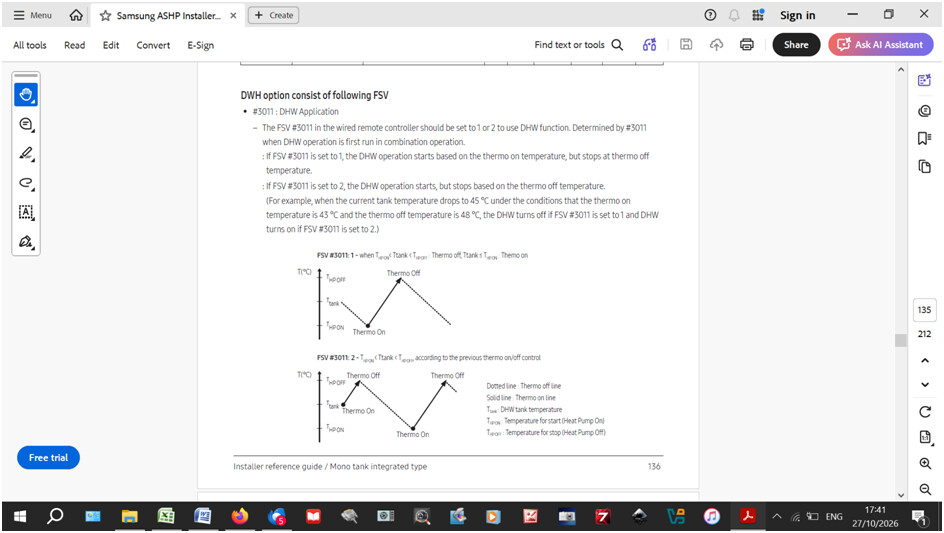
  2. The difference between #3011 = 1 and #3011 = 2 is more clearly described by the diagram in the Installers Guide: (If you haven’t already downloaded the Guide, you should - much helpful data.)
  3. How hot you can get the DHW tank to using the heat pump alone (no immersion, i.e. Eco mode) depends on the #1031 setting, the #3021 setting, and the size of the tank heating coil. Clearly, the larger the coil, the nearer tank temperature can approach the maximum LWT (and the quicker it will get there). If the coil is undersized, LWT may hit the #1031 setting before the tank reaches the #3021 setting (so the controller stops the compressor).
  4. There are other things that may stop your tank reaching the #3021 setting (with no immersion heater), including excessive compressor discharge or casing temperature, and excessive IPM temperature. Any of these - possibly other things too - can cause a compressor trip (equipment protection algorithms).
  5. Recently I ran a test to see how hot I could get my tank (which has an undersized coil) without the immersion heater. I reported the results in Panasonic Aquarea 9kW KIT-WC09K3E5 cannot sustain heating DHW above 50C - #10 by SarahH. On this occasion it was the #1031 limit which was reached first, at which time the compressor discharge was about 110degC, the compressor casing about 120degC, and the IPM temperature 94degC (I’ve seen the compressor trip at IPM = 95degC so I didn’t have much margin during this test).

Hope the foregoing helps…

Sarah

Ok, I will work my way through your points which are all clear and well made, so initially thanks for taking the time to reply.

  1. I don’t intend on connecting Immersion Heater to MIM at the moment, as I use a Shelly Relay to Power the Immersion Heater during the night on cheap tariff, but I don’t mind Heatpump having a go a DHW in the day, so I will use Eco (no immersion) and see how it goes.

  2. I have #3011 set to 1, but I will try and download the Samsung ASHP Installers guide to more fully understand the DHW options.

  3. I have #1031 set to 65C (max I think for my 5kW Gen6) I have #3021 set to 55C which is also maximum, so I guess 55C is the max that maybe the LWT and I guess therefore the Water tank temp will achieve…oh wait, someone has had a bath tonight and the Tank temp dropped to 39C just below my ON hysteresis point and now I can see that the Heatpump DHW cycle has now kicked in…let’s see what transpires, I have increased the DHW setpoint to 60C via the Wired remote to be sure it just keeps going regardless.

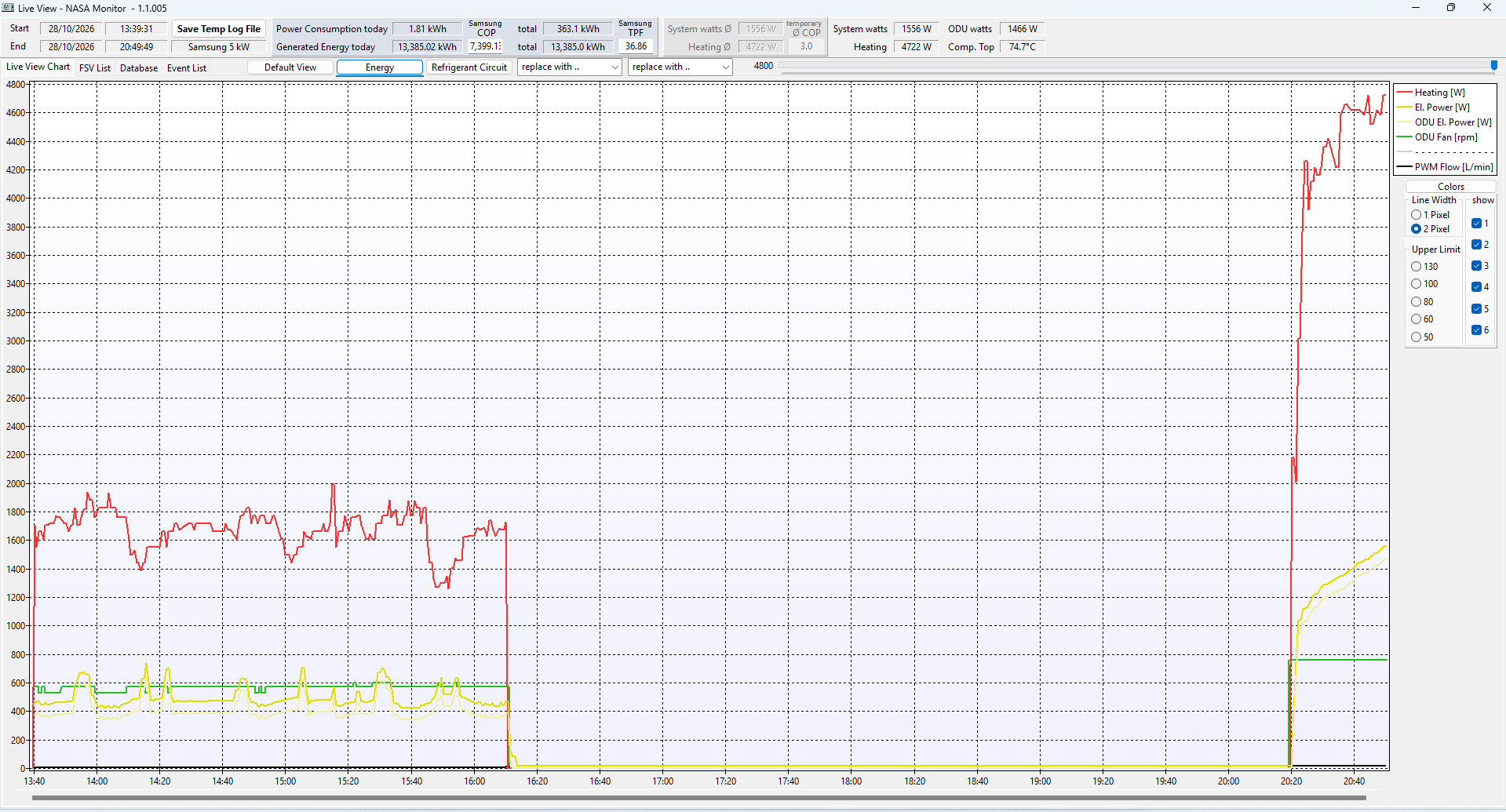
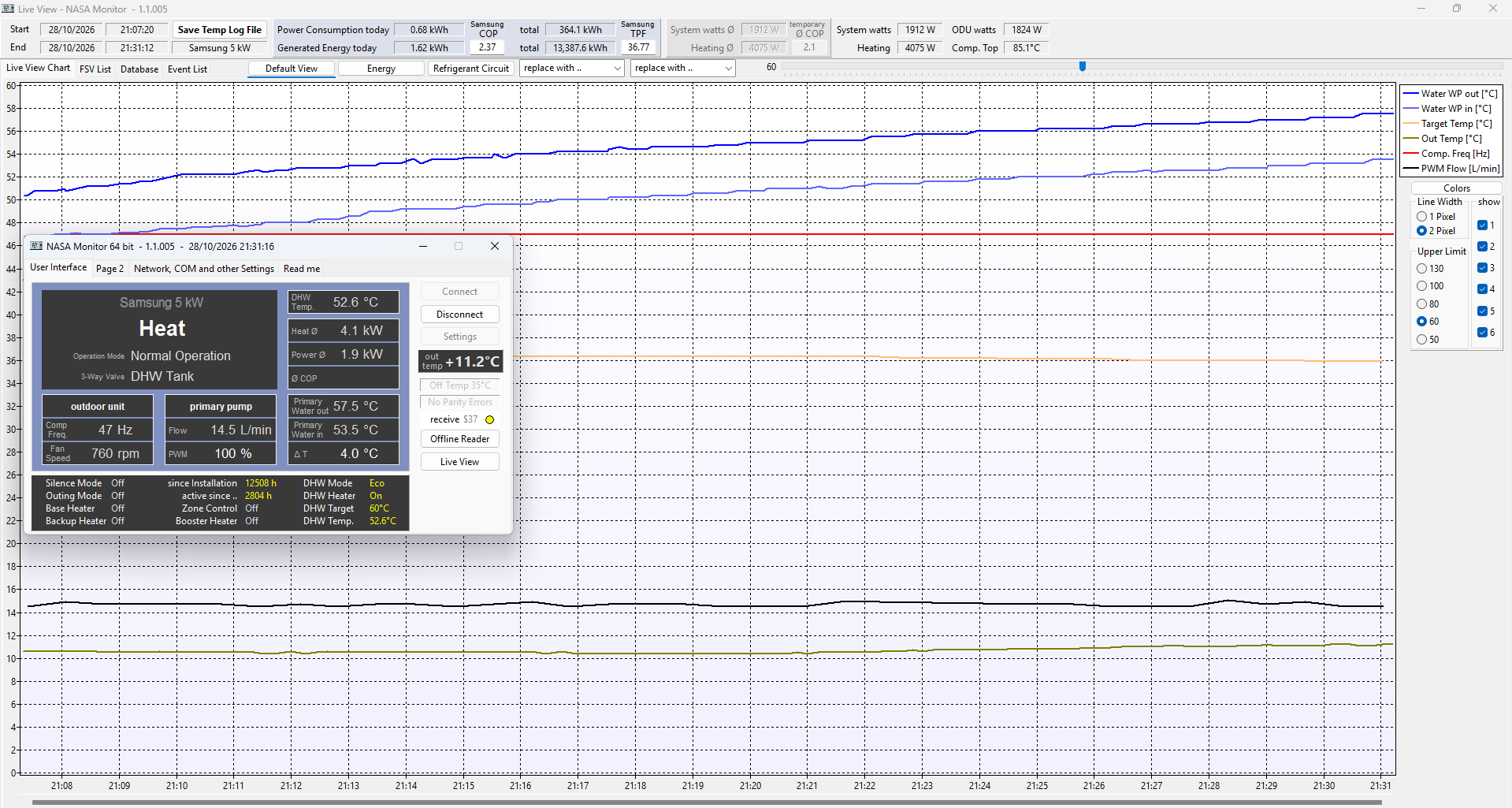
Looks like I’m Maxing out on the Power, ie approx 1.5kW electric In and getting 4.5kW heat Out

So after around an Hour running flat out, it seems like the LWT is sitting at around 57C and still rising and the Water tank water temp is still rising, so far its at 52C.

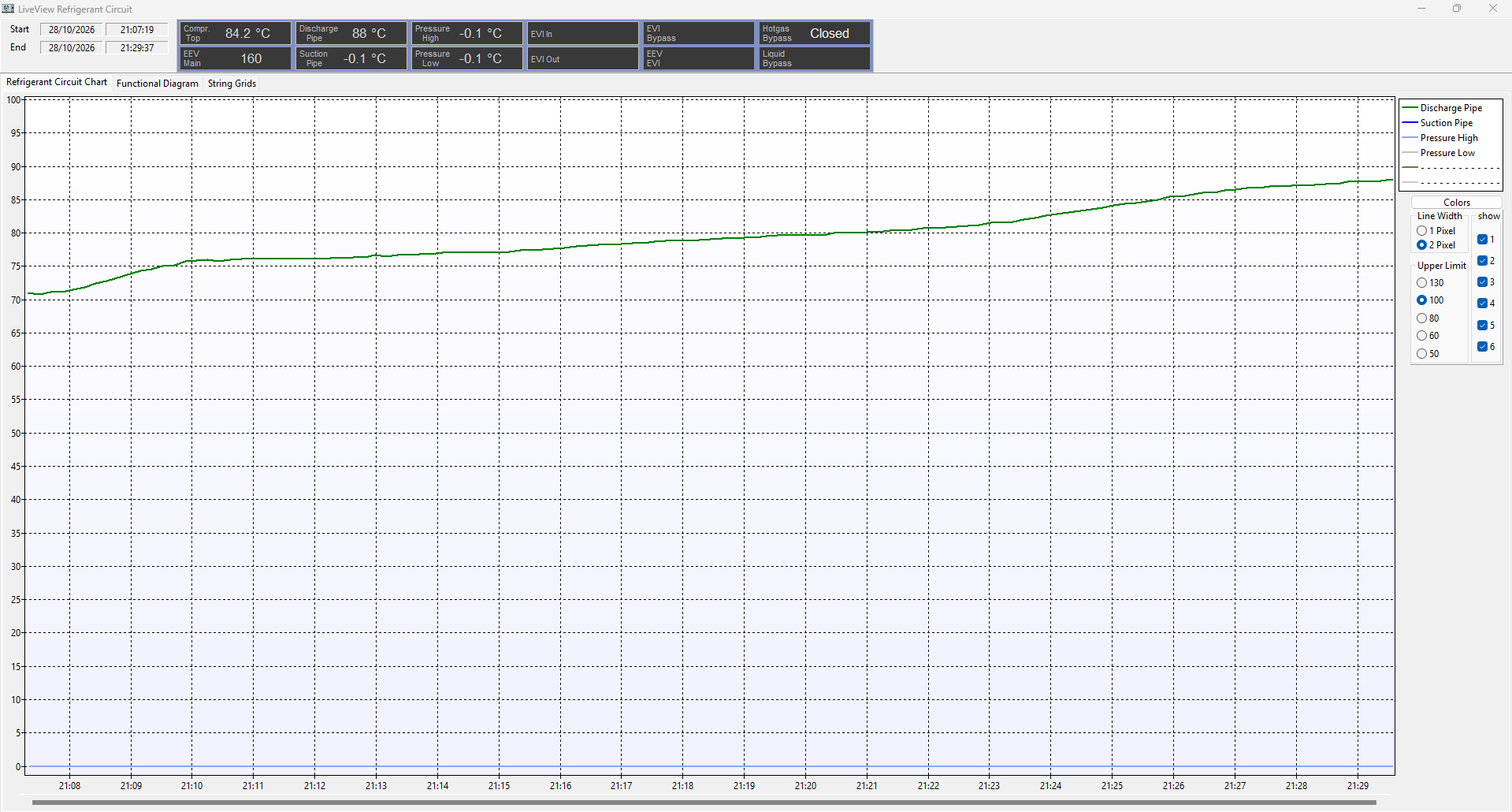
Compressor Top 81.2C & Discharge pipe 88C

So I think at a push the Tank temp will go to 55C maybe a little higher as LWT seemed to get to around 57C, but to be honest, I am happy with Water tank temp achieving my setpoint of 50C plus 2C hysteresis (Off).

Also the Hysteresis set of 10C below setpoint was working tonight, as the DHW cycle kicked in when Water tank temp was below 40C.

So all I can see that it works, in truth it probably takes about 1.5 hrs to get from 40C to 55C, but its a 300l tank and nowadays I have a 5kW ASHP, so I guess it is what it is, but so far really happy with how things are setup and how things are working.

Once again thanks for your help/useful explanations and suggestions.

It’s here…

Sounds like you have a very satisfactory setup there, David @hank31980 :+1:.

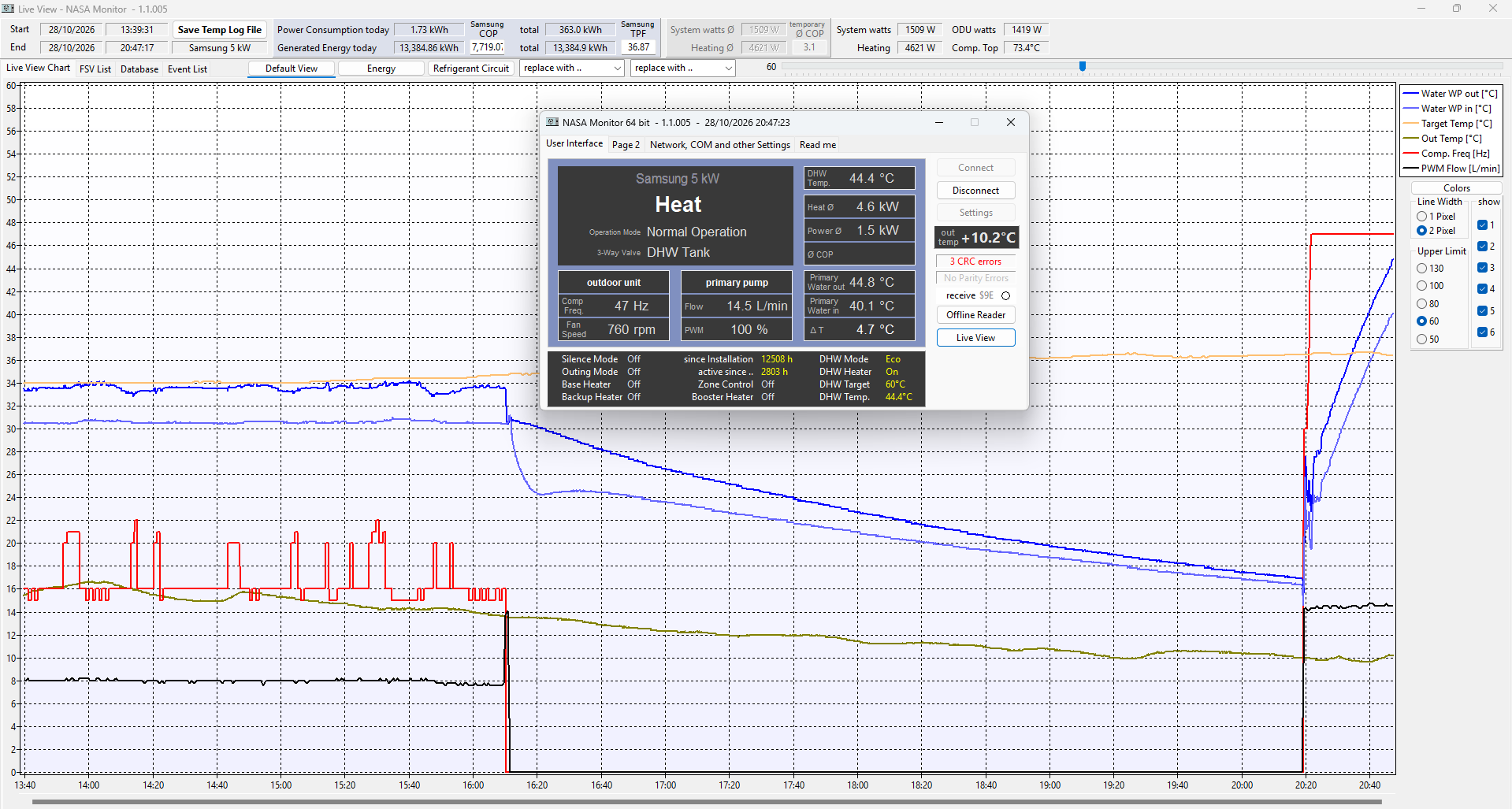
BTW did you know that you can display DHW temperature on NASAMonitor? Clicking on one of the two “add”/“replace with” fields gives a drop down list:


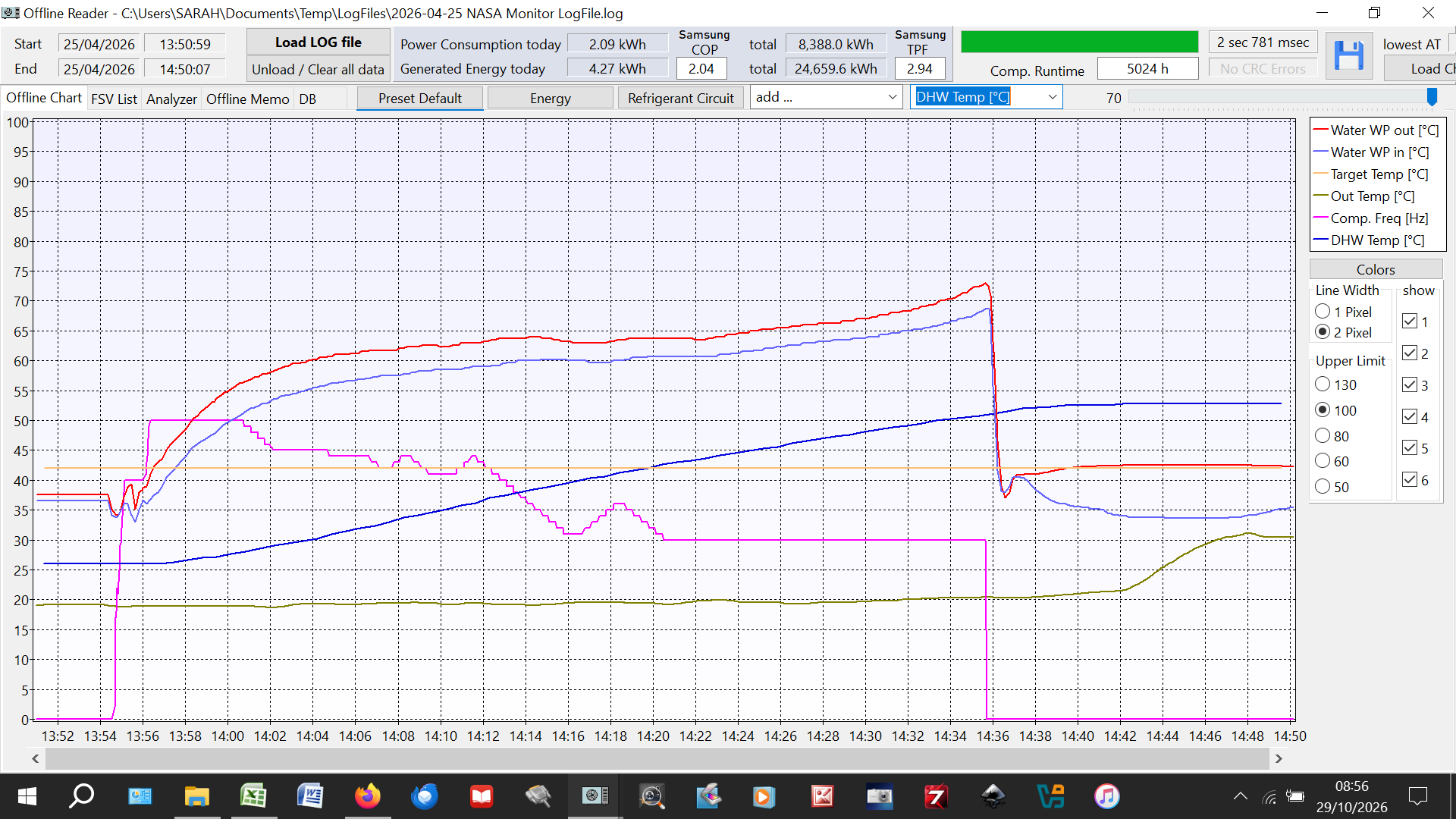
Clicking on “DHW Temp” plots this instead of the 5th or 6th default plot. I’ve chosen the right hand “add” so as to replace the PWM Flow with DHW Temp:

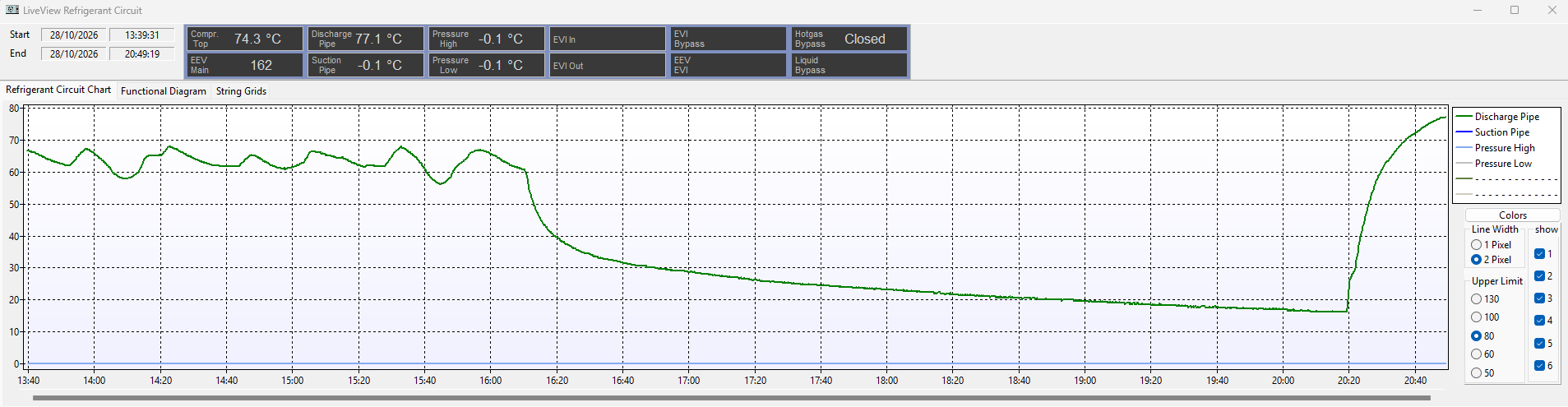
On this example you can clearly see a couple of degC DHW rise even after the compressor has cut out (on this occasion because LWT exceeded the max setting of 70degC).

[My tank is only 150 litres with a paltry 0.9m2 coil, which my 8kW HP is heating at 0.67degC/min. If you are heating your 300l at 15 / 90 = 0.17degC/min with 5kW, your comparable number to mine would be 0.17 * (8 / 5) * (300 / 150) = 0.54degC/min - not a million miles away from mine…]

Well I am still using Immersion heater to heat the Tank to 55Deg at 4am on cheap Octopus tariff. I have DHW enabled on the Samsung ASHP system, so in theory, it could run when required between 10 and and 10 pm, but so far no been active as the 300l tank seems to stay over 40Deg by end of day, so ASHP so far not really involved in DHW.

What I have done now is to set the system to run 24/7, using the Indoor thermostat unit and have set this to 22Deg and so far the house seems to sit between 20Deg and 21Deg. I’ve done my best to gradually close lockshields on radiators in rooms that were over temp and within reason most rooms are within a Deg or so.

Running the system 24/7 has resulted in a house that is not hot, not cold, just kind of neutral and I quite like the constant feel of it.

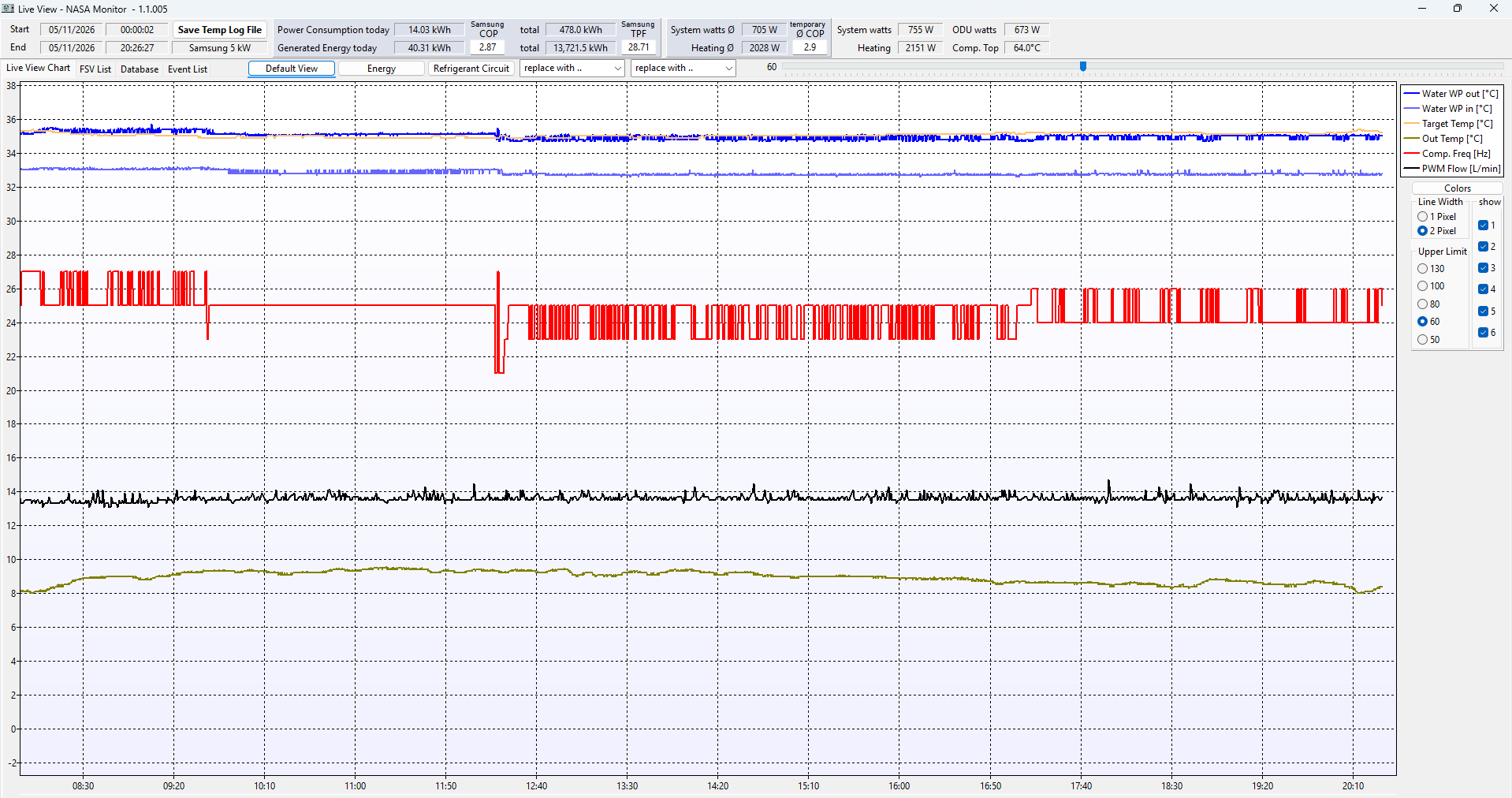
Compared to last winter’s ASHP nightmare when my system was all over the place, I have since changed from oversized 16kW to a poultry 5kW ASHP and following advice from contributors here, the system seems to be in a happy place, it just seems to run fairly constant and it seems to be pretty stable.

along the way I’ve noticed that Main pump Flow rate also has a big affect on system stability, my system seems happiest with a Main ASHP circuit DeltaT set to at least 3Deg and now I’m trying 2Deg which seems even better and seems to maintain more stable LWT, Compressor frequency and stable COP of around 3, so next phase is when we get a cold snap and temps start to plummet, at the moment I feel like it’s still early days in performance as OAT is generally around 7 or 8Deg , so I’m guessing the next challenges will be seen when temps drop below 5Deg and the “De-ice” runs begin :face_with_spiral_eyes: